

Recently, the mini PC market has been rapidly growing. While the latest products equipped with AI chipsets are being released one after another, most of them come with a hefty price tag, making it burdensome for general users to purchase.
If you’re looking for a mini PC that offers decent performance at a reasonable price, the model equipped with the AMD Ryzen 9 7940HS processor, released last year, could be a practical alternative. The combination of the AMD Ryzen 9 7940HS and the Radeon 780M integrated graphics card is versatile enough for light gaming, office work, and simple photo editing.

MINISFORUM, a mini PC specialist manufacturer headquartered in Shenzhen, China, has been steadily establishing its presence in the market over the past six years by offering high-quality products. They have a diverse lineup, including the Venus series, Neptune, and Mars, and actively utilize the latest mobile processors from AMD and Intel in their product range.
Among them, the MINISFORUM UM790 Pro, which we will introduce today, is a flagship mini PC equipped with the AMD Ryzen 9 7940HS, delivering impressive performance despite its palm-sized dimensions. There will be a Black Friday sale from November 14 to 28, so if you’re interested, click the link below to check it out.
[2025] Black Friday – MINISFORUM Official Store
2025 MINISFORUM Black Friday Preview! Special sale with up to ???% discount from November 14 (Fri) to December 2 (Tue). We have prepared popular mini PCs and workstations. Find limited edition gifts, gifts for yourself, and gifts for your loved ones at MINISFORUM!
Specifications and Configuration

MINISFORUM UM790 Pro Detailed Specifications
Processor: AMD Ryzen 9 7940HS (8 cores, 16 threads, 4.0~5.2GHz)
Graphics: AMD Radeon 780M (RDNA3, 12CU, 2.8GHz)
Memory: DDR5-5600 SODIMM 32GB (up to 64GB)
Storage: M.2 2280 PCIe 4.0 x2 slot
Network: Intel Killer Wi-Fi 6E AX1675x, 2.5G Ethernet
Front Ports: USB4 x2, 3.5mm audio jack, power button
Rear Ports: HDMI 2.1 x2, USB-A 3.2 Gen2 x4, RJ45
Size/Weight: 130 x 126 x 47.2mm / 669g
Power: 19V 120W
OS: Windows 11 Pro (optional)
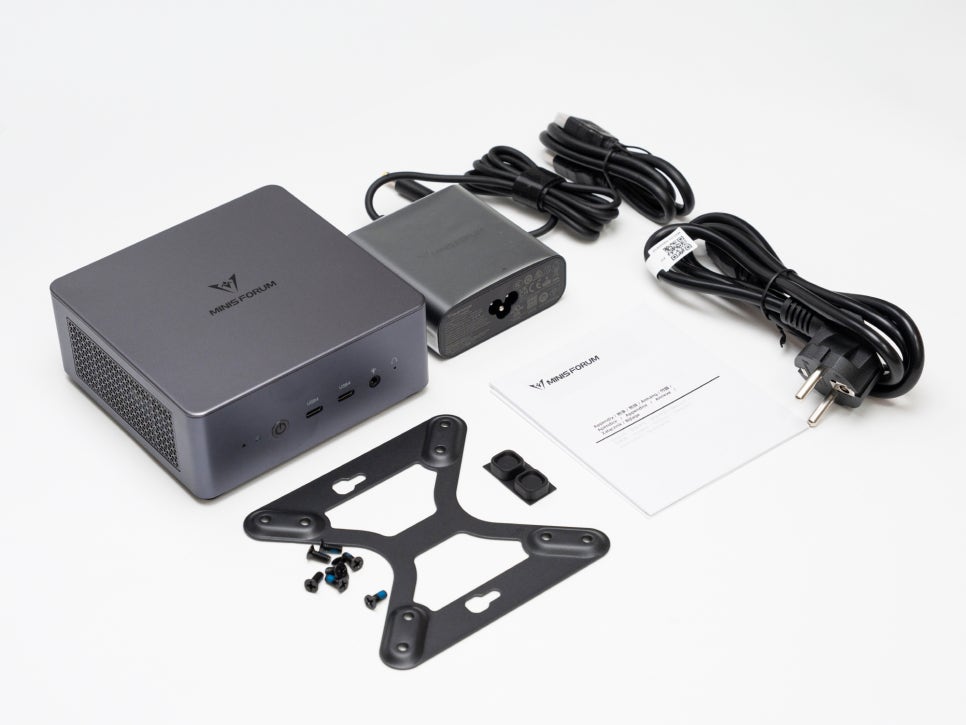
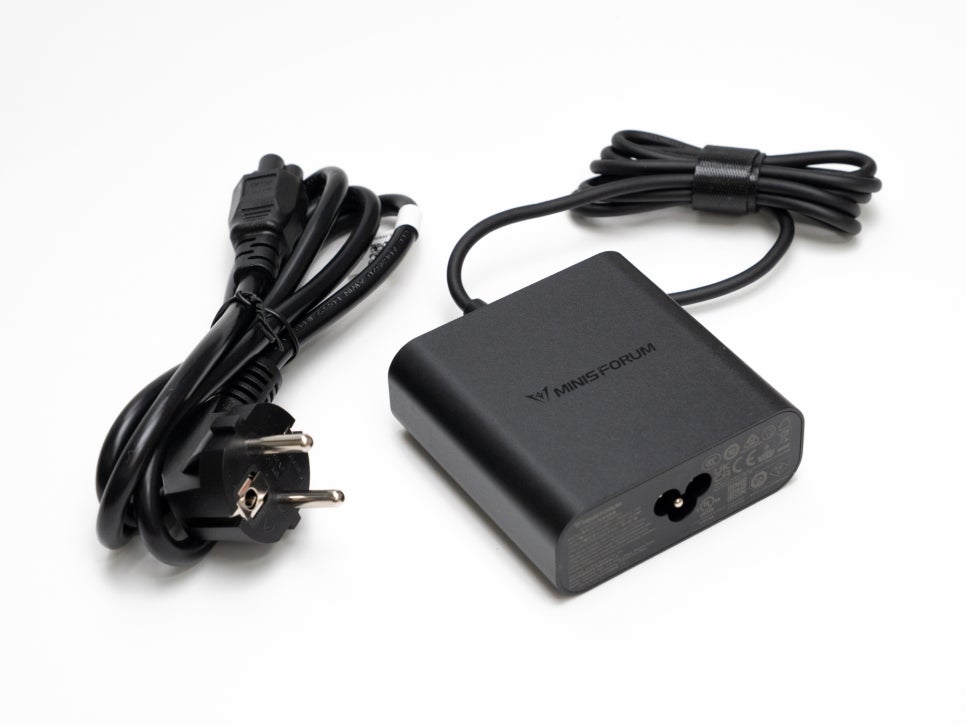
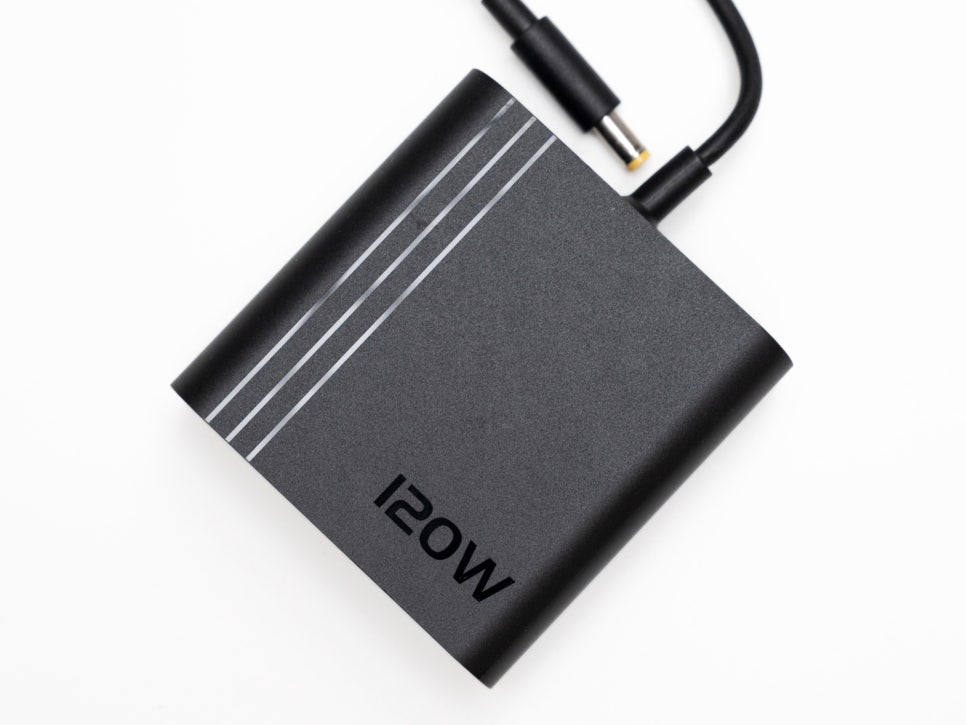

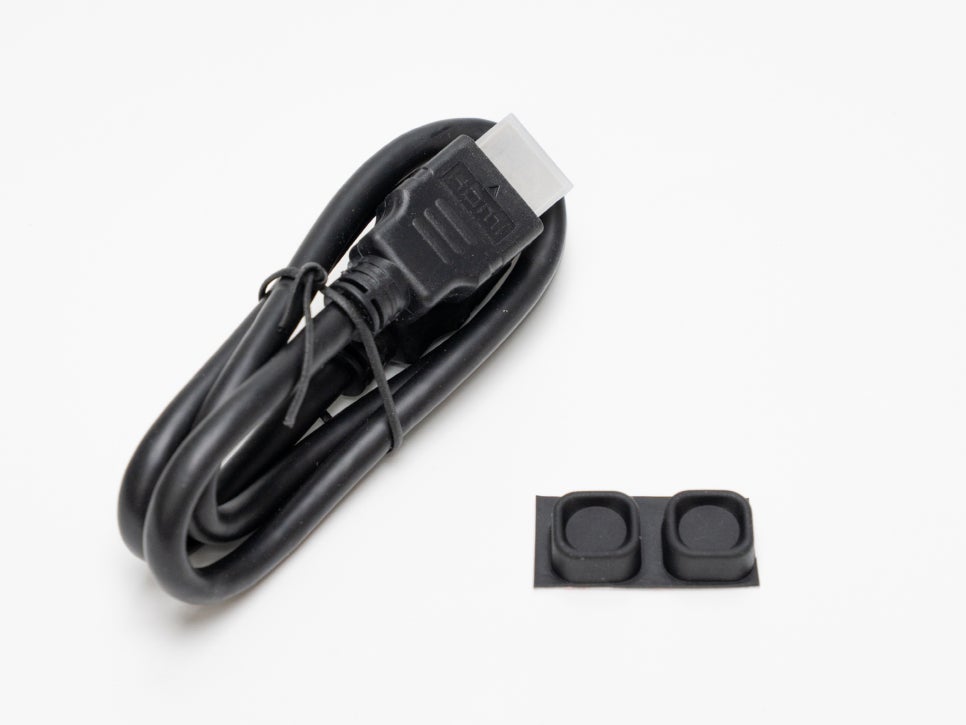
The package includes the main unit, a 120W power adapter, an HDMI cable, a VESA mount bracket, a simple user manual, and spare rubber feet. If you choose the barebone model, you can select and install the memory and storage yourself, making it more economical.
Design and Features
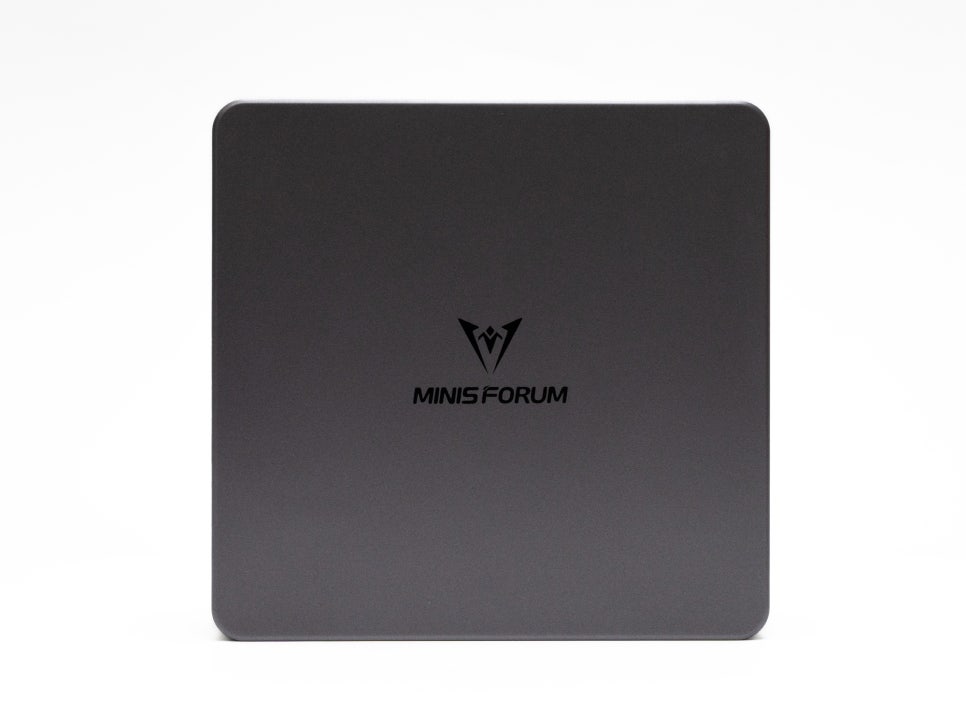
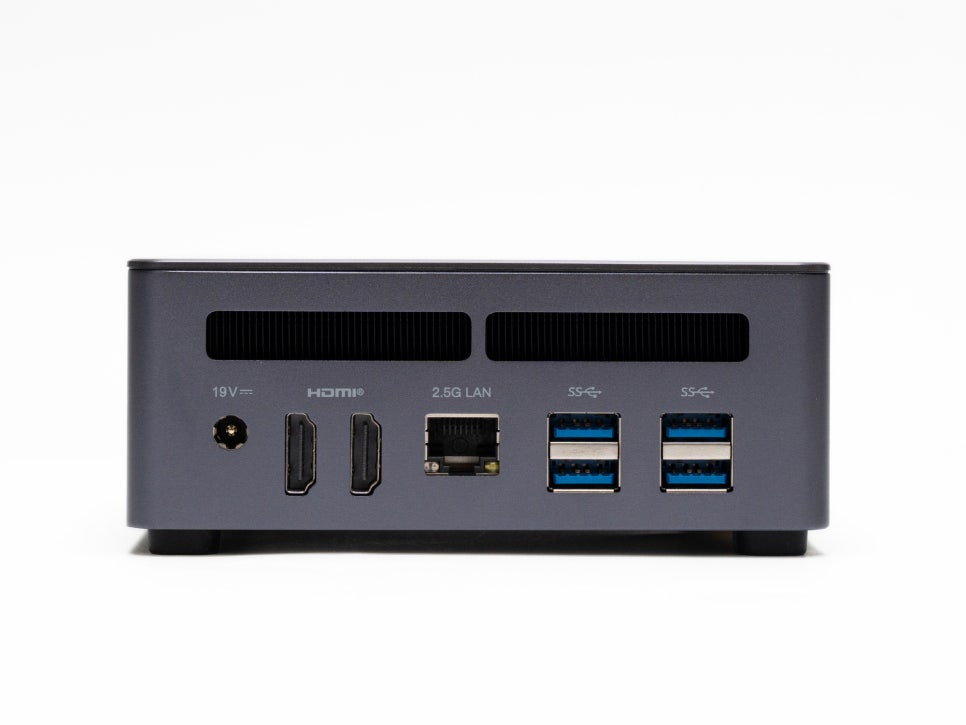

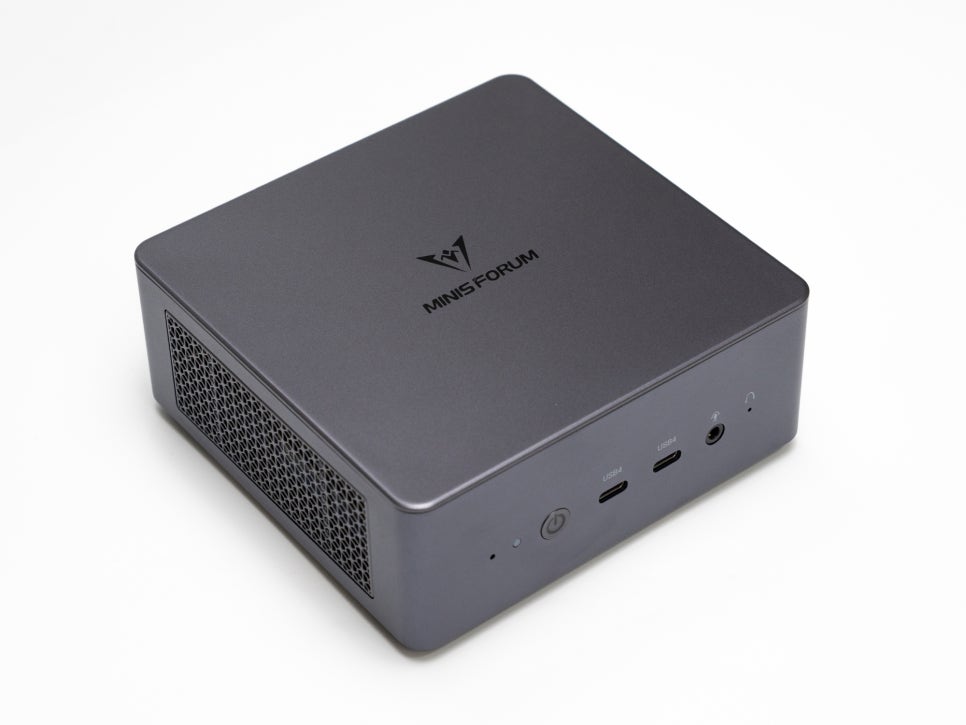
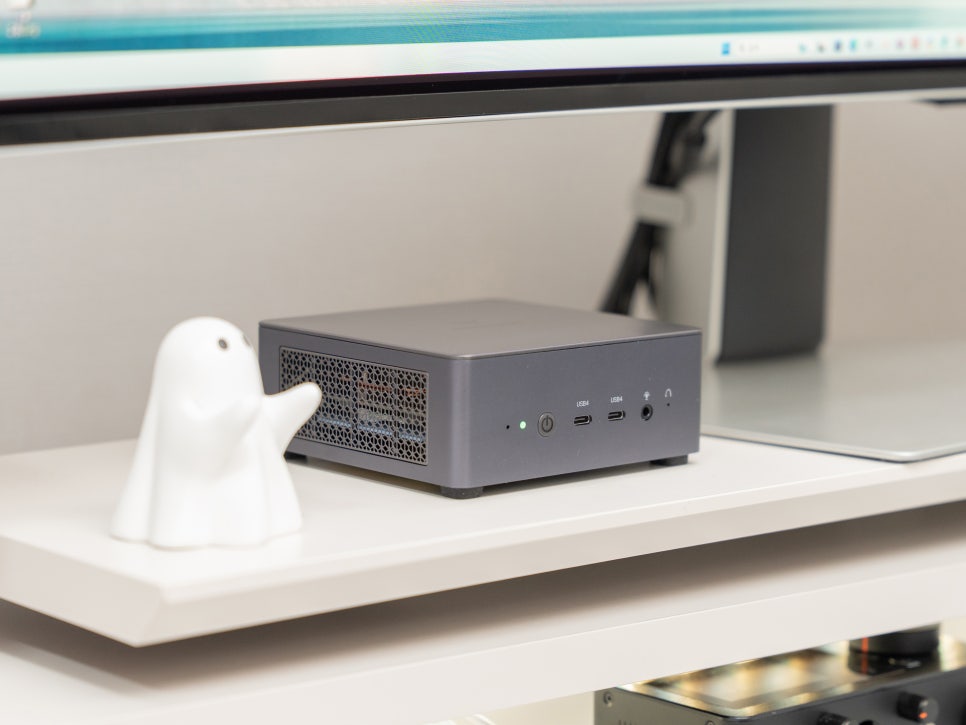
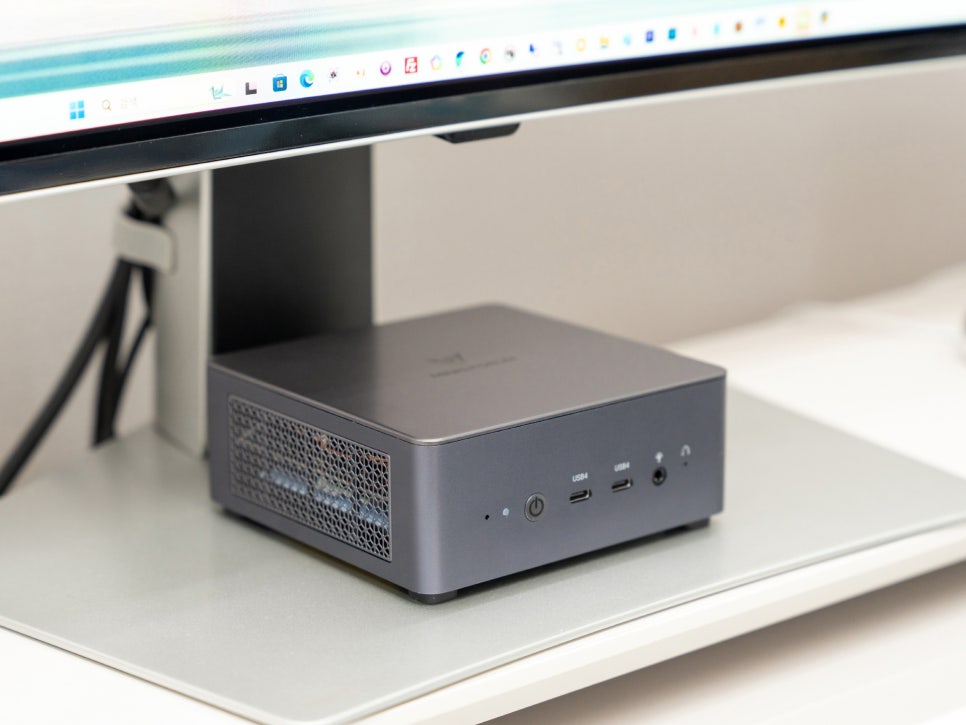
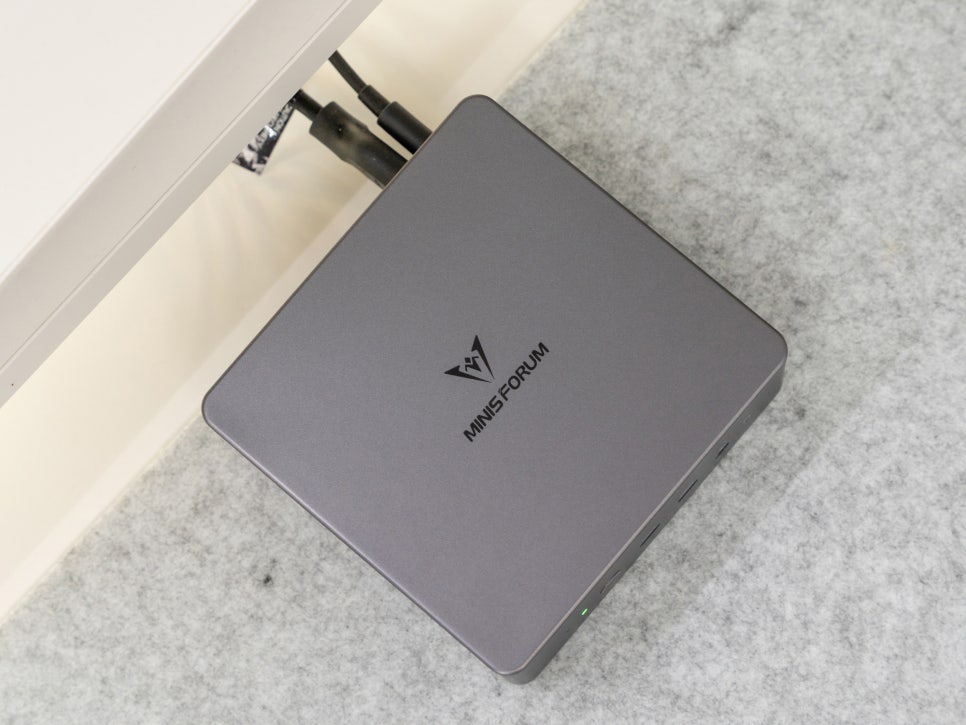
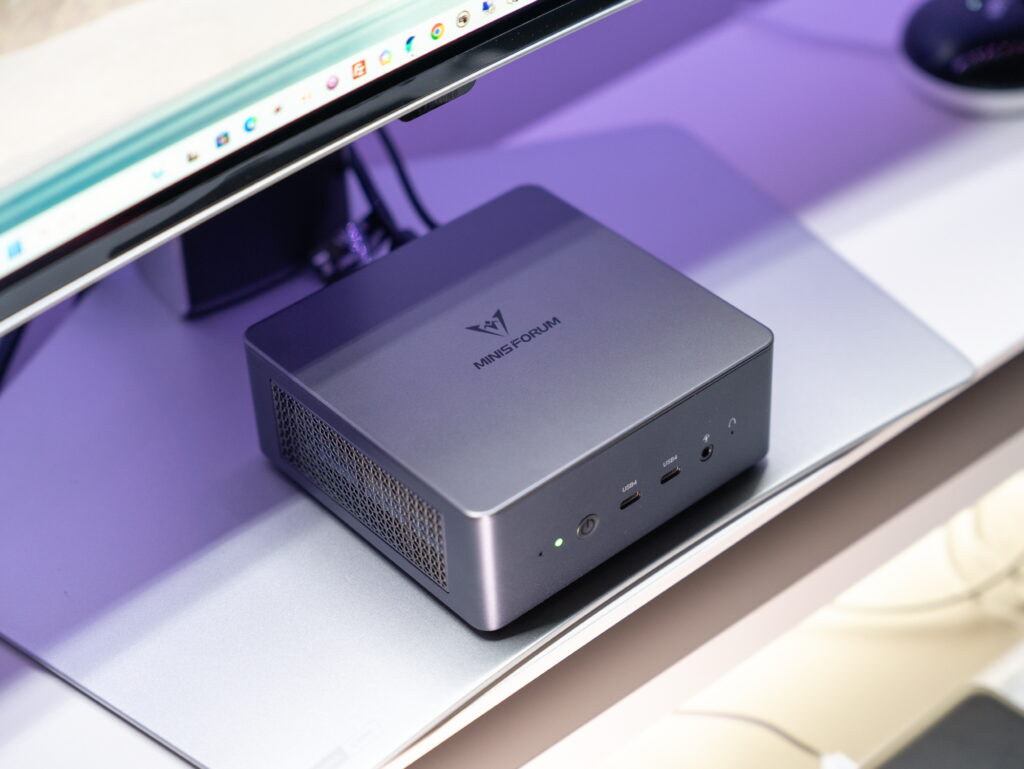
The most notable feature of the MINISFORUM UM790 Pro is its compact size. Measuring 130×126×47.2mm, it boasts powerful performance despite its small, palm-sized volume. Its excellent space efficiency allows it to be placed comfortably on a small desk or next to a living room TV. It weighs approximately 578g.
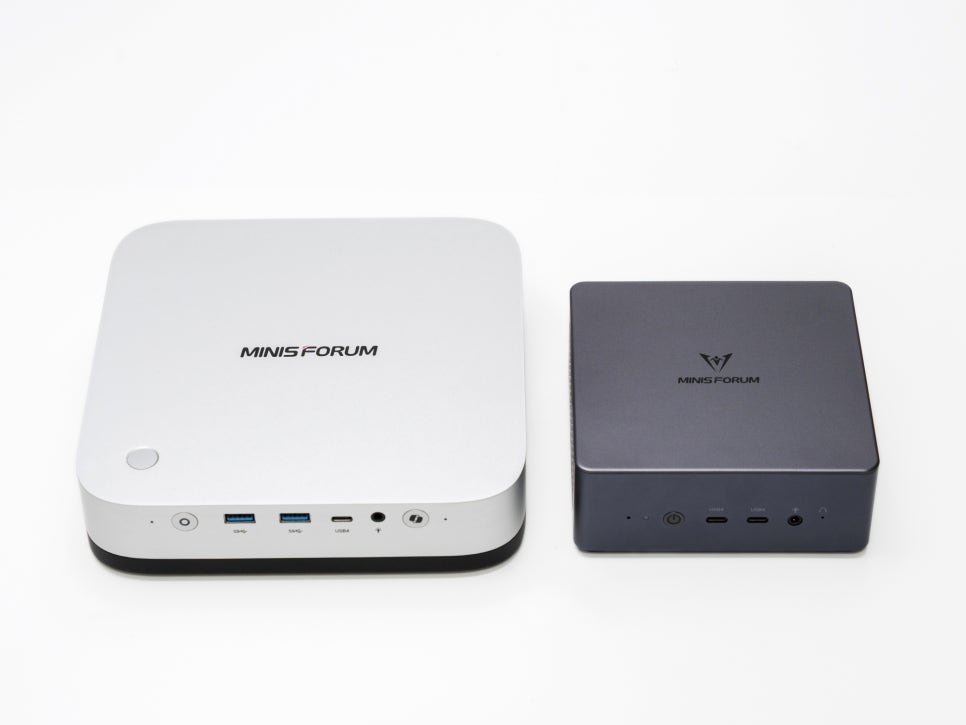
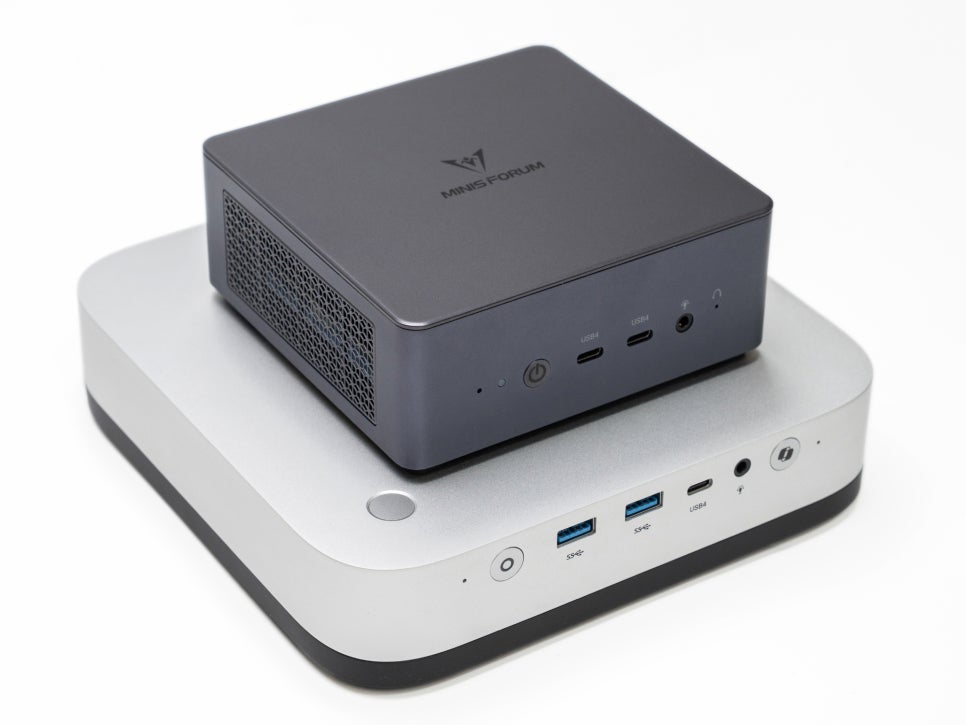
Compared to the recently reviewed MINISFORUM AI X1 Pro, the UM790 Pro is slightly smaller and lighter. The dark gray metal body with a hint of blue gives it a premium feel, and the fine frost treatment on the surface prevents fingerprints.

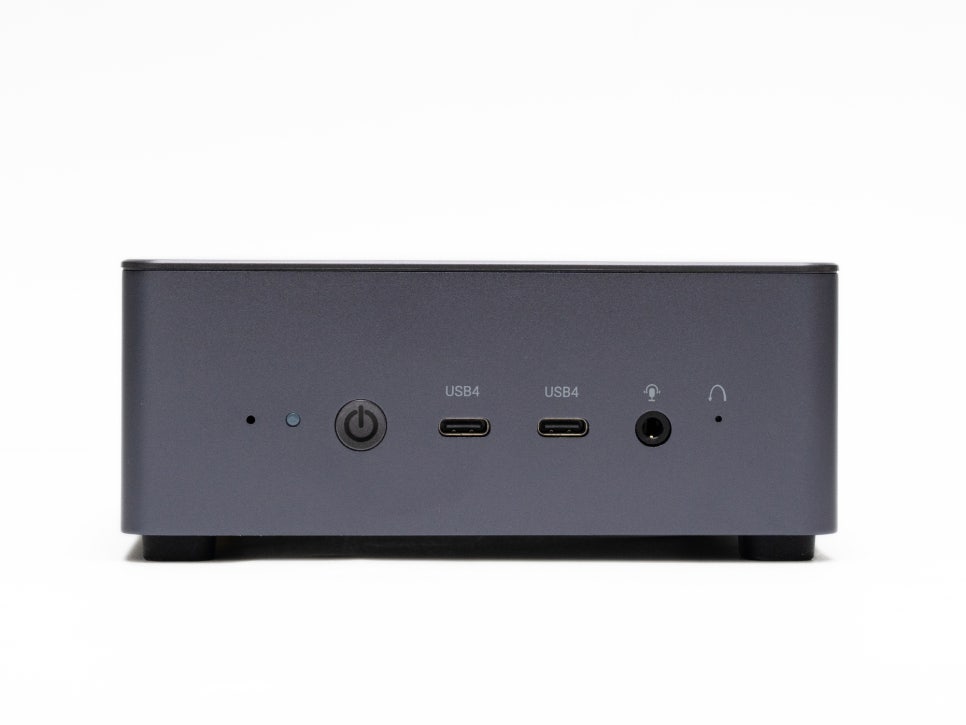
The front port configuration includes two USB4 ports, which stand out the most. These ports support fast transfer speeds of 40Gbps, video output, and 100W PD charging. Additionally, there is a 3.5mm audio jack, a power button, a status LED, and a CMOS reset hole.
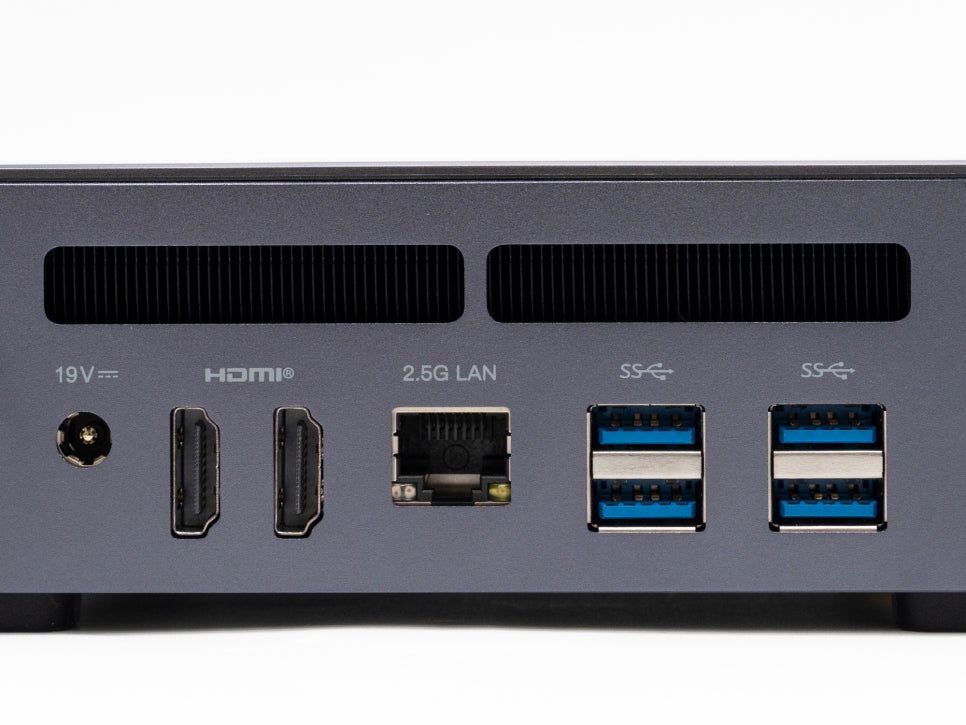
The rear ports include two HDMI 2.1 ports capable of 4K 120Hz or 8K 60Hz output, and four USB-A 3.2 Gen2 ports, all supporting 10Gbps speeds. The 2.5G Ethernet port allows for fast wired network connections.
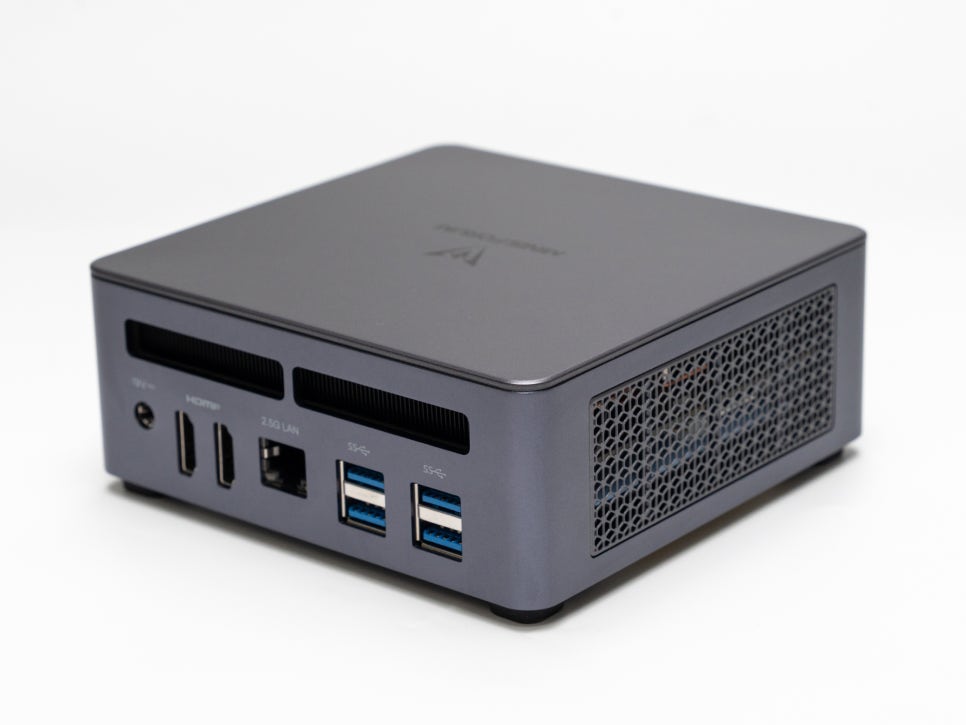
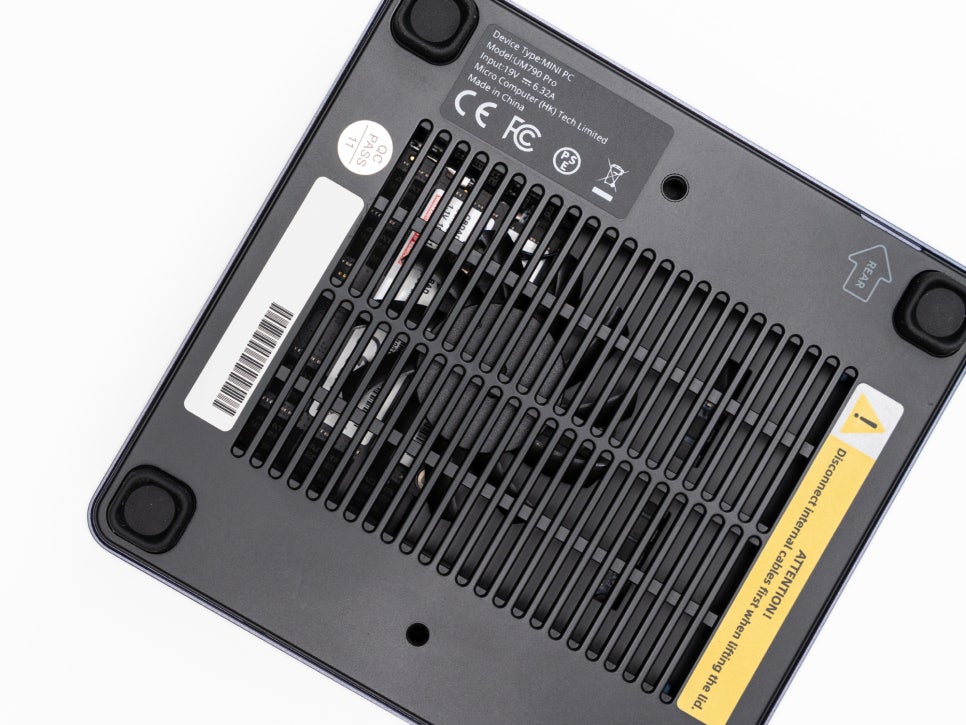
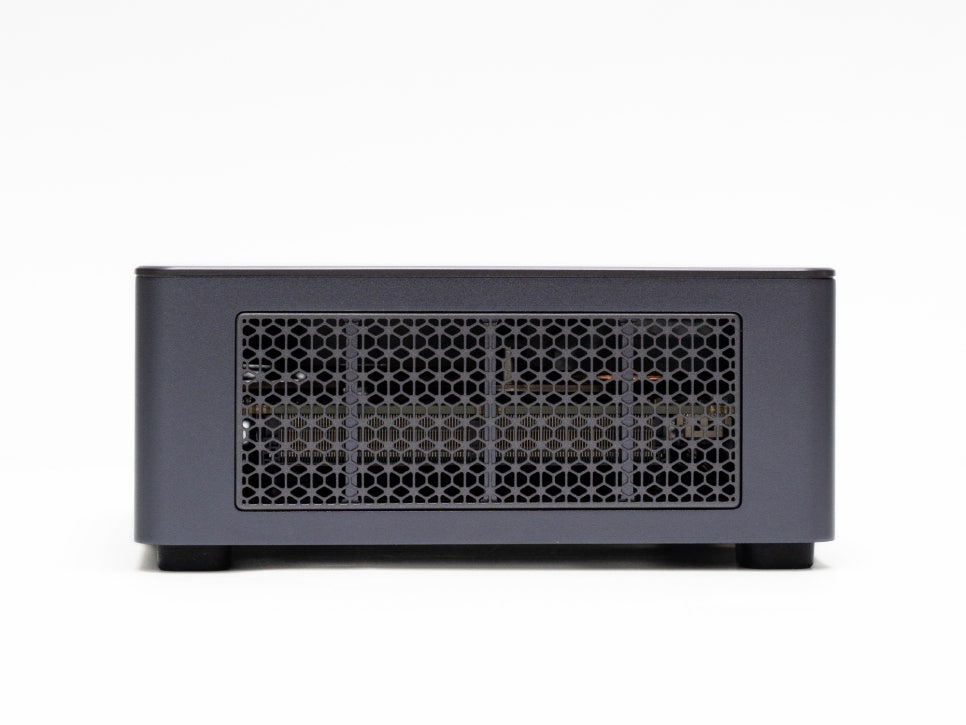
To address the inherent heat issues of mini PCs, MINISFORUM has applied the Cold Wave 2.0 cooling system. Efficient air circulation is achieved through wide intake vents on the sides and bottom and an exhaust vent at the rear, while the high stand pads at the bottom ensure airflow by maintaining a gap from the surface.

Upon disassembly, you can see a separate cooling fan at the bottom that cools the memory and SSD.
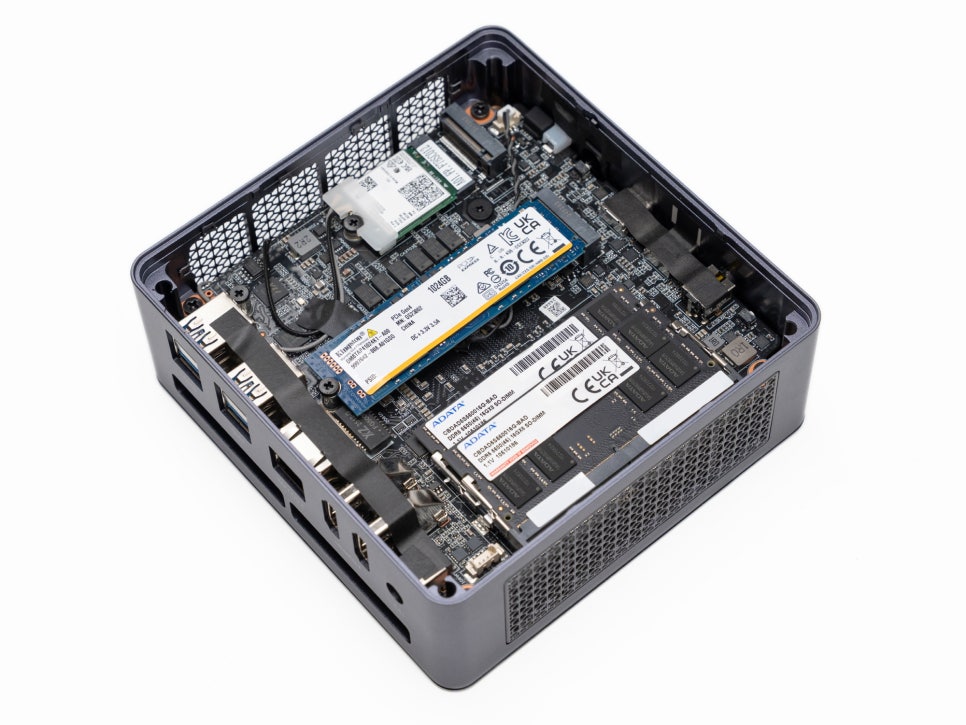
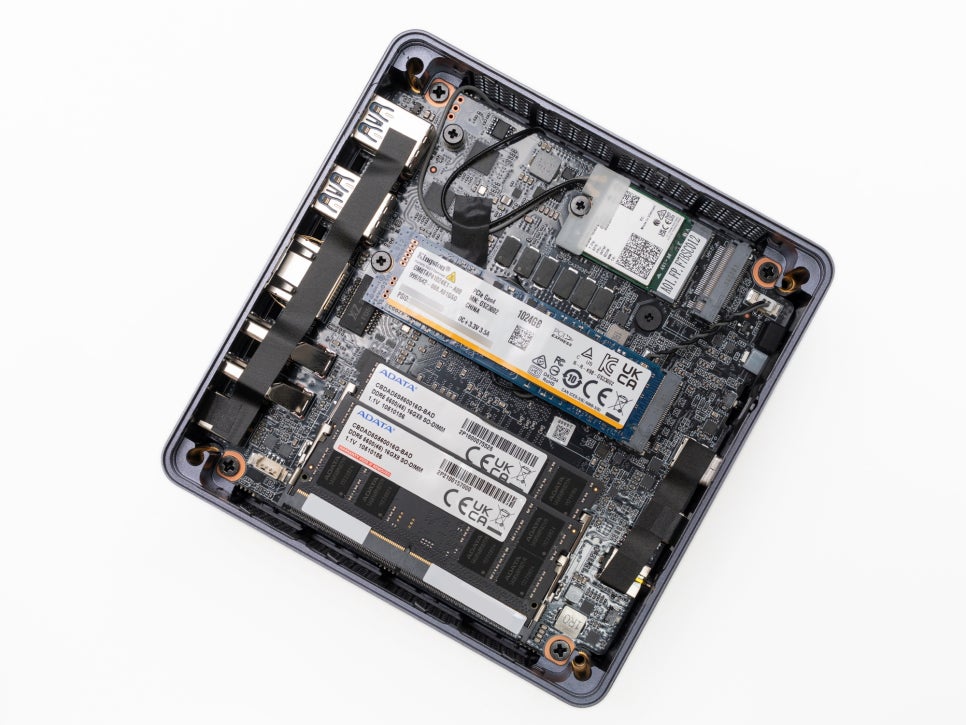
The CPU uses liquid metal thermal compound, and a large thermal pad covers the main components. By default, ADATA DDR5 memory and a Kingston NVMe SSD are installed inside.
BIOS

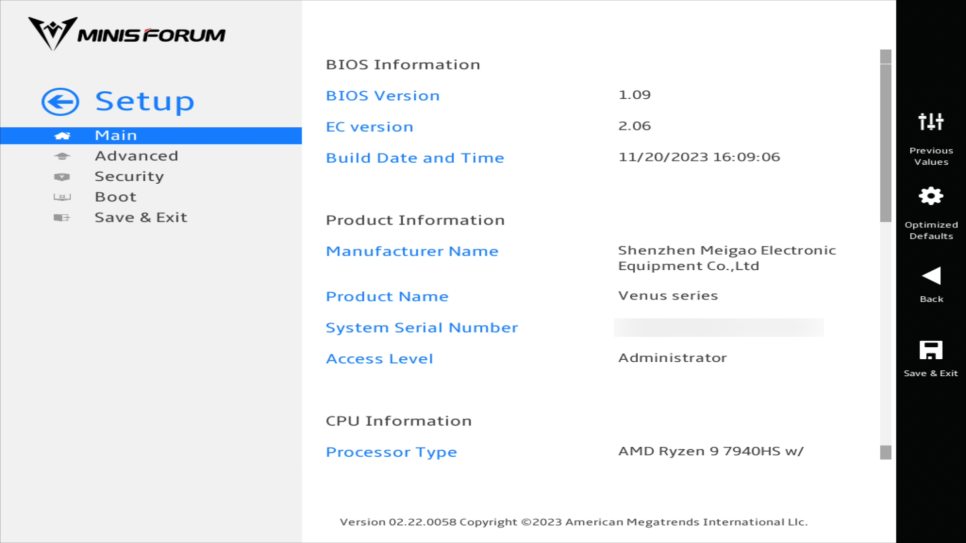
The BIOS of the MINISFORUM UM790 Pro offers a clean graphical interface. Unfortunately, it only supports English and Chinese, but its intuitive layout makes it easy to use.
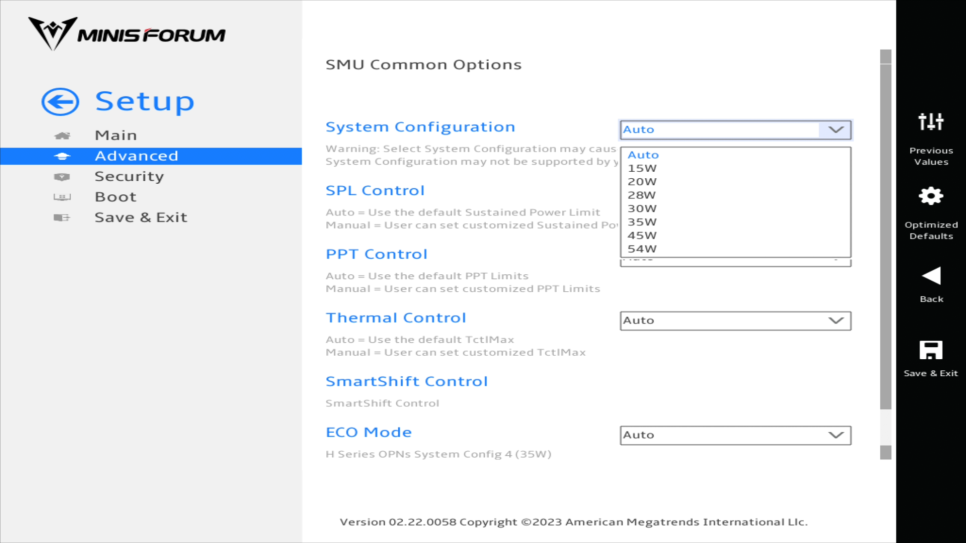
In Advanced Mode, you can adjust the system power limit options. It is set to AUTO by default, but users can fix it at 54W to draw out high performance.
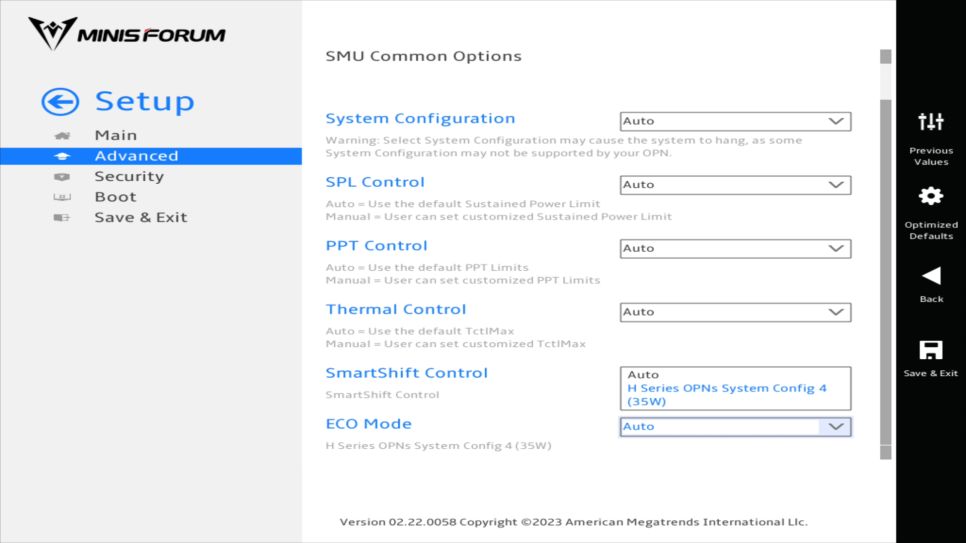
The SmartShift Control feature dynamically adjusts power distribution between the CPU and GPU to deliver optimal performance depending on the situation. This is especially useful for gaming or graphic tasks.
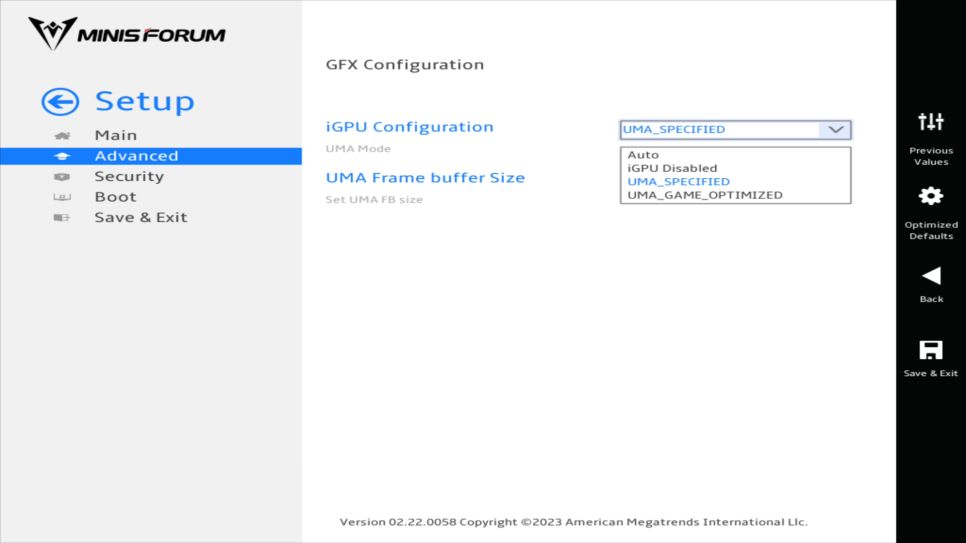
In the GFX Configuration menu, you can set the memory allocation for the integrated graphics card. The default is 2GB, but if you have 32GB or more of system memory, you can allocate up to 16GB. Increasing VRAM can improve performance in games using high-resolution textures or graphic editing tasks involving large images.
Specification Check
After connecting the MINISFORUM UM790 Pro, we checked the basic system information through CPU-Z and GPU-Z.
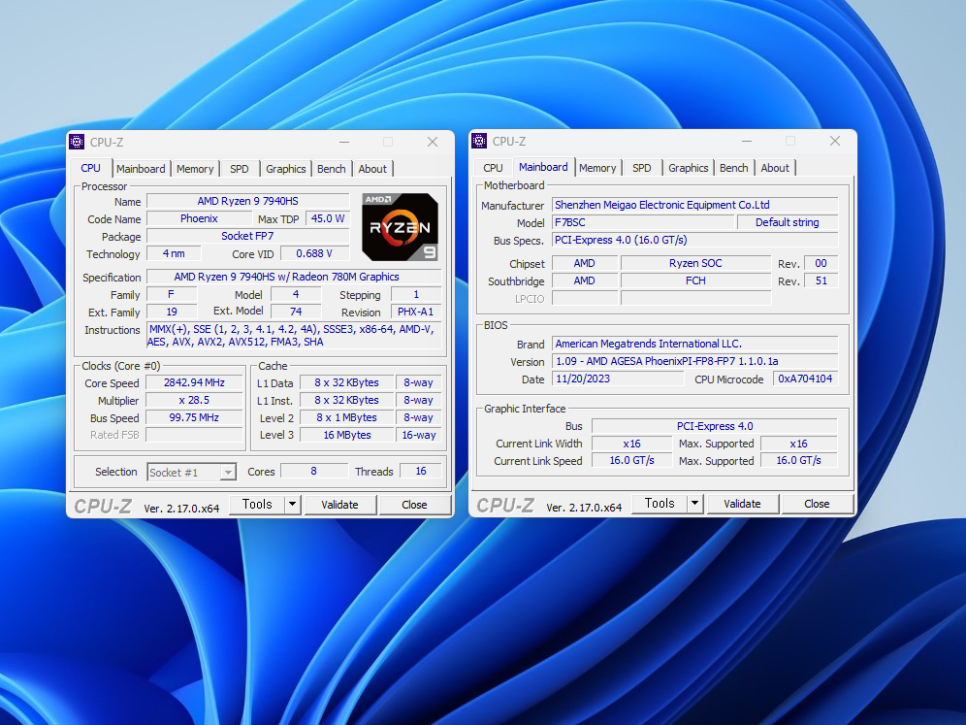
The AMD Ryzen 9 7940HS is a Zen 4 architecture processor manufactured with TSMC’s 4nm process. It consists of 8 cores and 16 threads, boasting a base clock of 4.0GHz and a boost clock of 5.2GHz. Compared to the previous generation Ryzen 9 6900HX, its IPC has improved by 10-15%, and power efficiency has also been enhanced.

The motherboard is a MINISFORUM custom-designed board that supports DDR5 and PCIe 4.0. The memory consists of two ADATA DDR5-5600MHz 16GB modules configured in dual-channel, providing a total of 32GB. The high bandwidth maximizes the performance of the CPU and integrated graphics.

The AMD Radeon 780M is an integrated graphics based on the latest RDNA3 architecture. It features 12 compute units and a high operating speed of 2.8GHz, boasting a clock speed approximately 600MHz higher than the previous generation 680M. It delivers performance similar to the GTX 1650 desktop graphics card.
Benchmarking
Now, let’s verify the actual performance using various benchmarking tools.

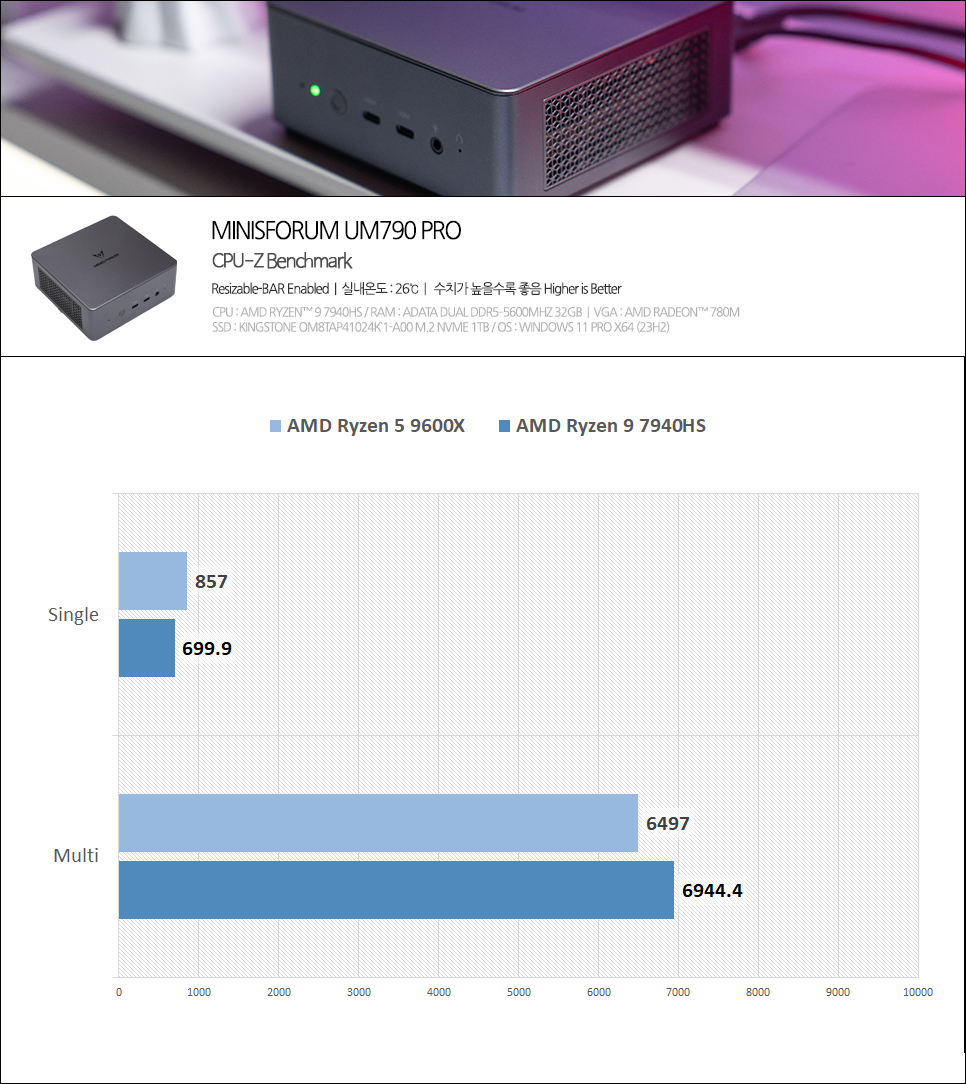
In the CPU-Z benchmark, it scored 659.6 points for single-core and 7082.9 points for multi-core. Compared to the desktop CPU AMD Ryzen 5 9600X, it is 157 points lower in single-core but 447 points higher in multi-core. As a high-performance mini PC, it demonstrates strong performance in multitasking environments.
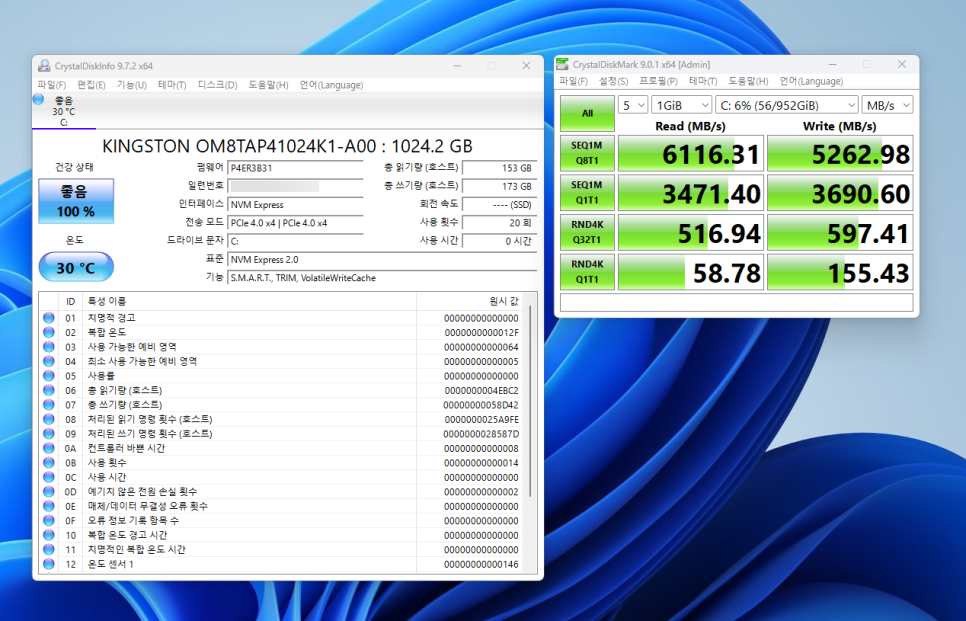
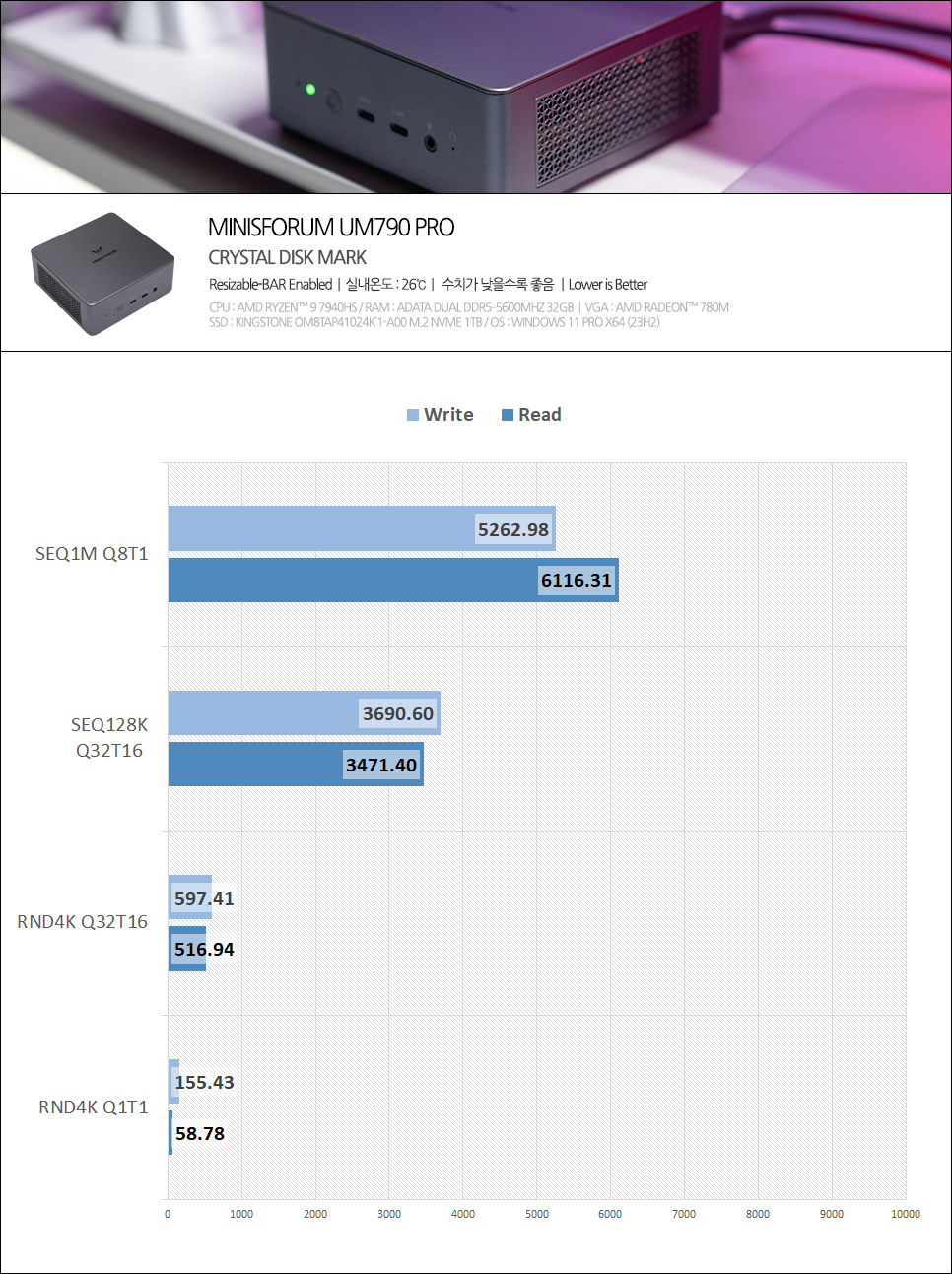
The CrystalDiskMark test results show a sequential read speed of 6116.31MB/s and a write speed of 5262.98MB/s for the NVMe M.2 SSD, fully utilizing the PCIe 4.0 standard’s excellent performance.


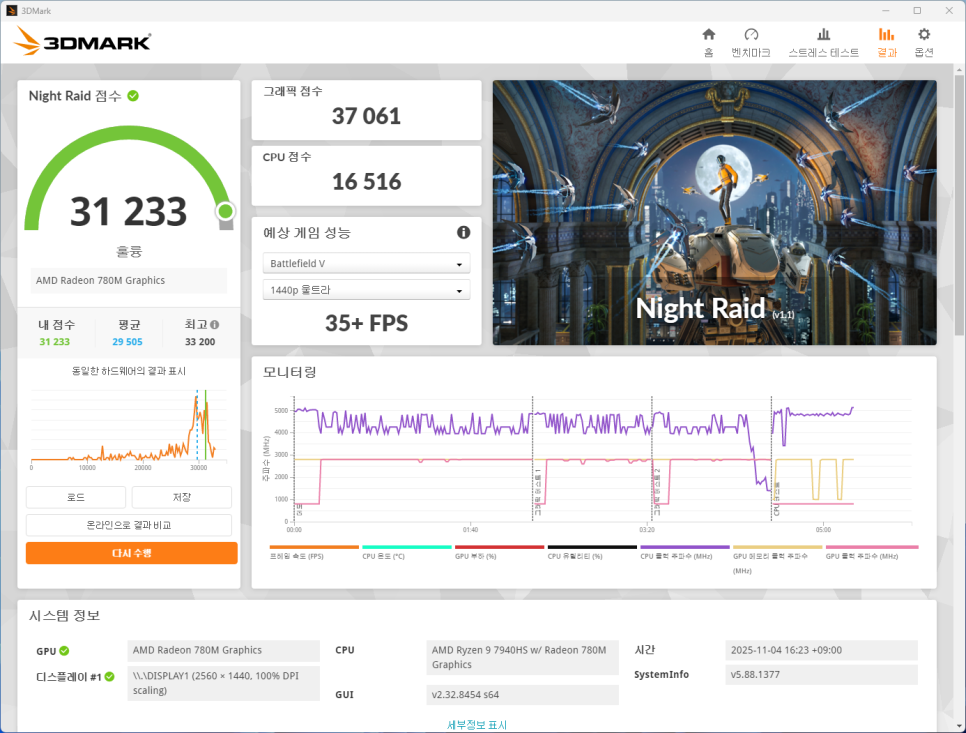
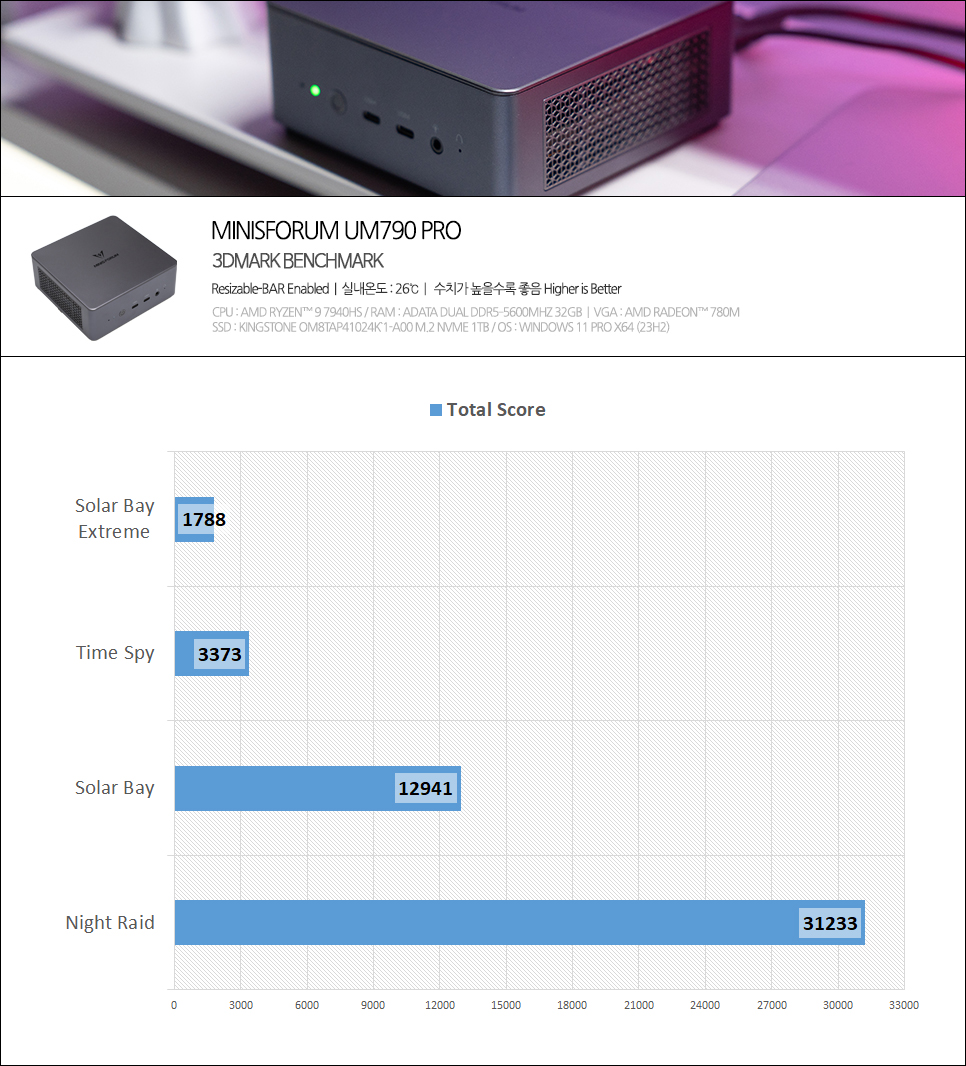
To check 3D performance, we ran lightweight benchmarks in 3DMark and confirmed the scores.
Steel Nomad Light: 2,841 points
Solar Bay: 12,941 points
Solar Bay Extreme: 1,788 points
Time Spy: 3,373 points
Night Raid: 31,233 points
Notably, surpassing 30,000 points in Night Raid indicates that light games can be enjoyed sufficiently. With a mini PC, casual gameplay and even PUBG can be played to some extent by compromising on options and resolution.

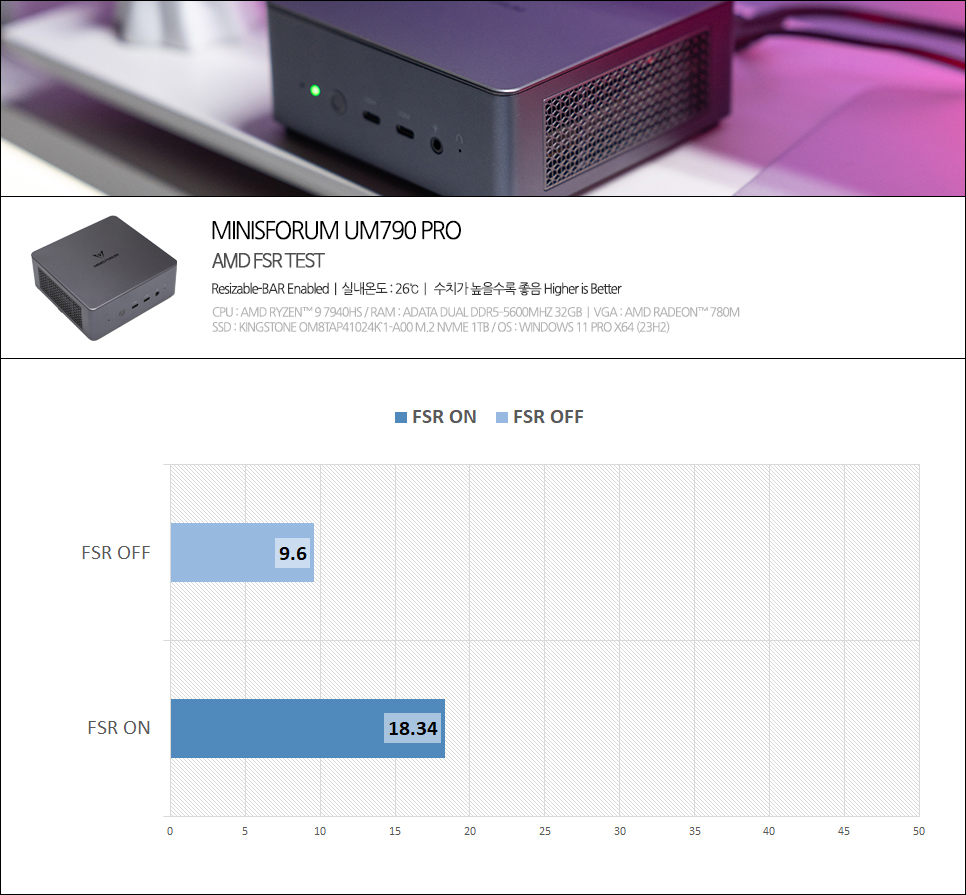
Utilizing AMD FSR (FidelityFX Super Resolution) technology, you can expect nearly double the frame improvement in supported games. Even with a compact PC, you can secure a decent frame rate by compromising on options to enjoy gaming.

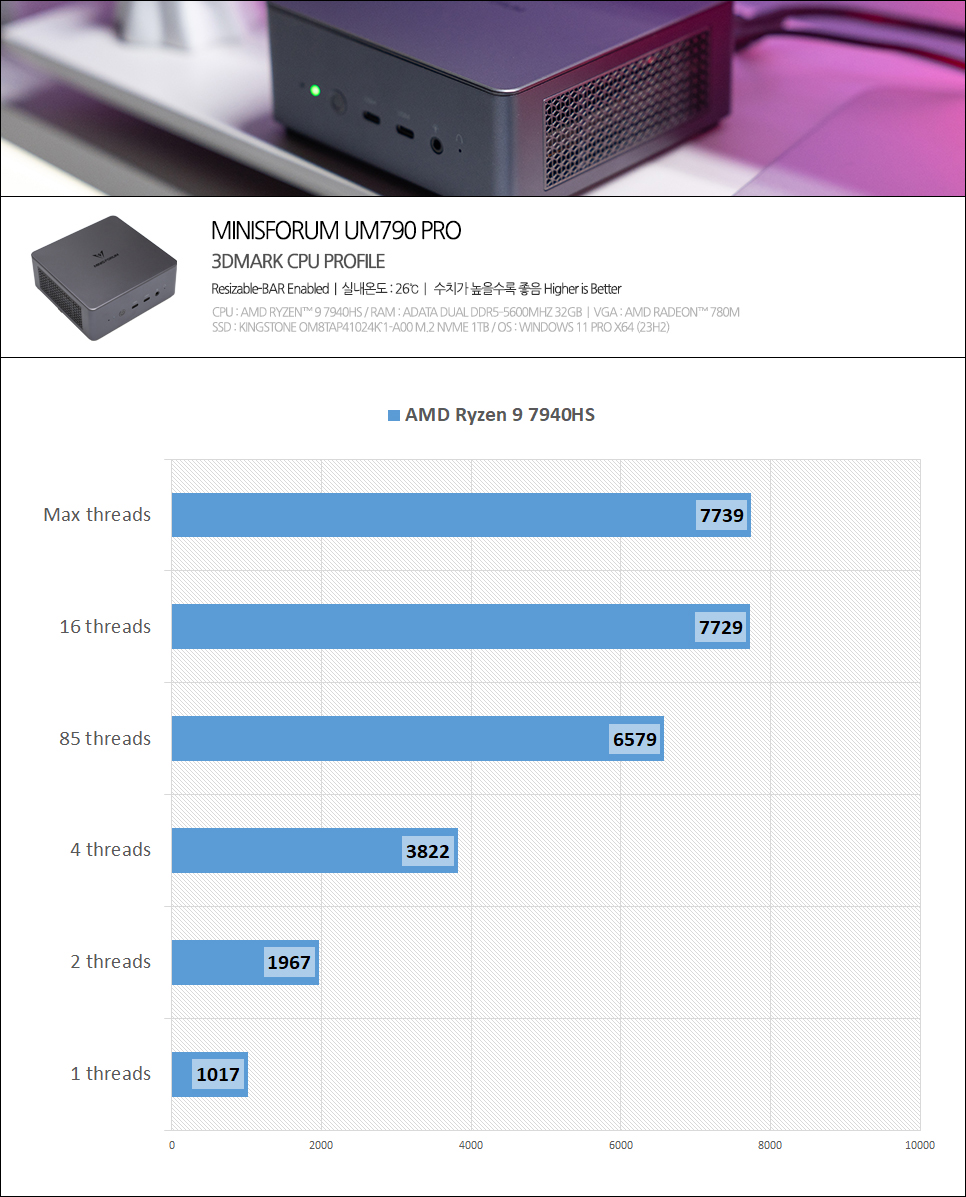
I conducted the 3DMark CPU Profile test, and the results are as follows:
Test Results:
Maximum threads (16): 7,739 points
8 threads: 6,579 points
4 threads: 3,822 points
2 threads: 1,967 points
1 thread: 1,017 points
The test results show excellent multi-thread scalability, which means video editing using Premiere or DaVinci Resolve can be handled sufficiently.

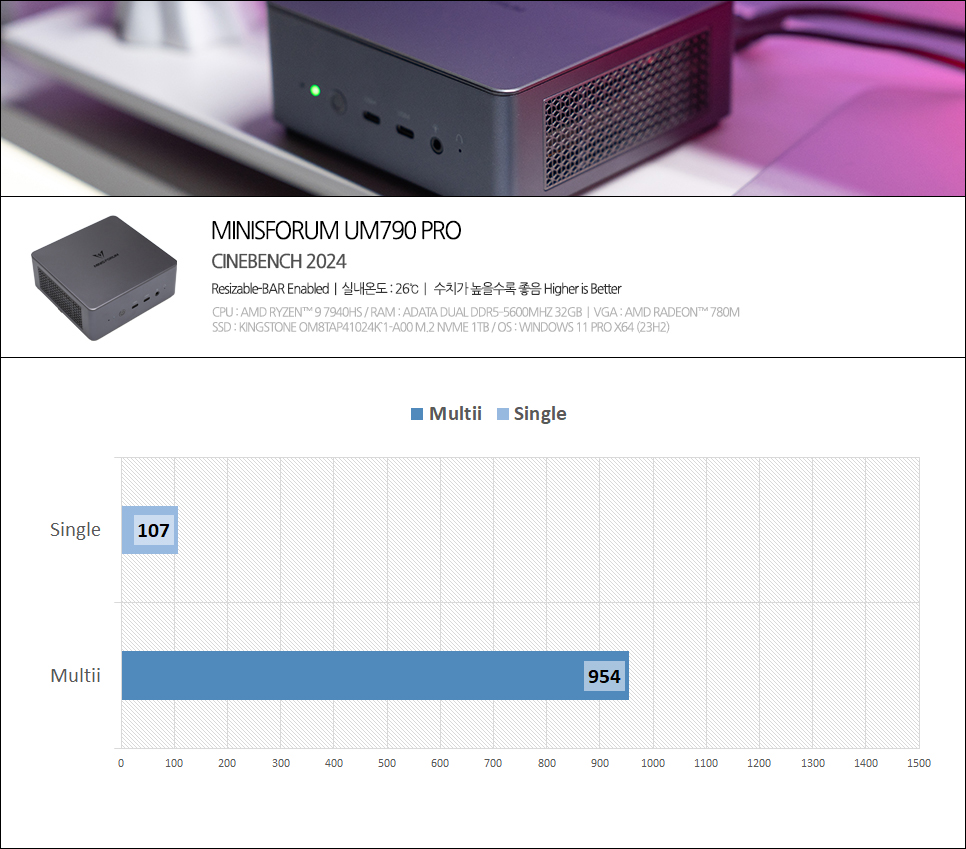
I tested the rendering performance using Cinebench. In Cinebench 2024, it scored 107 points for single-core and 954 points for multi-core. This shows performance levels similar to the Apple M1 chip.
Real-World Performance

I ran Crossmark and PCMark10, which measure performance in actual usage environments.
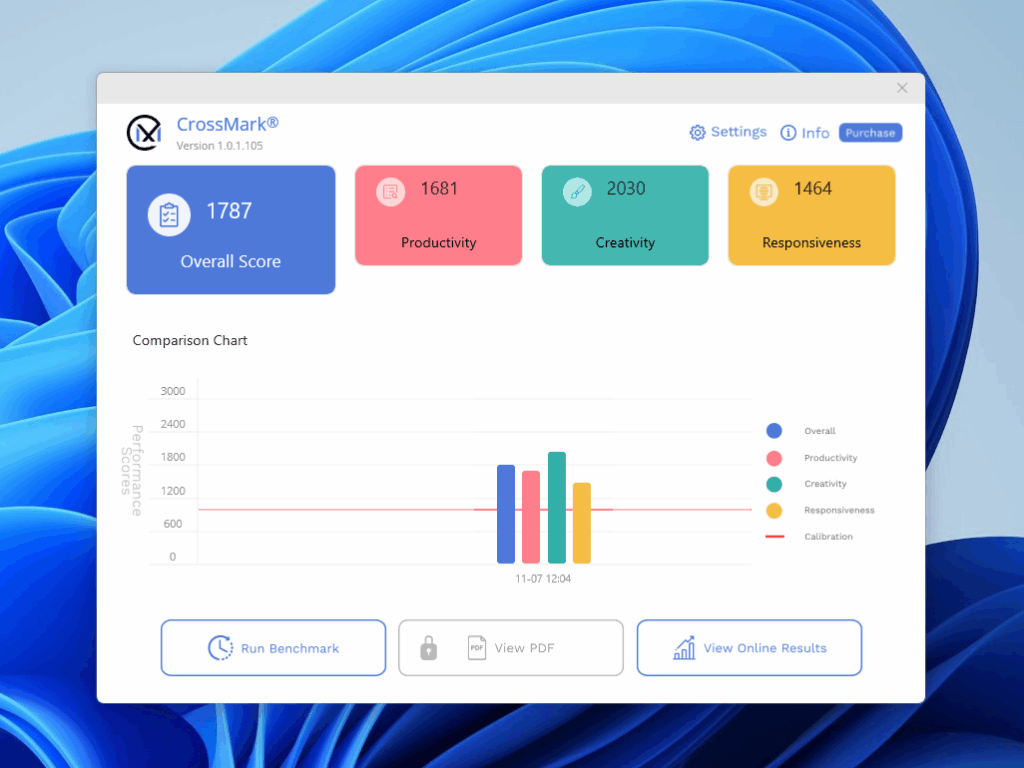
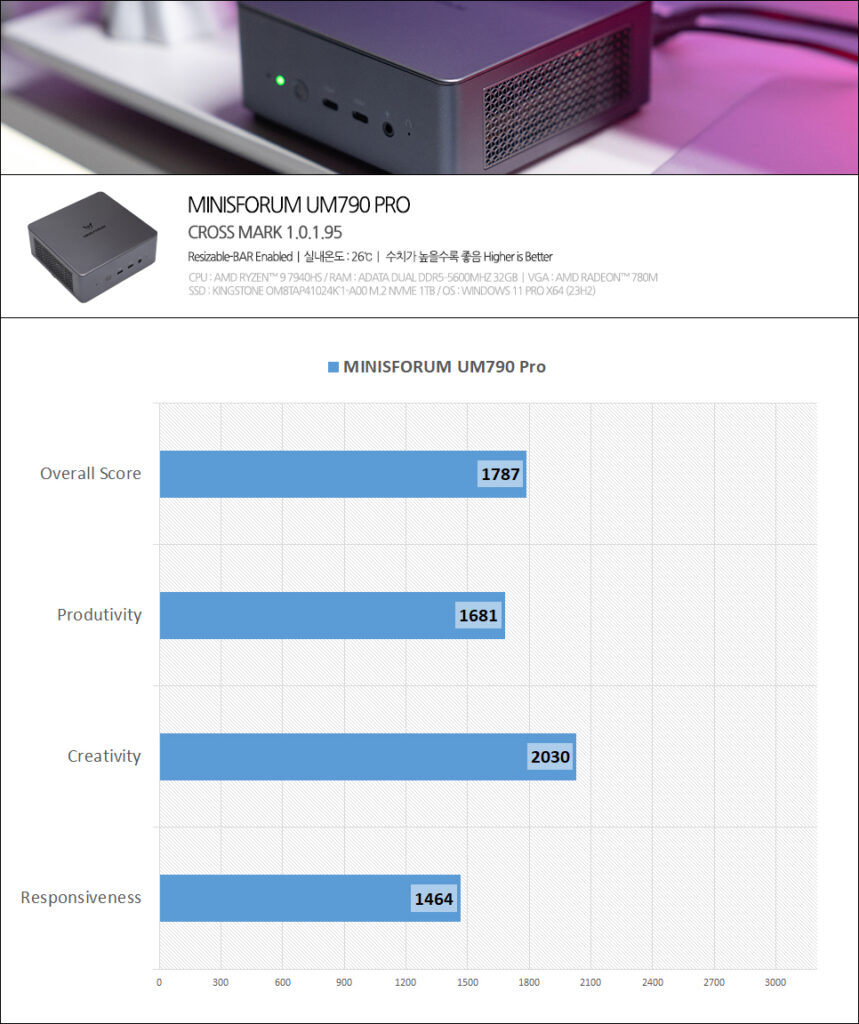
Crossmark is a cross-platform (Windows, macOS, iOS, Android) performance benchmark that tests workloads based on real work environments, consisting of three categories: productivity, creativity, and responsiveness.
Benchmark Results:
Overall Score: 1,787 points
Productivity: 1,681 points
Creativity: 2,030 points
Responsiveness: 1,464 points

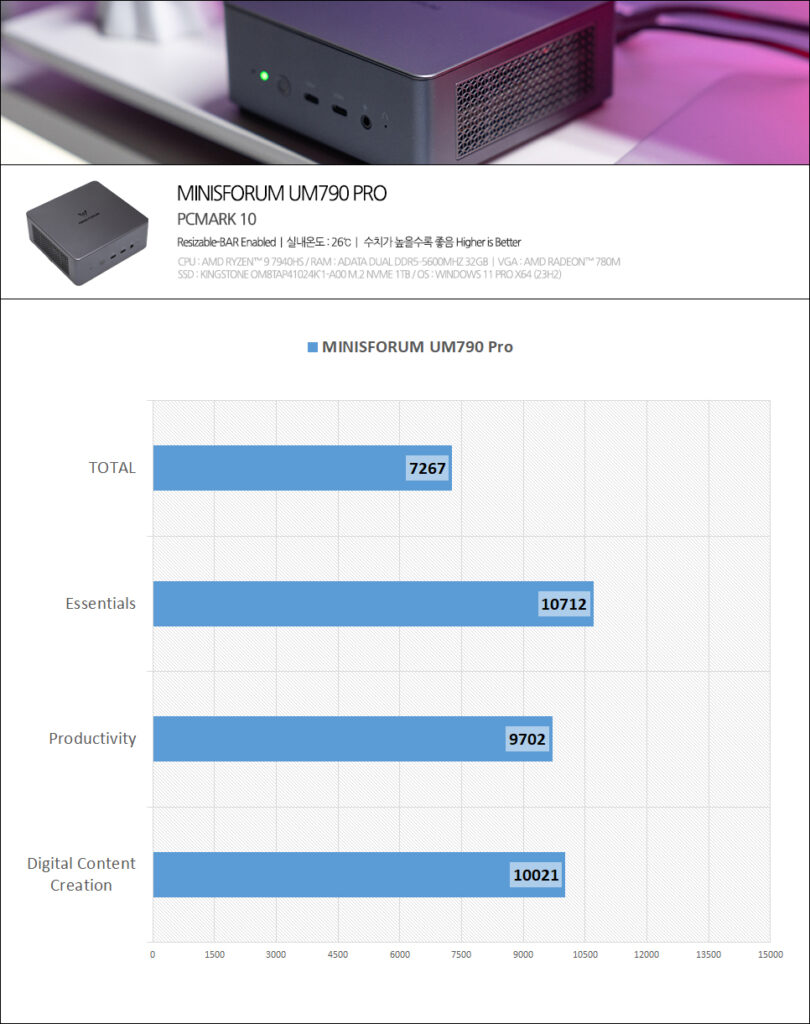
PCMark10 is a comprehensive benchmark tool that evaluates overall daily performance based on actual PC usage patterns. It consists of Essentials (which represents the PC’s perceived speed), Productivity (which evaluates office work-centered performance), and Digital Content Creation (which assesses media editing and production tasks).
Benchmark Results:
Overall Score: 7,267 points
Essentials: 10,712 points
Productivity: 9,702 points
Digital Content Creation: 10,021 points
Based on these scores, we can see that it can smoothly handle everything from everyday office work to professional content creation.
Temperature Test
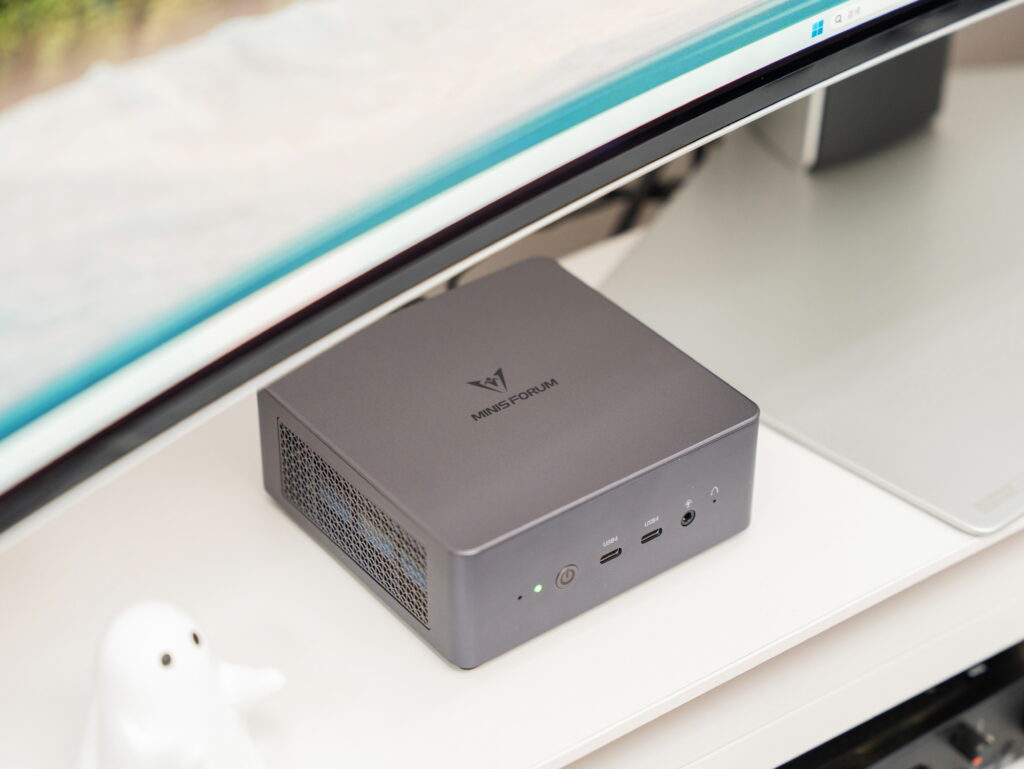
Thermal management is one of the most important factors when recommending a mini PC, and the MINISFORUM UM790 Pro shows excellent performance in this area as well.

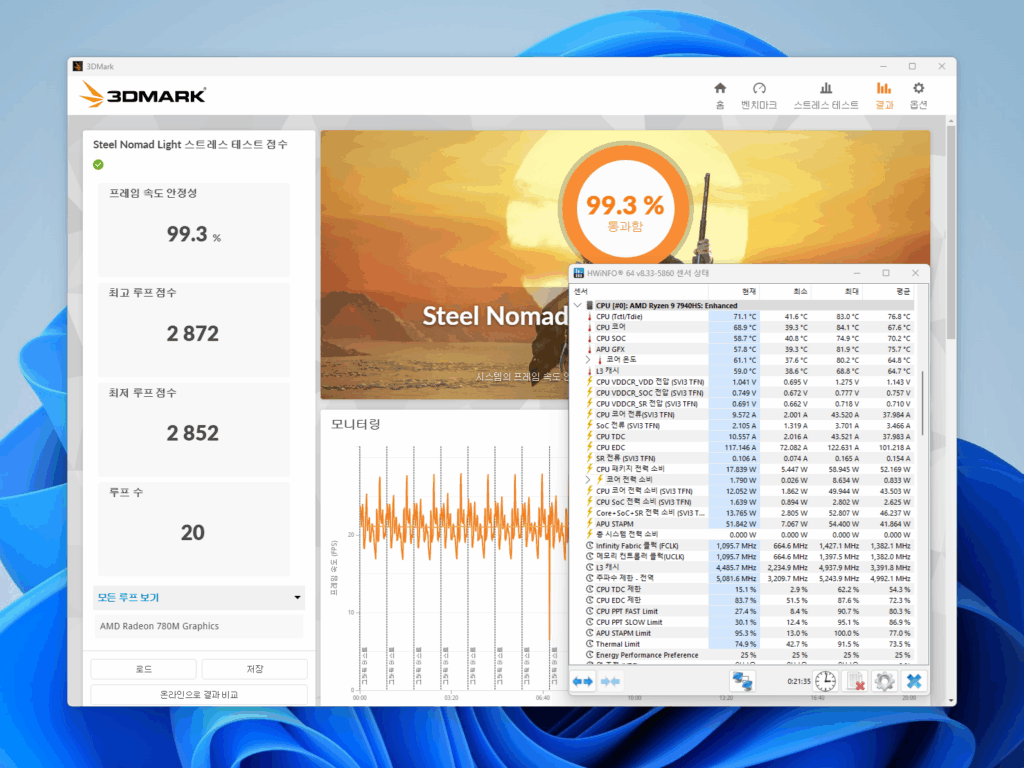
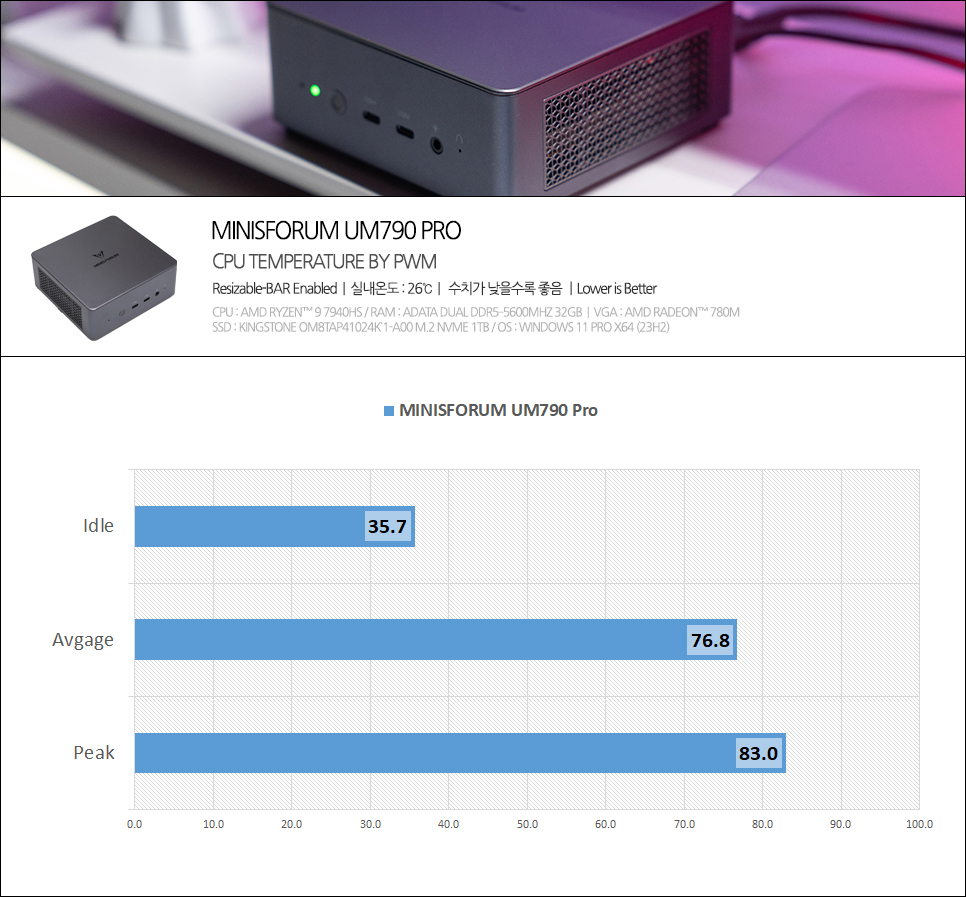
At idle, it maintains a very stable average of 35.7°C, and even during the Steel Nomad Light stress test, it maintained a maximum of 83.0°C and an average of 76.8°C. These are sufficiently lower than the TJMax of 100°C, meaning it can maintain stable performance without thermal throttling even during extended use.
User Experience
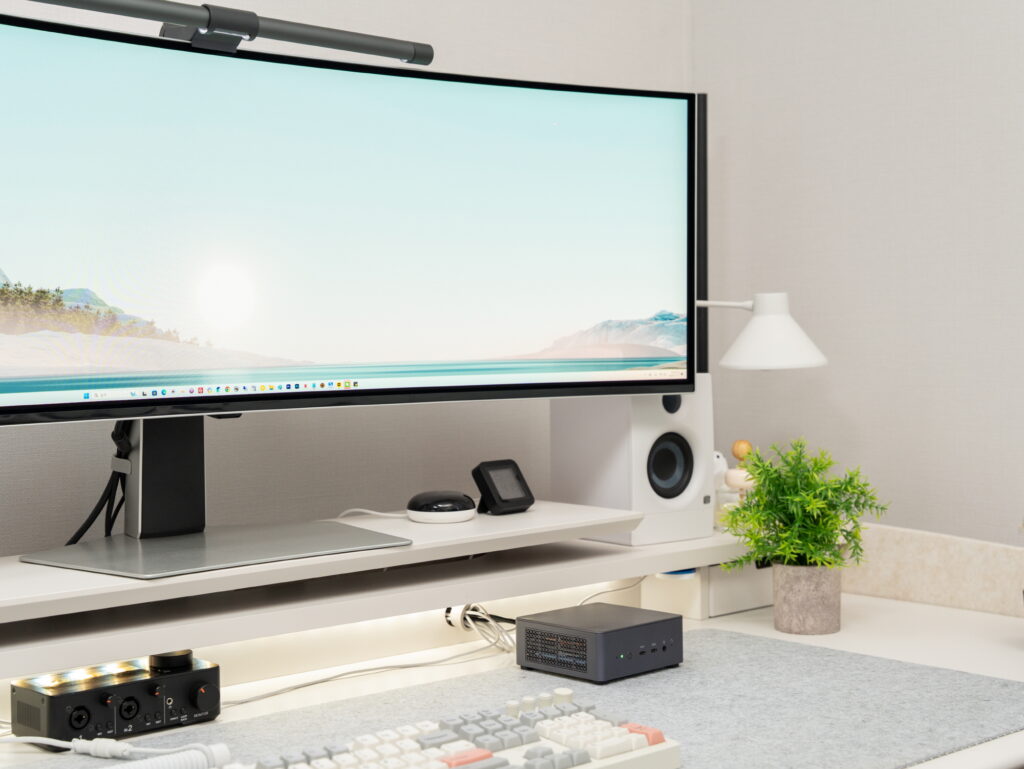
After using the MINISFORUM UM790 Pro, the most impressive aspect was its space efficiency. Thanks to its palm-sized dimensions, it takes up almost no desk space, and with the included VESA bracket, you can mount it neatly behind your monitor.
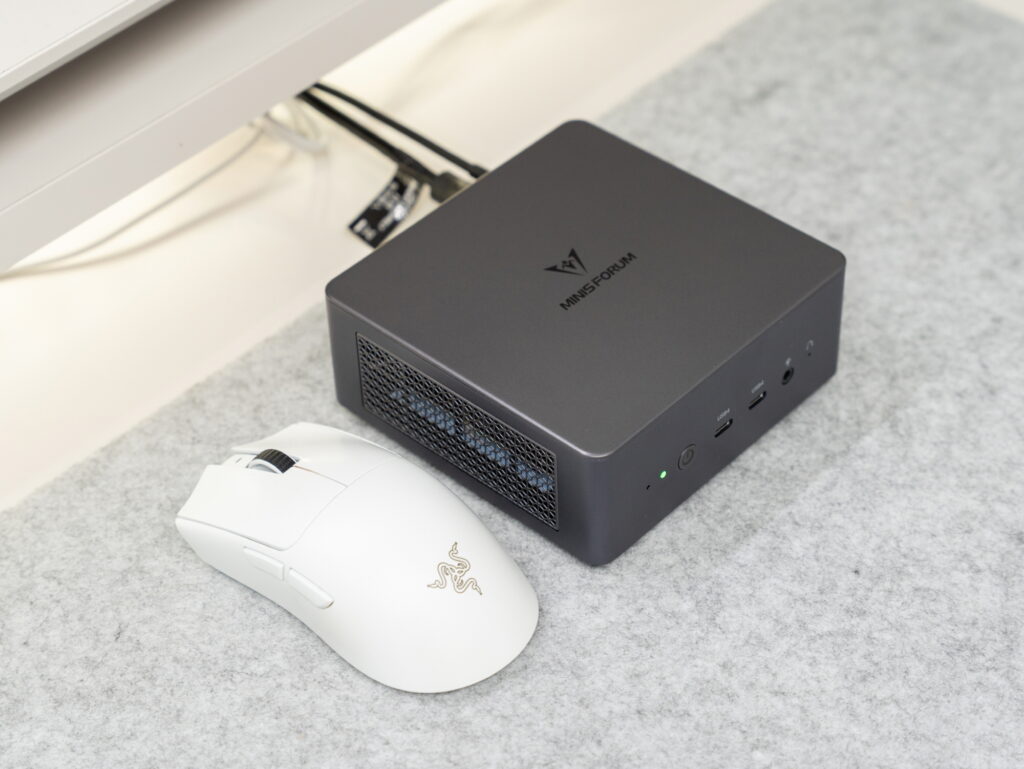
Despite its small size, the performance is on par with desktop PCs. Photoshop and Premiere Pro run smoothly, and there’s no lag even when running multiple programs simultaneously. It’s particularly impressive that it achieves this performance despite being a low-power PC.

The noise level is also satisfactory – it’s nearly silent during regular tasks, and even under heavy loads, it stays around 35dB, which is quite quiet. However, during extended rendering or gaming sessions, you can hear some fan noise, though it’s still much quieter than a typical desktop PC.
Final Thoughts

The MINISFORUM UM790 Pro, even a year after its release, remains one of the well-balanced high-spec mini PCs in terms of performance and price. It features a powerful combination of the AMD Ryzen 9 7940HS and Radeon 780M, excellent expandability, and outstanding space efficiency.
I highly recommend it to users who want desktop-level performance even in tight spaces. In the next session, I’ll conduct more detailed tests on actual video editing performance and various gaming performance tests. I’ll also compare and analyze performance changes based on GPU memory allocation and power limit settings.
Finally, a Black Friday sale event is running from November 14th to 28th! You can check the event details and discount rates by clicking the link below. During this period, you can get the MINISFORUM UM790 Pro or its successor model, the 890PRO, at even more reasonable prices.
Go to Black Friday Event

As an Amazon Associate I earn from qualifying purhases.
Purchase Product : https://amzn.to/48bEXnr
