
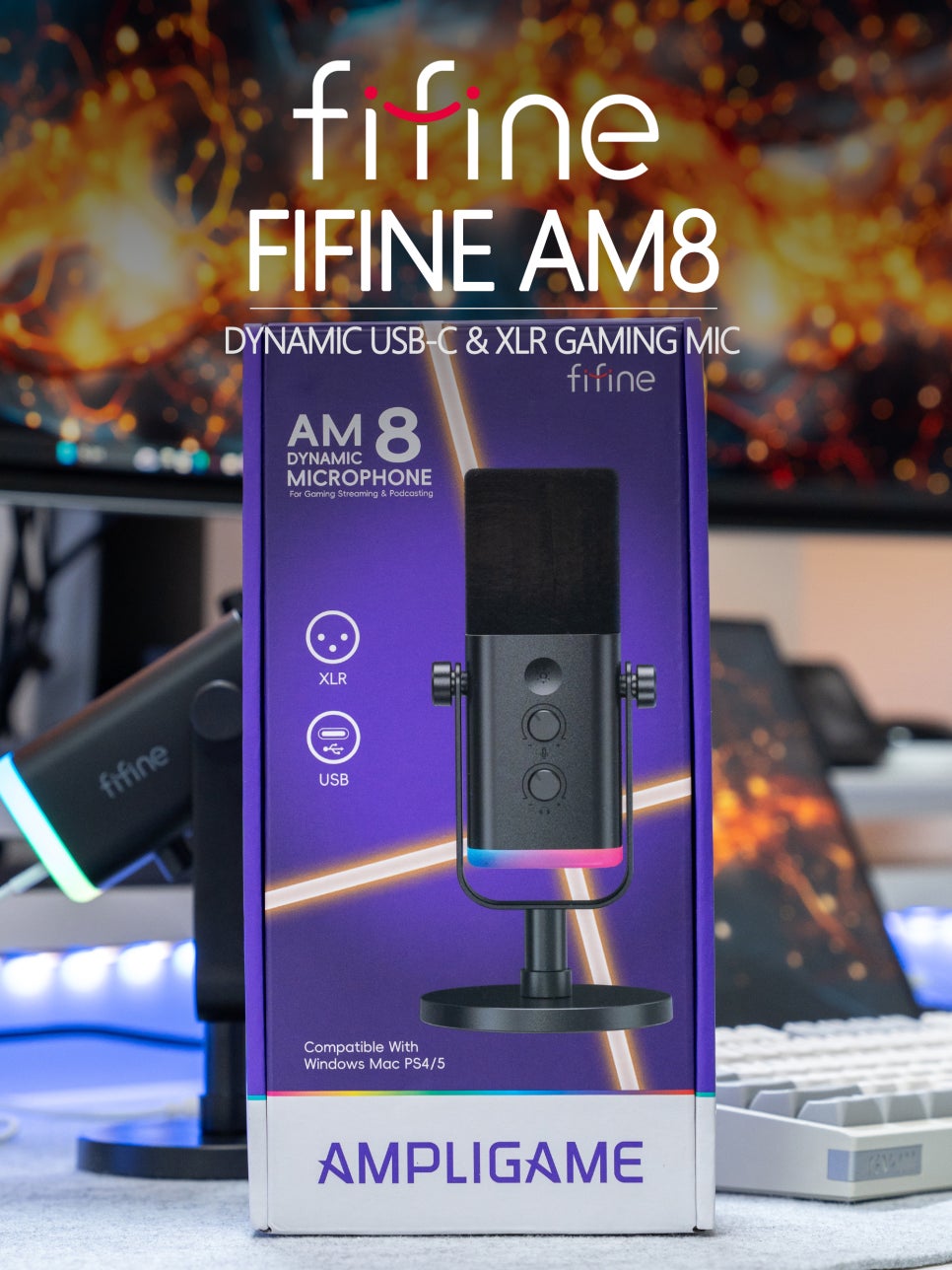
Gaming microphones used to be considered professional equipment for streaming, but recently, gamers who enjoy team-based games like PUBG and Valorant are increasingly opting for separate microphones instead of headset mics for clear voice chat with teammates.
The biggest dilemma when choosing a microphone is often whether to go with a condenser or a dynamic microphone. Condenser microphones offer high sensitivity, capturing even the most subtle sounds, but they also have the drawback of picking up ambient noise. Dynamic microphones, on the other hand, have a clear directional pattern, focusing intently on the sound directly in front of them. This makes them much more advantageous for game streaming or Discord voice chat, as they can effectively block out ambient noise and deliver only your voice cleanly.

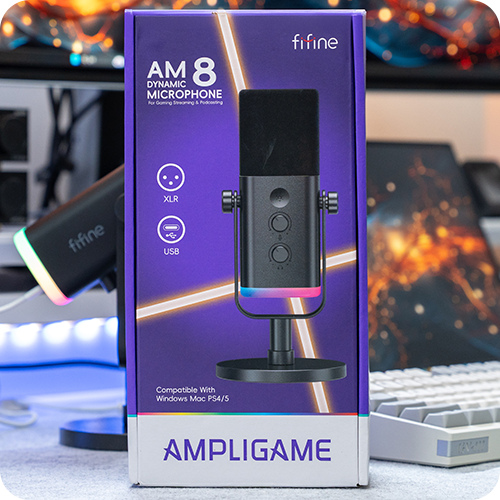
Today, for such gamers and streamers, I’d like to introduce the FIFINE AM8, a cost-effective dynamic microphone. FIFINE is a Chinese audio equipment brand founded in 2009, consistently gaining popularity domestically and internationally for its reasonably priced microphones and audio interfaces. Among their products, the AM8 won the Red Dot Design Award in 2023, earning recognition for both its design and functionality.
Specifications and Components

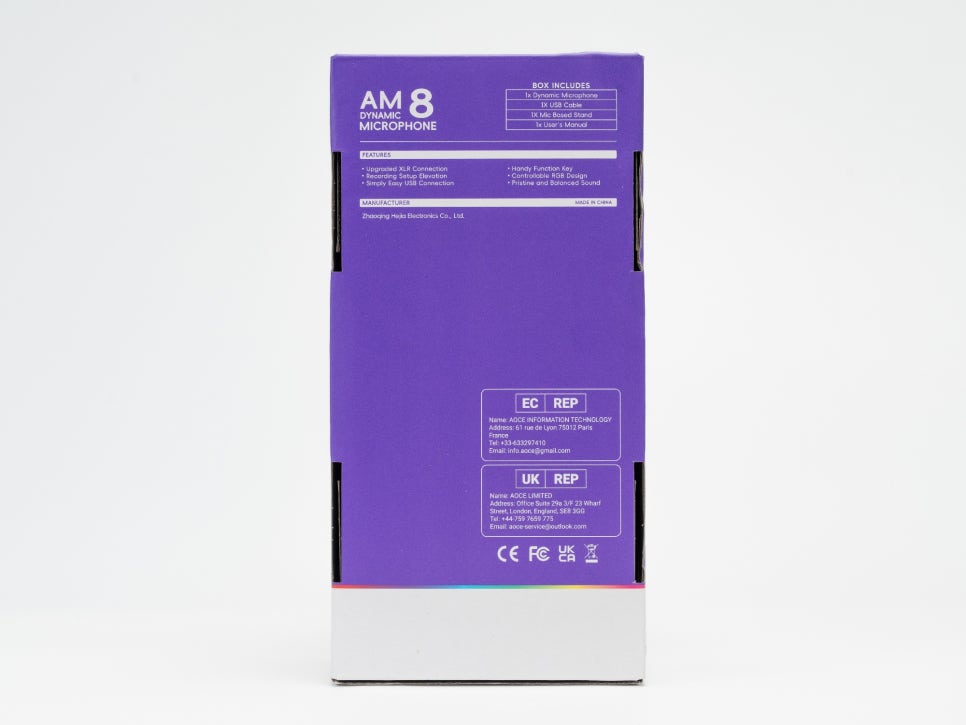
Key Specifications
Microphone Type : Dynamic
Polar Pattern : Unidirectional (Cardioid)
Frequency Response : 50Hz-16kHz
Connection Type : USB-C & XLR Dual Mode
Signal-to-Noise Ratio : >80dB
Sensitivity : -50±3dB
Max SPL : 12dB
Looking at the FIFINE AM8’s specifications, its frequency response range of 50Hz to 16KHz covers the optimal range for vocal recording. It has a sensitivity of -50dB and a cardioid polar pattern, concentrating sound pickup from the front. It supports 16-bit 44.1kHz/48kHz digital conversion, which is sufficient audio quality for general broadcasting microphones.
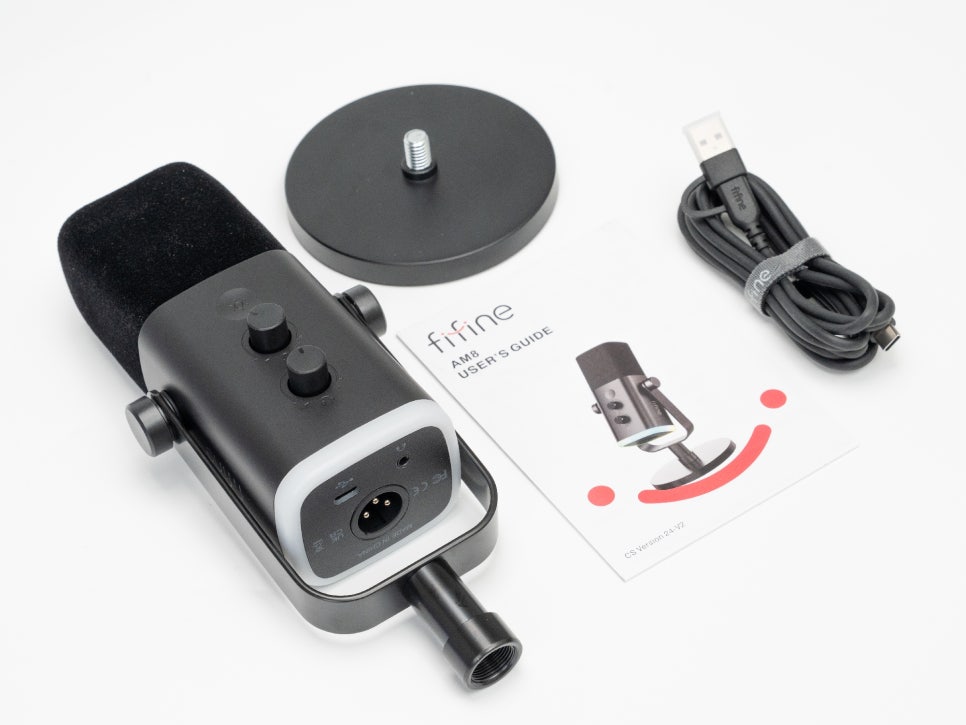
The package includes the AM8 microphone body, a metal desk stand, a 2m USB-A to USB-C cable, a velvet windscreen, and a simple user manual. The included 2m USB cable provides ample length, even if your desktop PC tower is placed under your desk.
Appearance and Features

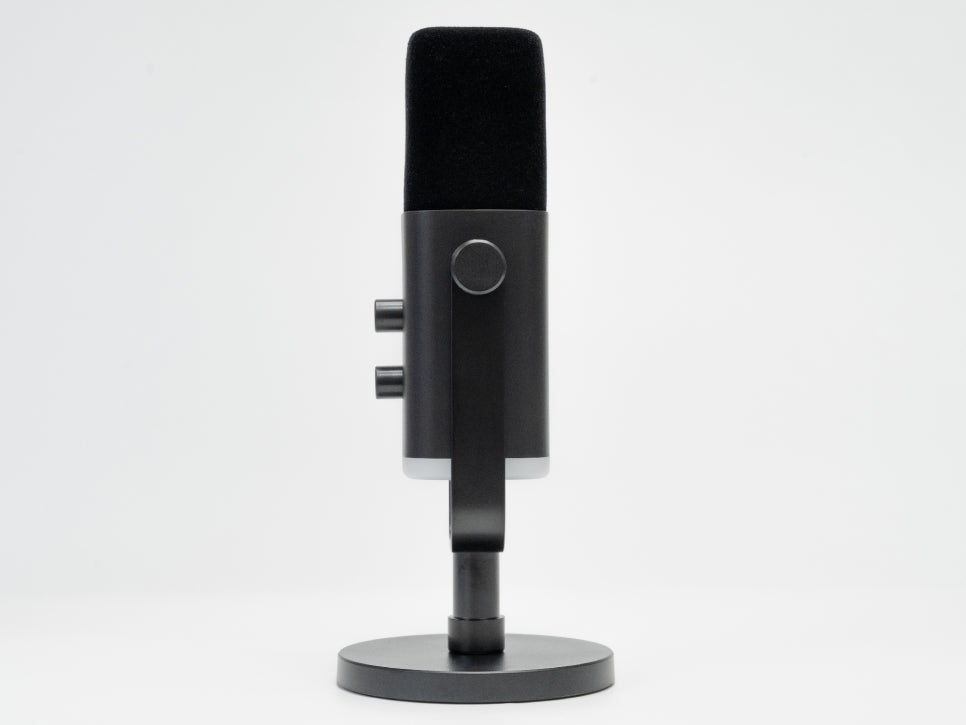
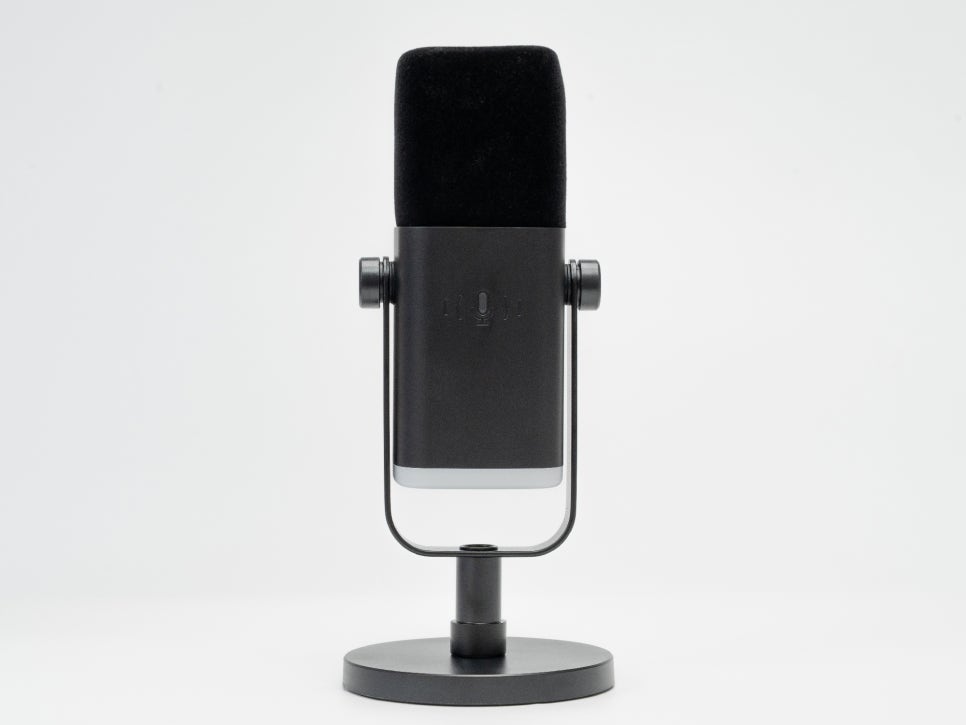
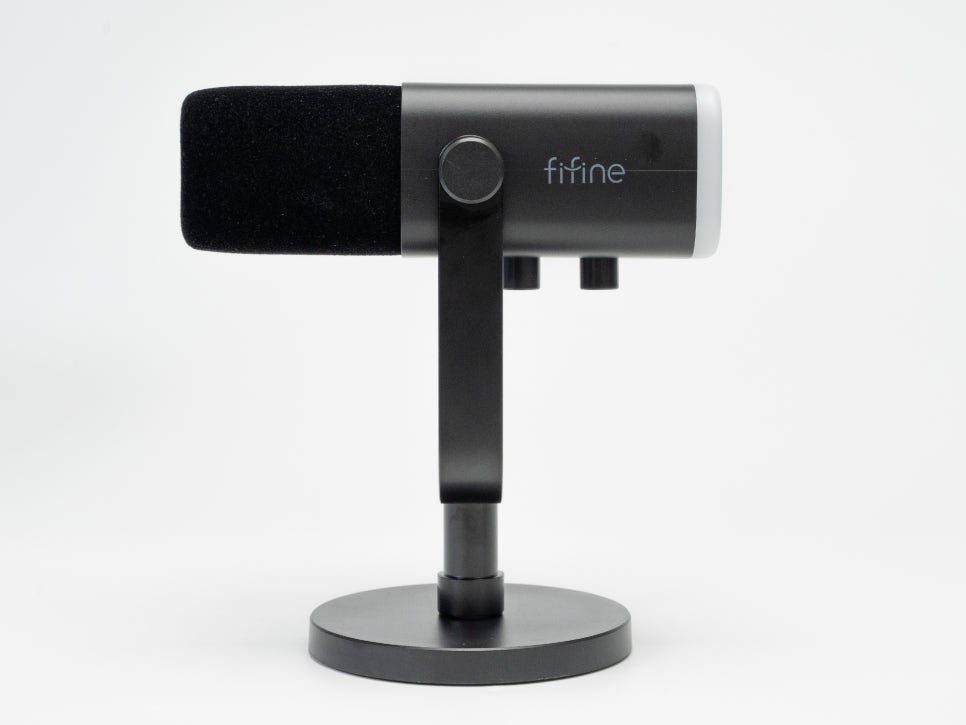
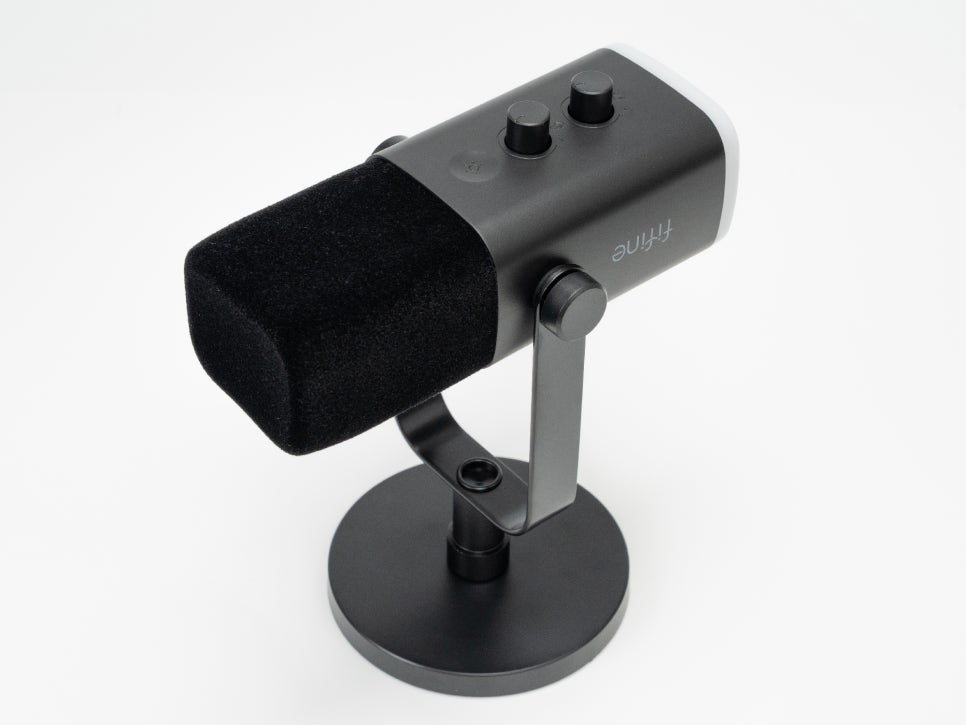
The FIFINE AM8 is available in three colors: black, white, and pink, allowing you to choose one that matches your gaming setup. The microphone measures approximately 23cm in length and 5cm in diameter. The body is made of plastic, and it weighs about 231g, which is a manageable weight even when mounted on a boom arm.
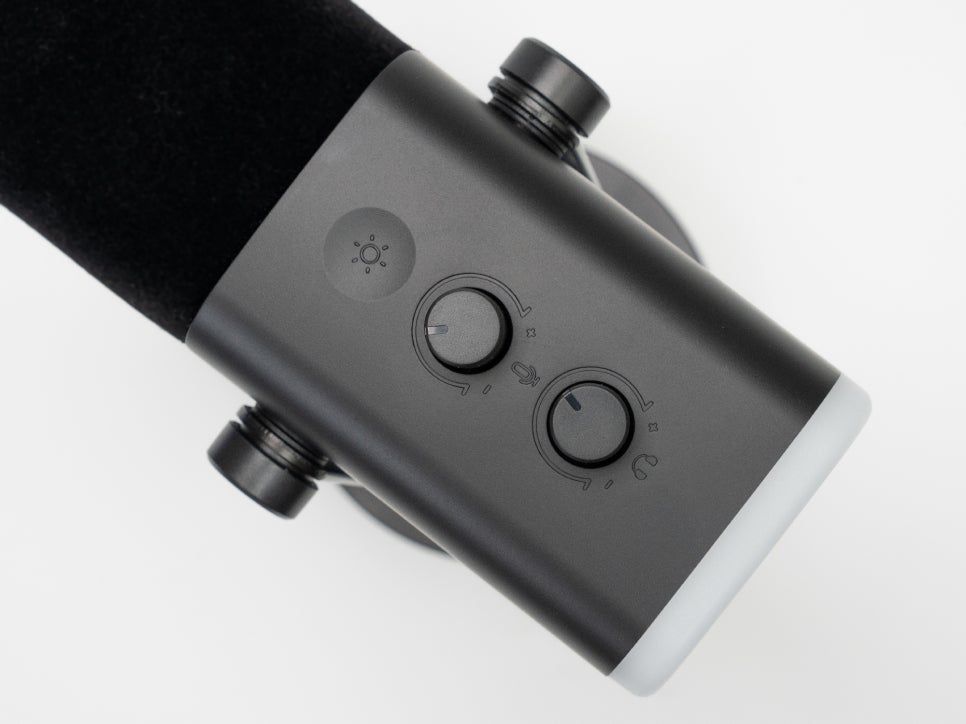
The front panel features a touch button for lighting control and two analog knobs. The top knob adjusts microphone gain, and the bottom knob controls headphone monitoring volume. The knobs have a satisfying rotation feel, allowing for precise adjustments, and you can feel the volume changing incrementally as you turn them.
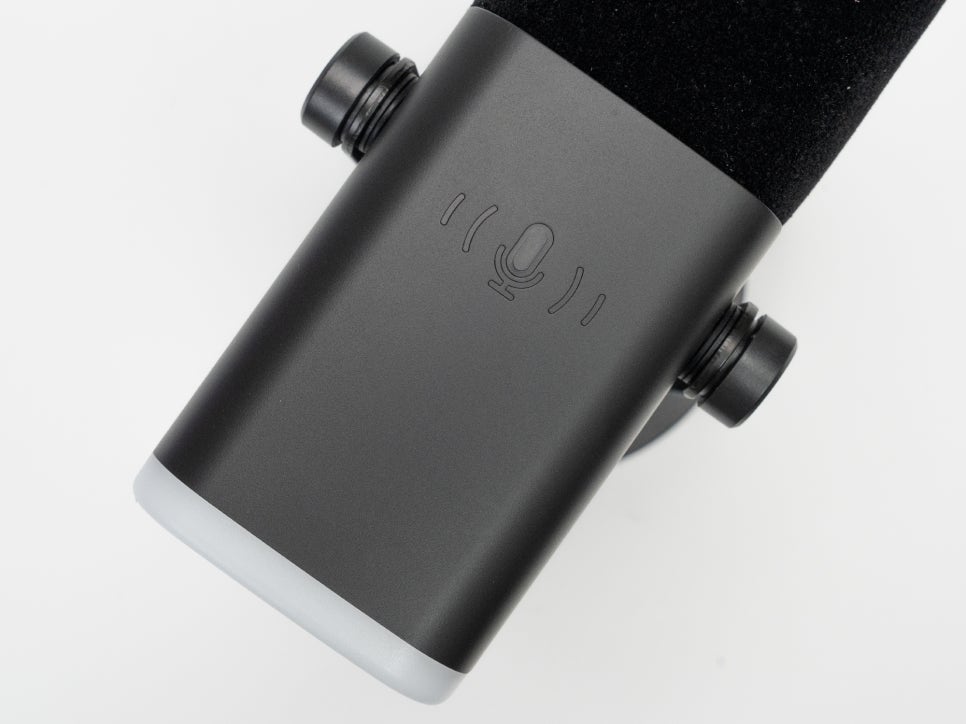
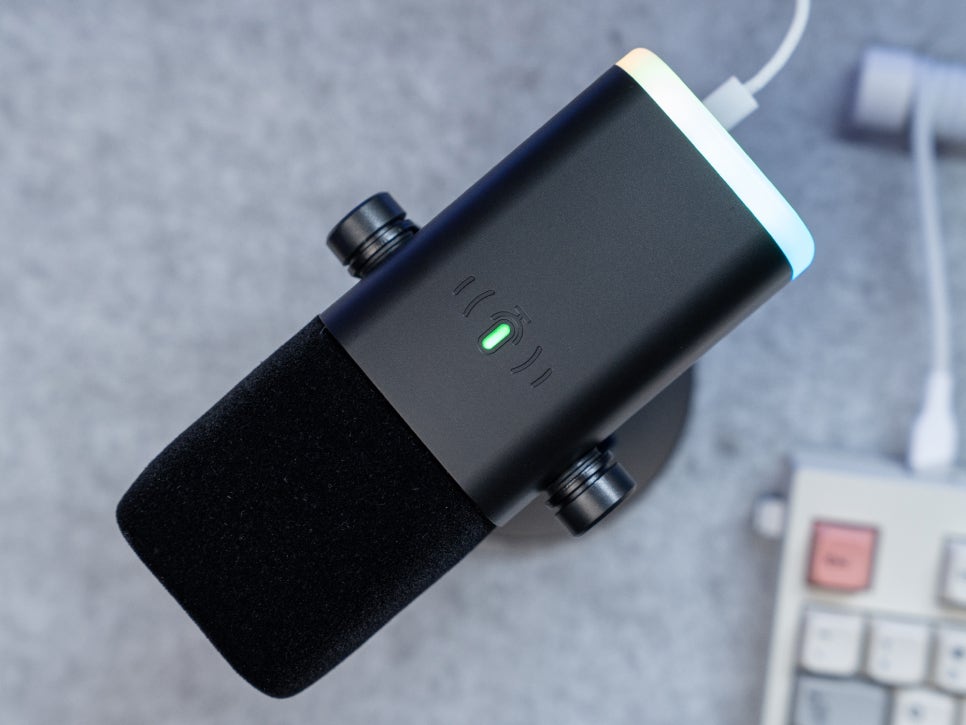
On the rear, there’s a one-touch mute button. Being a touch sensor, a light tap instantly mutes the mic, and an LED indicator provides a clear visual of the current status. Green indicates active audio, while red signifies muted.

The AM8’s directional pattern focuses intently on the sound directly in front, effectively blocking out noise from the sides and rear. This ensures that only your clean voice is transmitted, even in a noisy gaming environment with mechanical keyboard clicks or PC cooling fan sounds. With lower sensitivity than condenser microphones, it picks up less ambient noise, making it an optimal choice for game streaming or Discord voice chat.
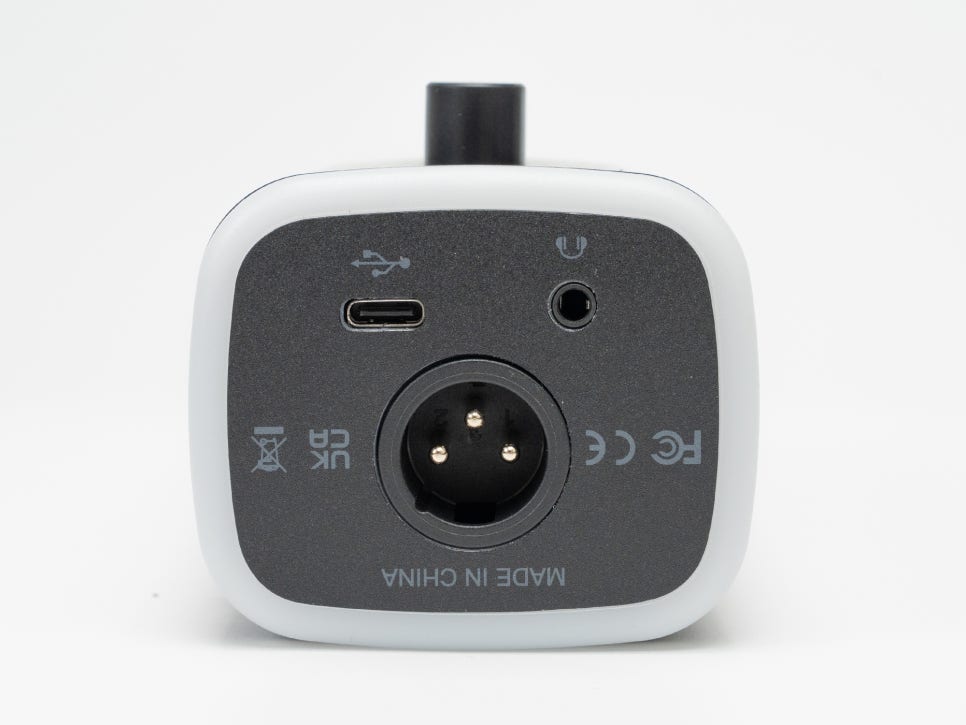
Looking at the bottom of the microphone, you’ll find a USB-C port, a 3.5mm headphone connection port, and an XLR port arranged side by side. The XLR socket allows for future connection to professional equipment like audio mixers or interfaces.
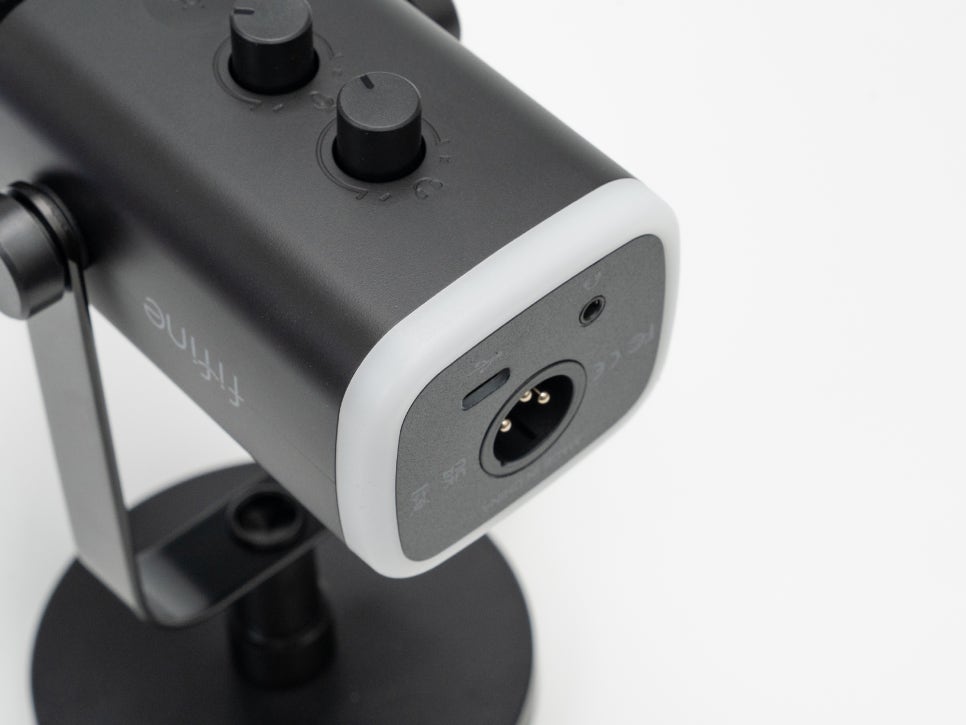
The very end of the microphone features an RGB LED ring. It’s not overly flashy but adds to the gaming aesthetic. The lighting mode supports a variety of colors including red, orange, yellow, green, cyan, blue, purple, and mint, with smooth color transitions.
Connection
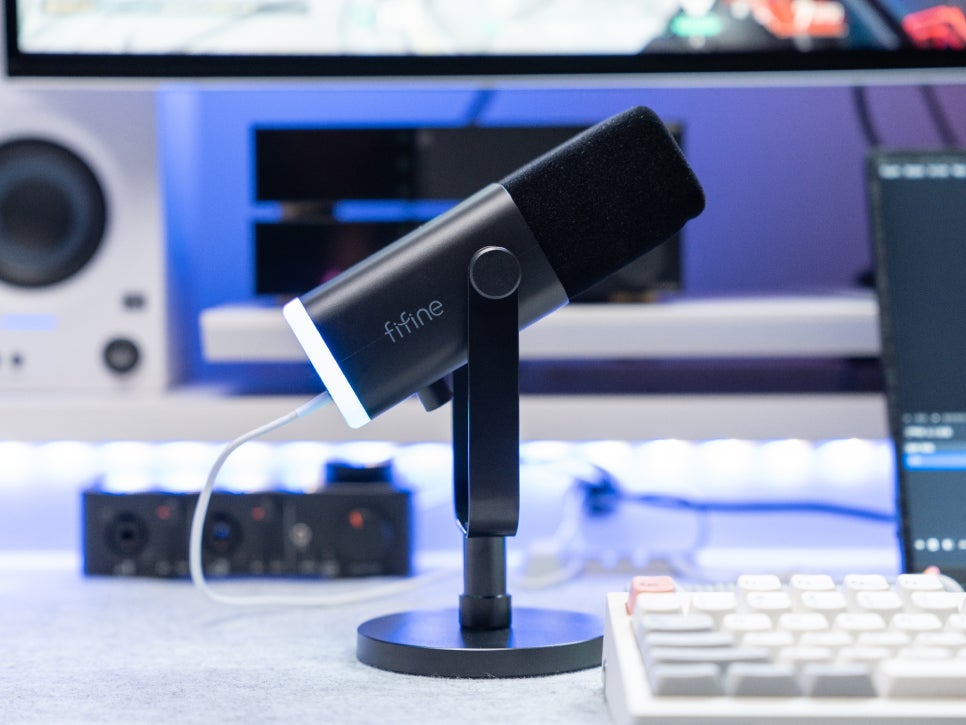
Connecting the FIFINE AM8 is incredibly simple. Just connect it to your PC with the included USB cable, and it will be automatically recognized without needing any separate driver installation. It’s compatible with Windows, macOS, as well as PS4 and PS5 game consoles.

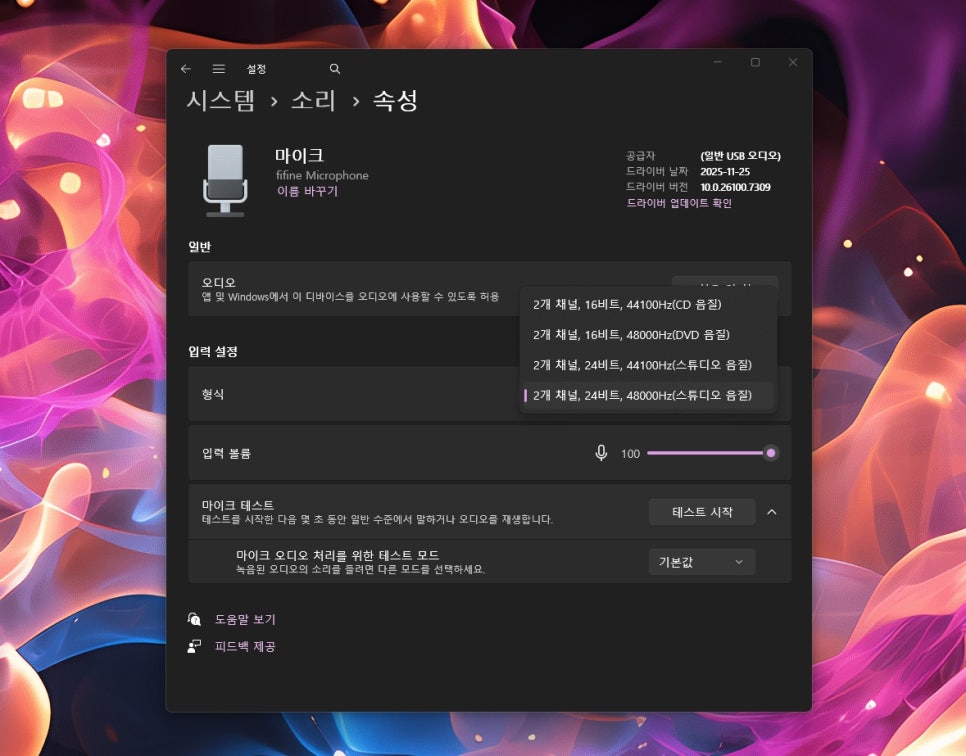
After connecting it to Windows, if you open the sound settings, you’ll see it recognized as “fifine Microphone.” Simply set it as your default recording device and adjust the levels in the microphone properties, and it’s ready to use.
Usage Review
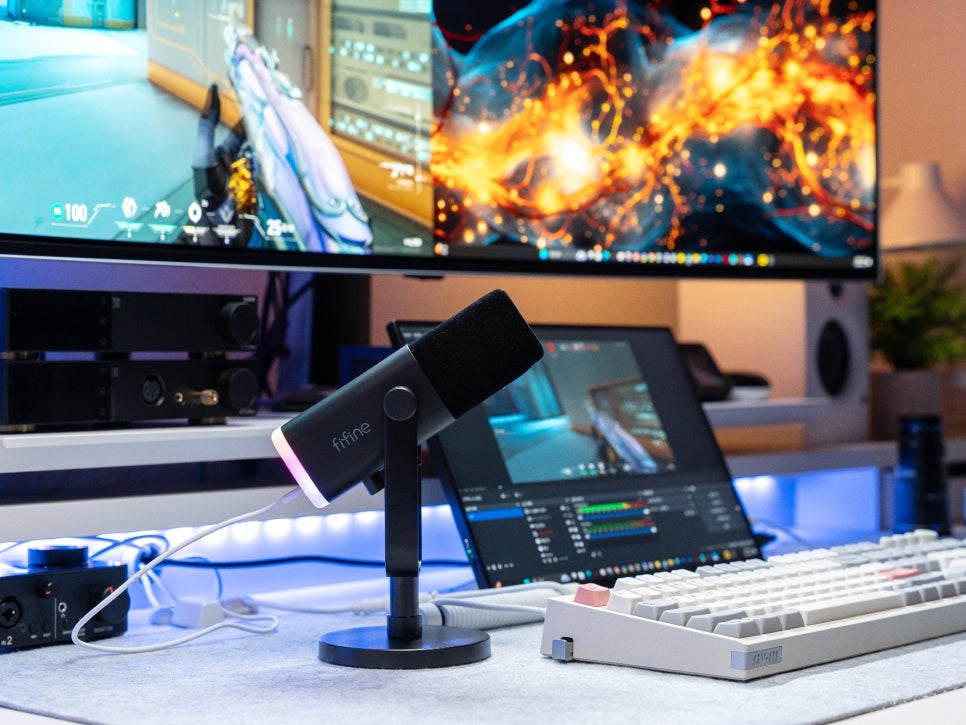
First, the AM8’s stand has a fixed height, which somewhat limits angle adjustment. As it’s a top-address microphone, you need to speak into the top surface, and the angle might be awkward depending on your sitting height. Therefore, my personal recommendation is to purchase a boom arm set.

As befits gaming equipment, the FIFINE AM8 incorporates RGB LEDs. They subtly glow from the ring at the bottom of the microphone. Since they only illuminate the end of the body, it provides a sufficient gaming vibe without being excessive.
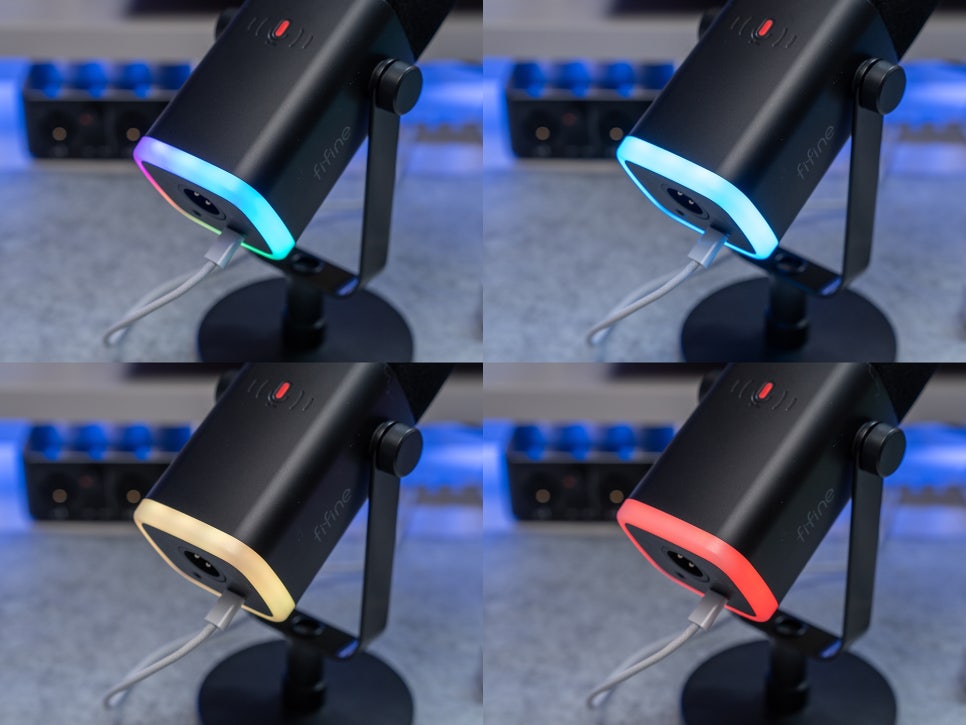
Changing the RGB effects is easily done with the touch button on the front. Each tap of the button cycles through modes: the monochromatic cycle mode automatically switches between various colors, the rainbow gradient mode transitions colors smoothly, and the static mode allows you to fix it to your desired color.
Above all, its biggest advantage is its excellent value for money. Priced in the 60,000 KRW range, it supports both USB and XLR dual connections, offering the clear sound quality and excellent noise cancellation characteristic of dynamic microphones.
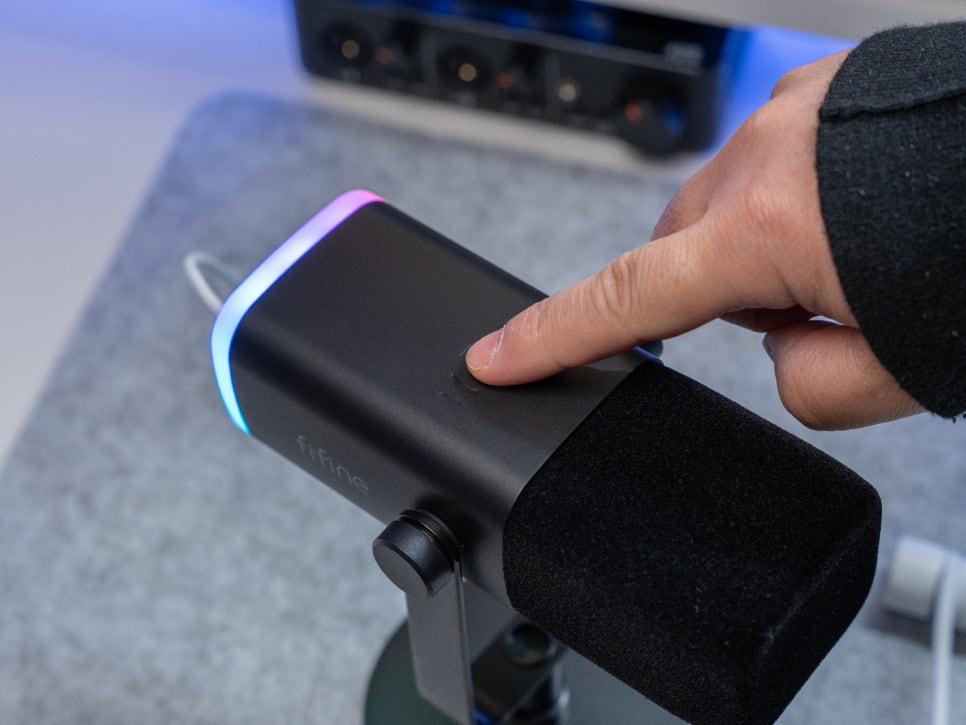

The touch mute button was incredibly convenient. When I urgently needed to mute, a light tap on the button instantly responded, and I could confirm the status with the LED color, preventing me from accidentally talking while muted.
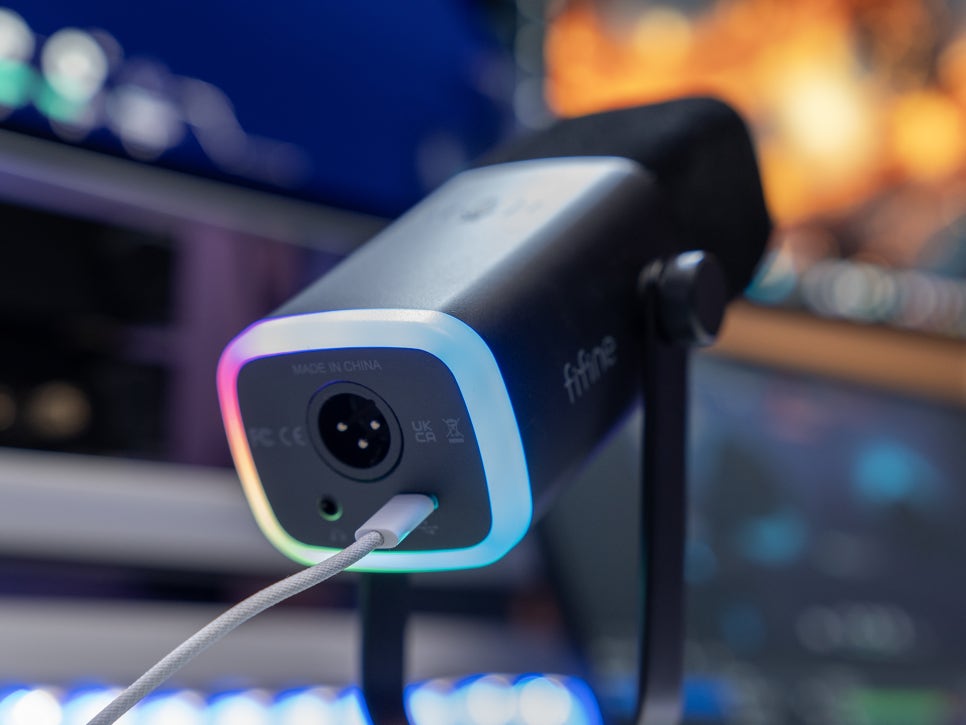
Its excellent expandability with XLR connection support is also appealing. You can start by using it easily with USB, then connect it directly to an audio mixer or interface later without having to purchase a new microphone.
Microphone Sound Quality Test
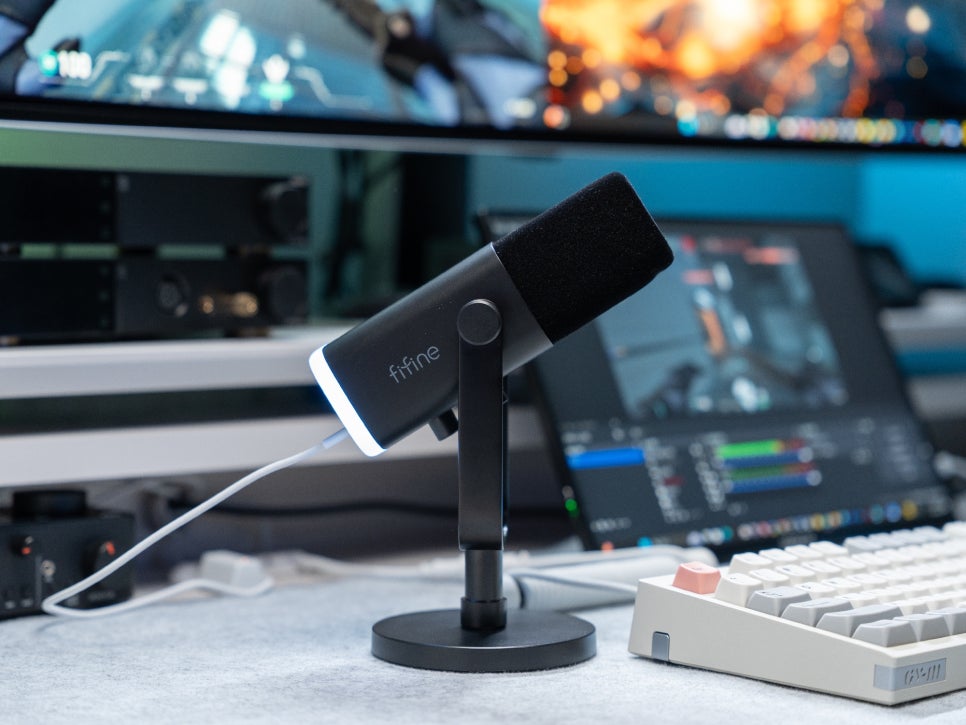
Now for the most important part: the sound quality test. The recording test revealed impressive rich bass and a stable mid-range, characteristic of dynamic microphones, and the treble was also well-represented without being harsh. The proximity effect, which emphasizes bass when speaking closer to the microphone, can also yield good results if utilized appropriately.
The included windscreen effectively filters out plosives and wind noise, allowing for clean recordings even without a separate pop filter. Despite having equipment, including my PC tower, nearby, thanks to the cardioid polar pattern, noise from the sides and rear was barely recorded, and only my voice was accurately picked up.
Concluding the Review
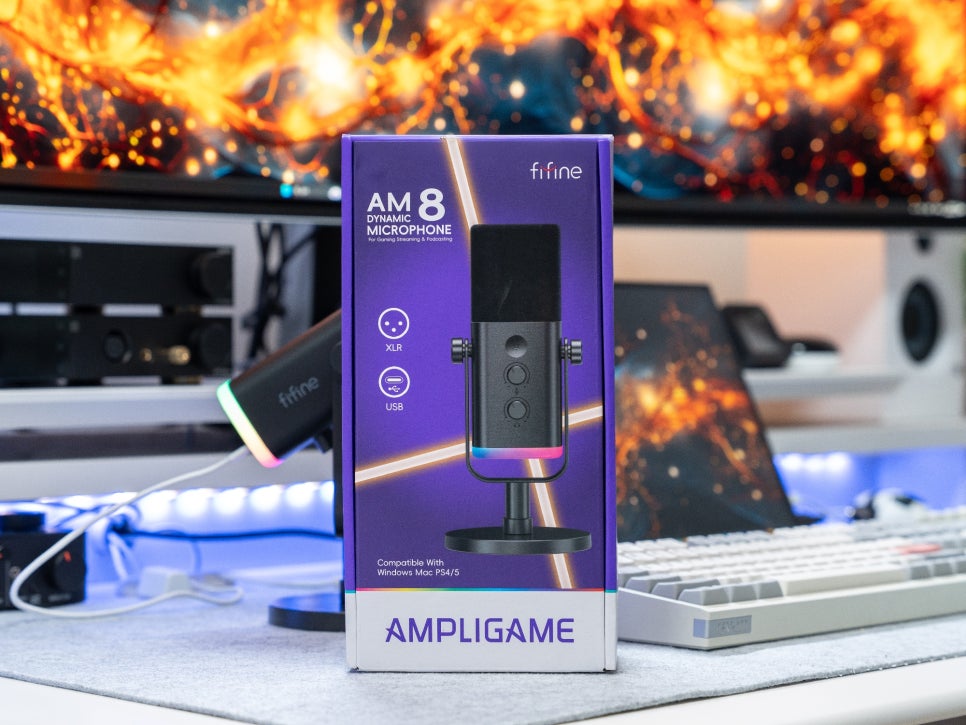
The FIFINE AM8 is a highly attractive product for anyone looking for a cost-effective dynamic microphone. Its biggest advantage is its excellent value for money. Priced in the 60,000 KRW range, it supports both USB and XLR dual connections, offering the clear sound quality and excellent noise cancellation characteristic of dynamic microphones.
Being plug-and-play, beginners can easily set it up and use it by simply connecting the USB cable. You can also monitor your own voice in real-time by connecting headphones or earphones. As a gaming microphone, the RGB lighting is also a must-have, adding a subtle touch to your desk setup without being over-the-top.

One minor drawback is the somewhat low gain, a characteristic of dynamic microphones powered by USB. It will be important to find the optimal position by adjusting the distance from the microphone and the appropriate volume.
However, for beginners purchasing their first microphone, this level of performance should be more than satisfactory. And if you decide to use an audio interface or mixer in the future, even more professional settings will be possible.
This concludes the review of the FIFINE AM8 dynamic microphone.
As an Amazon Associate I earn from qualifying purhases.
Purchase Product : https://amzn.to/3LcUQl2
#다이나믹마이크
#FIFINEAM8
#게이밍마이크
#유튜브마이크
#마이크추천
#녹음용마이크
#방송용마이크
#디스코드마이크
#스트리밍마이크
#가성비마이크