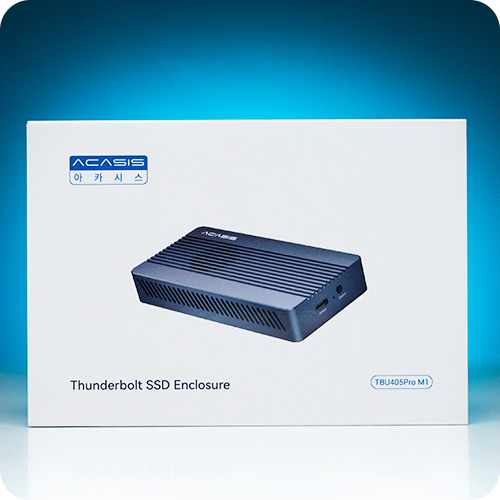
Many video editors seem to be using Mac mini or MacBook Pro recently, and I also use a high-performance mini PC for my work. However, the biggest concern with these compact systems is storage expansion. Since you can’t install multiple drives internally like a regular desktop, I definitely felt the spatial limitations.
When working with 4K and 8K video, it’s common for a single project file to exceed tens of gigabytes. That’s why many people are looking for external enclosures that can utilize NVMe SSDs externally. It’s not just about speed; heat management and stability are crucial. High-performance NVMe SSDs, in particular, generate significant heat, so without an adequate cooling system, performance degradation due to throttling is inevitable.
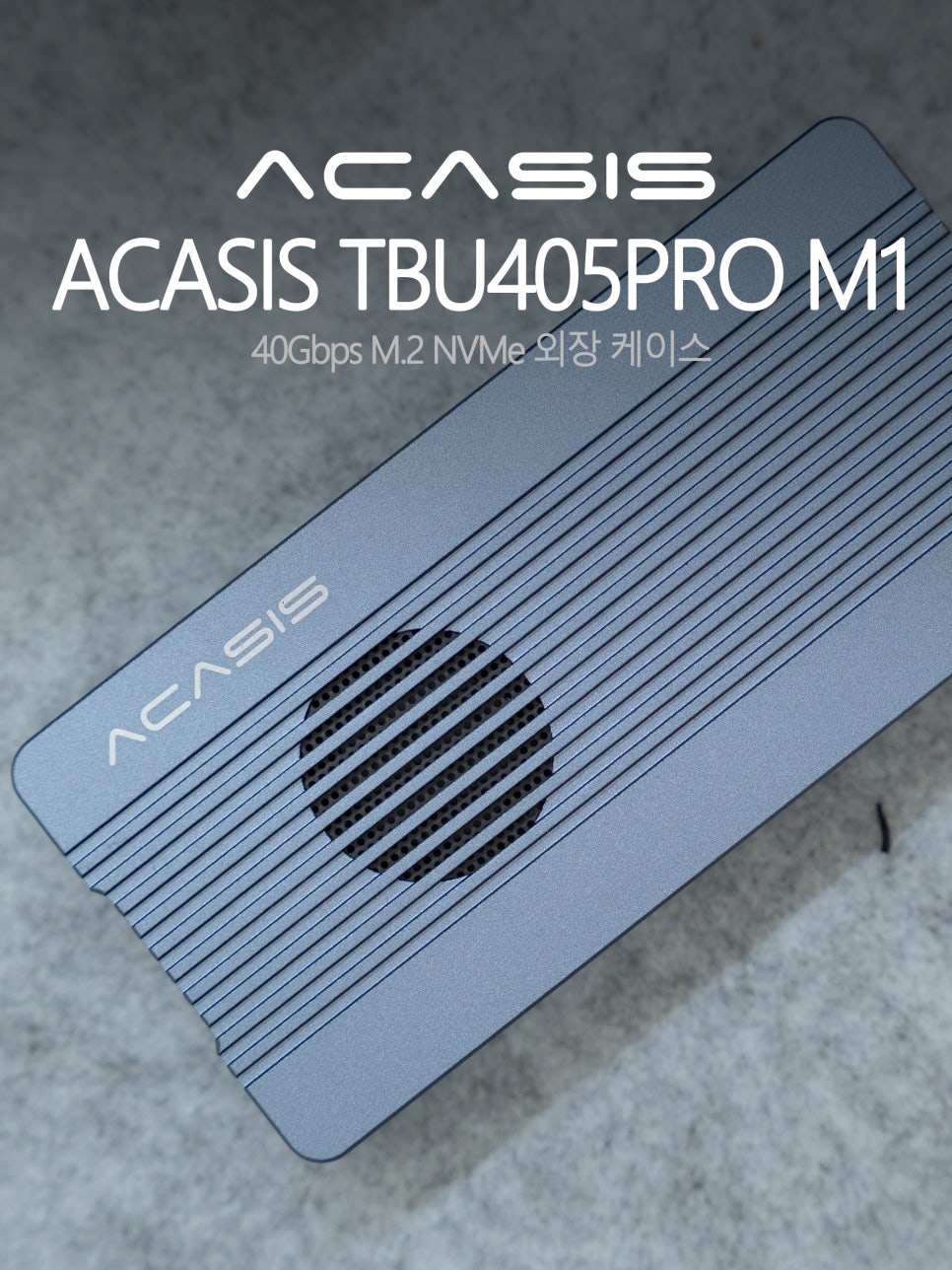
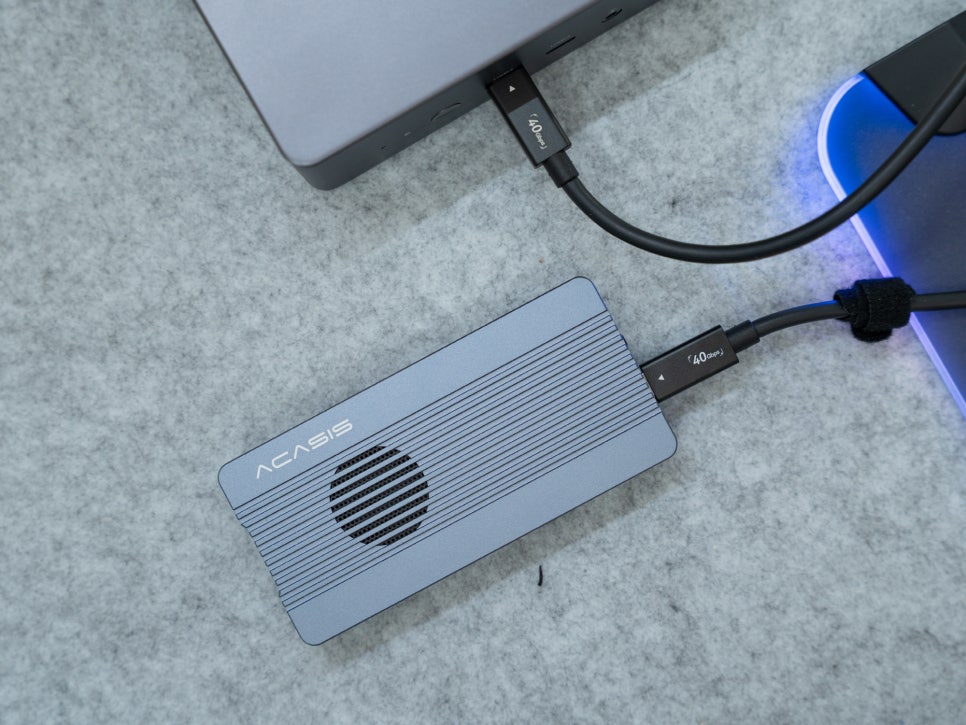
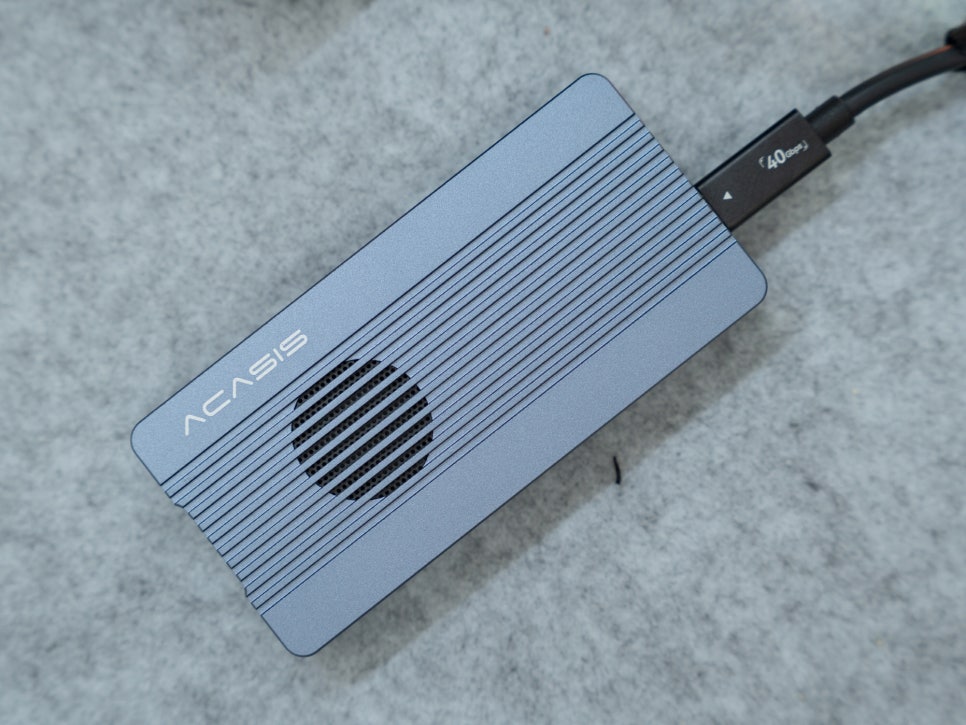
Today, I’ve brought the ACASIS TBU405PRO M1 M.2 external enclosure, which supports transfer speeds of up to 40Gbps and features an active cooling system to address these concerns. Let’s take a detailed look at it now.
Specifications and Contents
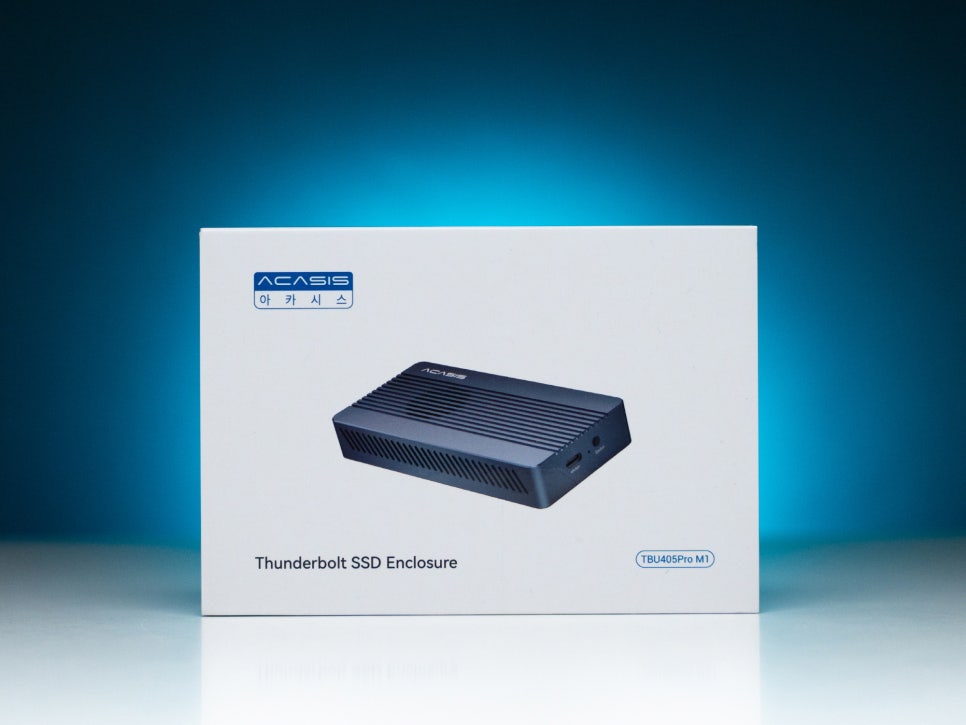
The ACASIS TBU405PRO M1 is a high-end external SSD enclosure that supports the latest USB4.0 standard. Looking at its key specifications, the interface supports USB4.0 40Gbps and is perfectly compatible with Thunderbolt 3/4. It supports M.2 NVMe SSD form factors including 2230, 2240, 2260, and 2280 sizes, and can recognize capacities of up to 8TB.
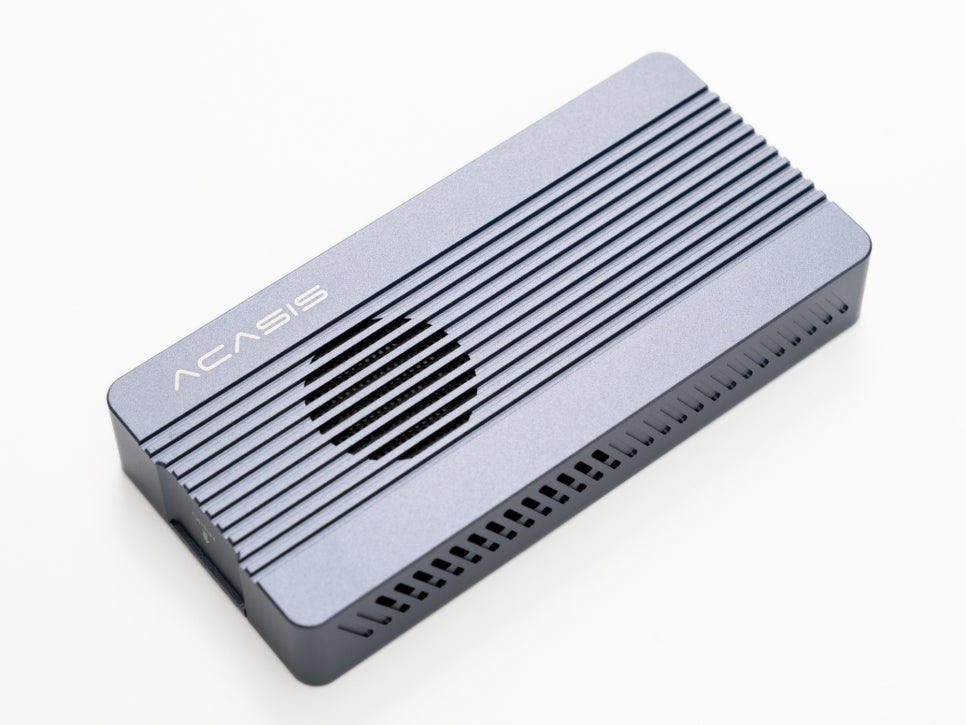
What stands out most is its dual chipset configuration. Equipped with Intel’s JHL7440 Thunderbolt controller, Realtek RTL9210B USB to NVMe bridge chipset, and Cypress CYPD5126-40LQXI USB-C PD controller, it ensures stable data transfer.
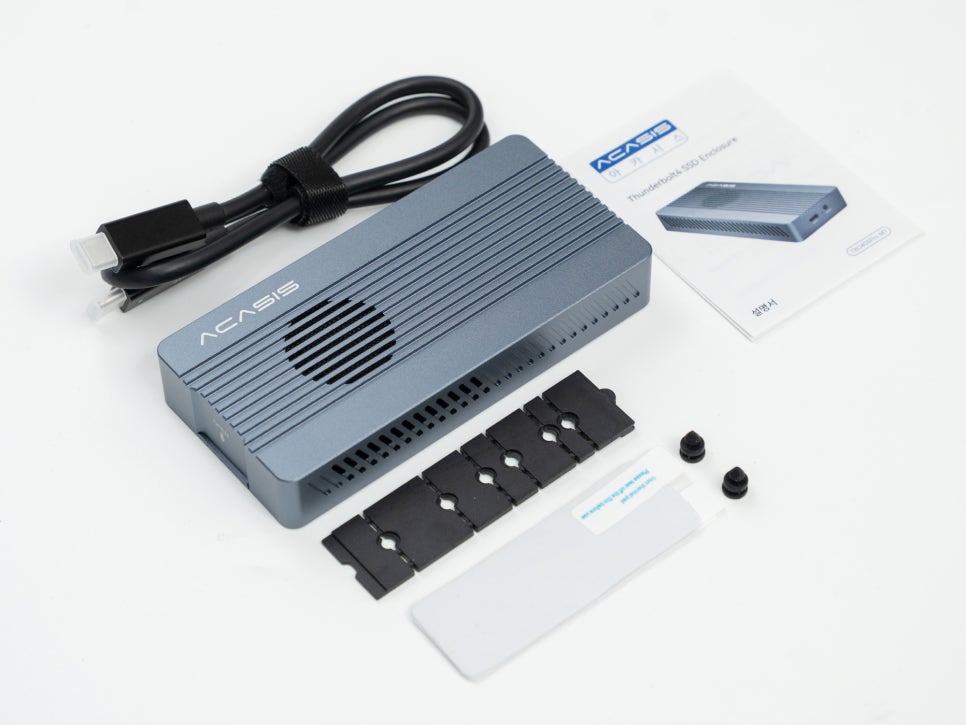
The package included the main unit, one USB4.0 Type-C to Type-C cable, various lengths of SSD mounting screws, and thermal pads. Notably, two thermal pads are provided, allowing you to use them appropriately depending on the SSD’s thickness.
Appearance and Features
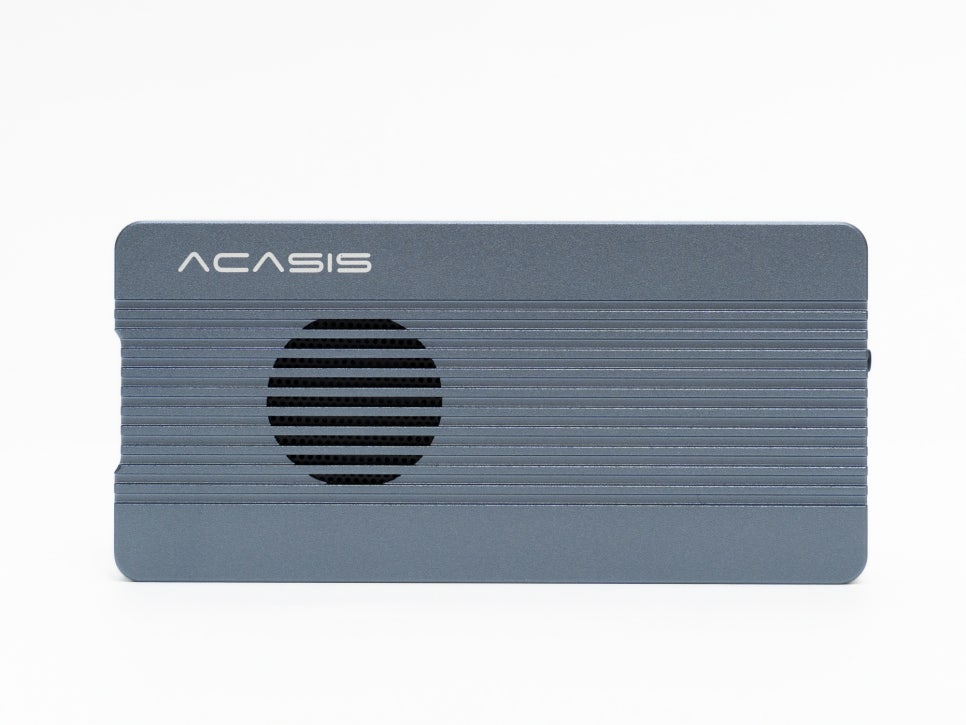
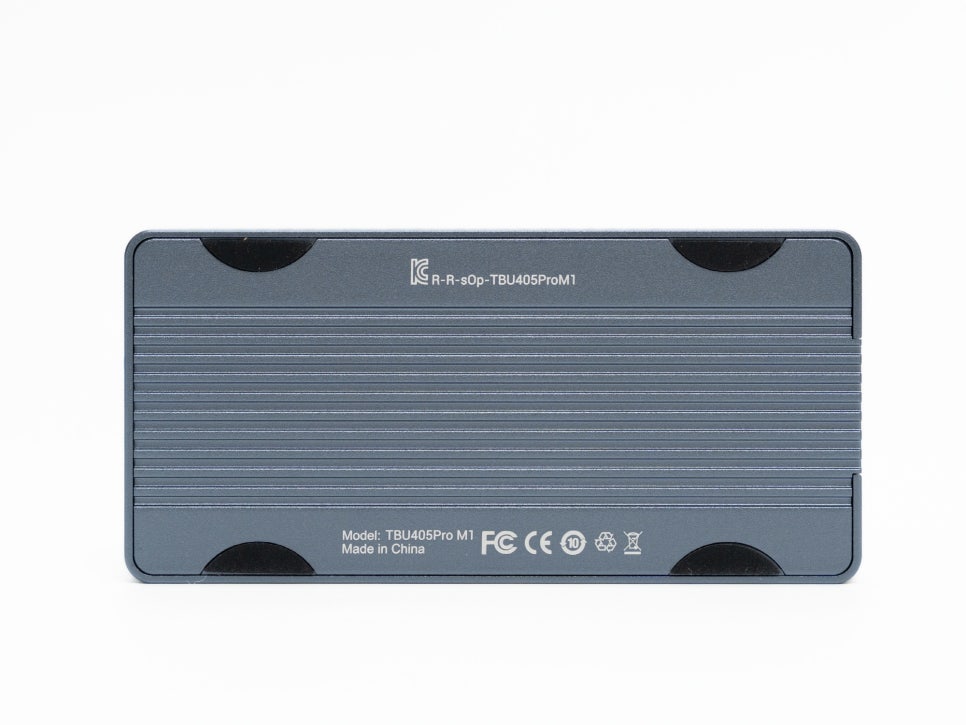
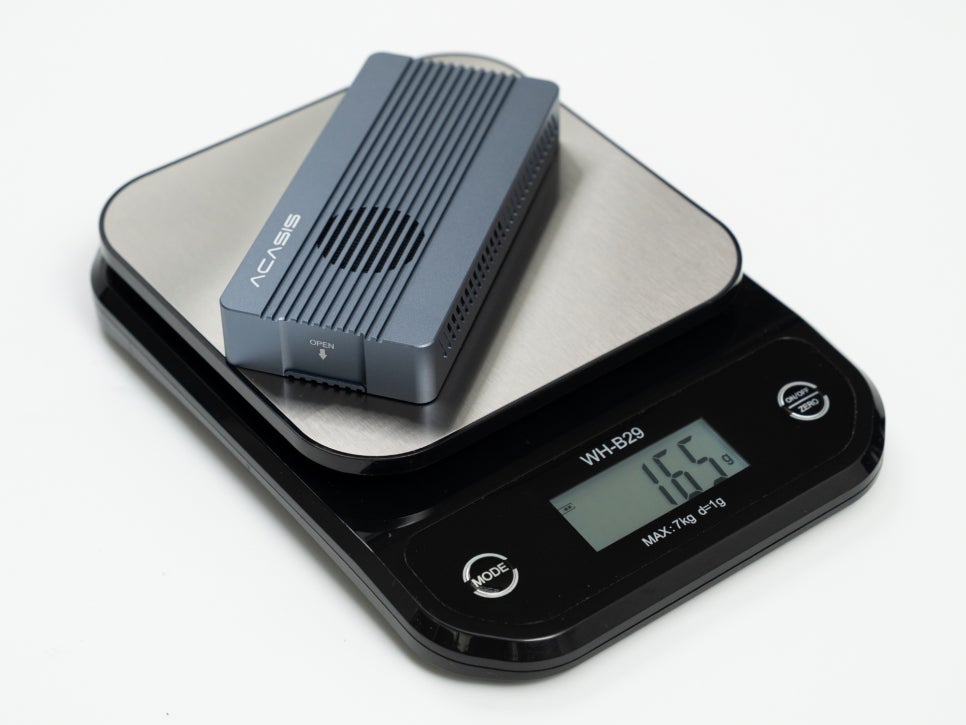
The ACASIS TBU405PRO M1 has a simple yet premium appearance. Made from aluminum alloy, it offers robust durability and excellent heat dissipation. Its actual weight is around 165g, making it quite portable, and its size fits comfortably in the palm of your hand.
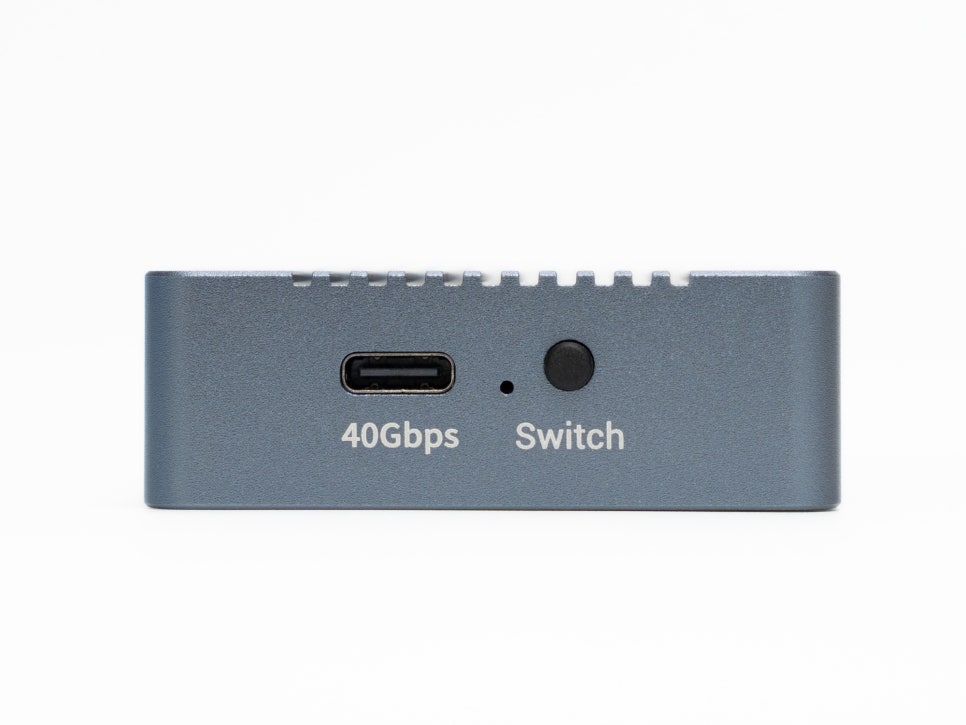
On the front, you’ll find the USB4.0 Thunderbolt 4 port, with a button right next to it to control the cooling fan’s on/off status. You can easily adjust fan operation based on your usage environment. For quiet work, you can turn the fan off, and for large file transfers or high-load tasks, you can turn it on for cooling.
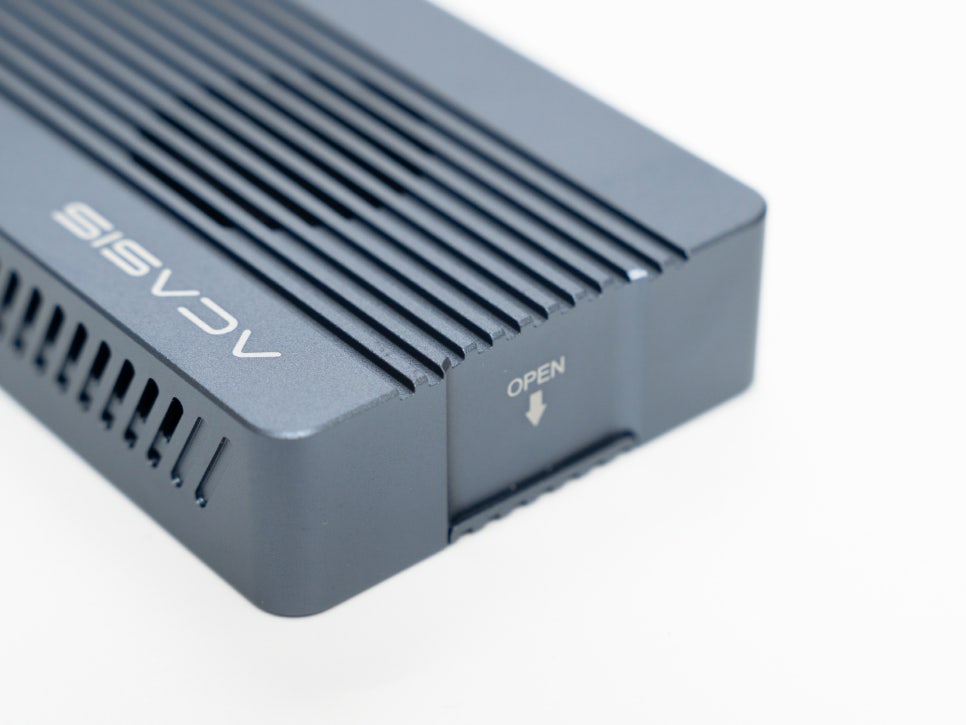
The bottom part of the housing opens with a sliding mechanism, making it easy to open without tools, which greatly simplifies SSD installation.
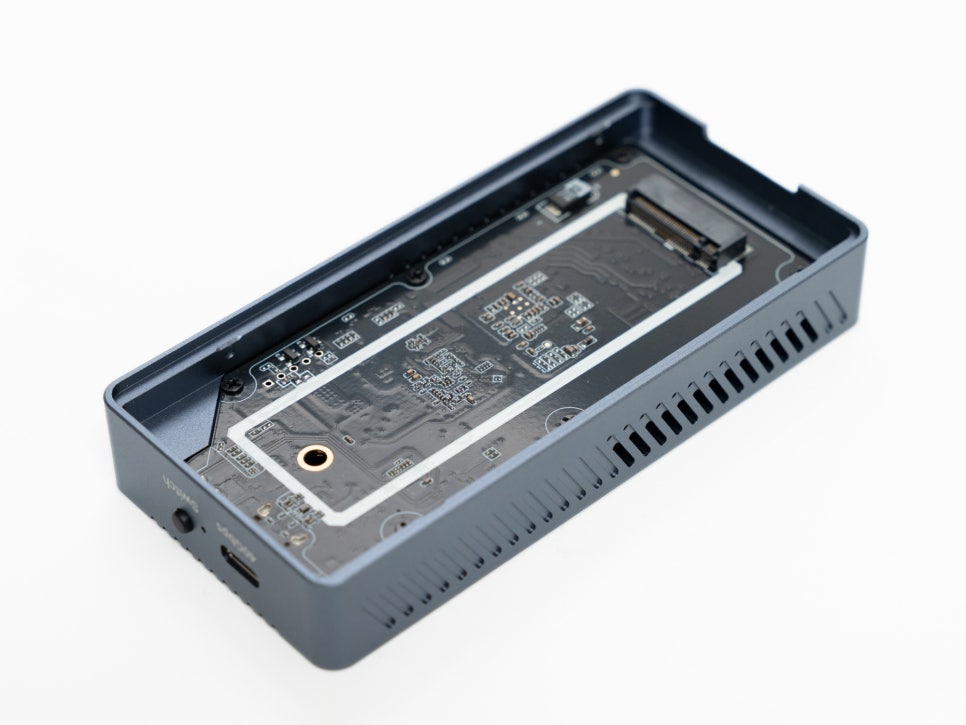
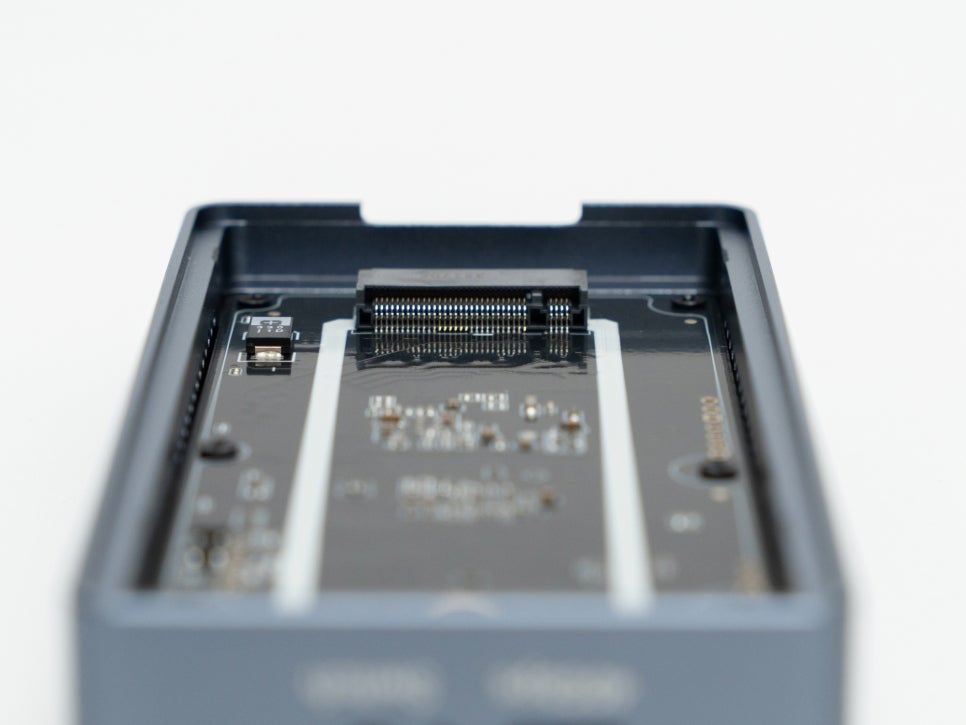
As mentioned earlier, it supports M.2 SSDs of various lengths, from 2230 to 2280, and can recognize capacities up to 8TB. Most modern NVMe SSDs can be used without any issues.
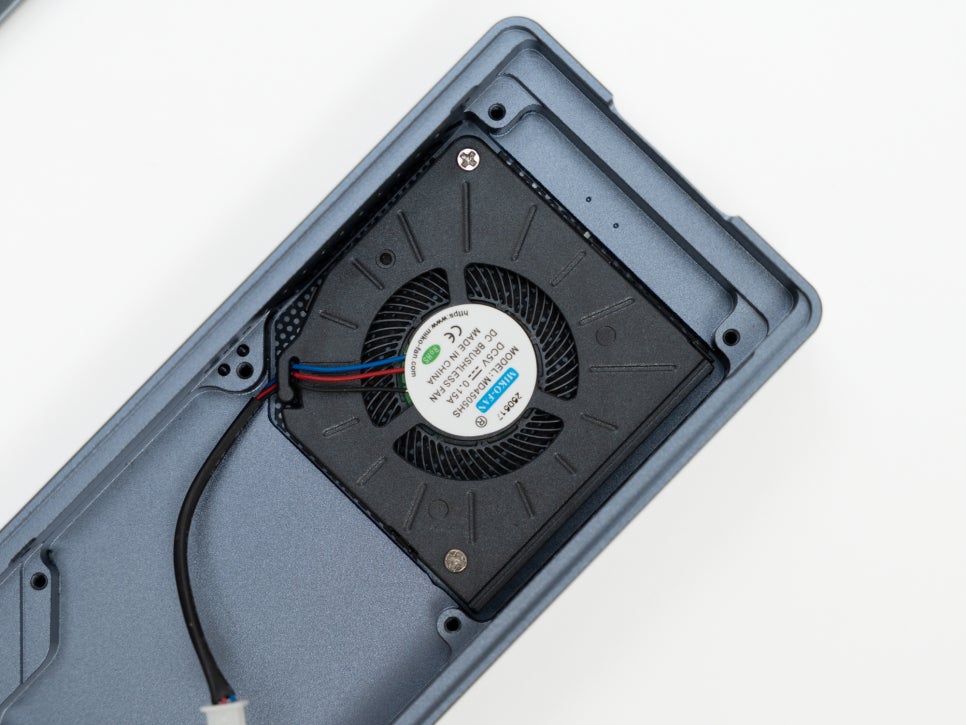
A small cooling fan is installed inside the case, effectively dissipating heat generated by the SSD. Together with the aluminum housing, it performs both passive and active cooling, managing the SSD’s temperature during high-load operations.

What’s most important for such high-speed external storage is the chipset configuration. Even with a good SSD, a bottleneck will occur if the bridge chipset’s performance isn’t up to par. The ACASIS TBU405PRO M1 solves this problem with its dual chipset configuration.
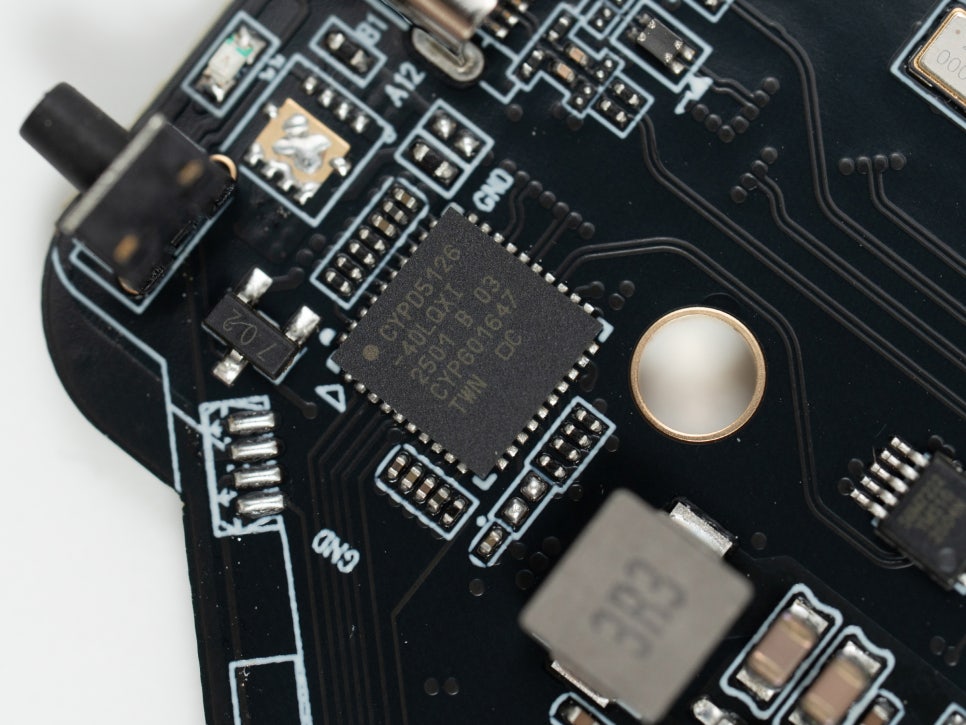
The Cypress CYPD5126-40LQXI is a USB-C PD controller. It’s a crucial chipset responsible for power management and the stability of data communication, playing an important role in enhancing compatibility with various host devices.
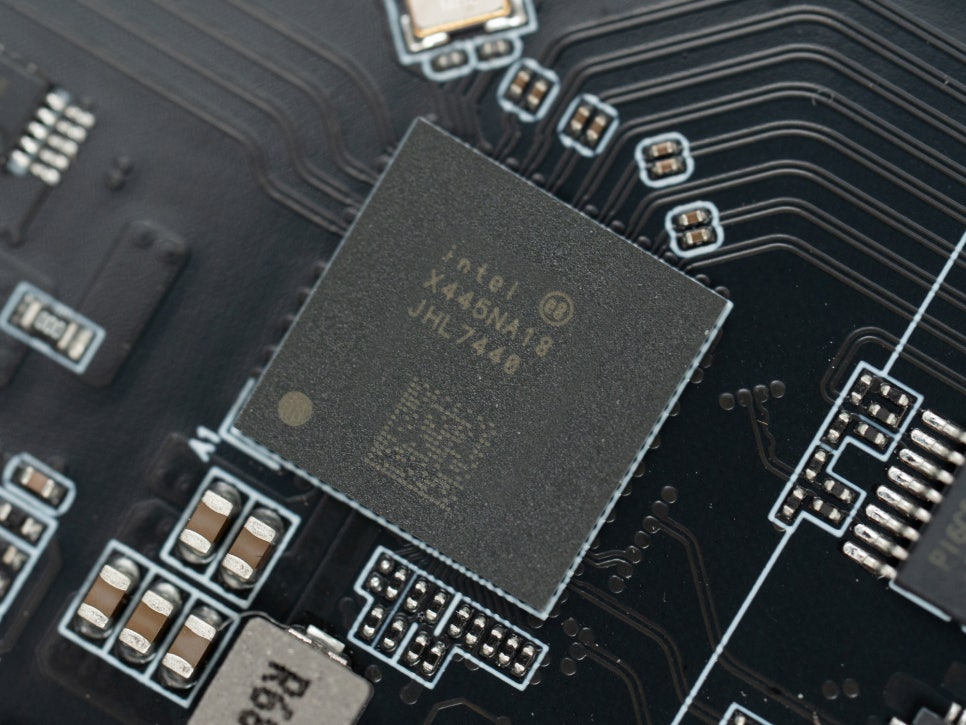
The Intel JHL7440 chipset is the controller responsible for Thunderbolt 3/4 connectivity, enabling the utilization of a 40Gbps bandwidth. Being a genuine Thunderbolt-certified chipset, its perfect compatibility with Mac environments is a significant advantage.
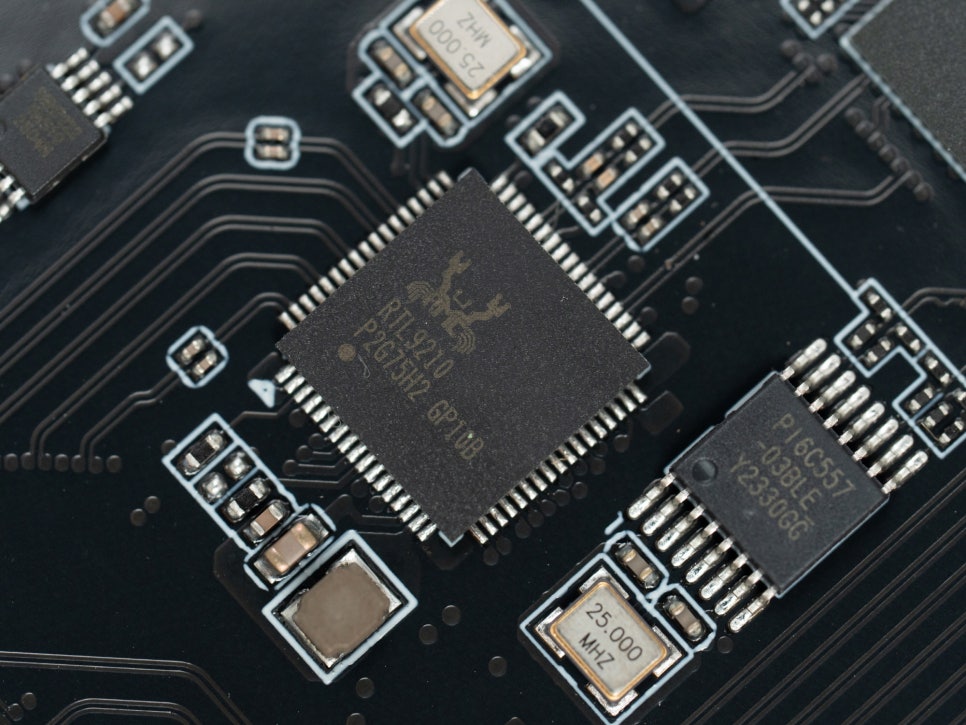
The Realtek RTL9210B chipset acts as a USB to NVMe bridge. It supports the PCIe Gen3 x4 interface, along with UASP protocol and TRIM commands, allowing the SSD to deliver its maximum performance. Notably, it’s a proven chipset in terms of heat management and power efficiency, ensuring excellent stability.
Installation and Setup
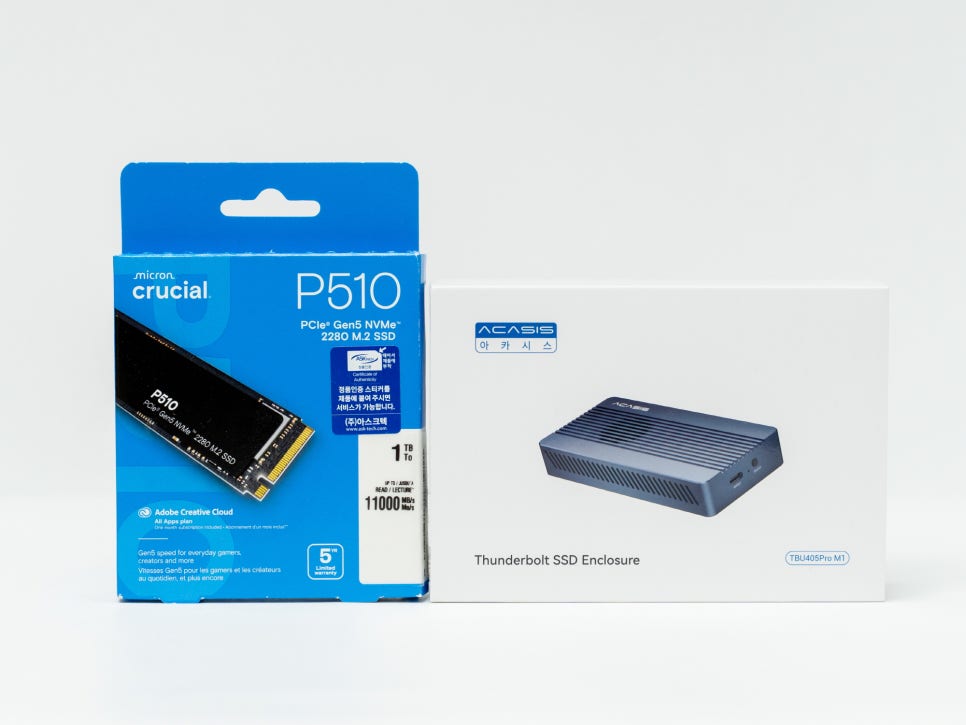
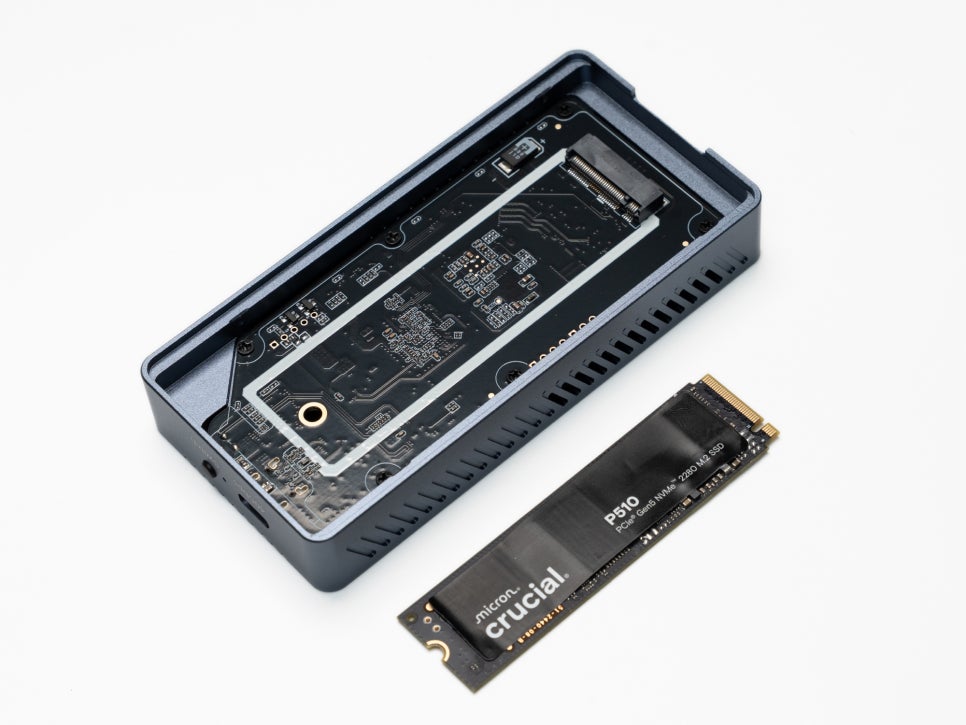

The installation process was simpler than I expected. For testing, I used a Crucial P5 Plus 1TB NVMe SSD. First, slide open the bottom part of the case. Insert the SSD diagonally into the M.2 slot visible inside, then press it down until it aligns with the mounting hole.
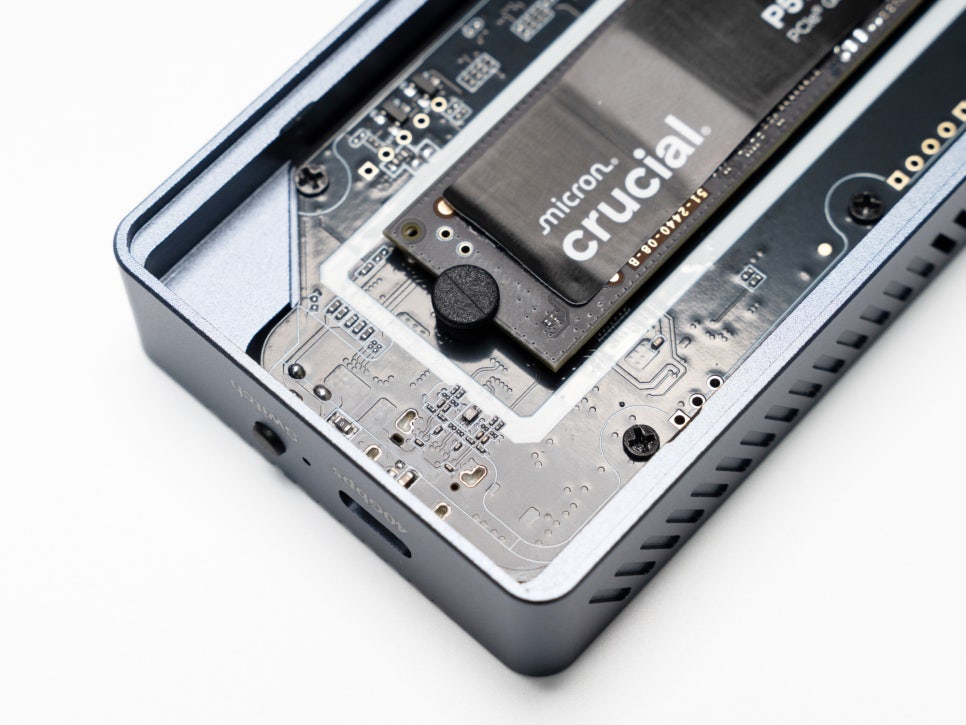
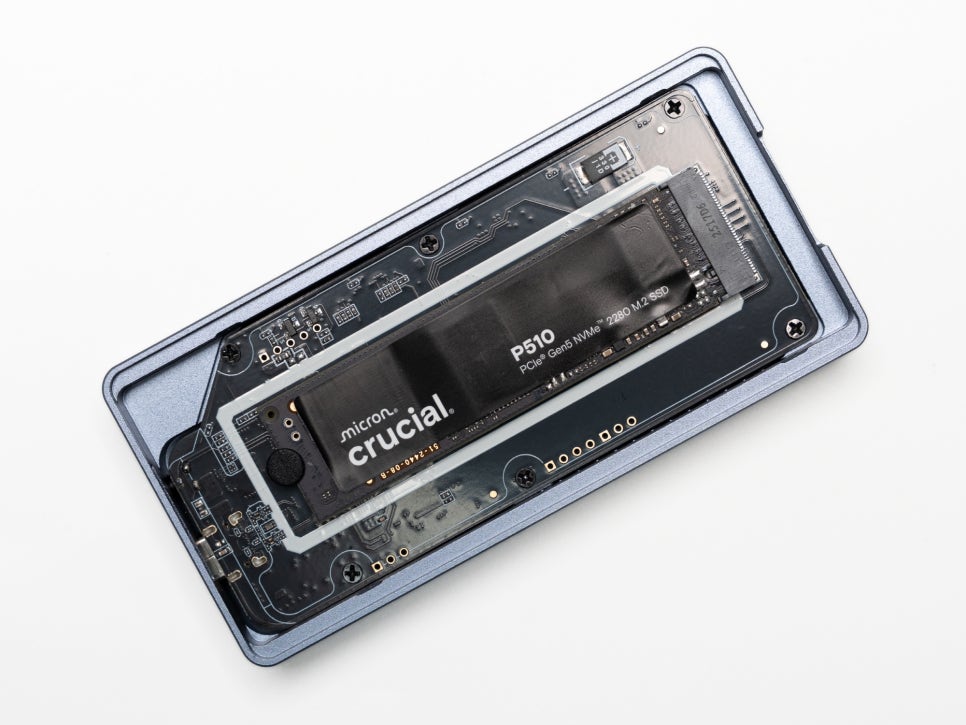
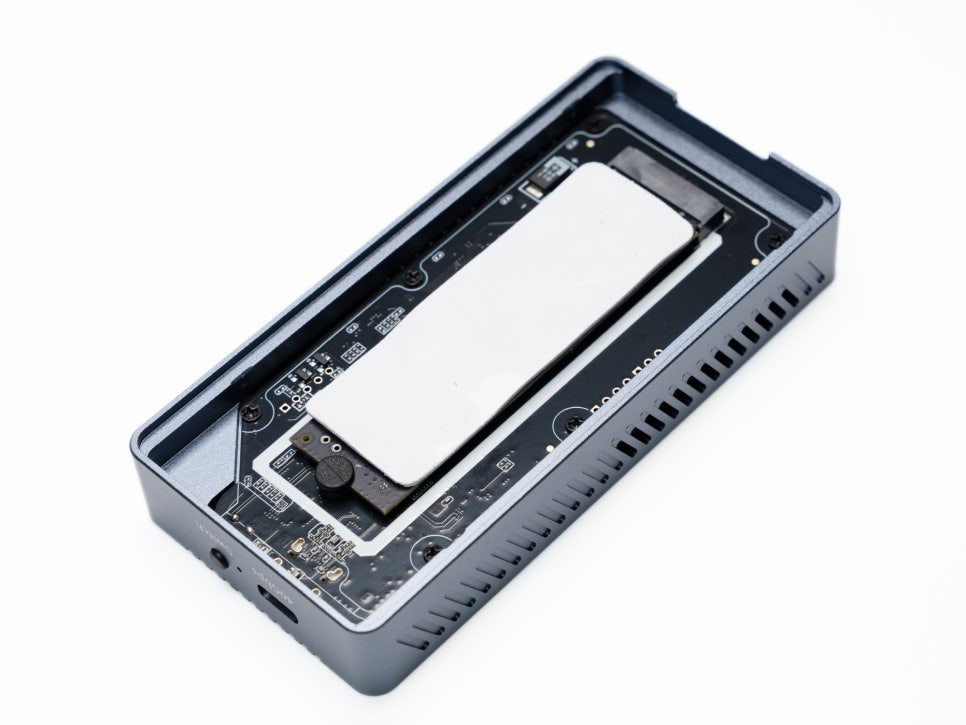
Securely fasten the SSD with the appropriate screw for its size, then attach the provided thermal pad to the SSD’s surface. Thermal pads are essential as they transfer heat generated by the SSD’s controller and NAND chips to the enclosure. After that, simply close the housing, and the hardware installation is complete.
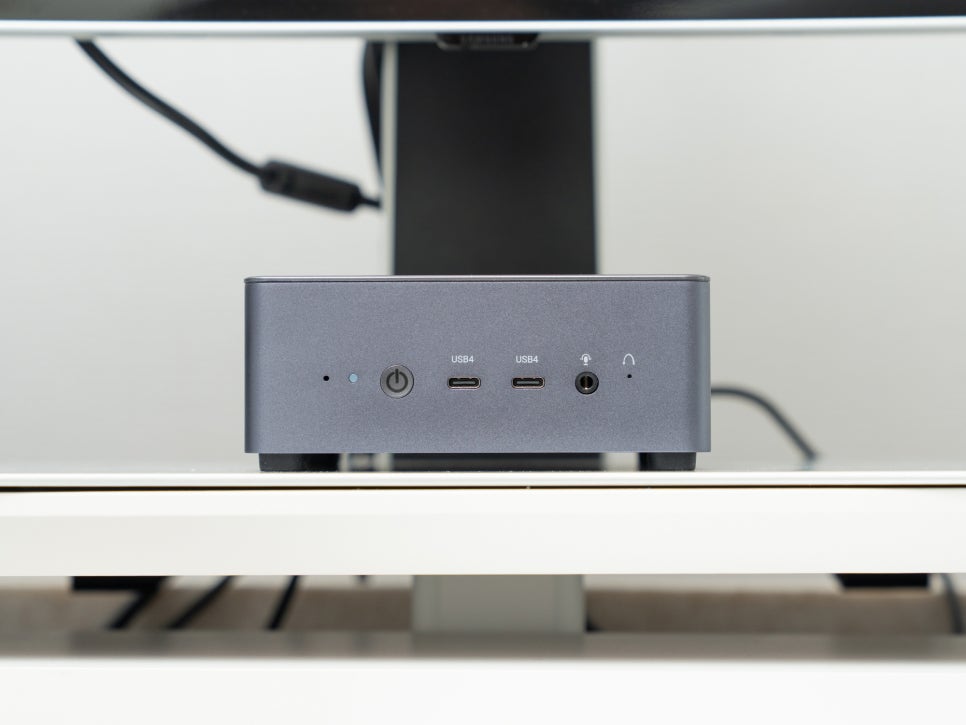
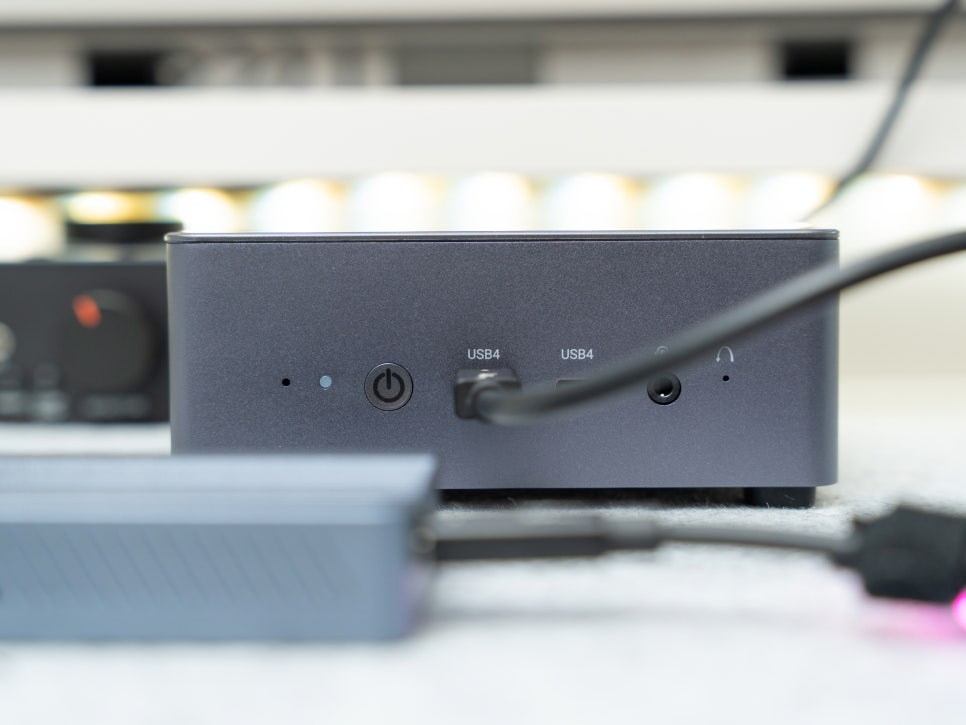
Next is the system connection. I conducted tests by connecting it to a mini PC that supports USB4.0, using the provided USB4.0 cable to link the PC’s USB4.0 port with the external enclosure.
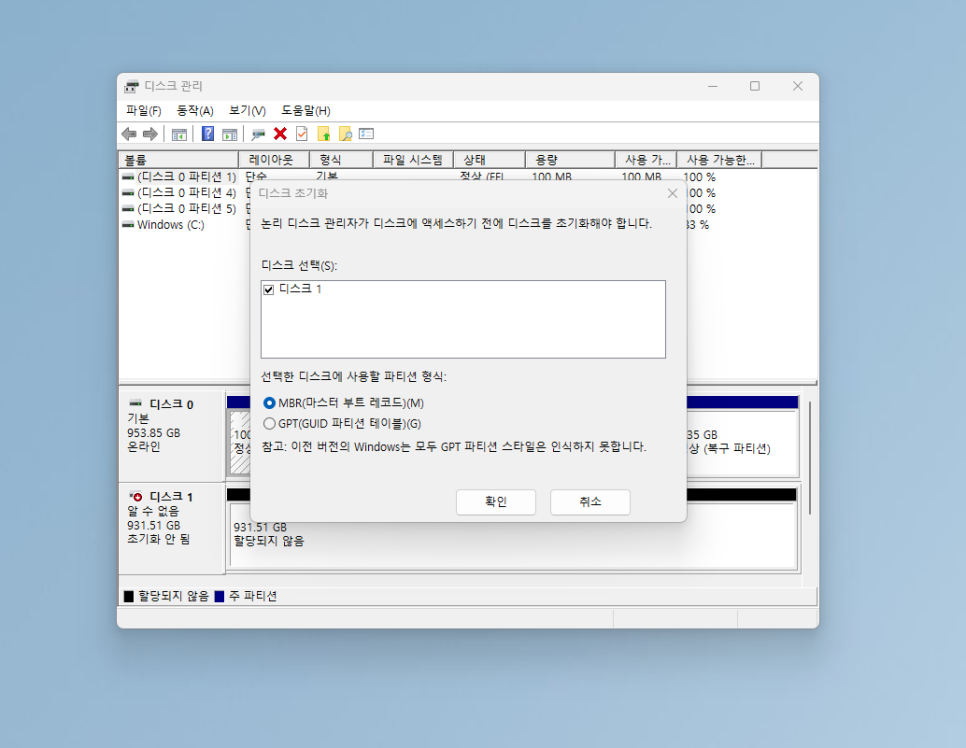
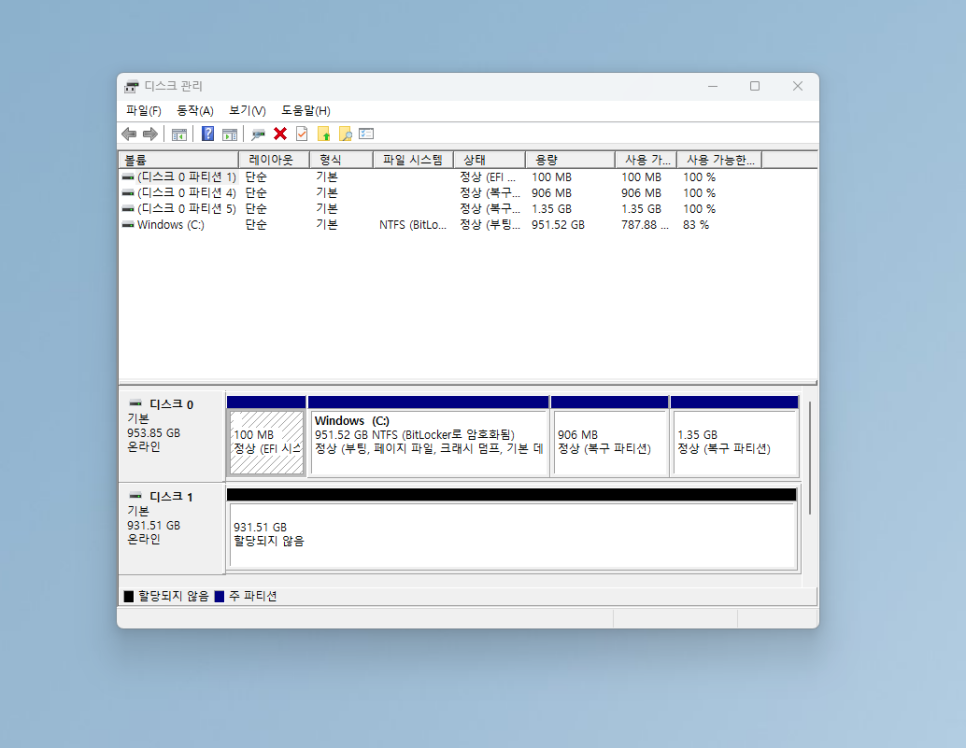
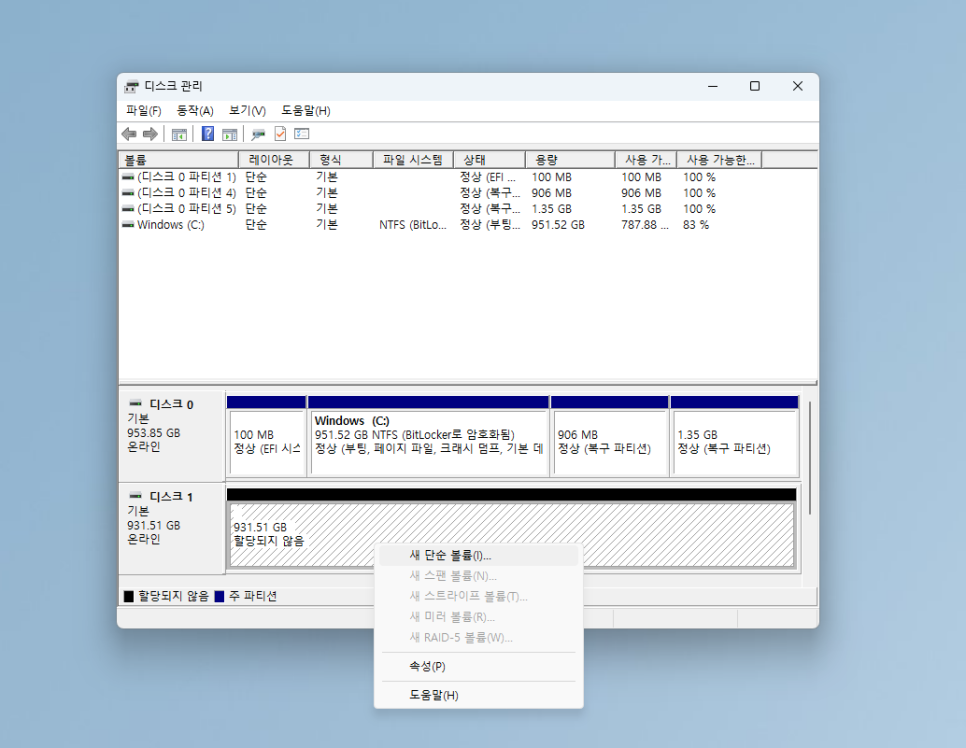
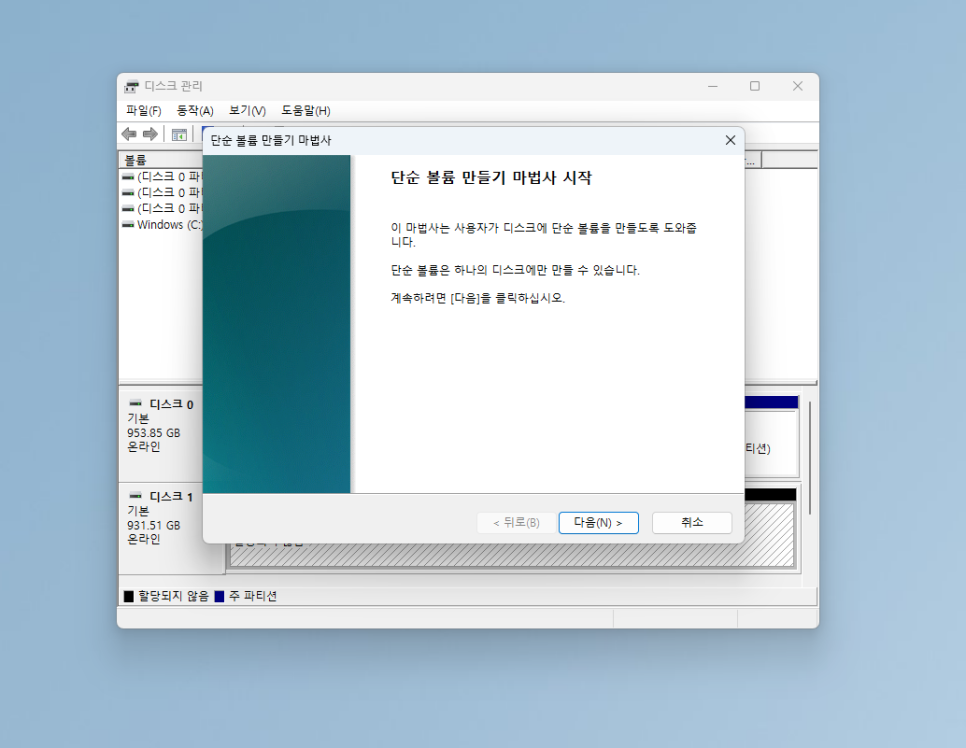
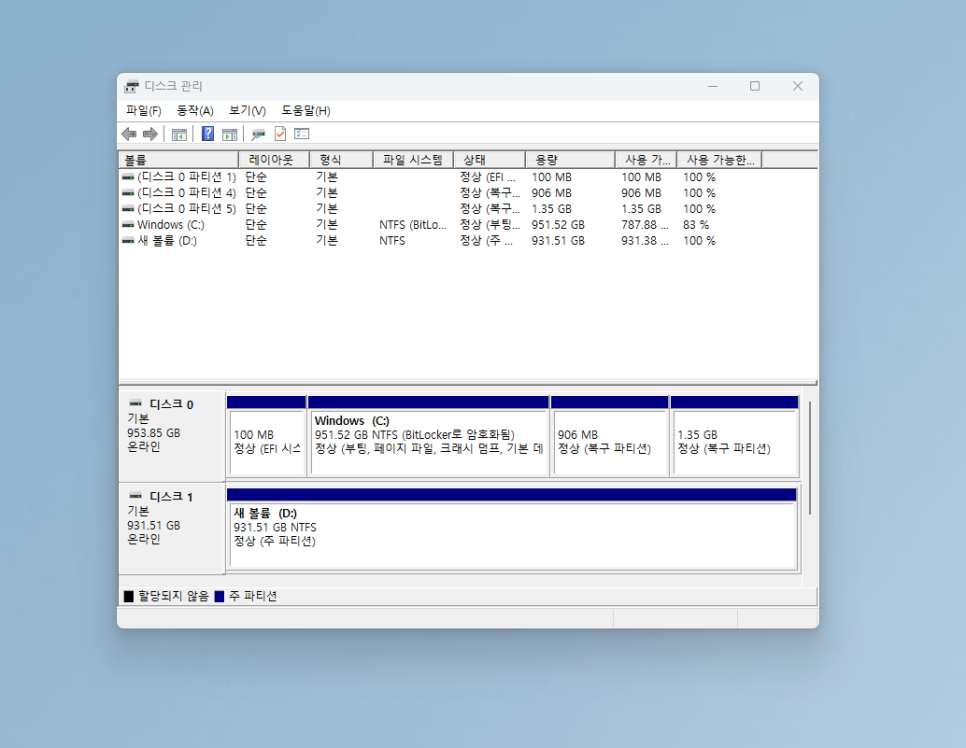
You’ll need to initialize the drive by going into Windows Disk Management. When you open Disk Management, an uninitialized disk will be displayed. Right-click on it, select ‘Initialize Disk’, and choose the GPT partition style. Then, create a new volume from the unallocated space, and it will be ready for use.
Performance Test

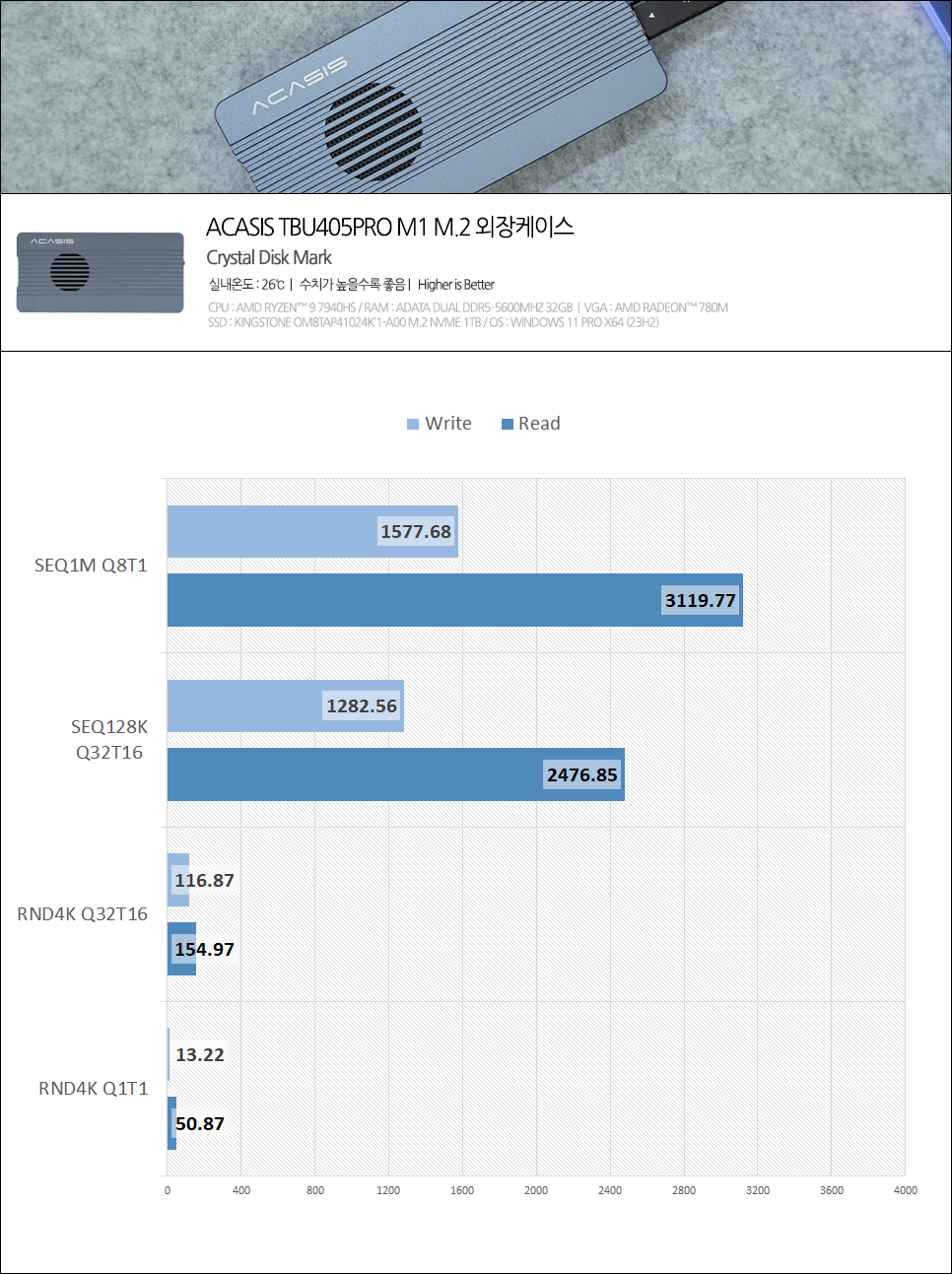
I conducted performance tests using several benchmarking tools. First, I measured sequential read and write speeds with CrystalDiskMark. With a Crucial P5 Plus 1TB, sequential read speed was approximately 3,119MB/s, and sequential write speed was about 1,577MB/s. While this doesn’t reach USB4.0’s theoretical maximum speed of 40Gbps, this is a limitation of the SSD’s own specifications, not an issue with the enclosure.
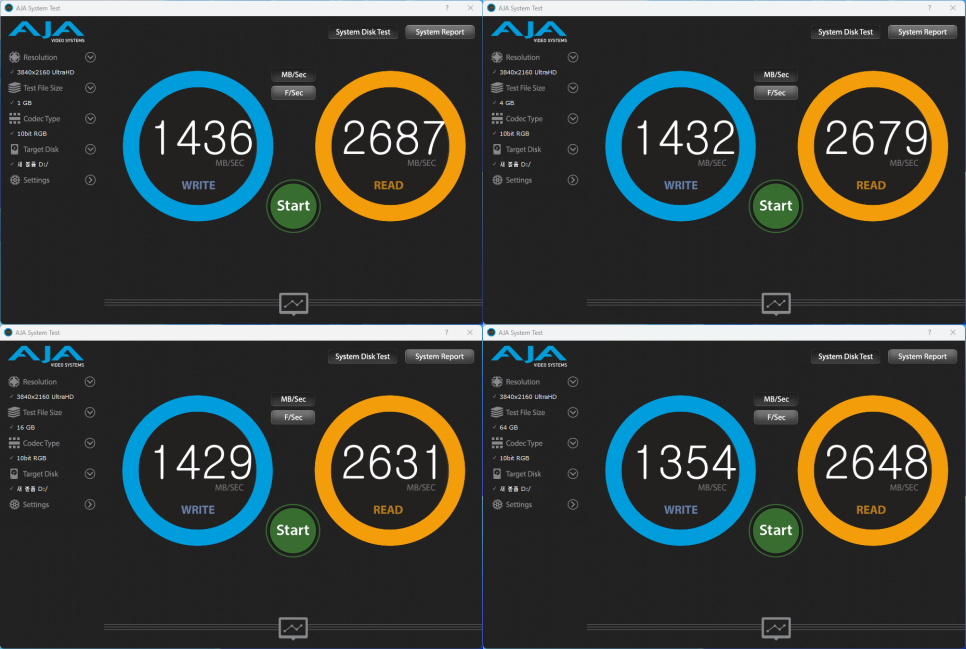
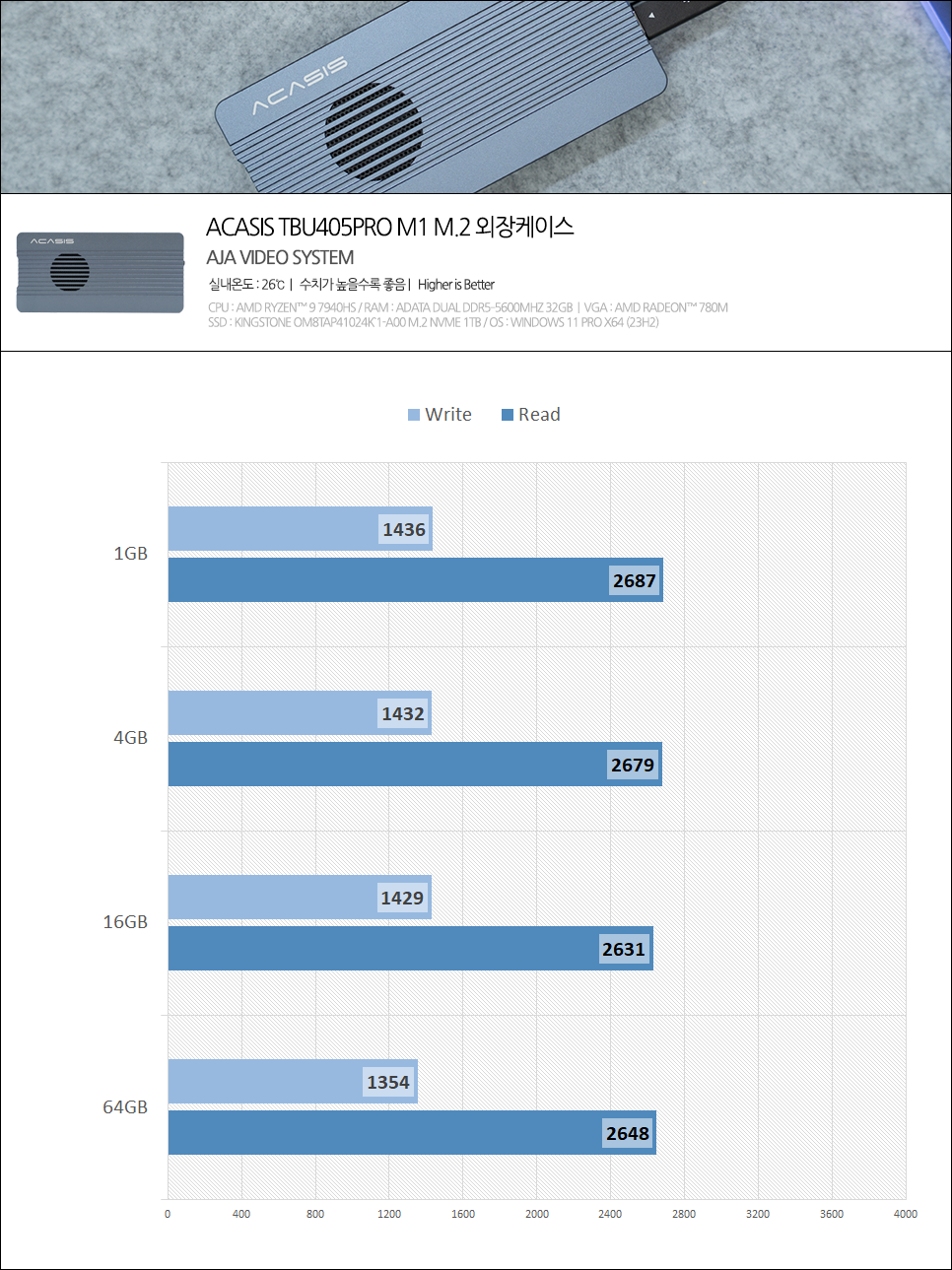
Next is the AJA System Test benchmark, specialized for video editing tasks. Stable high-speed transfer is paramount in video work. In the 4K frame test, it recorded an average read speed of 2,661MB/s and an average write speed of 1,412MB/s. This level of performance is more than sufficient for directly editing 4K 60fps video projects from the external drive.

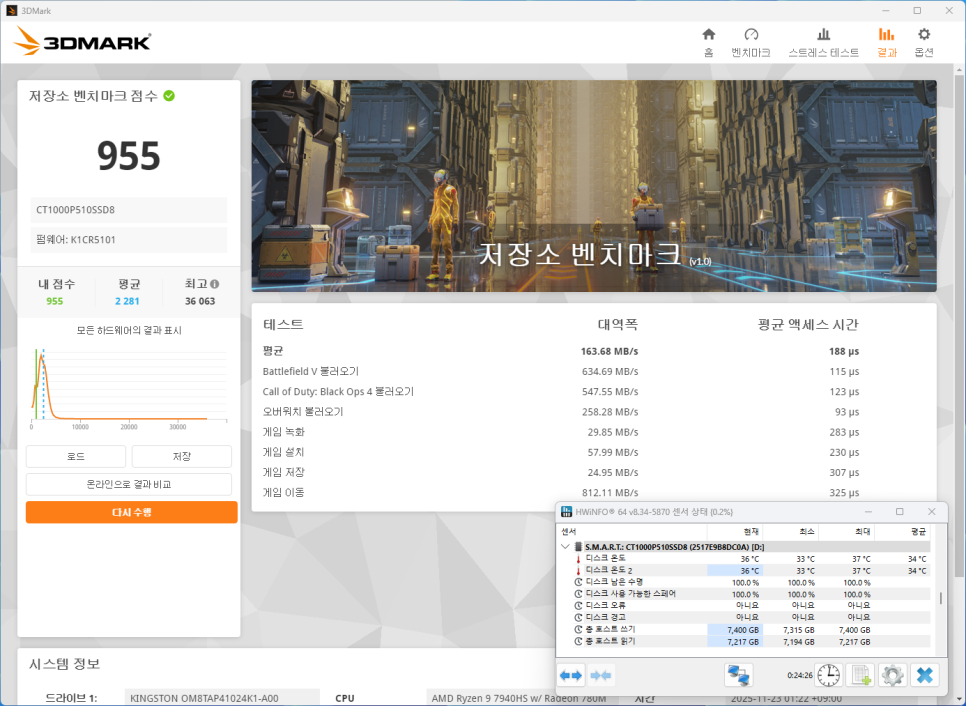

For gamers, I also ran the 3DMark Storage Benchmark. Many people nowadays install and play games from external drives. The test results showed a bandwidth score of approximately 163MB/s and an average access time of 188μs. This performance is sufficient for game loading and streaming large textures.
I also monitored the temperature during the tests. With the cooling fan on, the temperature only rose to a maximum of 37°C even during high-load tasks. Considering that typical NVMe SSDs can reach 60-70°C, this is truly excellent cooling performance.
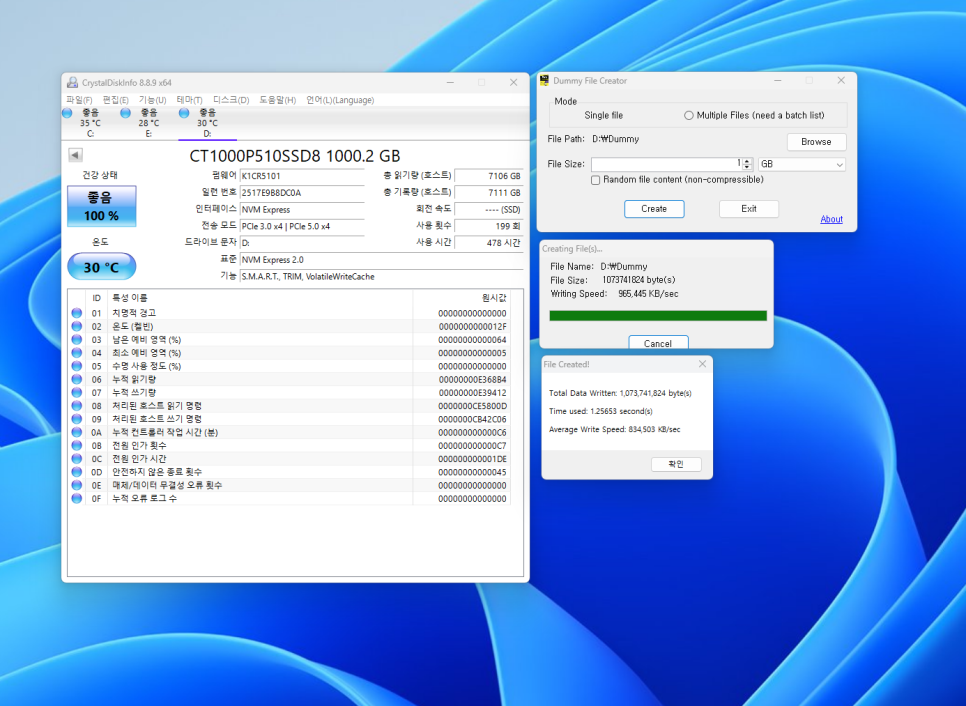
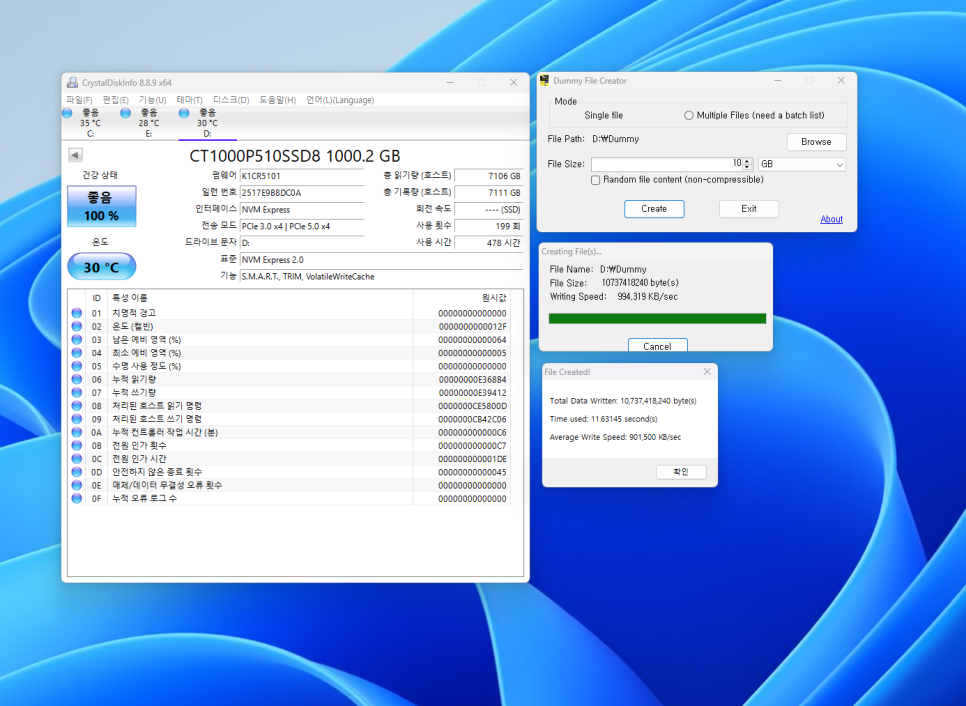
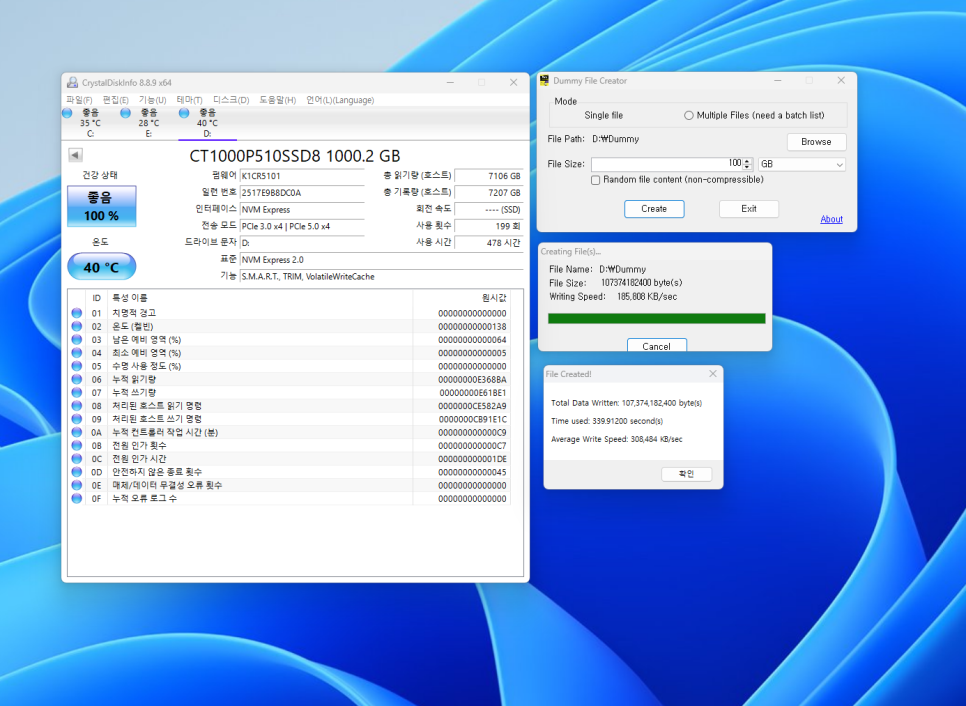
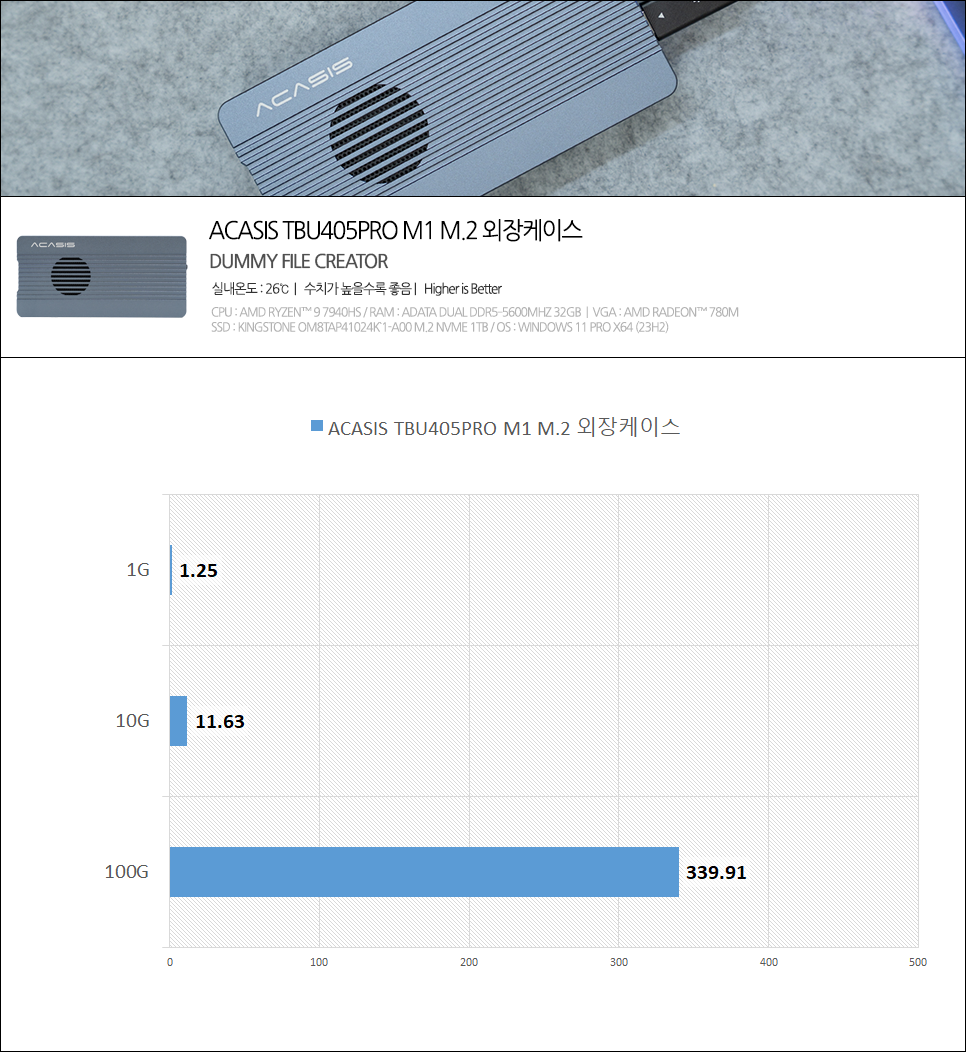
To simulate real-world usage, I also measured large file creation speeds using a dummy file creator. Creating a 1GB file took approximately 1.25 seconds, and a 10GB file took about 11.63 seconds. However, since the Crucial P5 Plus is a DRAM-less SSD without a DRAM cache, when writing large files continuously over 100GB, the SLC cache was exhausted, and the speed showed a slight decrease.
If you use high-end SSDs equipped with DRAM, such as the Samsung 990 PRO or SK Hynix Platinum P41, you can expect stable read and write speeds close to 3,000 MB/s.
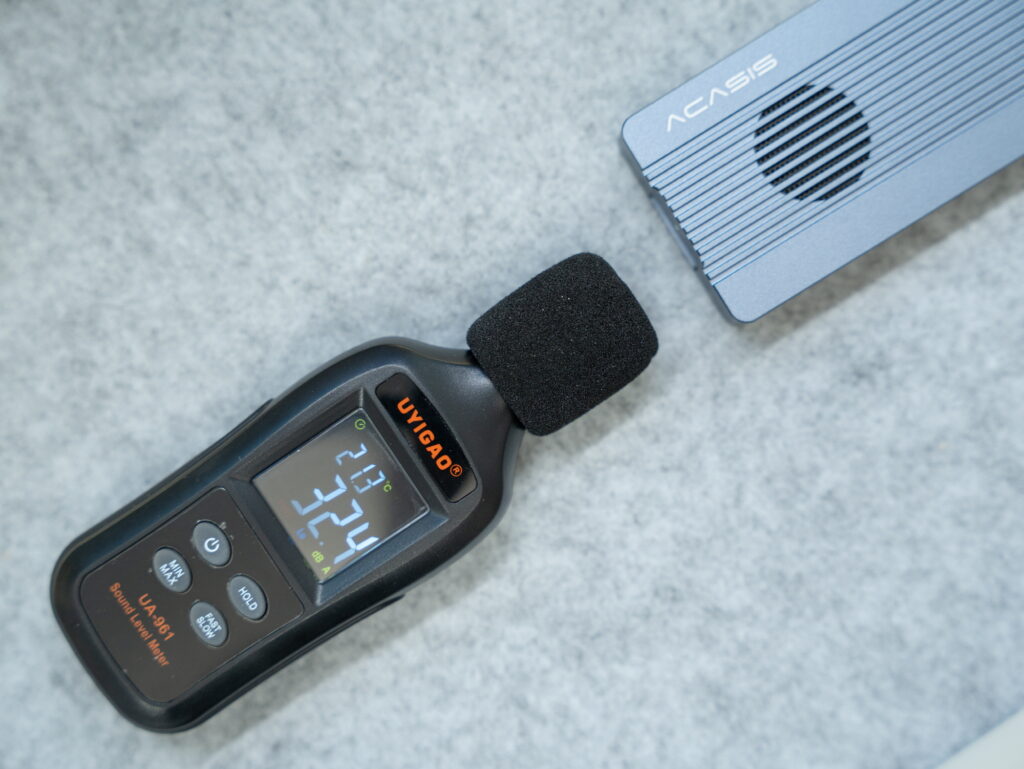
I also tested the cooling fan noise. When measuring with a decibel meter placed directly against the case, it registered 32.4 dBA; however, in a real-world usage environment, it sounds much quieter. It is incredibly quiet—you would need to press your ear right up against the case to hear even a faint fan noise.
Conclusion
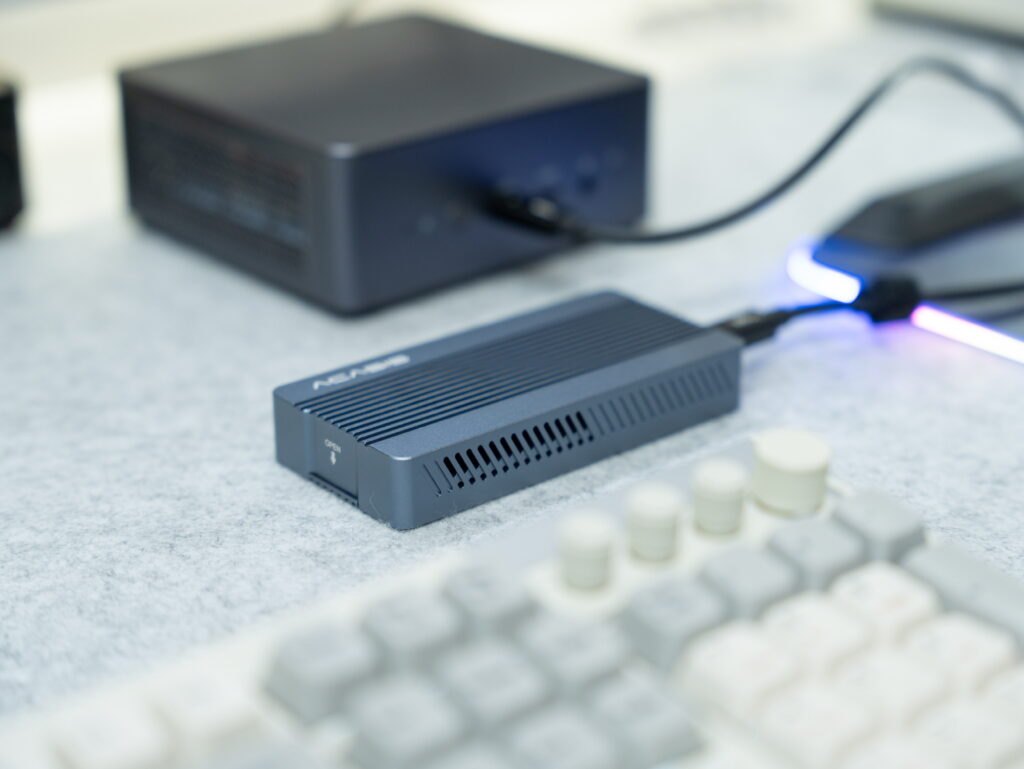
The biggest strengths of the ACASIS TBU405PRO M1 are its ability to extract nearly the full performance of NVMe SSDs via 40Gbps USB 4.0 support, and its active cooling system, which allows for stable operation without overheating concerns. In particular, the dual chipset configuration enhances data transfer stability and compatibility. During my testing, I experienced no disconnections or data transfer errors, and there were absolutely no issues with rendering or preview playback even when opening projects directly from the external drive for video editing.
The cooling performance also exceeded expectations. It maintained a satisfactory temperature of around 40°C even during large file transfers. The fan is so quiet that it wasn’t distracting at all, even when working late at night.
However, using entry-level SSDs without DRAM can result in significant performance fluctuations during large file operations. Therefore, if your budget allows, I recommend pairing this enclosure with a flagship SSD like the Samsung 990 PRO or SK Hynix Platinum P41.
I highly recommend this product to Mac users, high-performance mini PC users, and anyone needing high-speed external storage for tasks like video editing or gaming.
Purchase Product
As an Amazon Associate I earn from qualifying purhases.
Purchase Product : https://amzn.to/48ivWHV