This review was written after borrowing the product from the official importer, ido company.

Today’s PC speaker market has changed significantly from the past. While simply having 2-channel speakers placed on either side of the monitor used to be sufficient, we are now in an era where sound performance encompassing all multimedia content, including gaming, movie watching, and music listening, is a basic requirement. Especially in FPS games, accurately discerning the direction of enemy footsteps can decide the outcome, and when watching movies, the weight of explosions dictates immersion.
In such an environment, a 2.1-channel setup offers distinct advantages over 2-channel. With a dedicated woofer speaker handling the low frequencies, the satellite speakers can focus on mids and highs, greatly improving the overall sound balance. This allows for a much richer enjoyment of in-game explosions, movie soundtracks, and music basslines.

Klipsch is an 80-year-old high-fidelity audio specialist brand founded in the United States in 1946. The Horn technology developed by founder Paul Klipsch is recognized as an innovation in audio history and continues to be Klipsch’s core DNA to this day.
Now, the legendary PC speaker that Klipsch released in 1999 has been reborn after 26 years. The original ProMedia 2.1 created a huge stir as the world’s first THX-certified computer speaker system at the time, and it remains one of the best-selling desktop speaker systems of all time.
From now on, we will take a closer look at the Klipsch ProMedia Lumina, a PC speaker that combines Klipsch’s signature Tractrix Horn sound technology with RGB lighting, offering not only premium sound quality but also completing your desk setup with its stylish design.
Specifications and Configuration
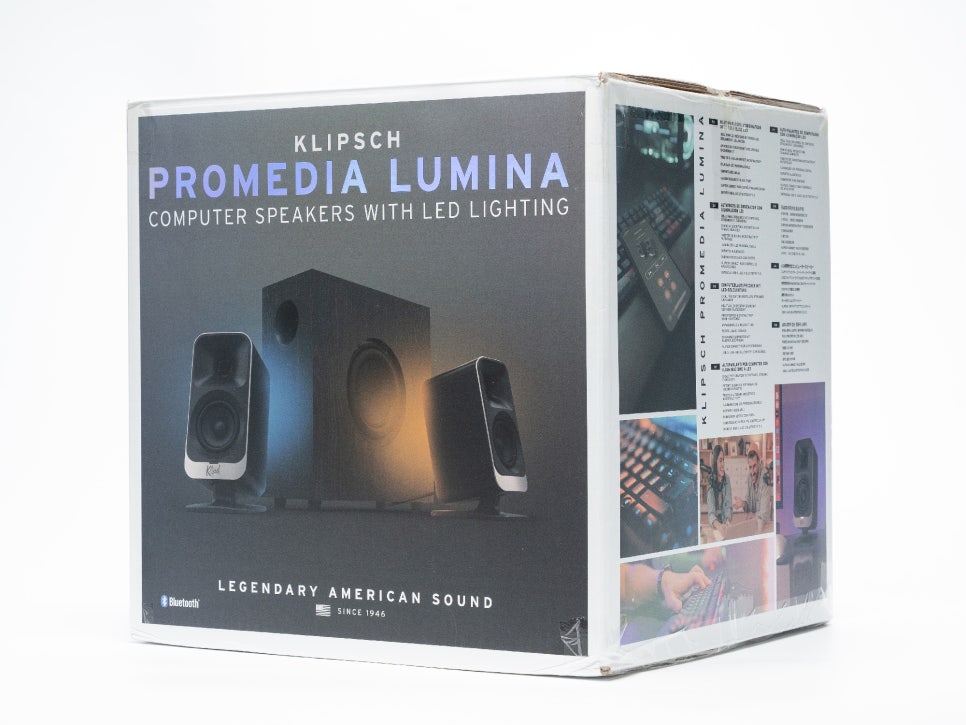
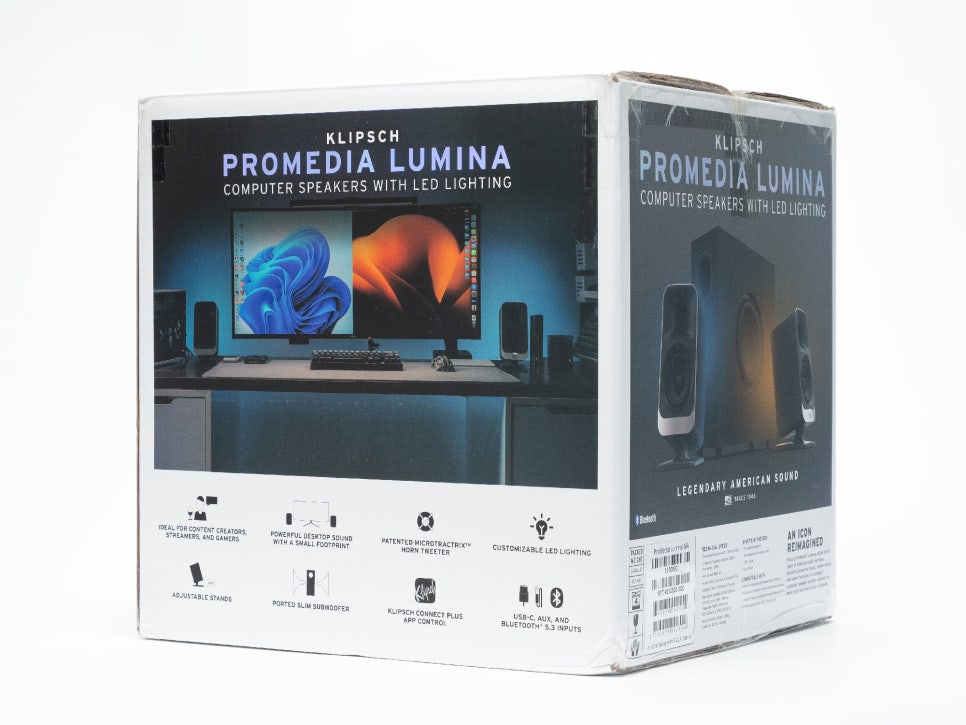
The Klipsch ProMedia Lumina is a 2.1-channel system consisting of two 2-way satellite speakers and one subwoofer. Looking at the core specifications, the maximum sound pressure level reaches 98dB SPL, and the frequency response range covers from 40Hz to 20kHz. The fact that it goes down to 40Hz in the bass range is quite impressive among desktop speakers in the same class.
It supports all connection methods: USB Type-C, 3.5mm AUX, and Bluetooth 5.3. When connected via USB-C, you can enjoy clean digital sound quality without a separate sound card, and Bluetooth 5.3 supports the latest codecs, allowing for stable wireless connection.
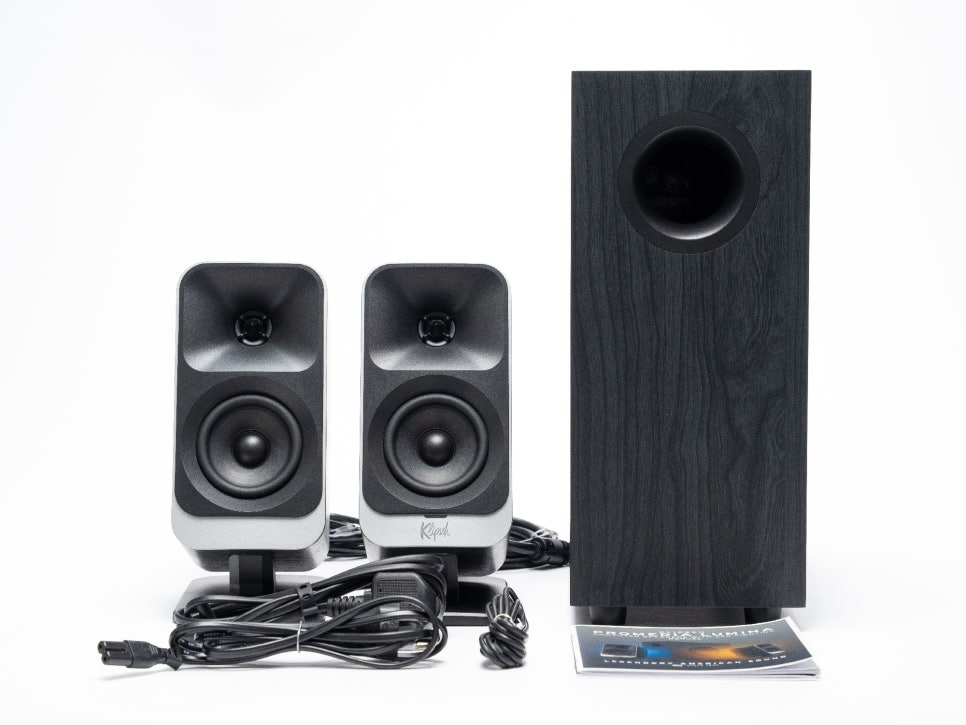
The components include two left/right satellite speakers, one subwoofer, a USB-C cable, an AUX cable, a power cable, and a manual. You can adjust the angle of the satellite speakers with just the basic configuration, without needing to purchase separate stands.
Satellite Speaker
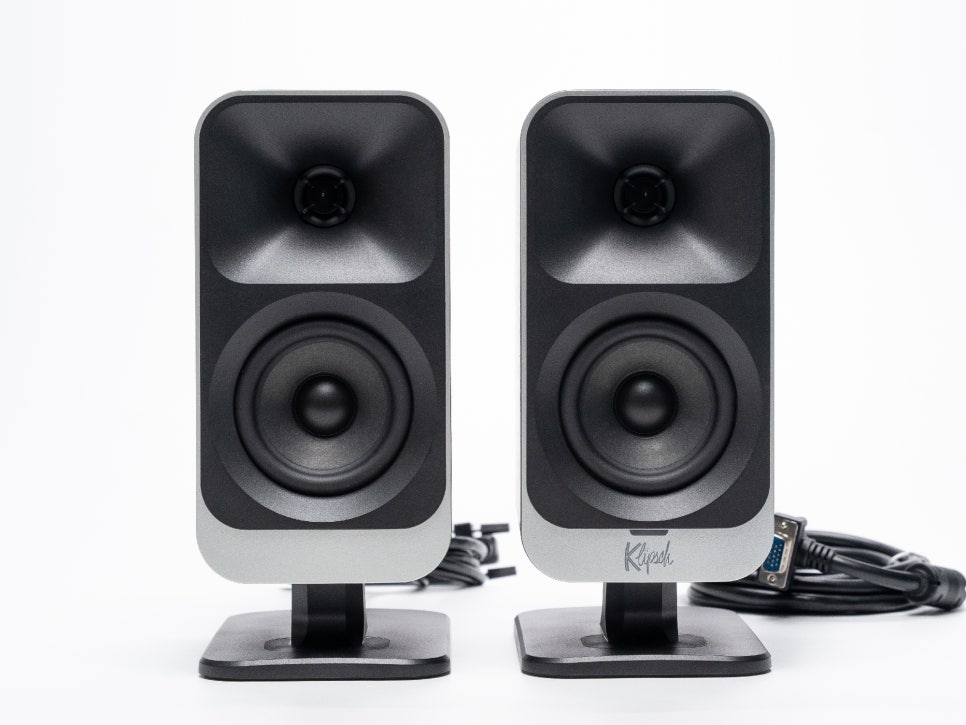
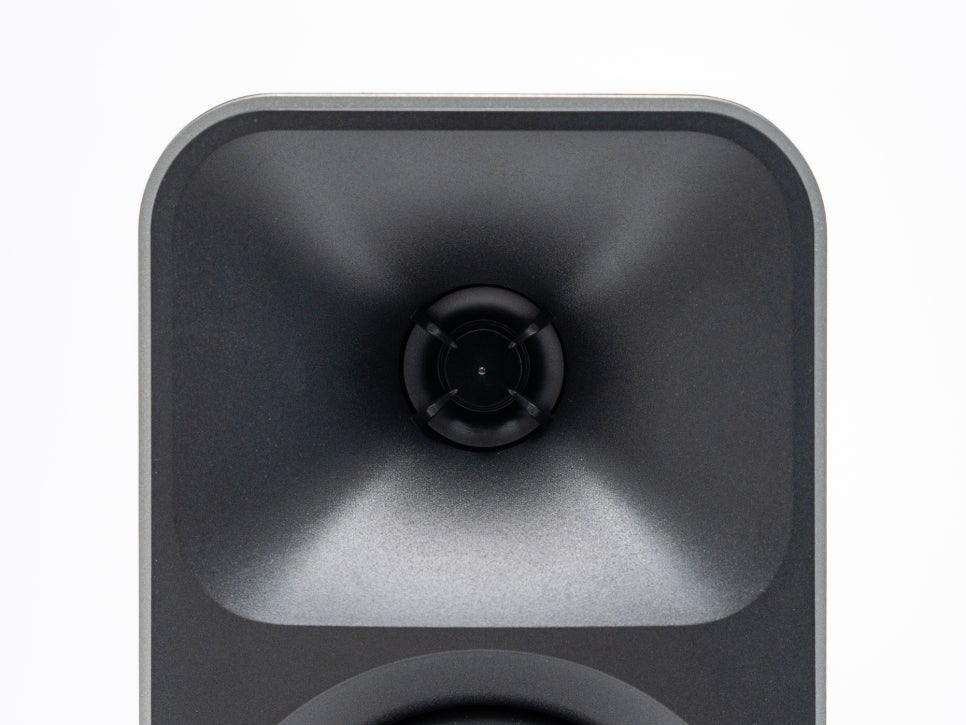
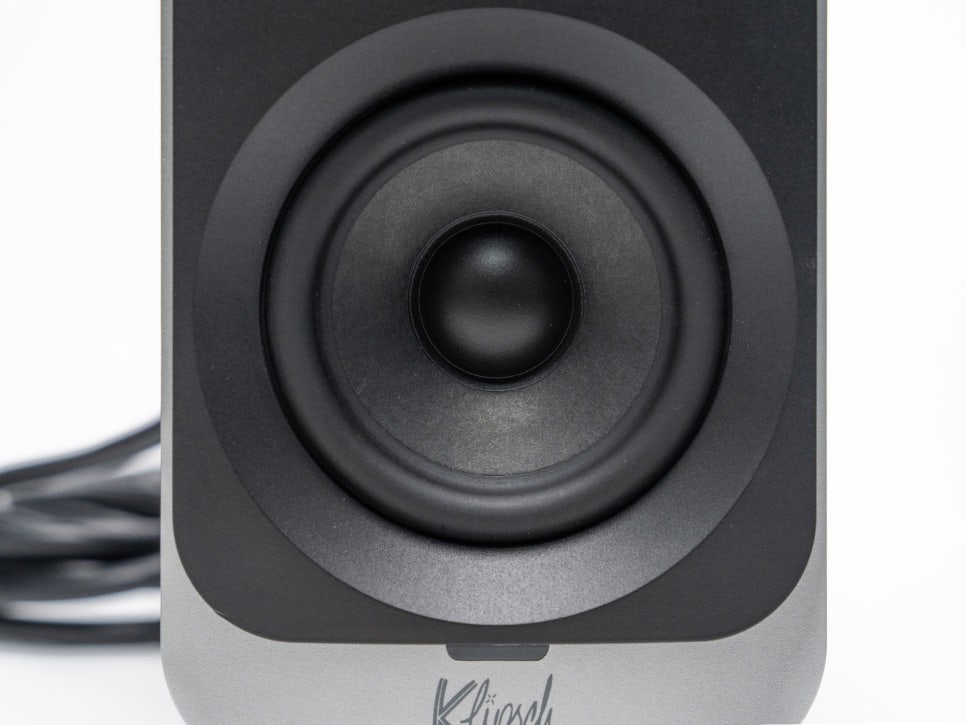
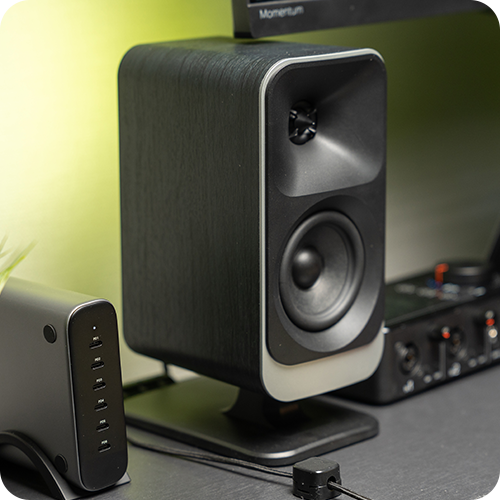
The satellite speakers have a 2-way configuration, with a 1-inch Mylar tweeter mounted inside Klipsch’s signature MicroTractrix horn at the top, and a 3-inch midrange driver at the bottom. The MicroTractrix horn is a technology borrowed from Klipsch’s large home audio lineup, allowing for clear and accurate high-frequency reproduction with less power, and boasts excellent soundstage localization.
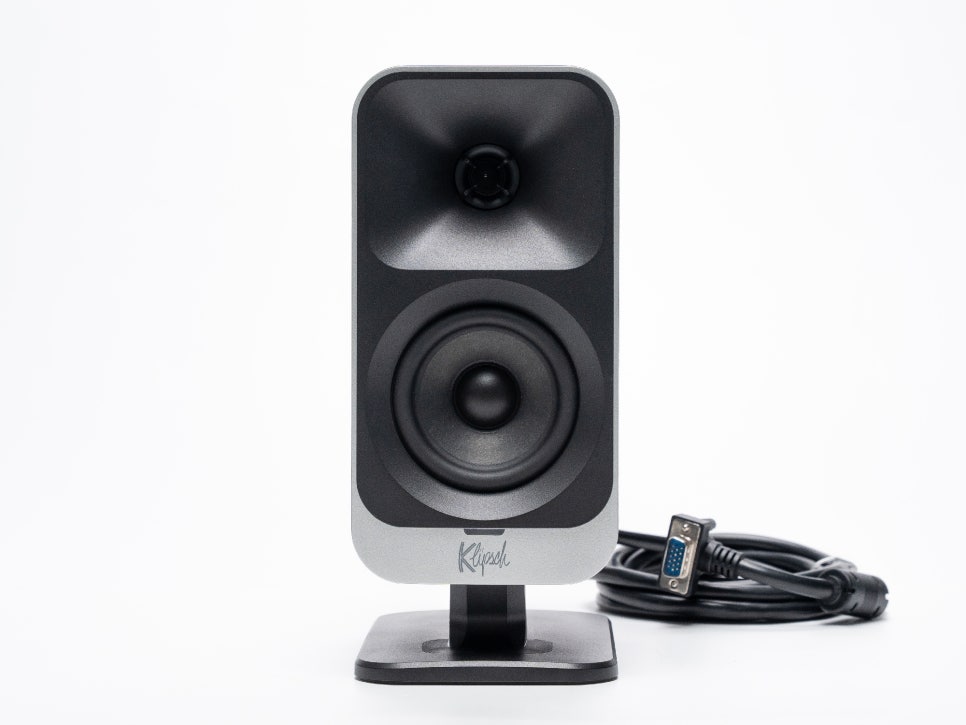
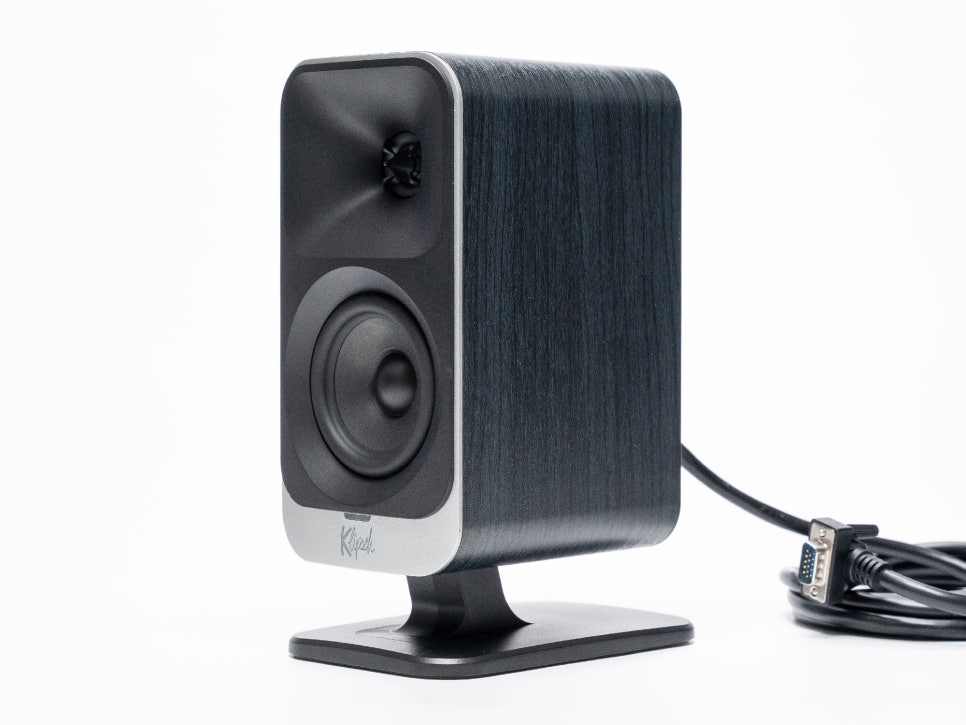
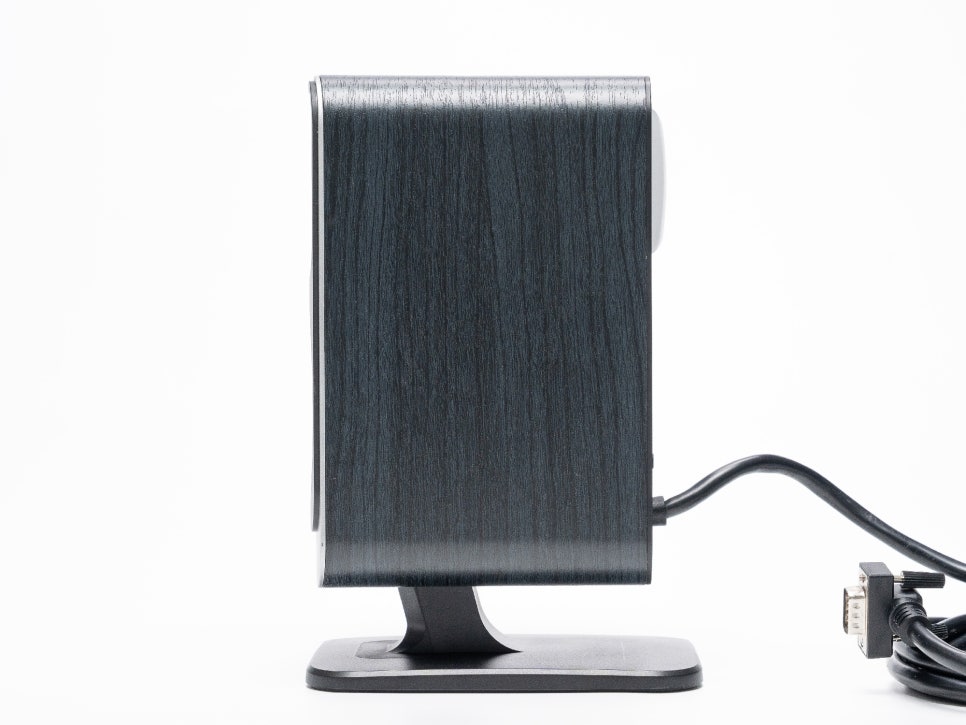
Each satellite speaker measures approximately 16.5cm wide, 24.8cm high, and 10.2cm deep, and weighs about 0.95kg per unit. This is an appropriate weight for stable placement on a desk.
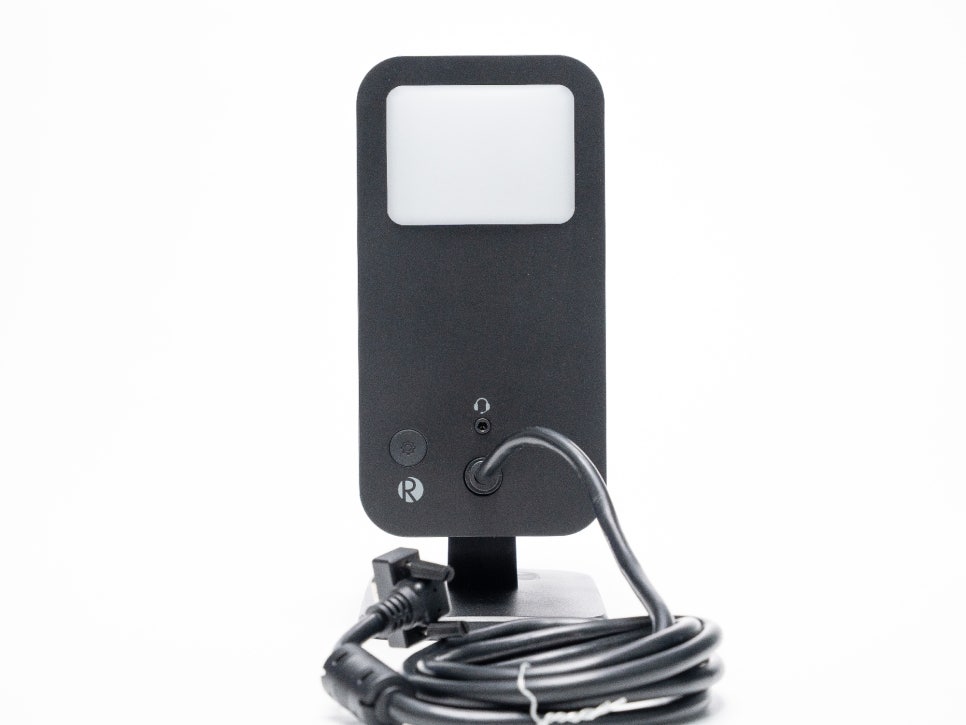
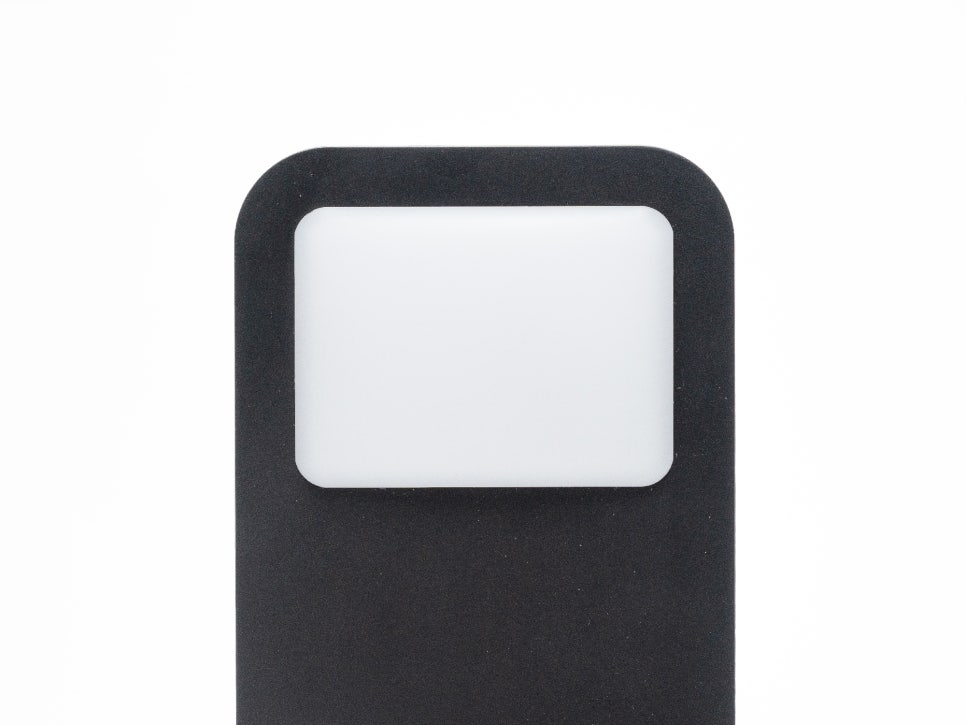
The rear features 6 LEDs, allowing for various lighting effects. Colors and effects can be freely changed via dedicated software, and the diffused lighting creates an ambient atmosphere without glare.
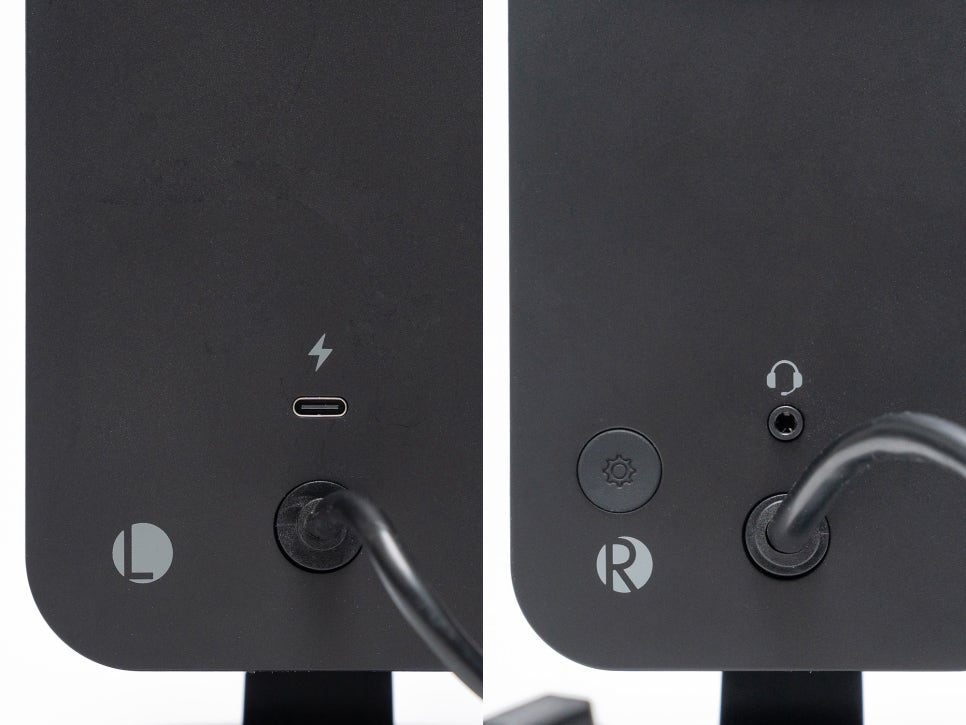
On the back of each satellite speaker, there is a charging port and a headphone out port.
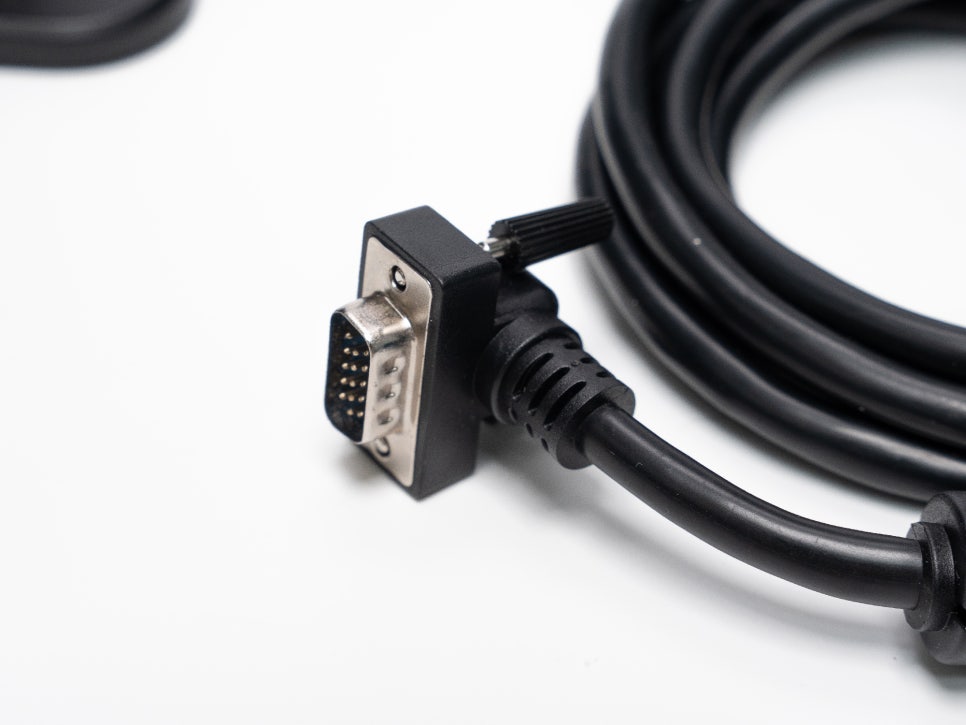
On the rear of the satellite speaker, there is a 9-pin cable port. It’s unique in that it uses a dedicated 9-pin connector rather than the banana plugs or speaker terminals typically used by audio speakers. This method ensures all connections are routed through the subwoofer, making cable management on the desk much tidier.
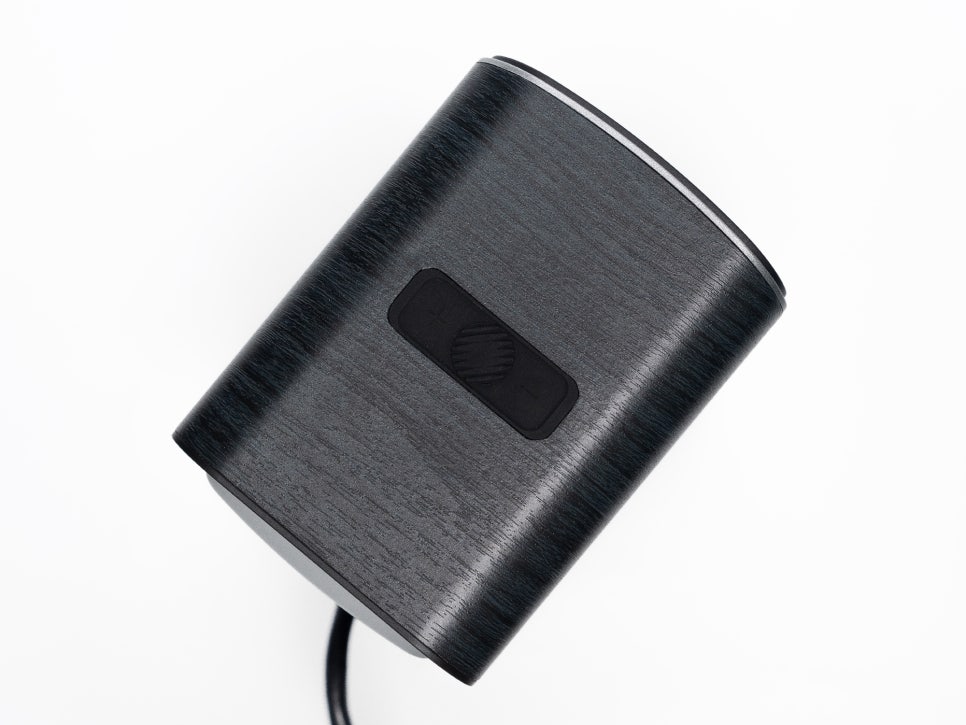
On the top, there are control buttons for power on/off, changing the lighting mode, and adjusting brightness. Switching between wired and Bluetooth modes can also be controlled with these buttons.
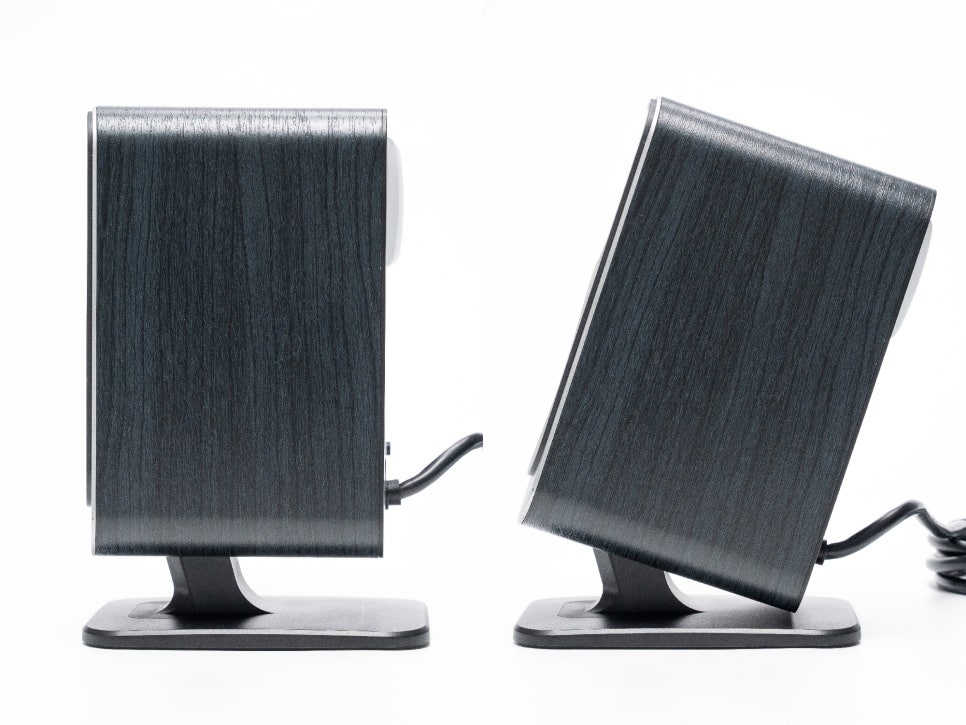
General bookshelf speakers often require purchasing a separate stand to achieve the appropriate listening angle. However, the ProMedia Lumina allows angle adjustment from 0 to 20 degrees with its included stand. If you tilt the speakers to the user’s ear height, matching your desk height and monitor position, you can experience more accurate stereo imaging and clear treble, thanks to the directional characteristics of the horn tweeter.
Subwoofer
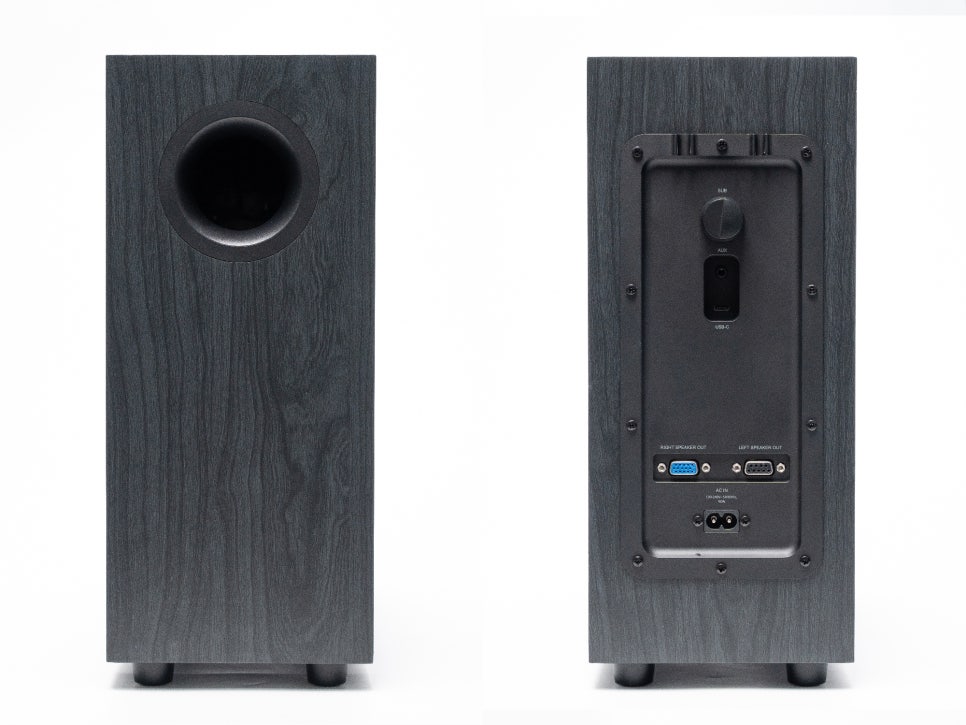
The woofer speaker features a slim, upright design equipped with a 6.5-inch side-firing driver. Its dimensions are approximately 35.6 x 15.3 x 35.4 cm, and it weighs about 5 kg. Being slimmer than a typical subwoofer, it’s ideal for placing in the space under a desk.
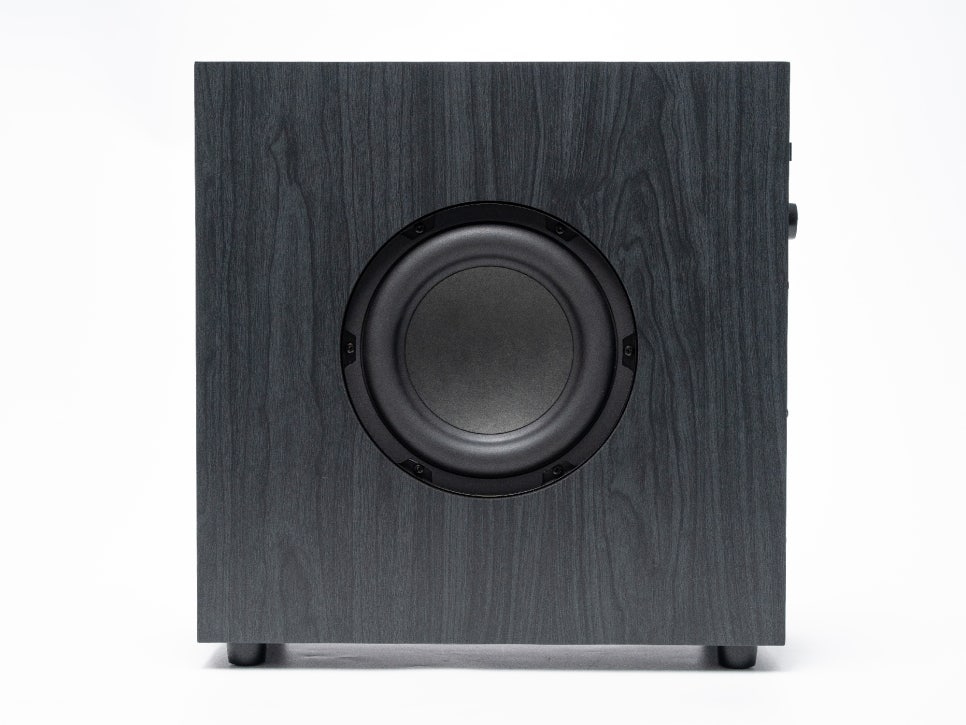
The exterior is made of MDF material and finished with a black wood-style vinyl wrap, giving it a luxurious feel. A bass reflex port is located on the front, and the Klipsch logo is engraved on the top.
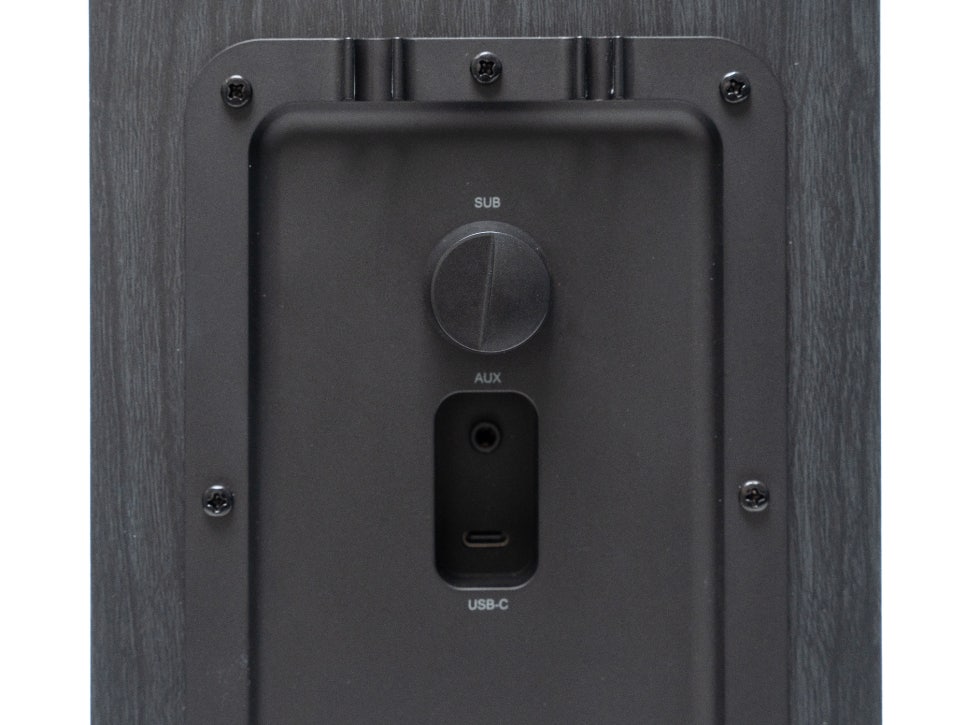
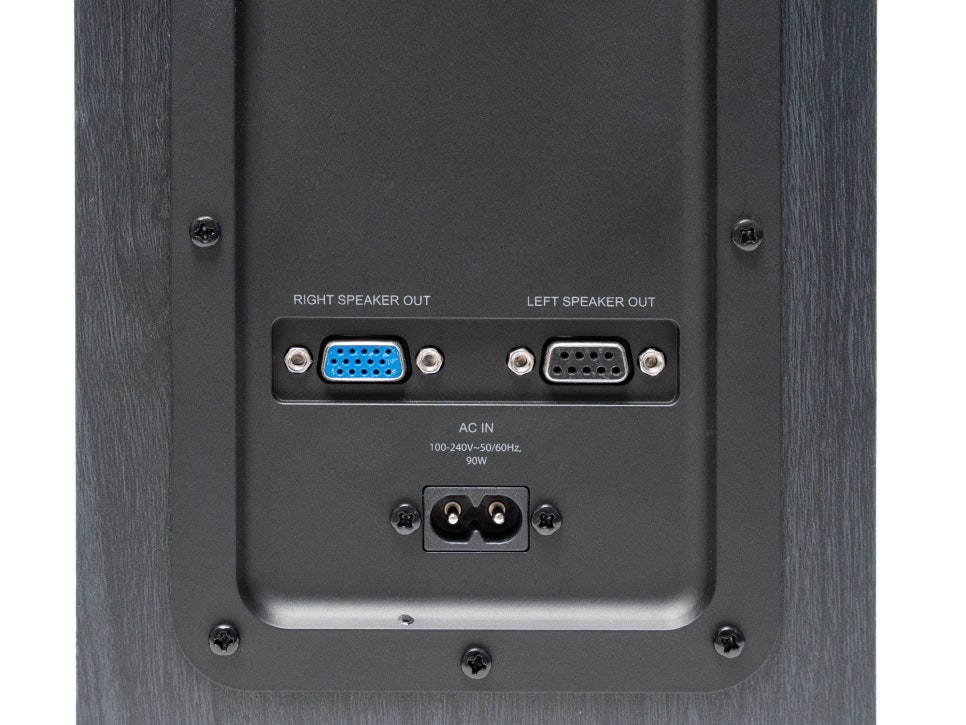
On the rear, a subwoofer gain (volume) adjustment knob, USB-C input, AUX input, and a 9-pin terminal for connecting the left and right satellite speakers are arranged. Cable clips are also included, making cable management easy.
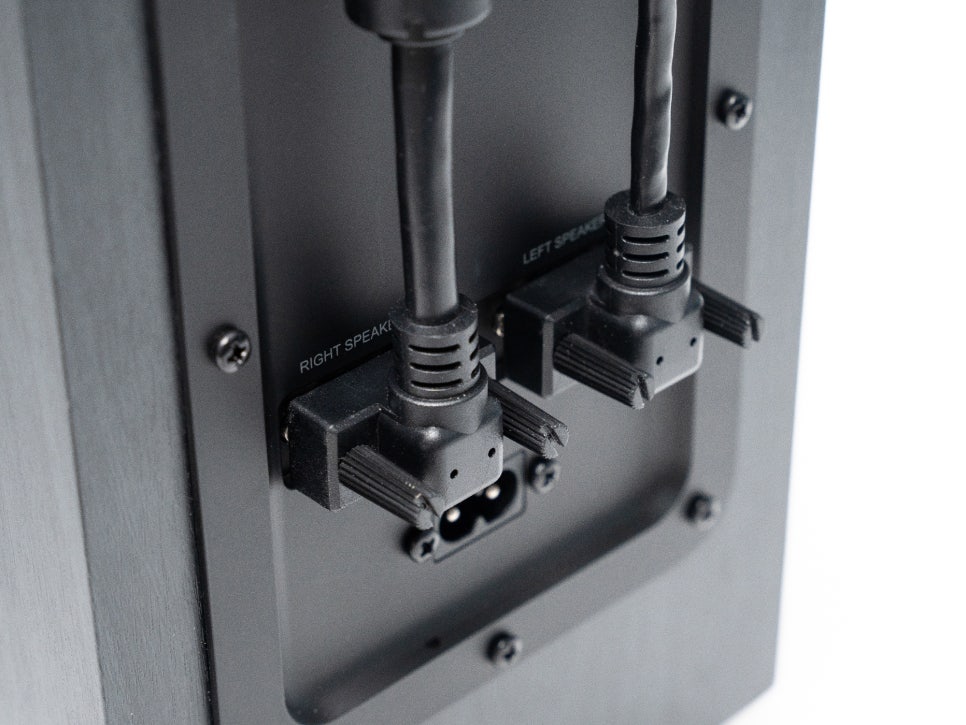
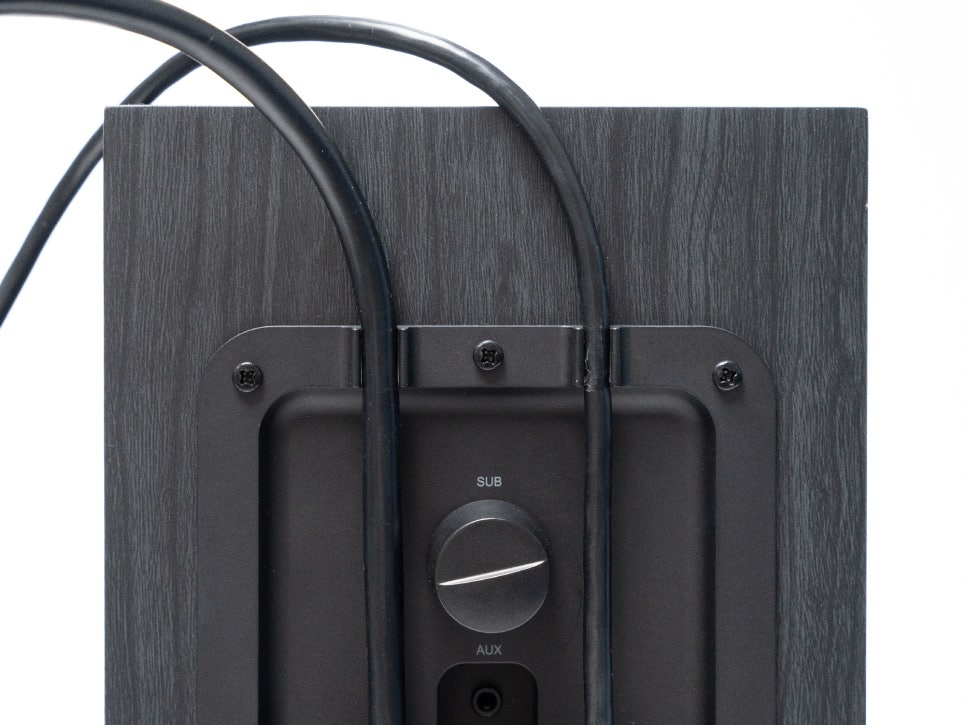
As mentioned earlier, the satellite speakers connect to the subwoofer not with standard speaker cables, but with a dedicated 9-pin cable, centralizing all inputs and outputs through the subwoofer.
Installation and Software
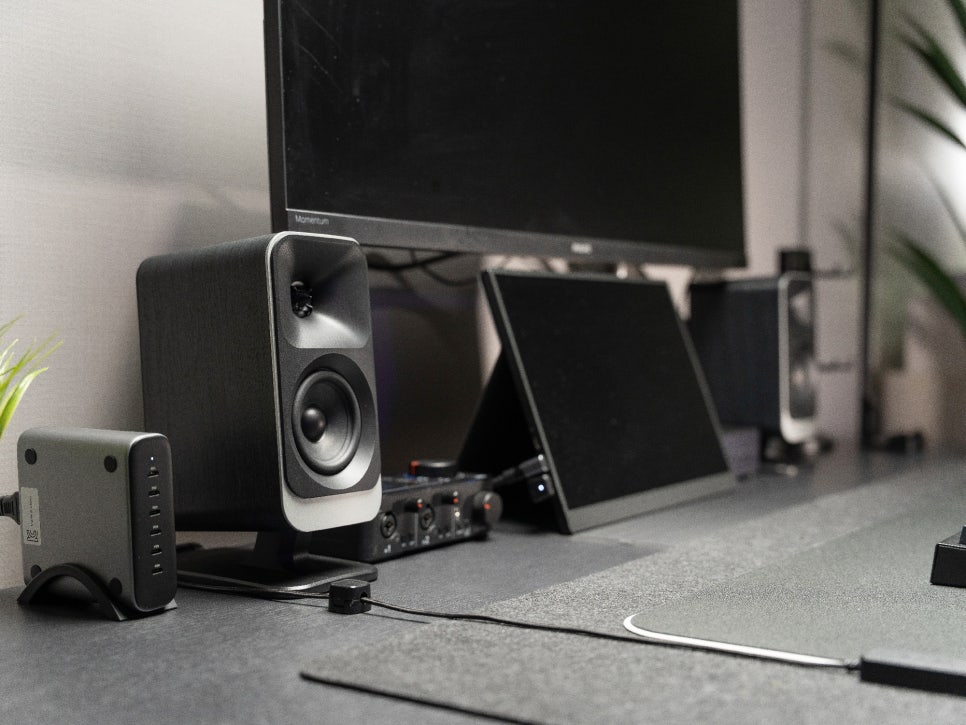
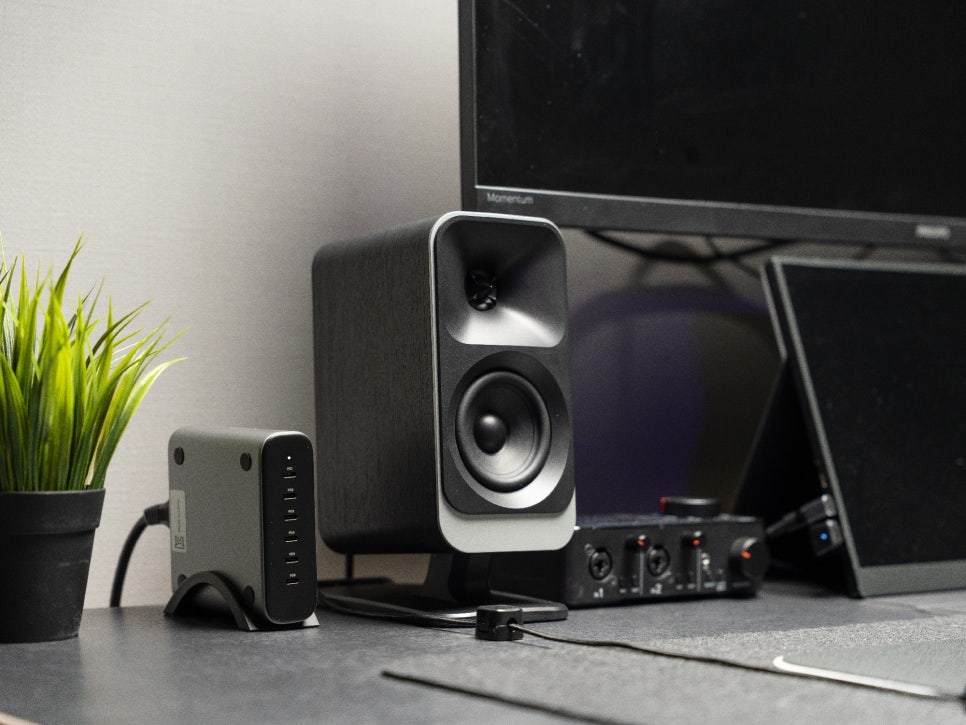
The profound black finish particularly complements a black desk setup. Rather than a metallic feel, it’s finished with a matte texture, allowing it to naturally harmonize with other peripherals like monitors, keyboards, and mice. The overall design is quite luxurious, making it feel less like just a speaker and more like an interior decor item.
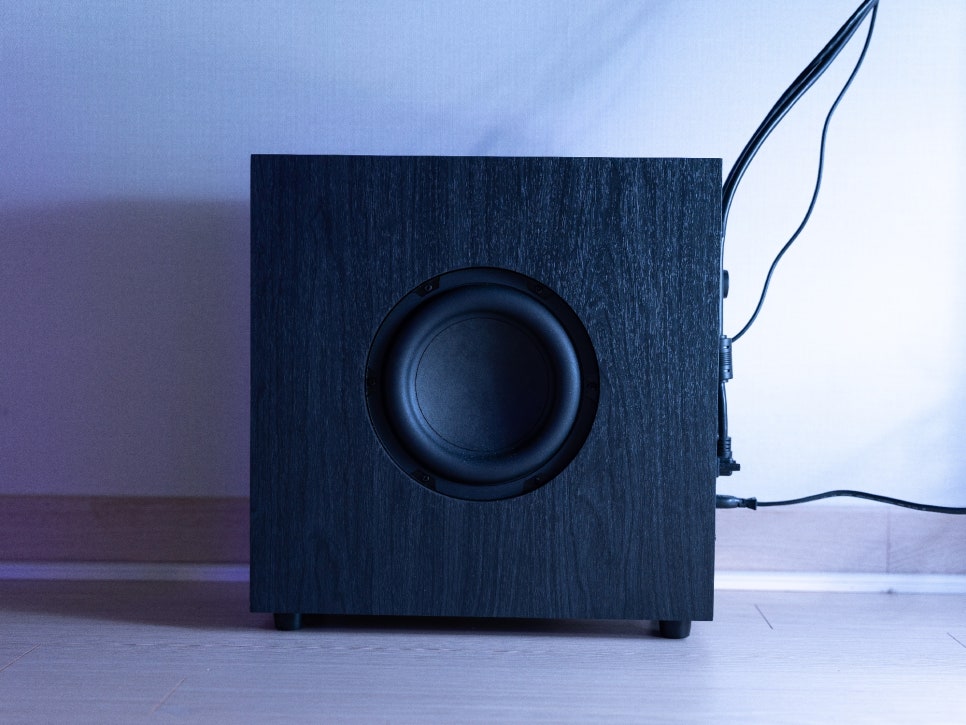
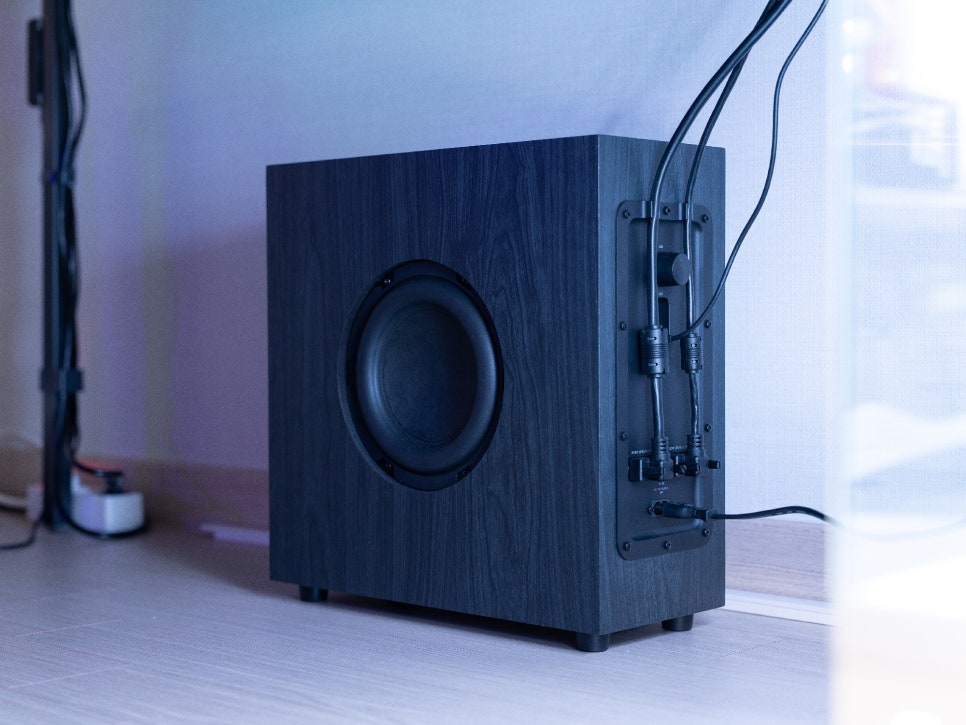
When installing the subwoofer, it’s recommended to place it underneath the desk. As it’s a side-firing type, the woofer driver faces sideways. While you can install it so the woofer driver faces forward, you might unconsciously kick it with your foot when concentrating on a game. To avoid the risk of damaging the woofer cone, it’s safer to install it with the bass port facing forward.
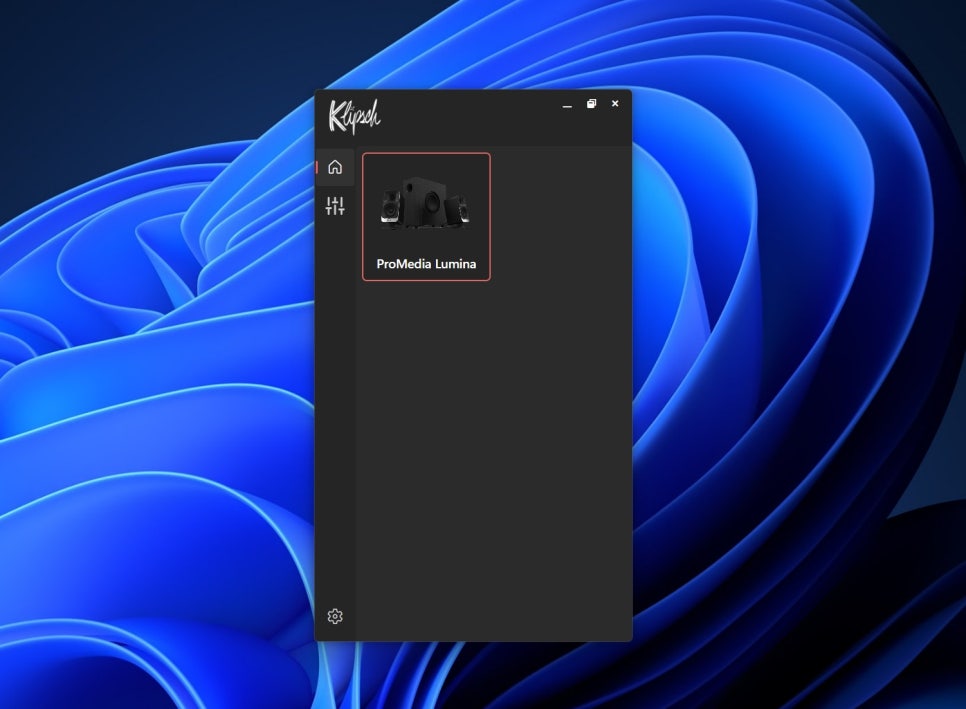
Software is supported for both PC and mobile apps. You can use the ‘Klipsch Control’ app on PC and the ‘Klipsch Connect Plus’ app on smartphones.
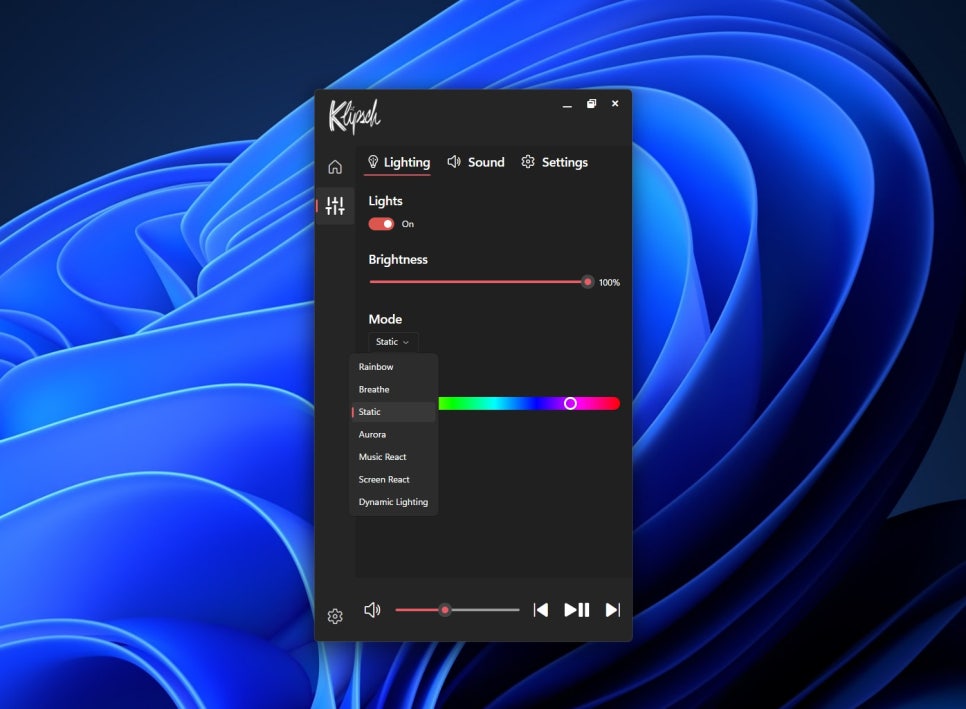
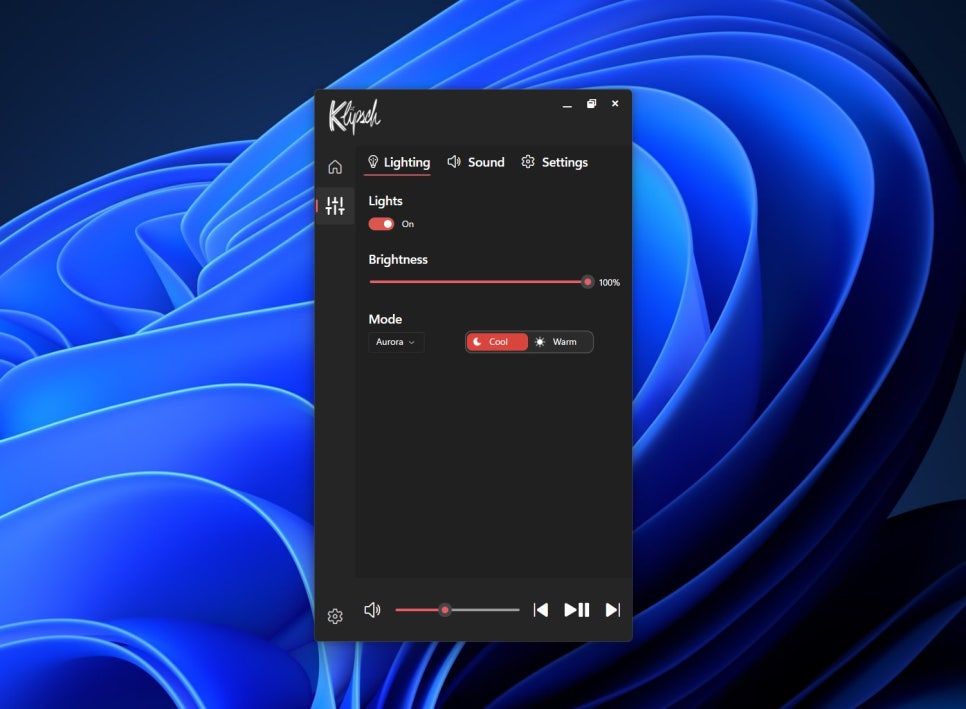
Installing the PC app significantly expands the available features. In particular, you can use the Screen React mode, which detects screen colors and reflects them on the LEDs, and the Dynamic Lighting feature, which links lighting with other RGB-compatible peripherals.
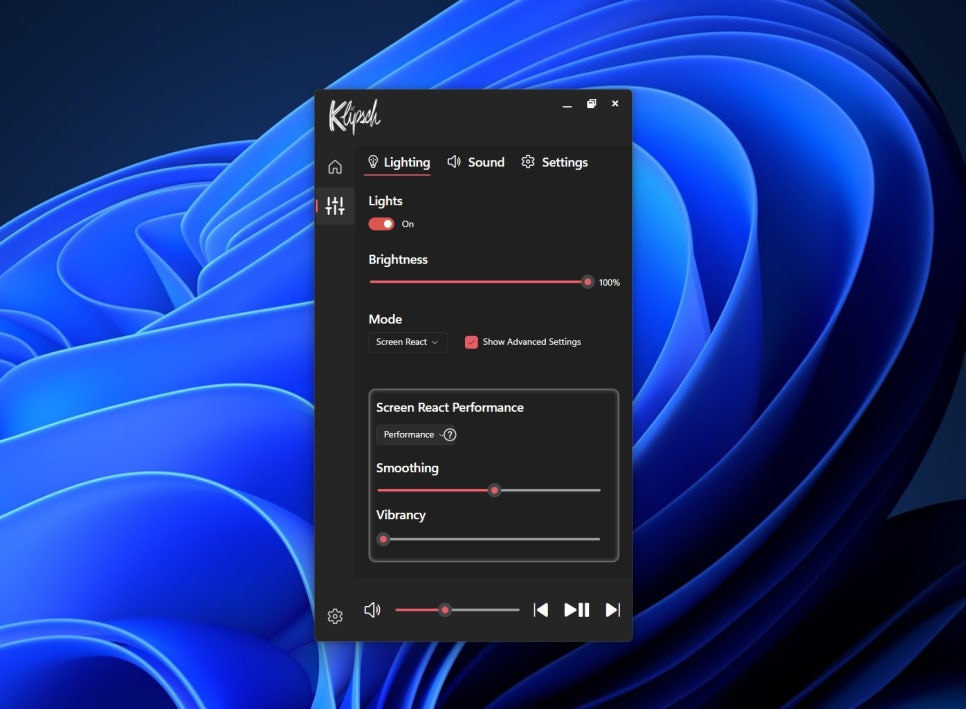
The Screen React feature analyzes the colors of games or videos playing on the screen in real-time and expresses them through LED lighting. For example, during an explosion scene in a game, red lighting is displayed, and during a forest scene, green lighting subtly shines from the rear, doubling the sense of immersion.
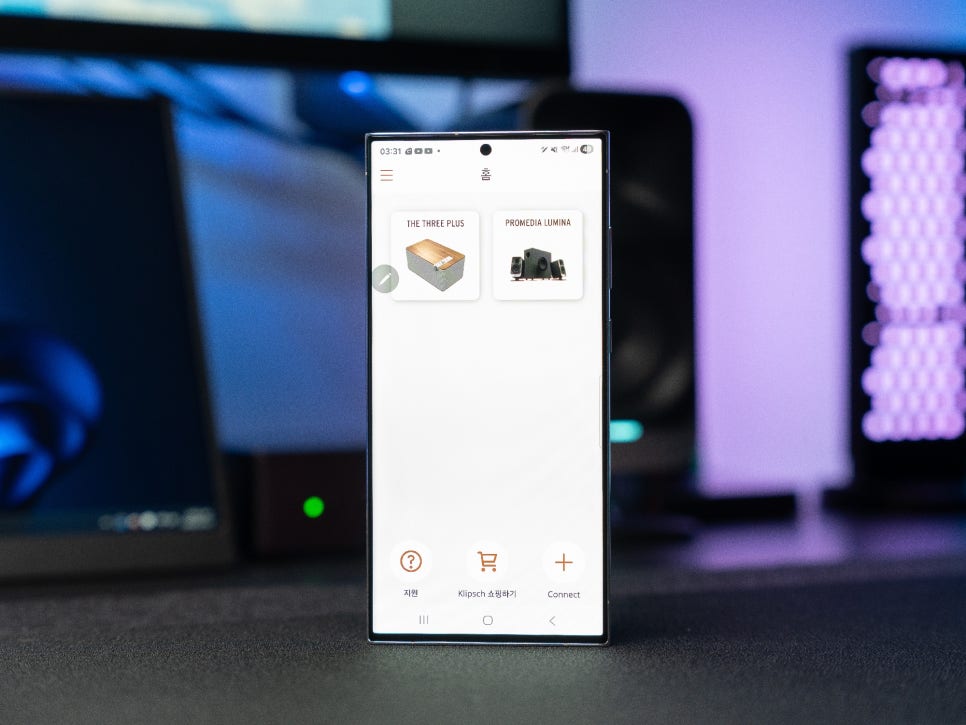
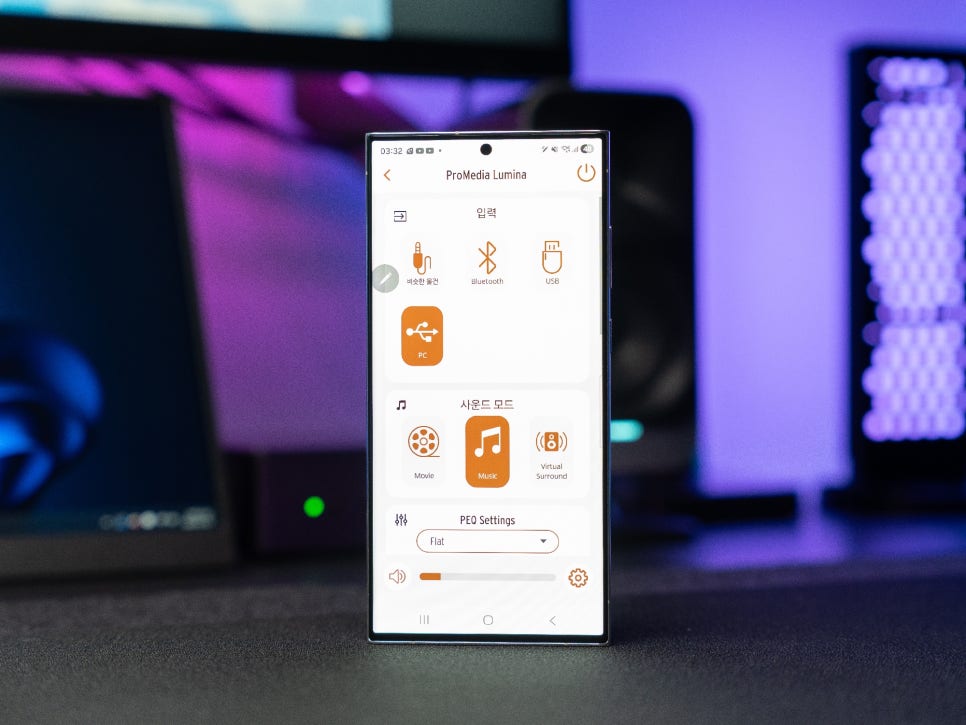
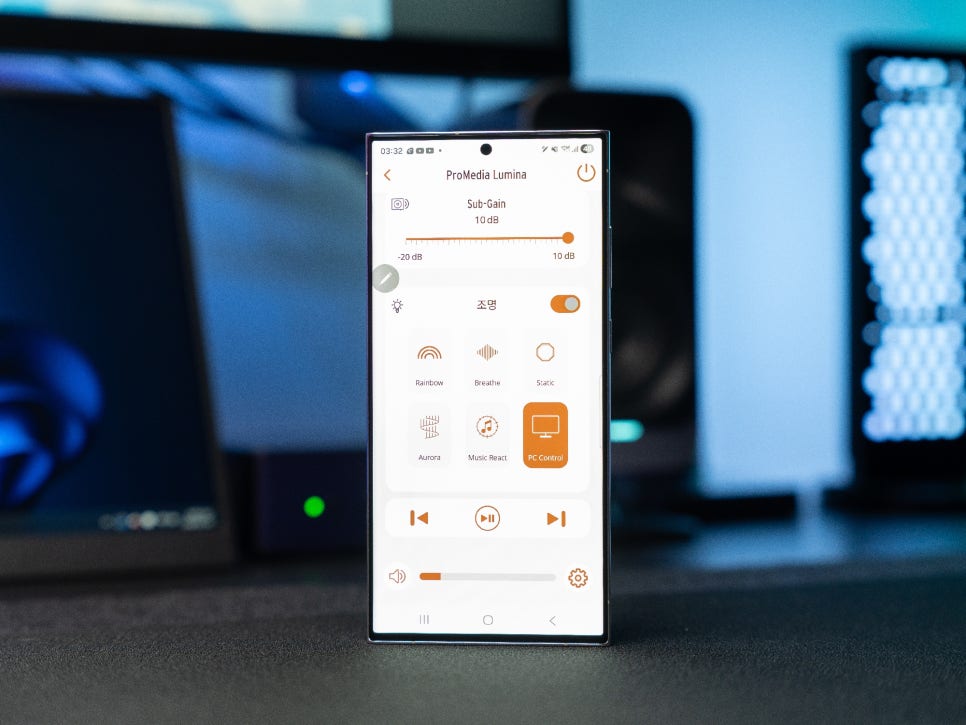
The mobile app also offers excellent connectivity and supports most of the features provided by the PC app. You can easily adjust the EQ, change lighting modes, set night mode, and more. When connected via Bluetooth mode, you can conveniently play music stored on your smartphone directly.
Lighting Effects
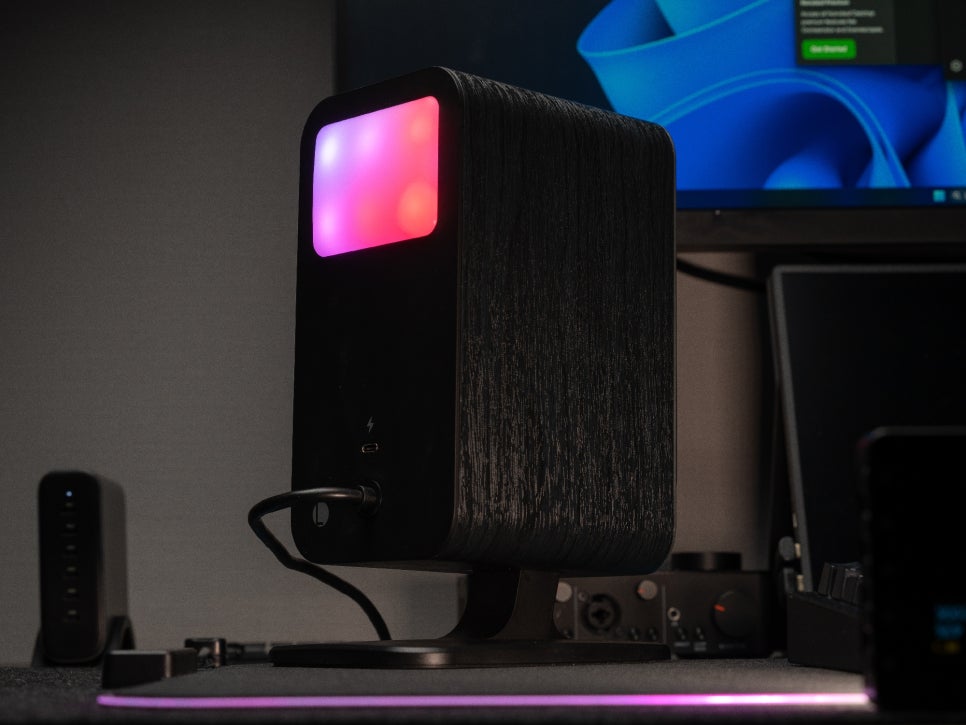
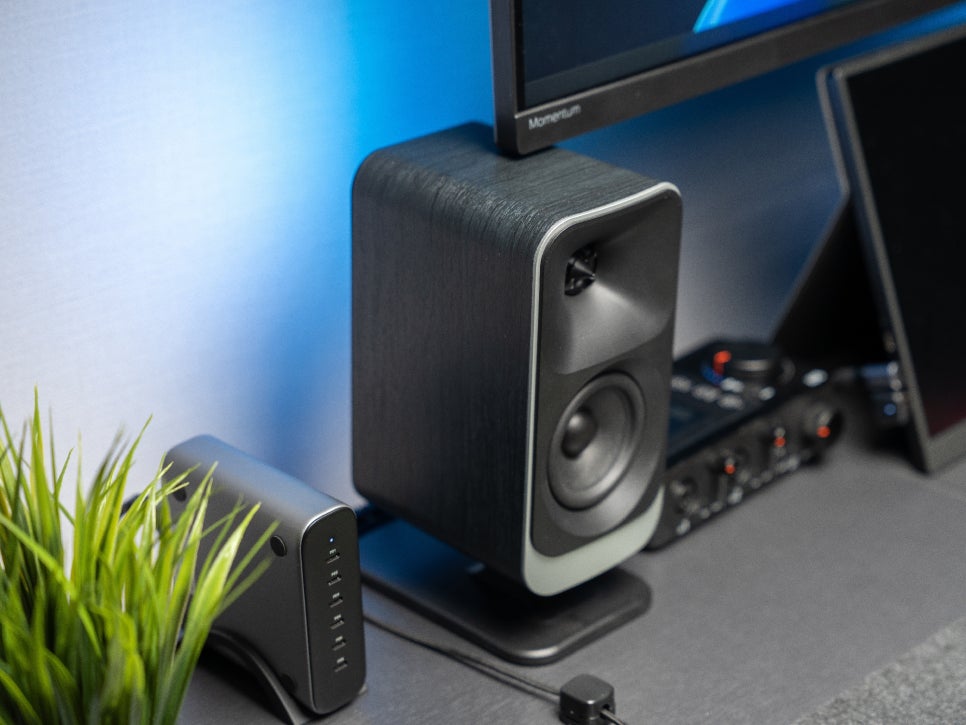
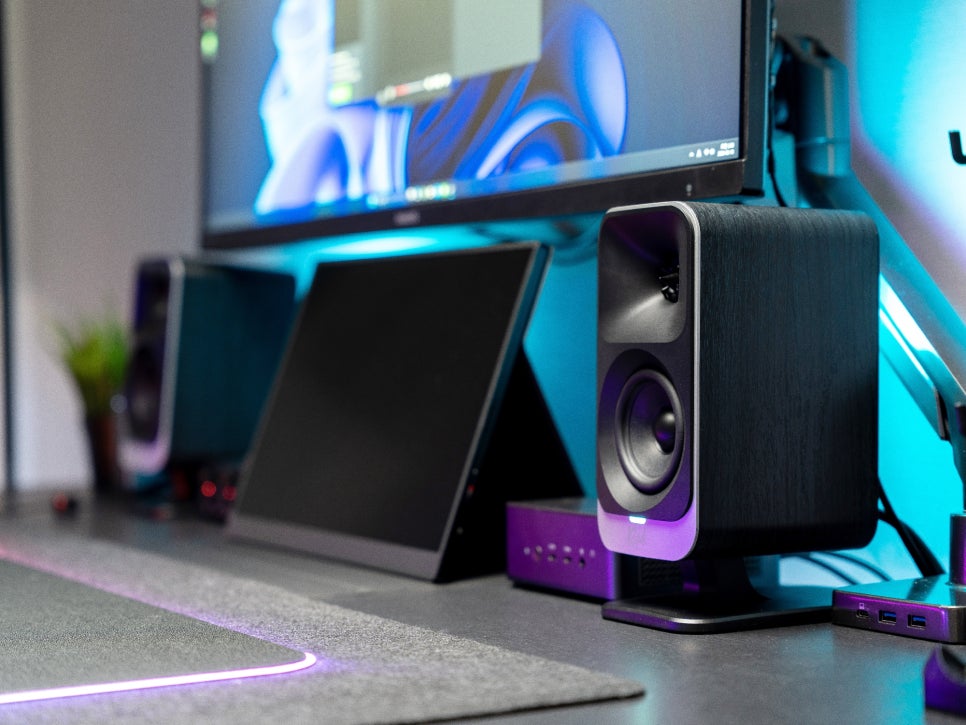
As a product designed to target both high-end audio and gaming users simultaneously, the Klipsch ProMedia Lumina has put considerable effort into its rear LED lighting. Lighting effects can be freely selected according to the content and room atmosphere, adding a moody and aesthetic visual touch. Five basic light modes are provided, and colors can be customized with three options.
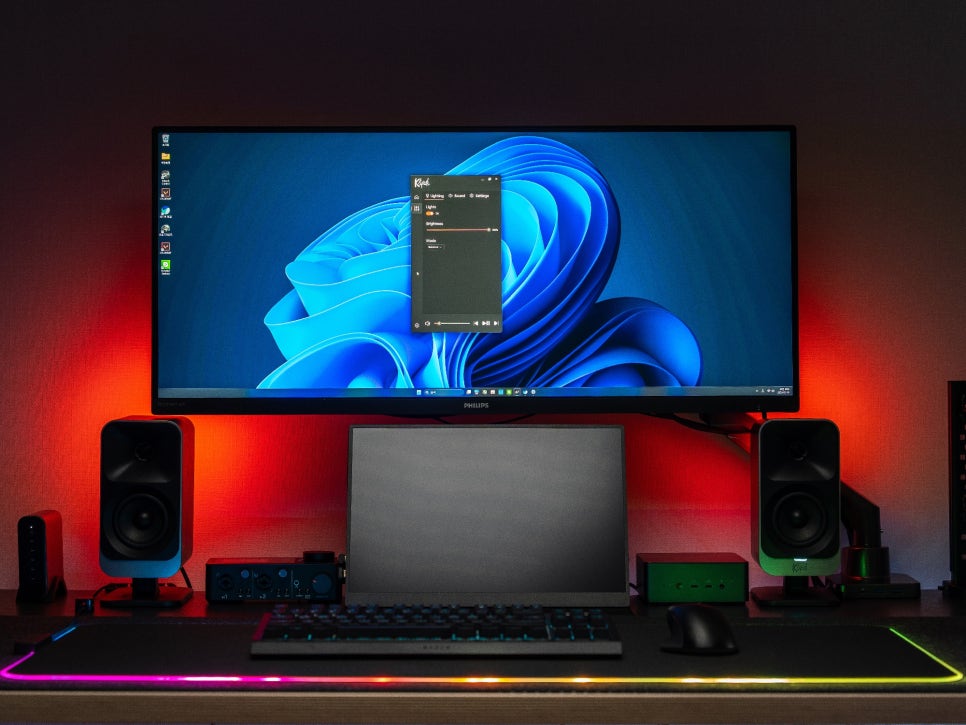
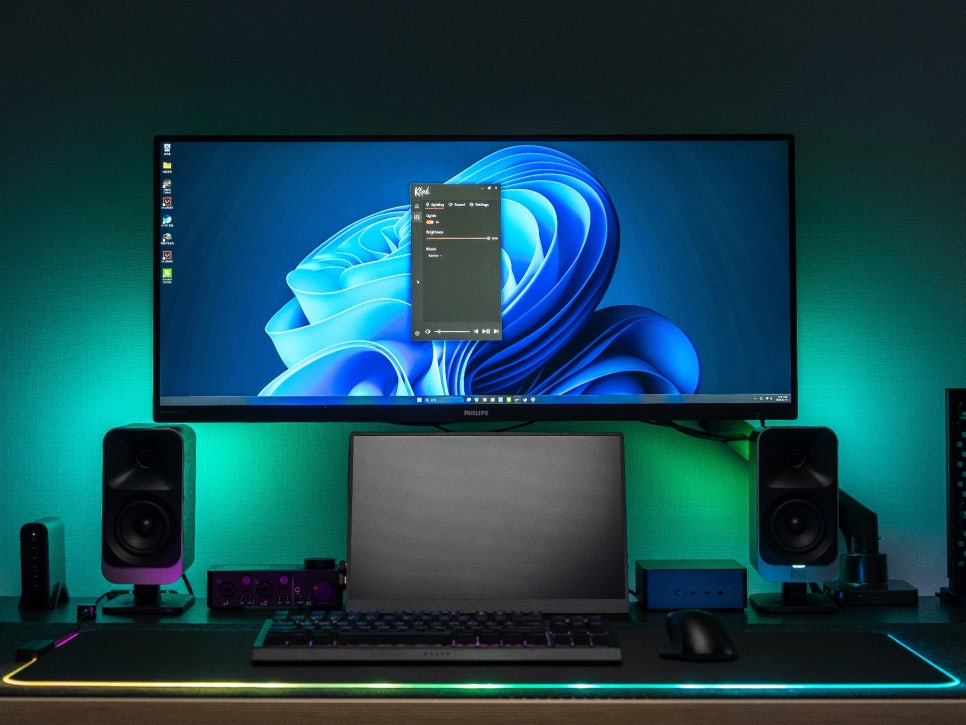
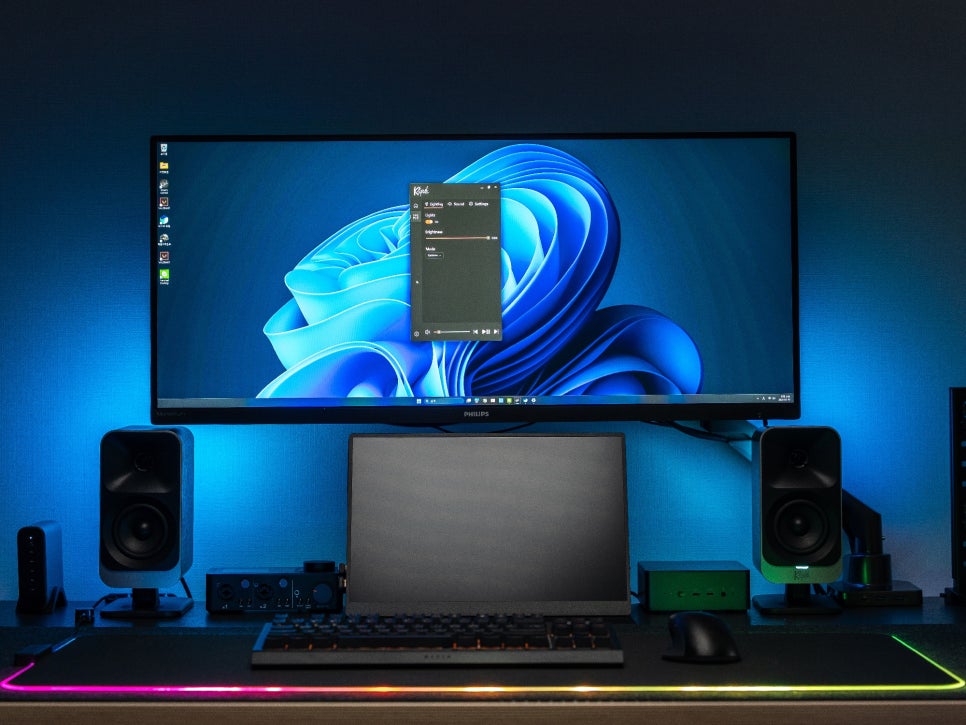
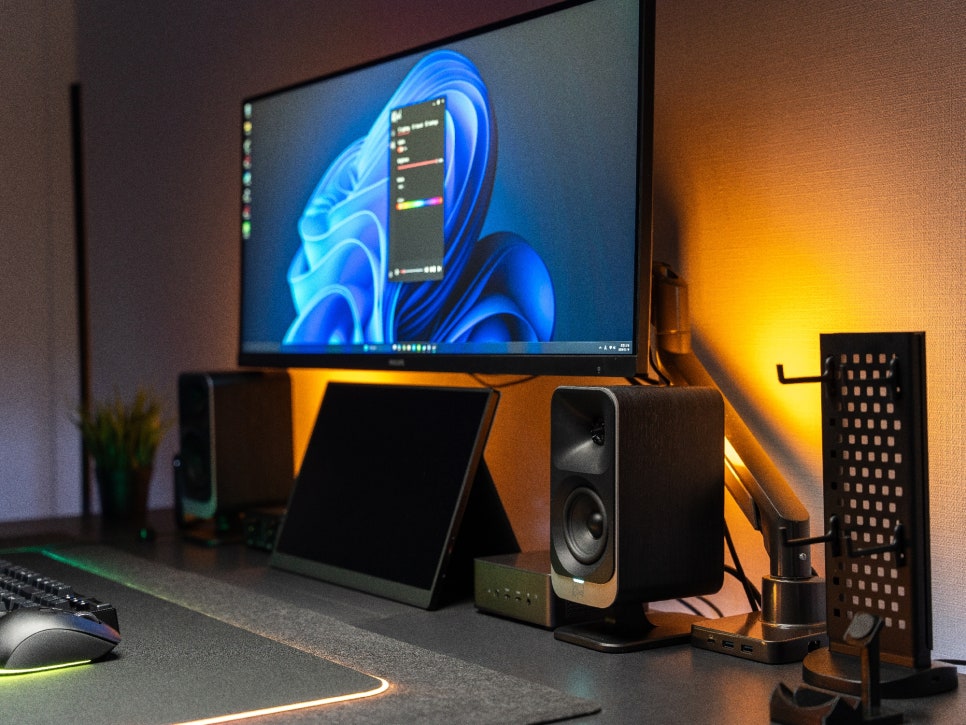
In low-light environments, the effect of the LED lighting truly stands out. When gaming or watching movies in a dark room, the soft, diffuse light from the rear spreads behind the monitor, creating a unique ambiance. When used with the previously described Screen React feature, the lighting synchronizes with the on-screen content, significantly enhancing immersion.
Usage Review
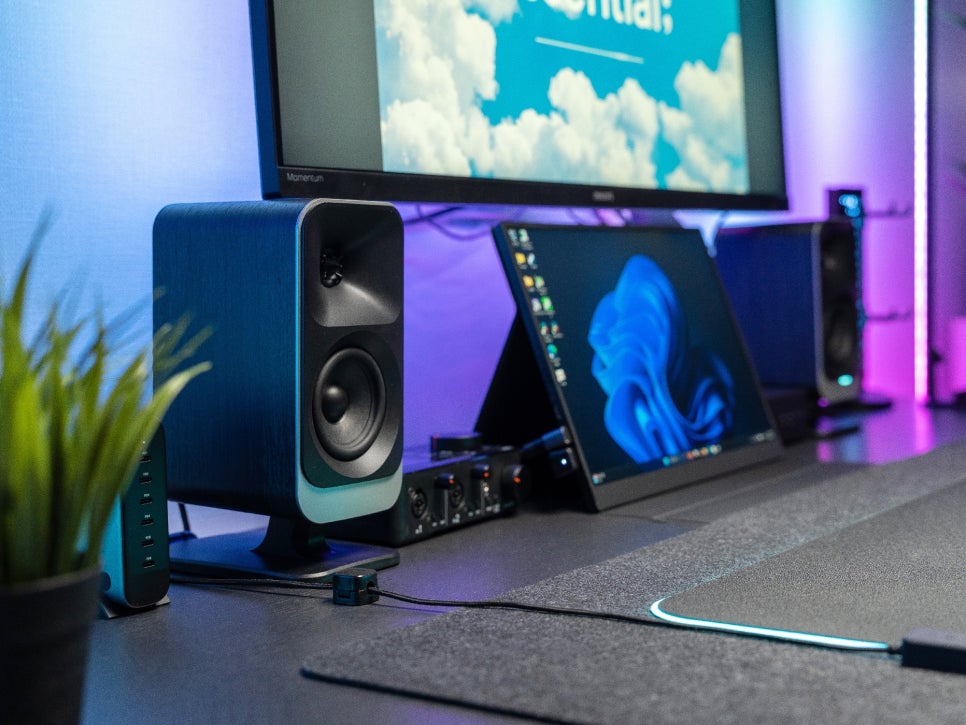
When you actually use the ProMedia Lumina, it becomes immediately clear why this product targets gamers and creators. Thanks to the MicroTractrix horn tweeter, subtle footsteps or environmental sounds in games are heard clearly, and precise sound imaging makes it easy to pinpoint enemy locations by sound alone.
Despite its slim profile, the 6.5-inch subwoofer delivers a substantial low-end punch. Explosions in movies have a weighty feel, and basslines are solidly supported when listening to music. The bass feels appropriately controlled rather than excessively boomy, resulting in less fatigue even after prolonged use.
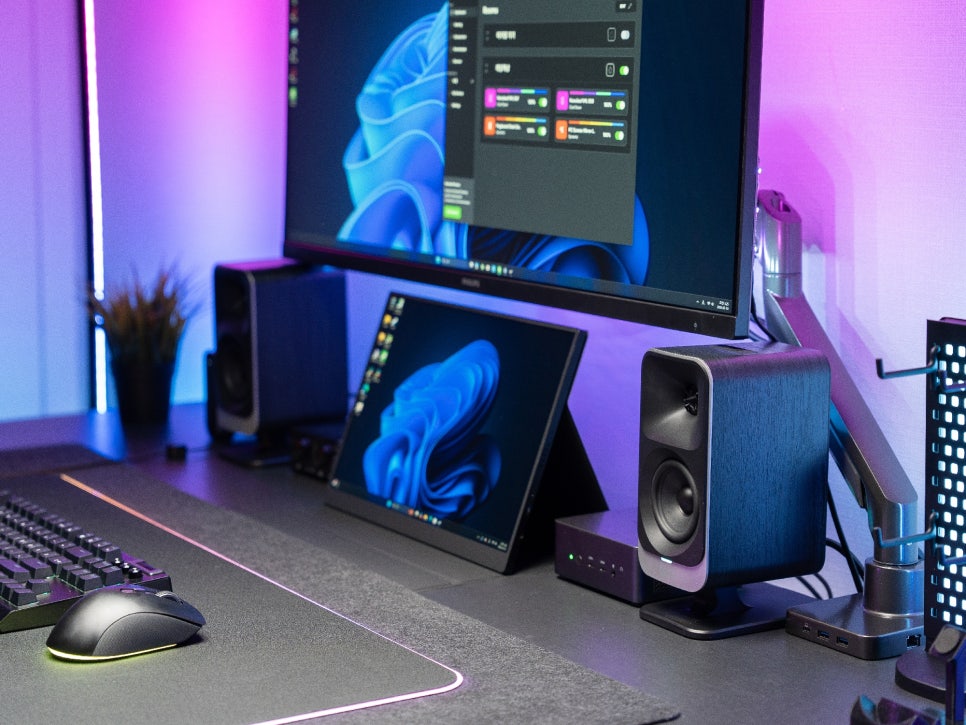
Personally, I’ve been using separate smart lighting like Nanoleaf for my gaming system, so I’m very satisfied that the speaker itself can produce these lighting effects. You can get both sound and ambient lighting with just one speaker, without having to install separate lighting panels.
Concluding the Review
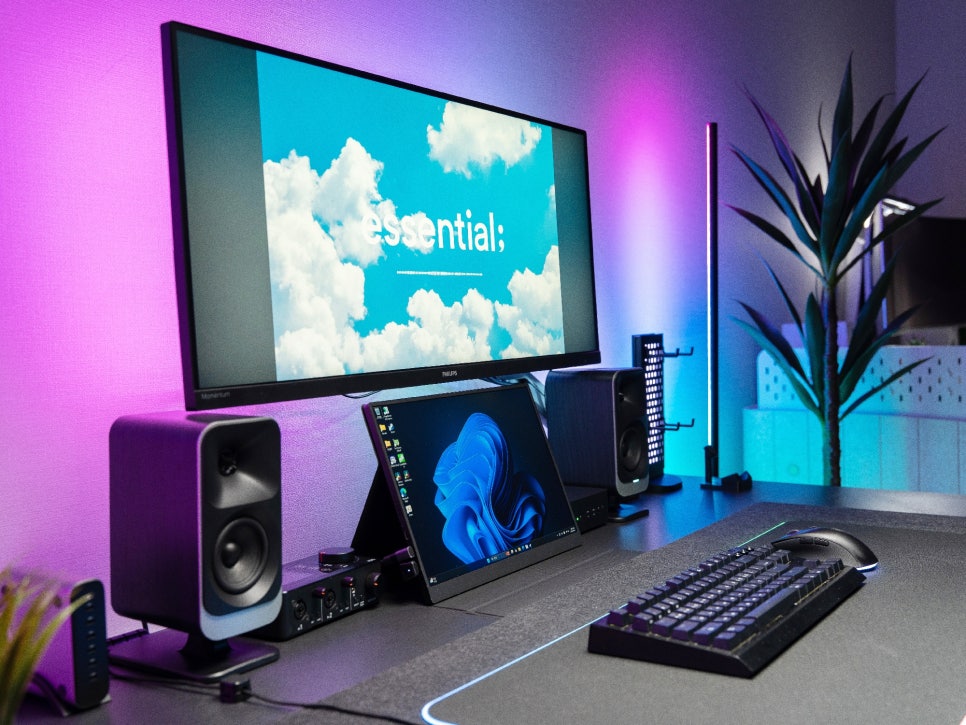
The Klipsch ProMedia Lumina is a successor to the legendary original ProMedia from 1999. It inherits Klipsch’s horn technology while adding modern connectivity like USB-C and Bluetooth 5.3, along with RGB lighting, making it an all-round desktop audio system that can satisfy gamers, creators, and music lovers alike.
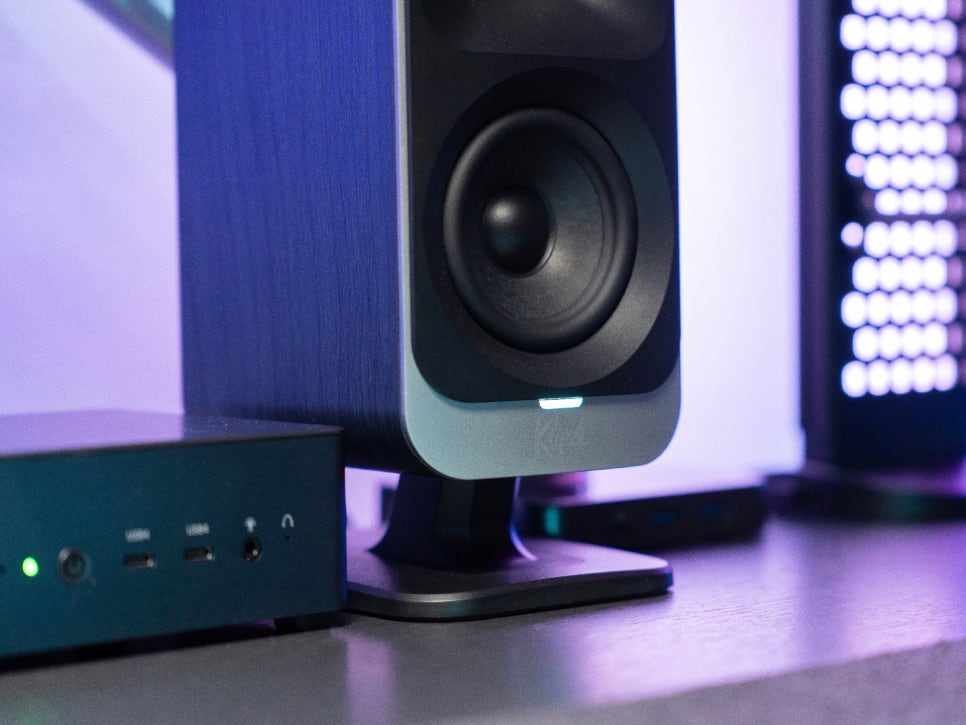
With detailed convenience features like a tilt-adjustable stand, screen react function, and dynamic lighting support, I felt it was not just a PC speaker, but a premium item designed for user convenience and desk aesthetics.
In the next review, we will delve deeper into analyzing the sound quality by playing various genres of music, experiencing different game genres like FPS and RPG, and exploring the sound and feel it provides during movie watching.
Buy Product
As an Amazon Associate I earn from qualifying purhases.
Purchase Product : https://amzn.to/4siiD32