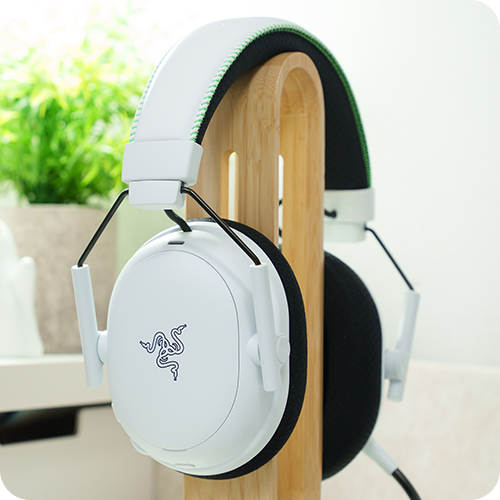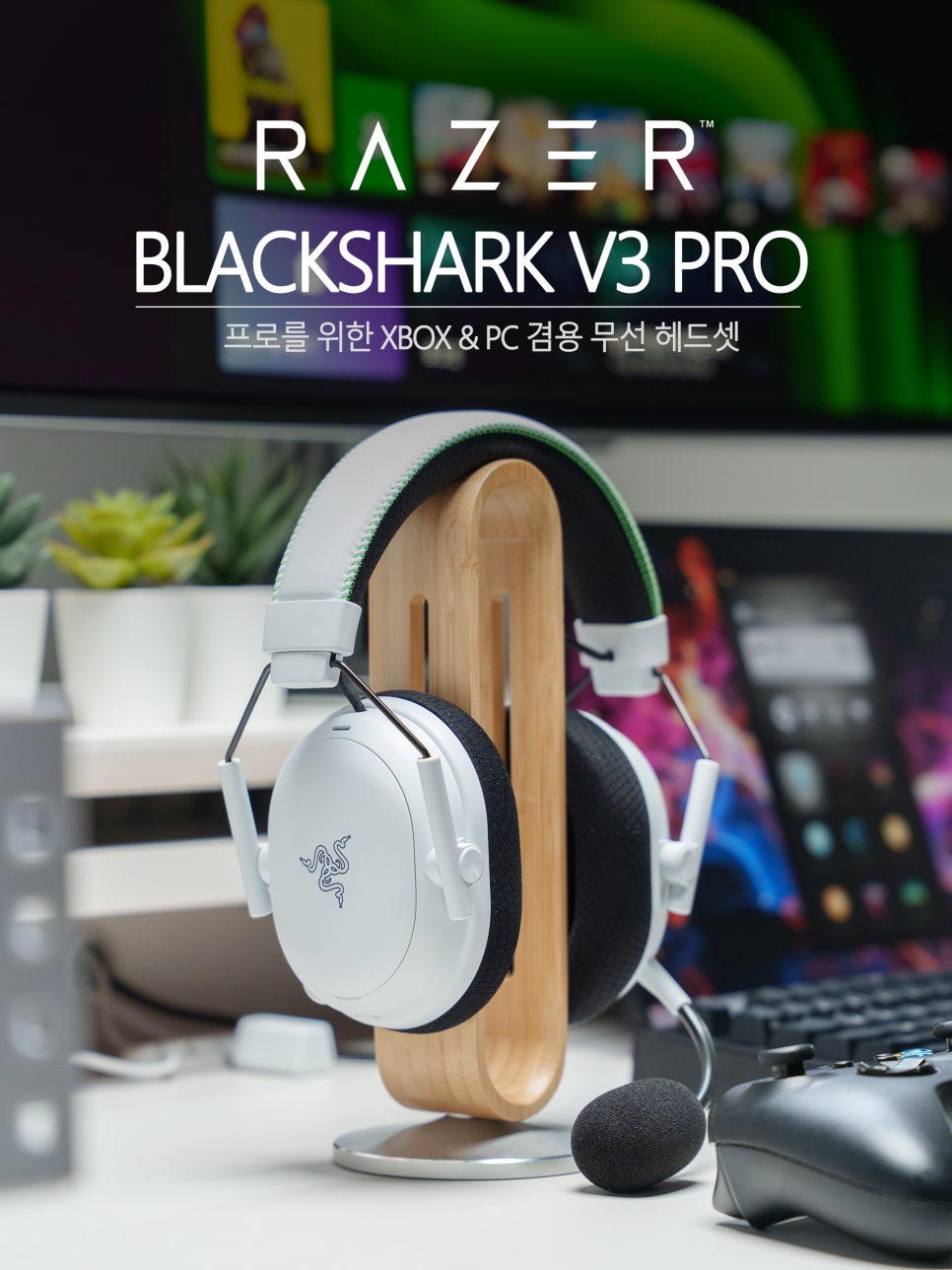
Razer’s BlackShark, a global gaming gear brand, is a performance line entirely focused on esports and competitive gaming. The BlackShark V3 series, in particular, is a 3rd-generation product that has been completely upgraded from design to features, actively incorporating feedback from the previous V2 generation. Among these, the V3 Pro is the top-tier model, launched for hardcore gamers and professionals.
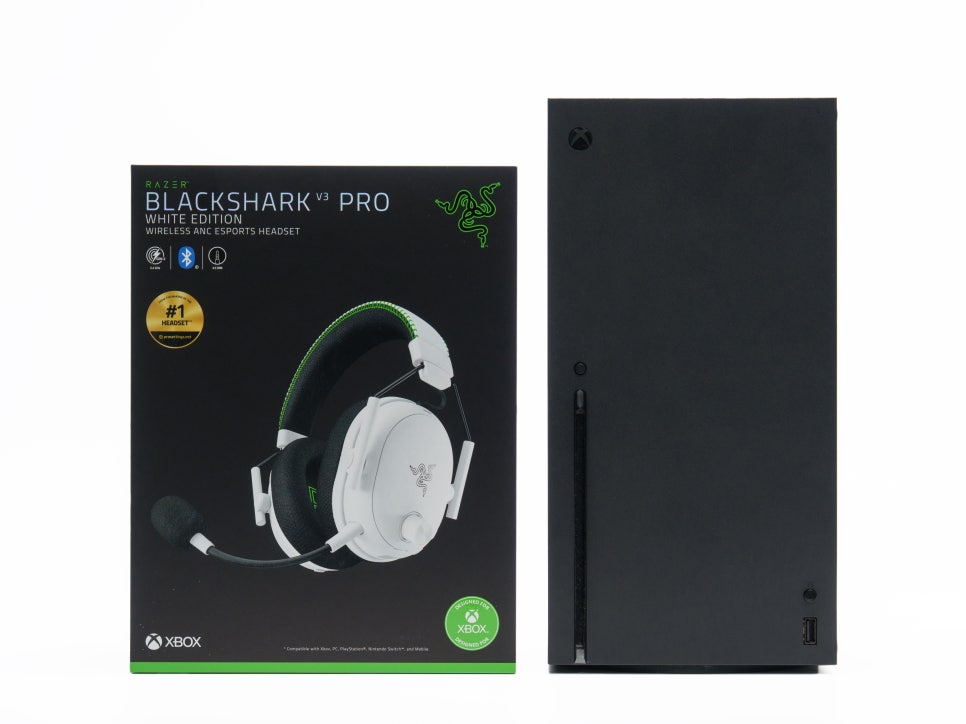
The Razer BlackShark V3 Pro is not limited to PC-only models; it also offers dedicated versions with official licenses for various console platforms. The PlayStation edition is officially certified by Sony, and the Xbox edition holds Microsoft’s “Designed for Xbox” license. The distinguishing factor is that these aren’t merely compatible; their dongle configuration and surround sound settings are optimized for their respective console environments.
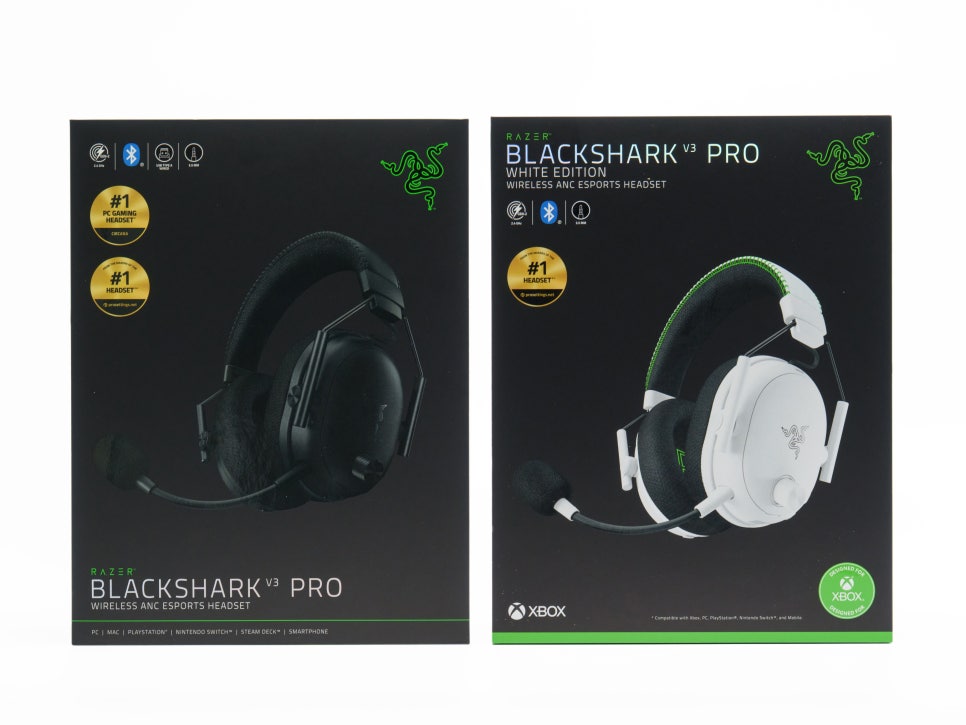
Following the PlayStation-exclusive model that I previously introduced on my blog, this time I’ve brought the Xbox-exclusive model. The Xbox edition is available in two colors: black and white. Notably, the Xbox version is compatible with all platforms—PC, PS5, and Nintendo Switch—thanks to the dongle’s XBOX/USB switch, making it arguably the most versatile product for users who switch between multiple devices.
Now, let’s take a closer look at the Razer BlackShark V3 Pro for Xbox (White model).
Specifications and Contents
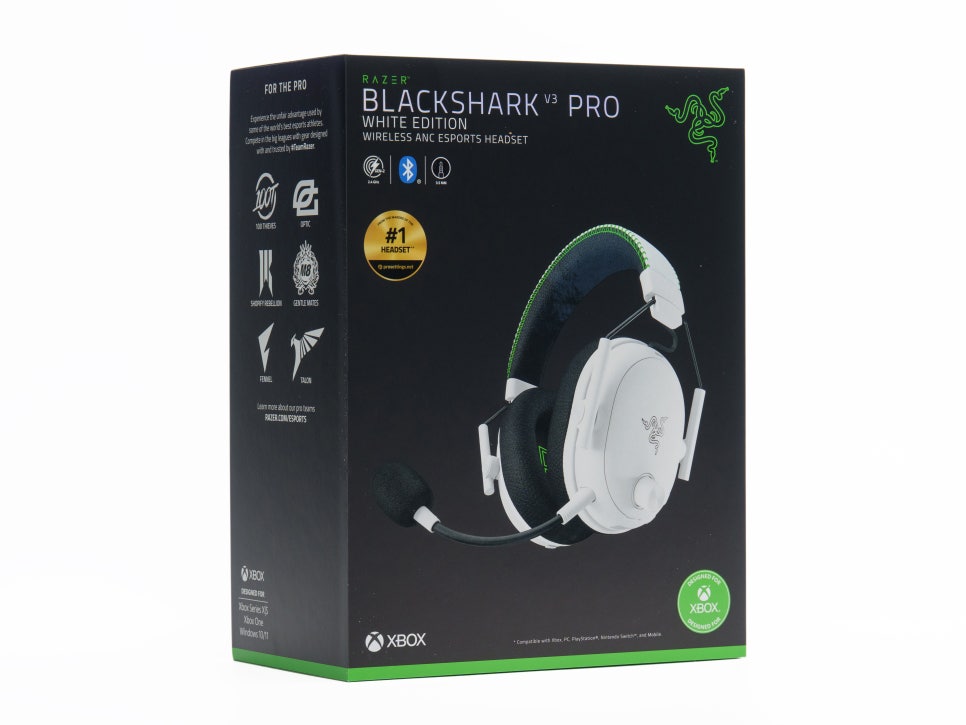
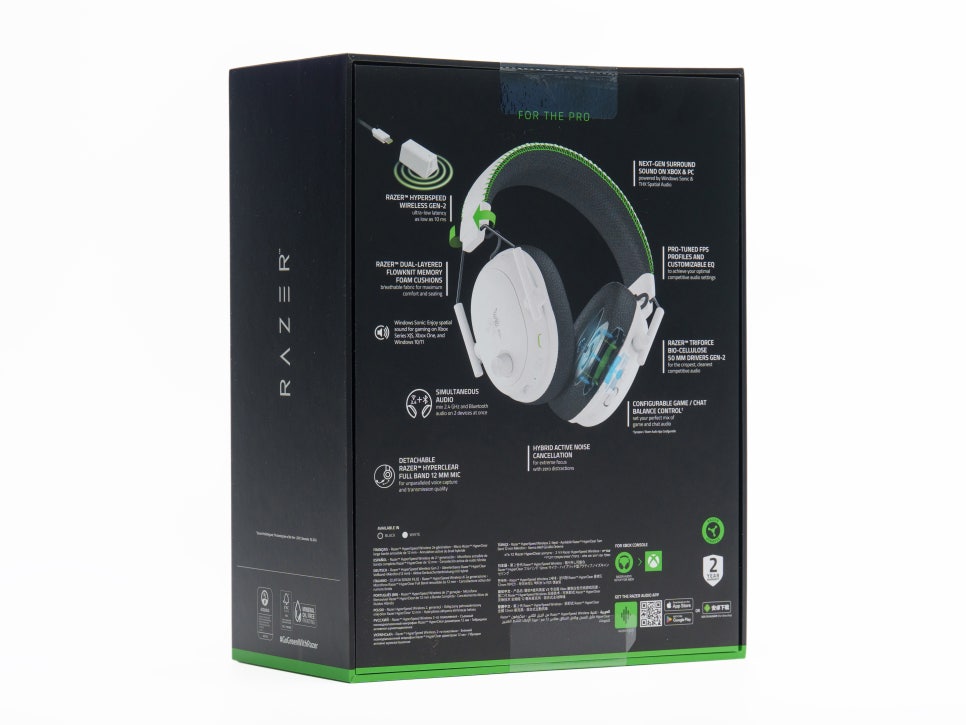
Here’s a summary of the Razer BlackShark V3 Pro for Xbox’s key specifications.
Specifications
Drivers : Razer™ TriForce Bio-Cellulose 50mm
Frequency Response : 12Hz ~ 28,000Hz
Microphone : Detachable Razer™ HyperClear 12mm Wideband Mic
Pick-up Pattern : Unidirectional
Wireless Connectivity : HyperSpeed Gen 2 (2.4GHz), Bluetooth 5.3
Wired Connectivity : USB-C, 3.5mm
Wireless Latency : 10ms (HyperSpeed)
Simultaneous Connection : Supports simultaneous 2.4GHz + Bluetooth output
ANC : Hybrid Active Noise Cancelling
Battery Life : Up to 70 hours (on PC)
Quick Charge : Up to 6 hours of use from a 15-minute charge
Weight : Approx. 365g (measured, excluding mic)
Surround Sound : Windows Sonic (Xbox) / THX Spatial Audio 7.1.4 (PC)
Software : Razer Synapse 4 (PC), Razer Audio Setup (Xbox), Razer Audio App (Mobile)
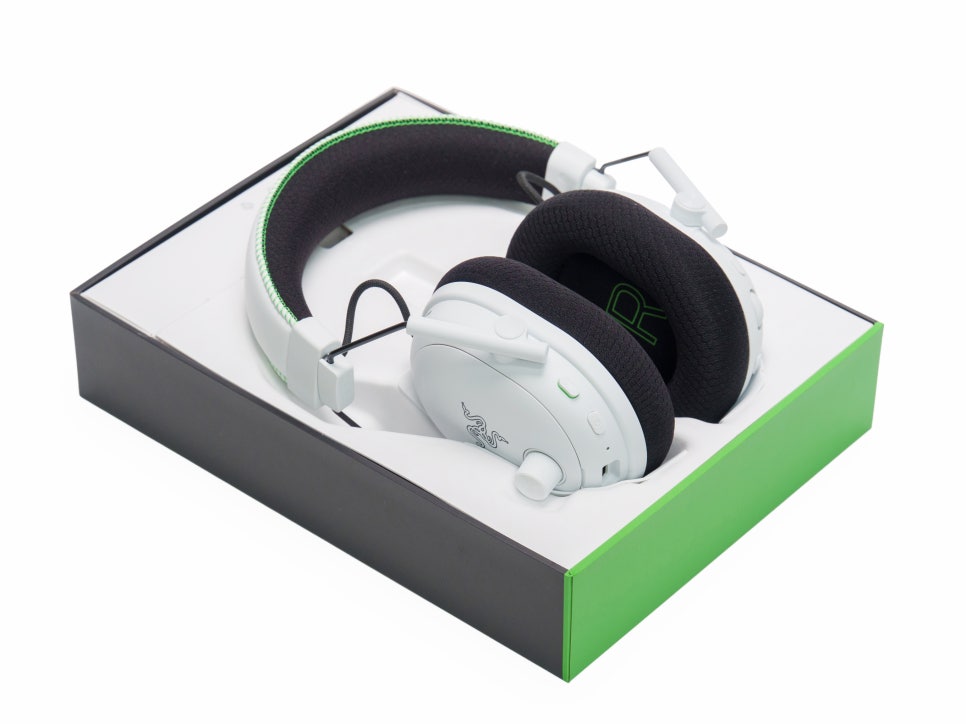
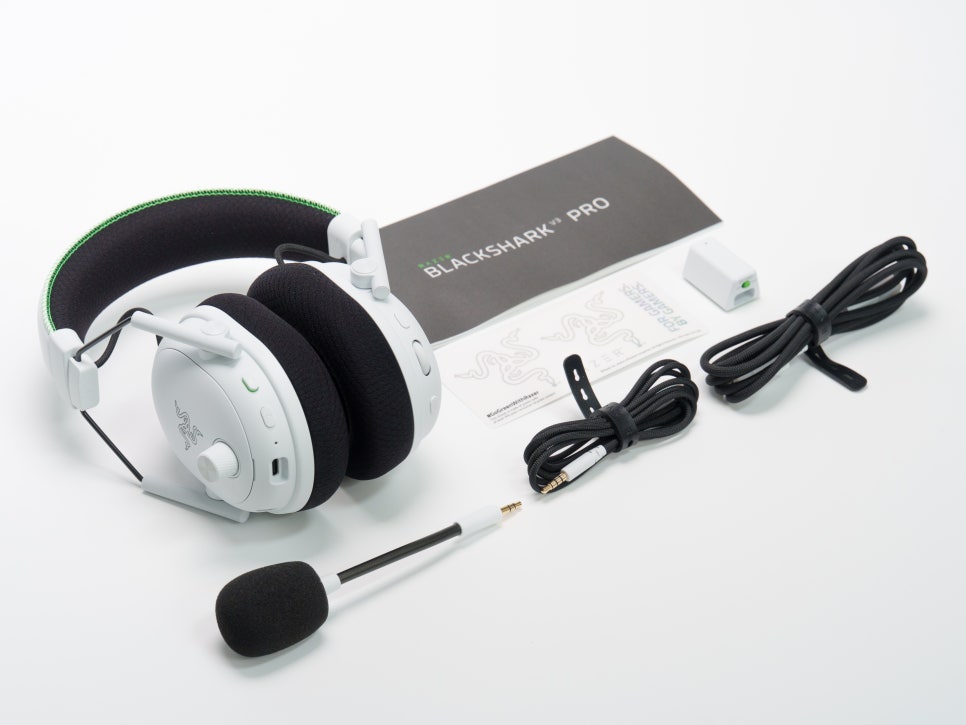
Inside the box, you’ll find the BlackShark V3 Pro for Xbox headset, a HyperSpeed Gen 2 wireless dongle, a detachable 12mm microphone, a USB-A cable for the dongle, and a 3.5mm audio cable.
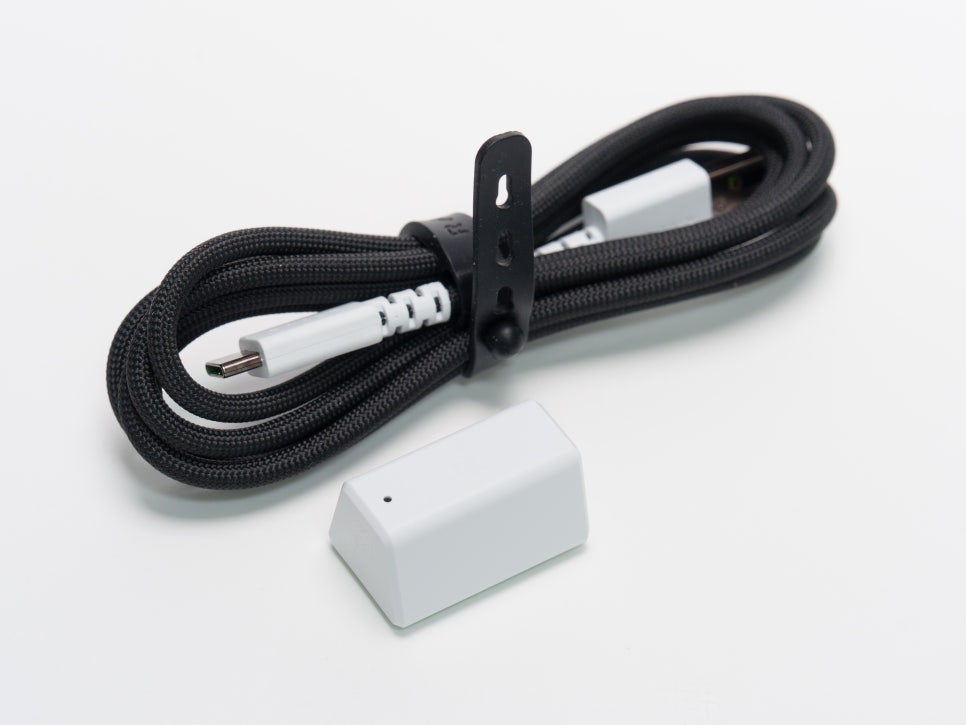
Most wireless gaming headsets on the market have a latency range of 15-30ms, but the HyperSpeed 2nd generation wireless dongle has reduced latency to 10ms compared to its predecessor.
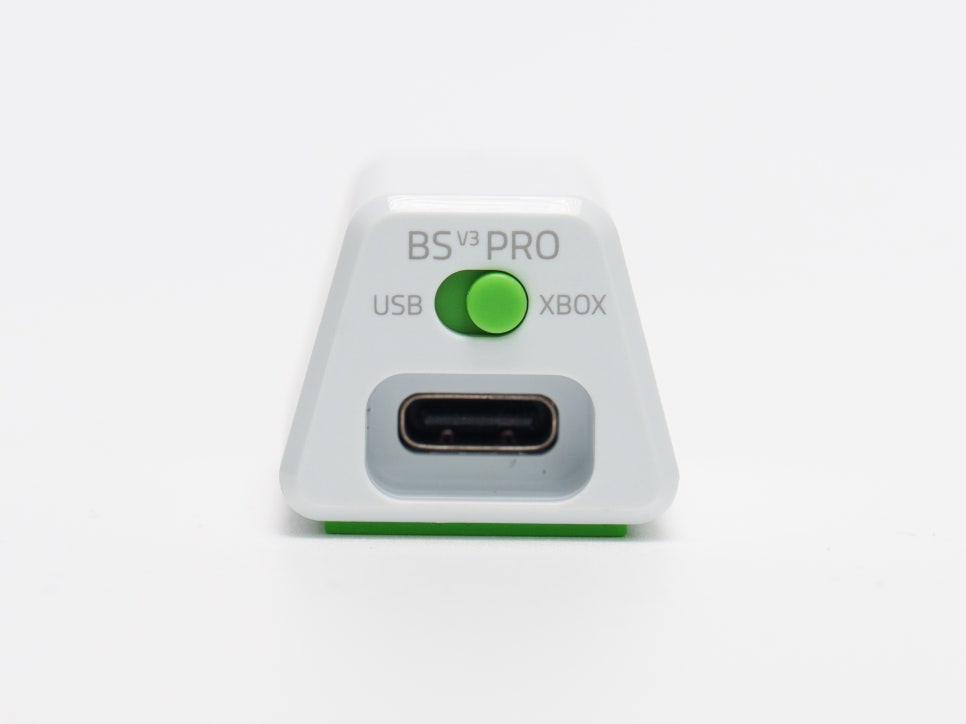
A slight difference in configuration from the PC version is that the Xbox edition dongle features an XBOX/USB switch. When connecting to an Xbox, set the switch to XBOX and plug the USB-A cable directly into the console, and when connecting to other devices like a PC or PS5, switch it to USB.
Appearance and Features
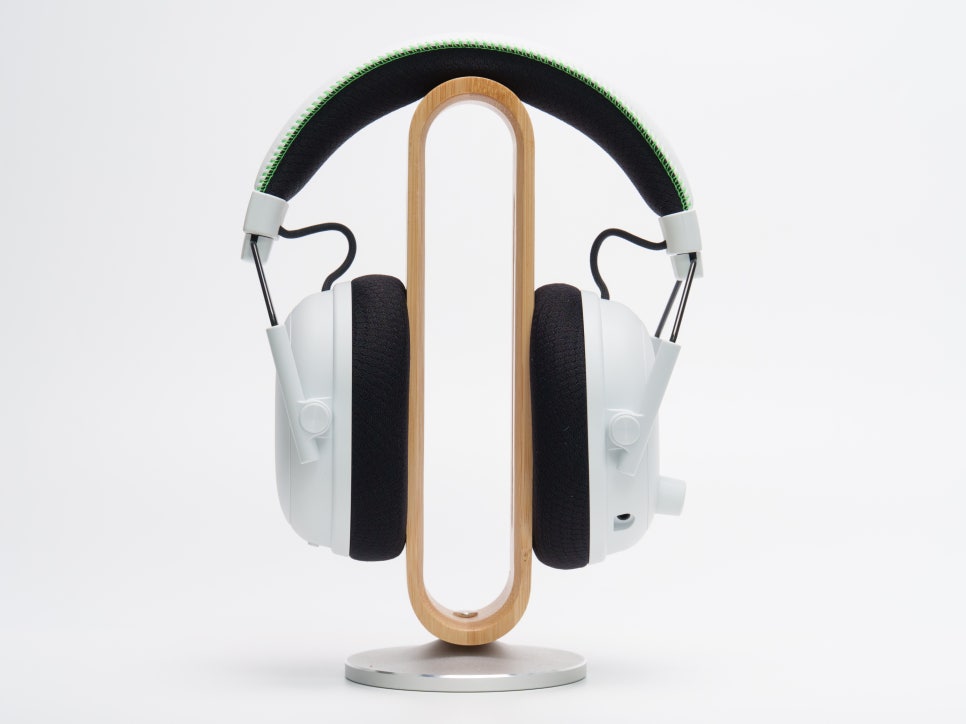
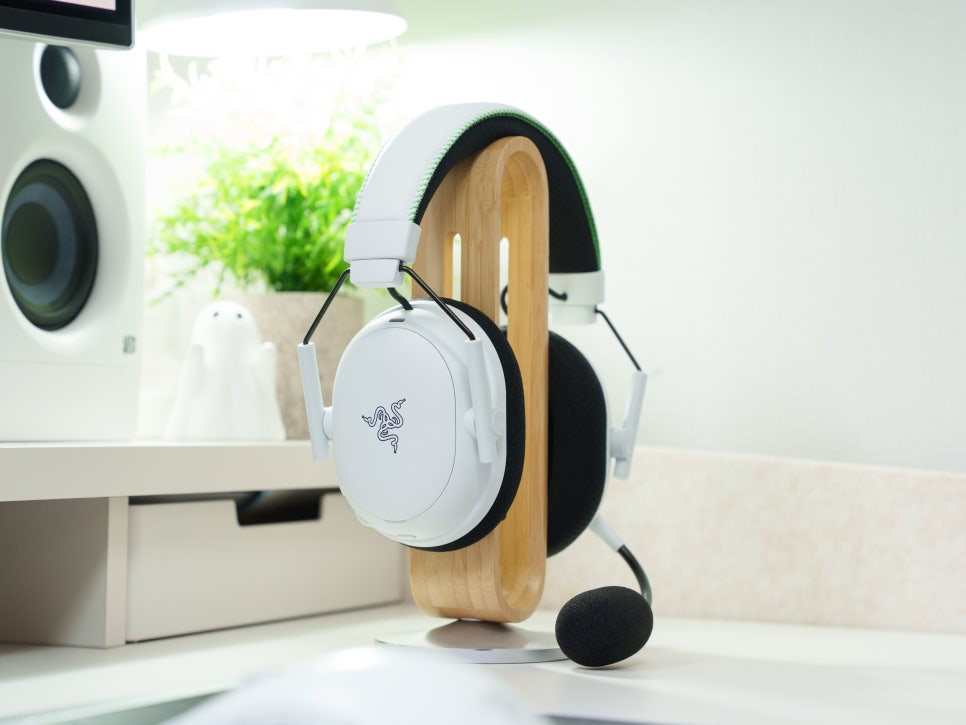
When you first encounter the Razer BlackShark V3 Pro for Xbox in white, the unique design of the BlackShark series, now in white, gives off a completely different vibe.

The combination of the wire-frame yoke and oval earcups, reminiscent of aviation headsets used by military helicopter pilots, remains the same, but the consistent application of white across metal, plastic, and fabric materials seems to give it a cleaner feel.
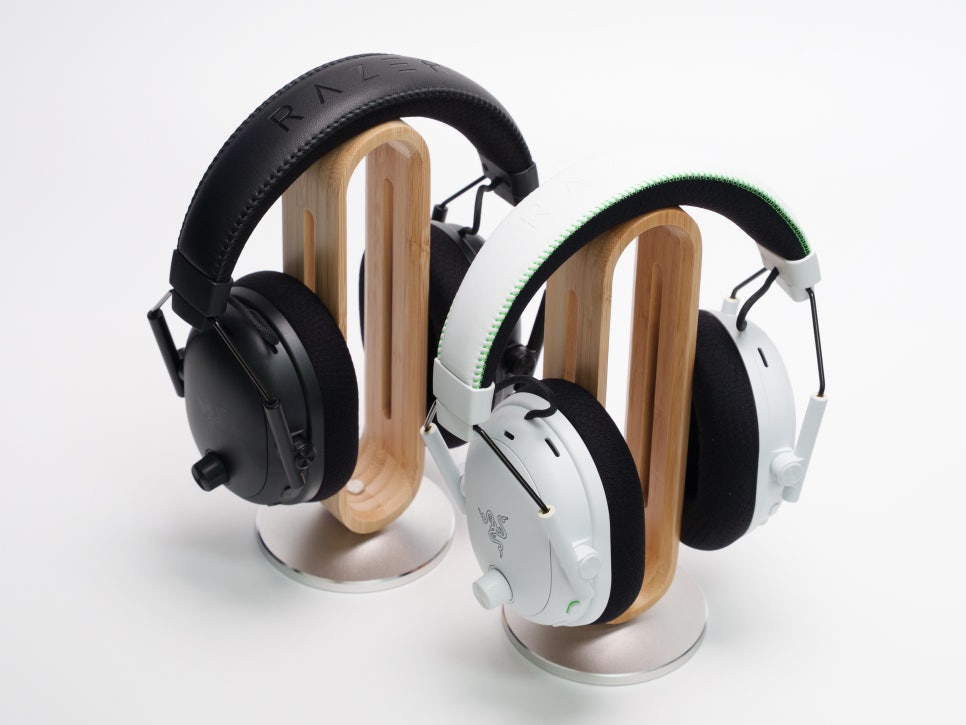
While the black model exudes a heavy, professional atmosphere, the white model leans towards a sophisticated and clean aesthetic. If you’re setting up a white desk or an Xbox setup, this would likely fit in very well.
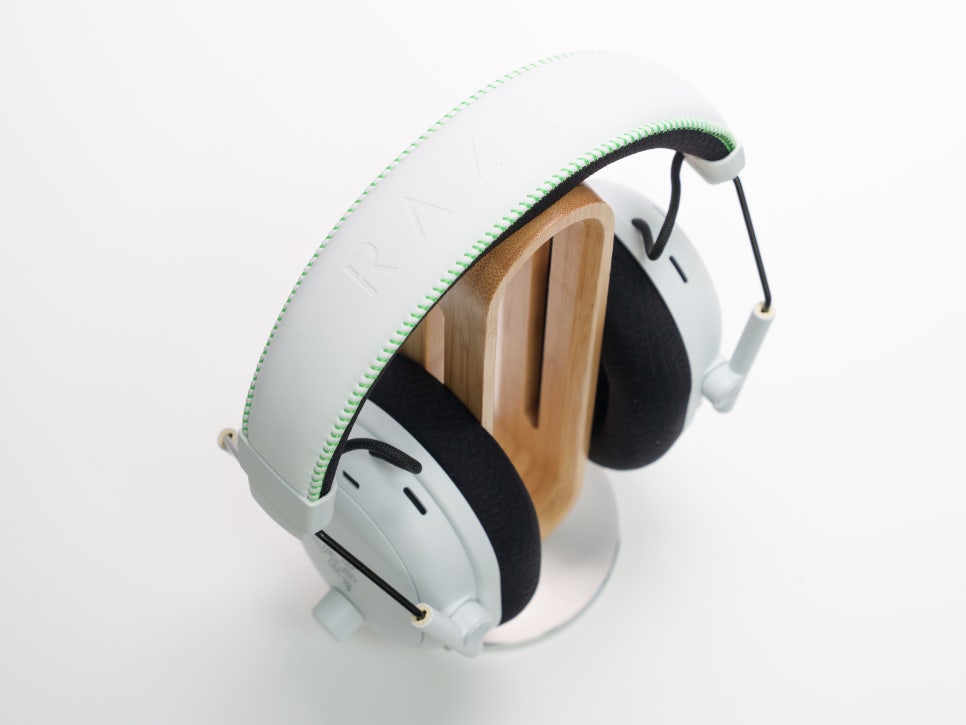
Examining the materials, the ear cup housing is plastic, but the white finish has a uniform texture, and the yokes use sturdy steel wire.
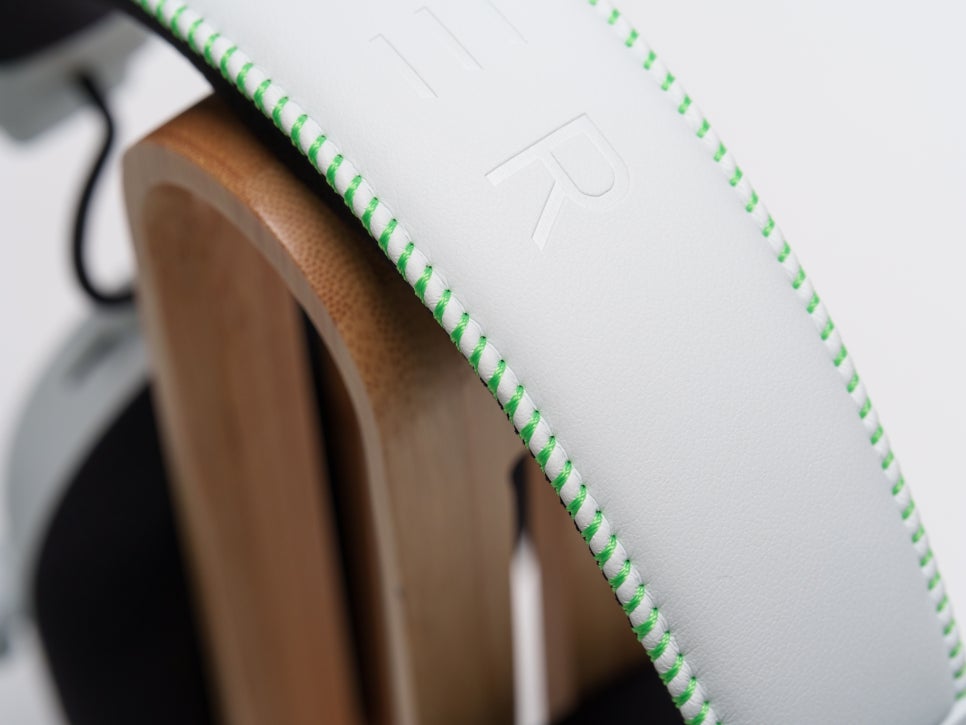
The top of the headband features precise stitching lines on leatherette, with fluorescent green stitching, symbolizing Xbox, on the white body, giving it a premium feel.
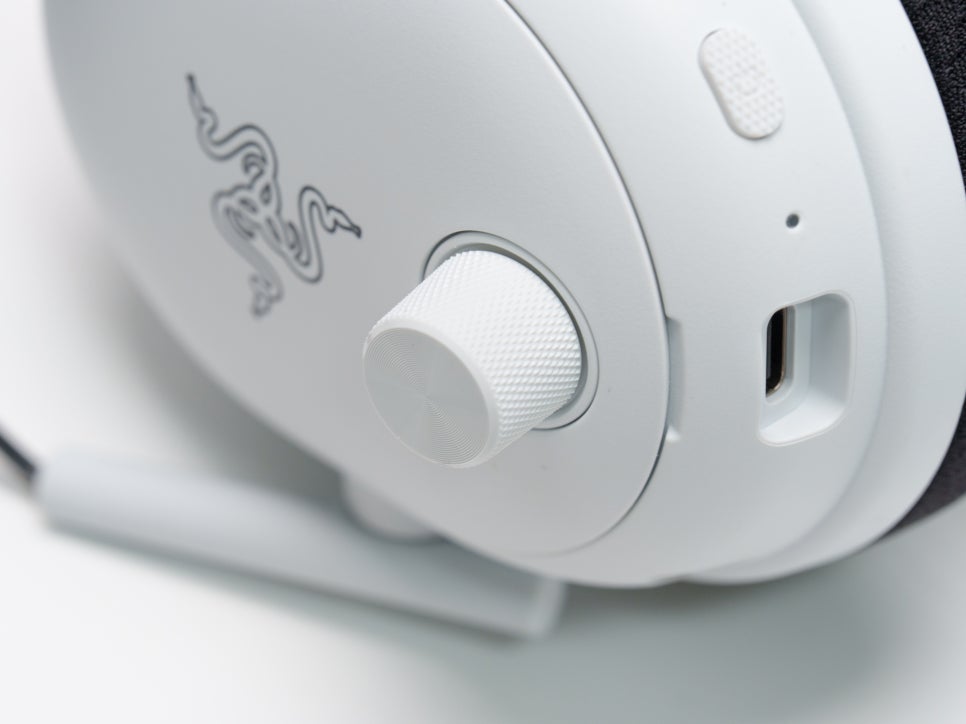
A textured volume knob is located on the upper part of the left ear cup. Its distinct detents allow for precise volume adjustment by touch alone, even during gameplay.
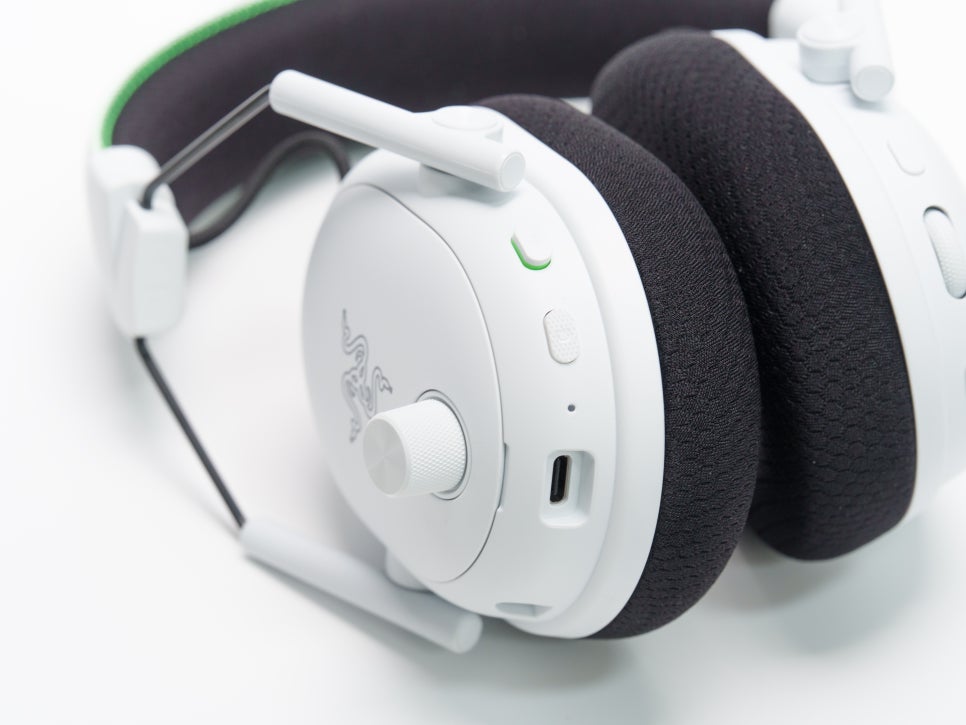
Below that, you’ll find the detachable microphone port, mute button, power button, and USB-C charging port, in order. There’s also an LED indicator on the bottom of the left ear cup, where green indicates a 2.4GHz HyperSpeed connection, blue indicates a Bluetooth connection, and white indicates Simultaneous output mode, making it convenient to quickly check the current connection status.
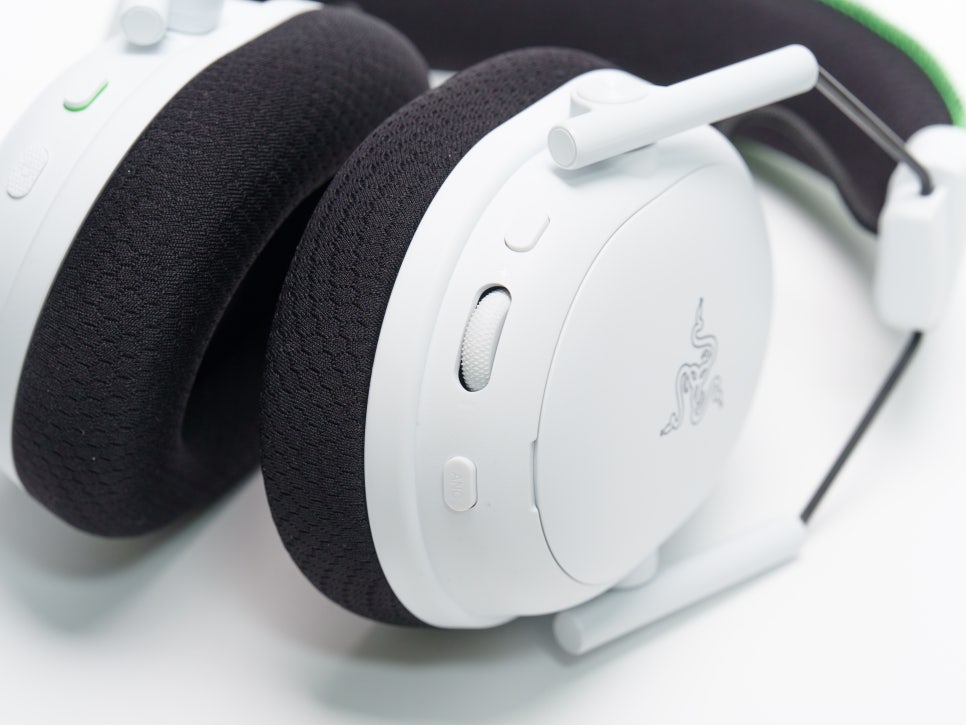
Looking at the right ear cup, first, the SmartSwitch button is a multi-function button that cycles through EQ presets with a single press, and switches between 2.4GHz, Bluetooth, and Simultaneous output modes with a double press. The dedicated ANC button cycles through three modes: Noise Canceling ON, Ambient Mode, and OFF. And the newly added multi-function roller on the V3 Pro adjusts the game/chat balance by default, and if you change the settings, it can also be used to adjust the microphone sidetone level or boost footstep sounds.
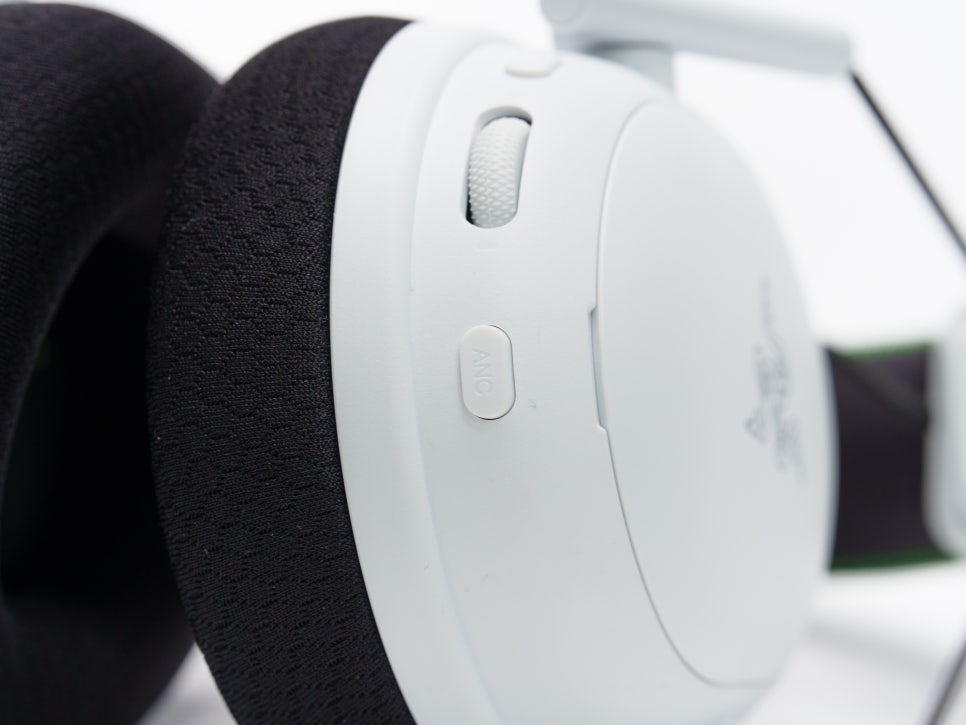
To explain the ANC feature in more detail, the hybrid ANC installed in the V3 Pro actively blocks ambient noise by utilizing a total of 4 microphones (2 internal, 2 external). The ANC intensity can be finely adjusted across 4 levels in Synapse 4 or the Razer Audio app, allowing you to customize it to an appropriate level depending on the situation.
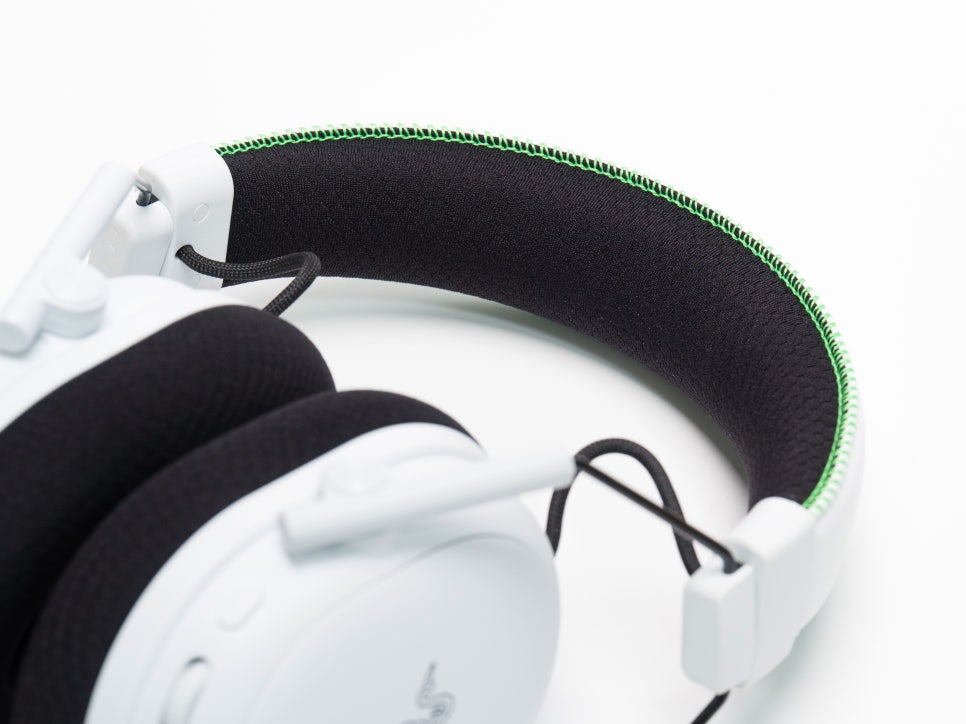
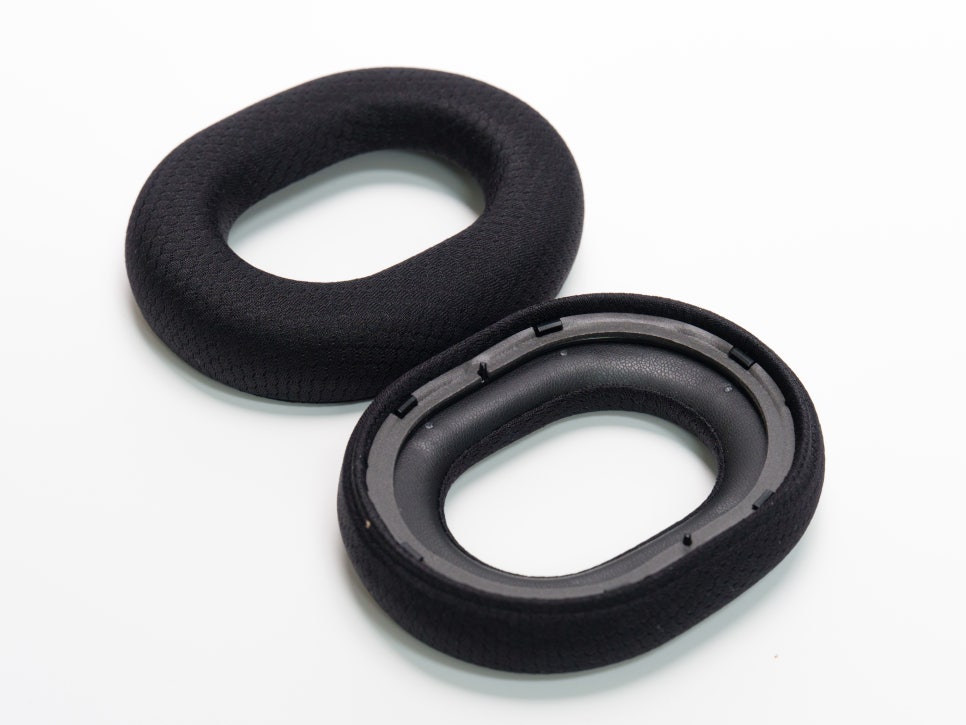
The inside of the headband features thick memory foam, so you hardly feel any pressure on the top of your head. The ear cushions are made of a dual-structure FlowKnit memory foam material, where the inner part uses leatherette for noise isolation, and the outer part uses mesh fabric for breathability. Thanks to this dual-layer design, it achieves both a secure seal and comfort simultaneously.
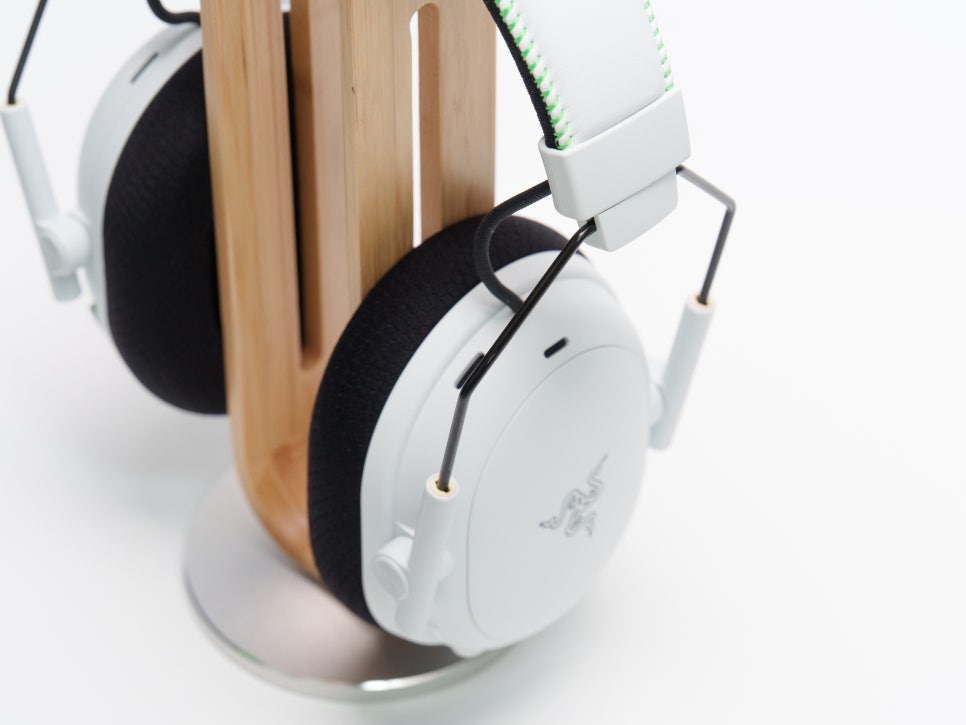
The housing allows for length adjustment via a sliding mechanism, and the ear cup joint arms support 15-degree rotation and tilting. In the previous model, the V2 Pro, ear cup swivel was virtually non-existent, but this has been improved in the V3 Pro, making it possible to wear for various body types.

The actual measured weight without the microphone is approximately 368g, and with the microphone attached, it’s about 383g. As it’s a Pro line product including an ANC module and battery, it is heavier than the standard V3. However, because the wearing balance is well distributed, the perceived weight is not as burdensome as the numbers suggest.
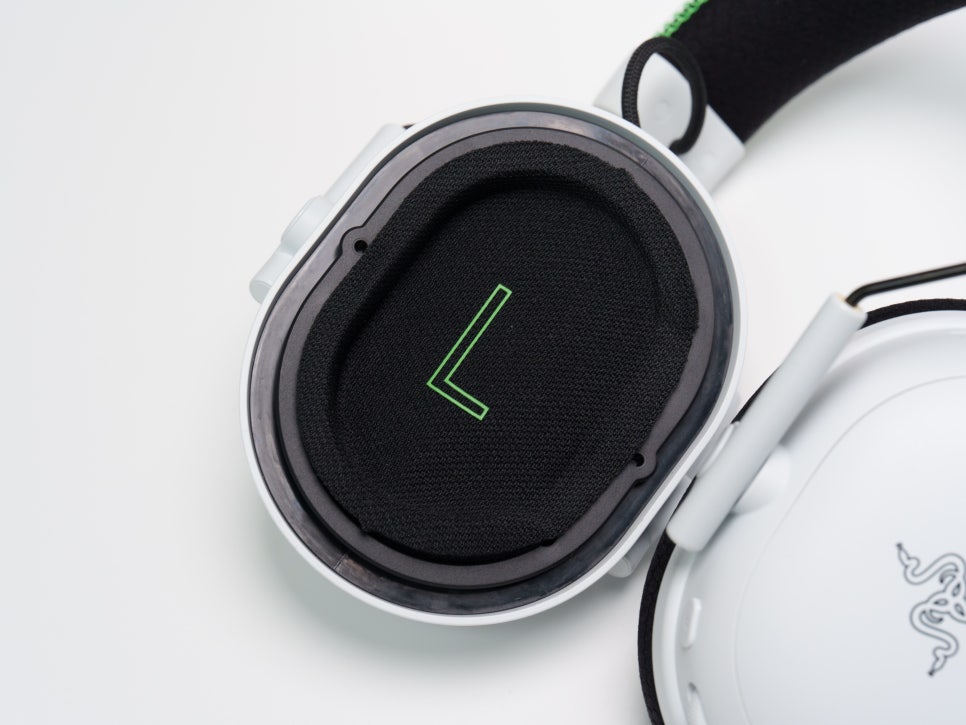
The V3 Pro model is equipped with the top-tier Razer™ TriForce Bio-Cellulose 50mm Gen-2 driver. It features a triple-chamber design on the bio-cellulose diaphragm that independently tunes high, mid, and low frequencies. A new driver plug reduces distortion by half compared to previous versions. It’s also impressive that the drivers are positioned at a slightly tilted angle towards the ear, designed to allow sound to reach the eardrum naturally.
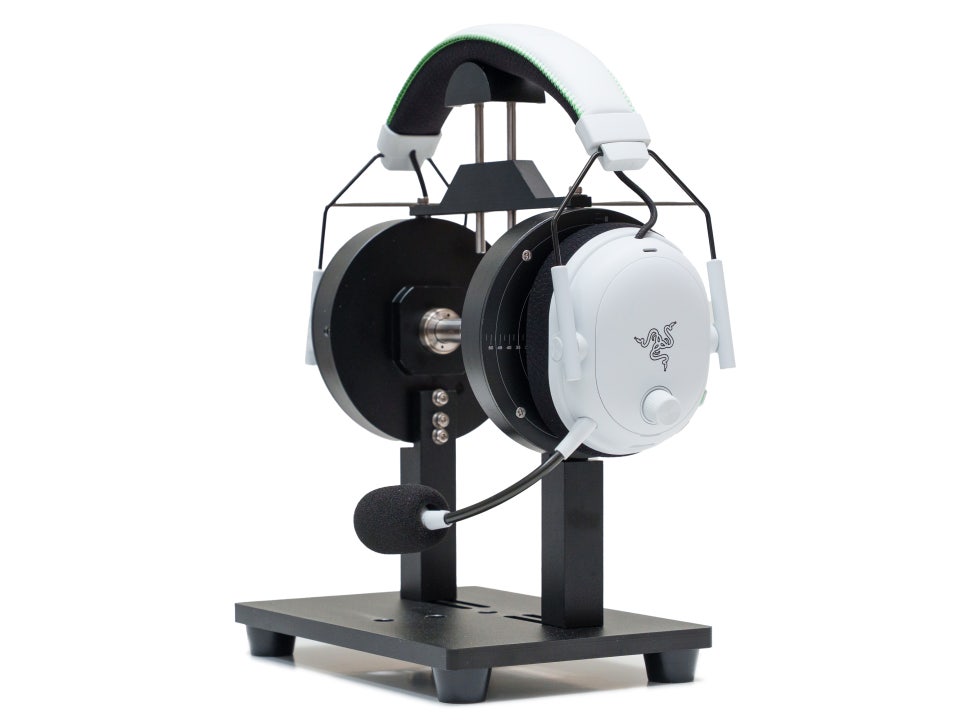
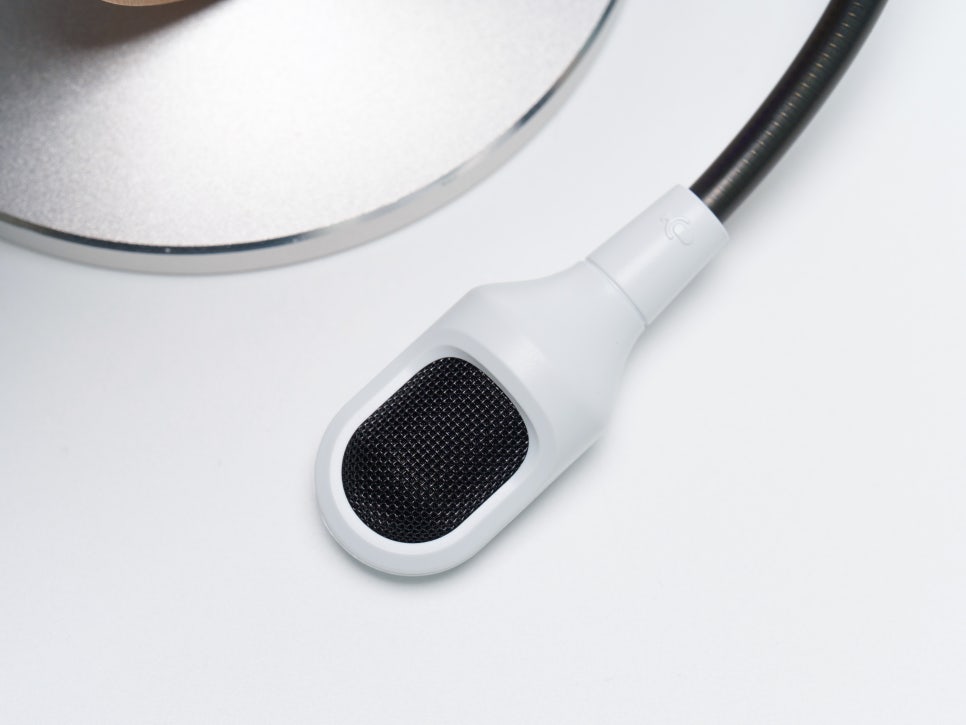
The detachable Razer™ HyperClear 12mm microphone has an expanded pickup range thanks to its increased physical size from the previous model’s 9mm. The sampling rate has also been boosted from 32kHz to 48kHz. Its unidirectional pickup pattern focuses solely on the user’s voice, effectively suppressing background noise.
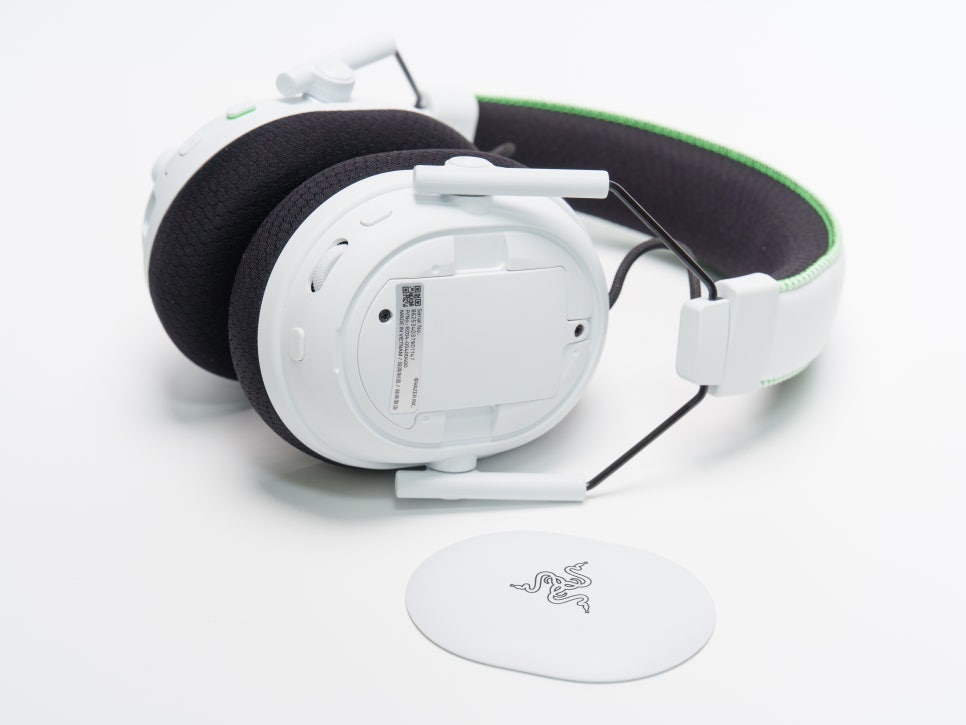
The housing plates are magnetically detachable. They can be easily removed by gently lifting with a fingernail and snap back into place magnetically when brought close. Inside the right housing, a replaceable battery is located, allowing for future replacement if its performance degrades. Battery life varies by platform: up to 70 hours with a 2.4GHz connection on PC and up to 48 hours on Xbox.
Connectivity and Software
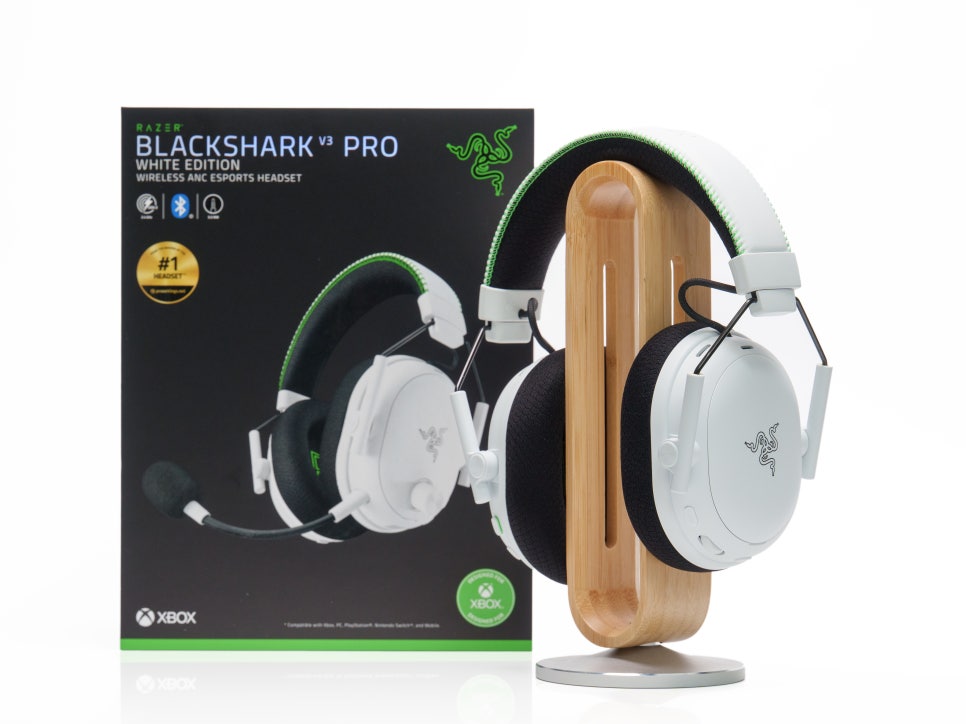
The Razer BlackShark V3 Pro for Xbox features four connection methods: 2nd-gen HyperSpeed Wireless (2.4GHz), Bluetooth 5.3, USB-A wired, and 3.5mm analog wired, allowing you to flexibly switch between them depending on the situation and device.
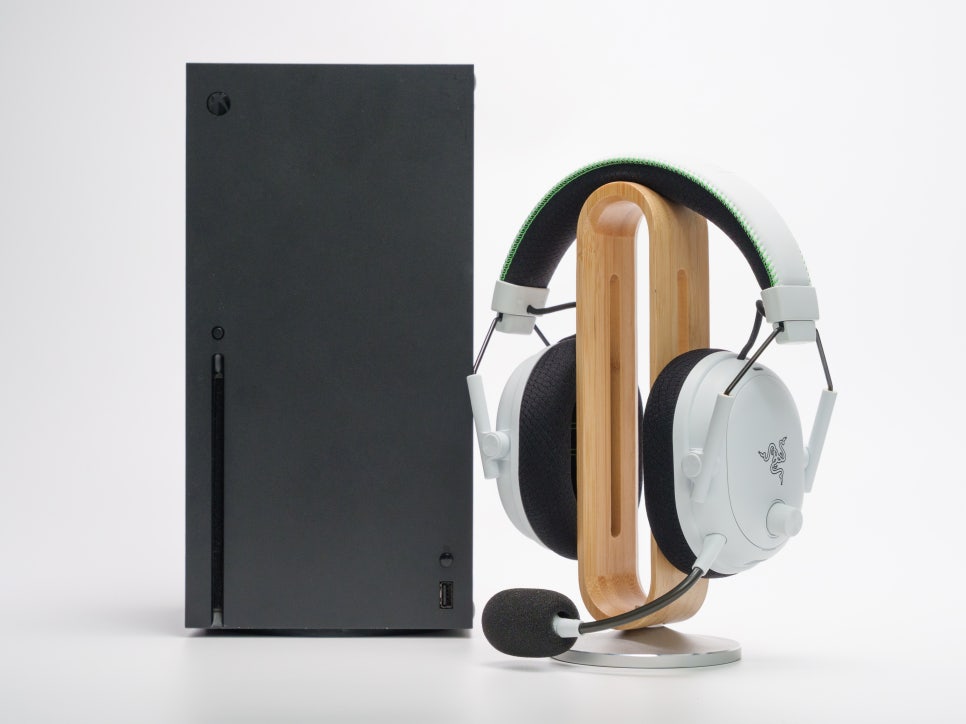
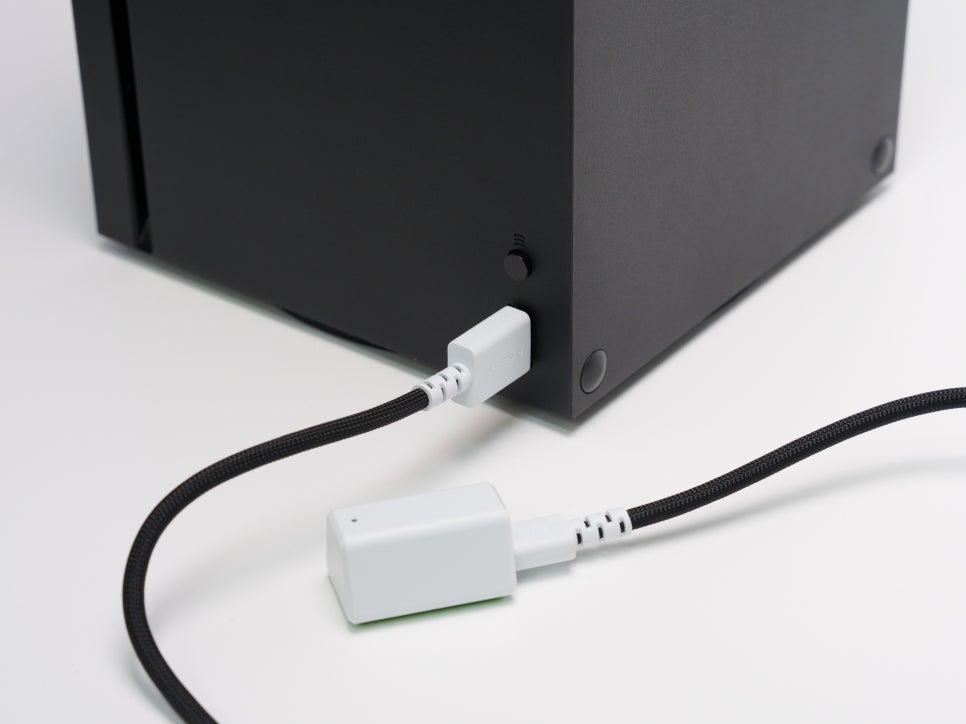
Connecting to Xbox is quite simple. After setting the side switch on the included 2nd-gen HyperSpeed dongle to the “XBOX” position, directly connect the USB-A cable to a USB port on your Xbox Series X|S console, and it will automatically pair.

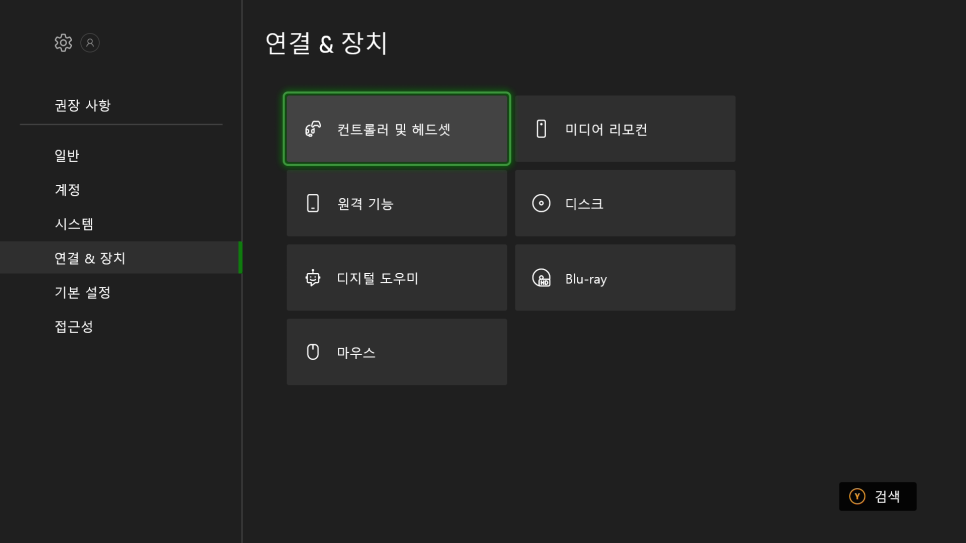
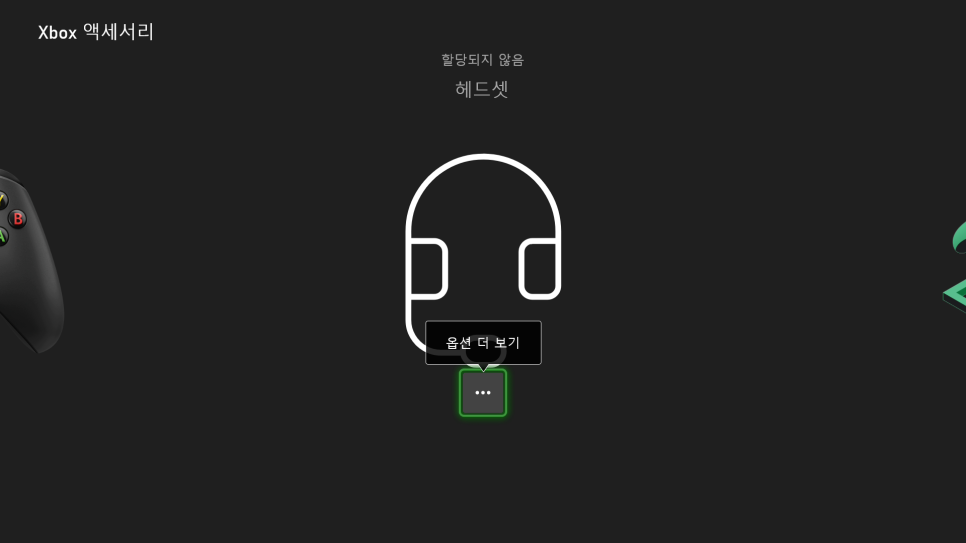
The convenience of it being recognized immediately upon plugging in, without the need for separate app installation or complex setup, is a major plus. On Xbox, Windows Sonic is applied for surround sound, and you can activate it through the console’s own audio settings.
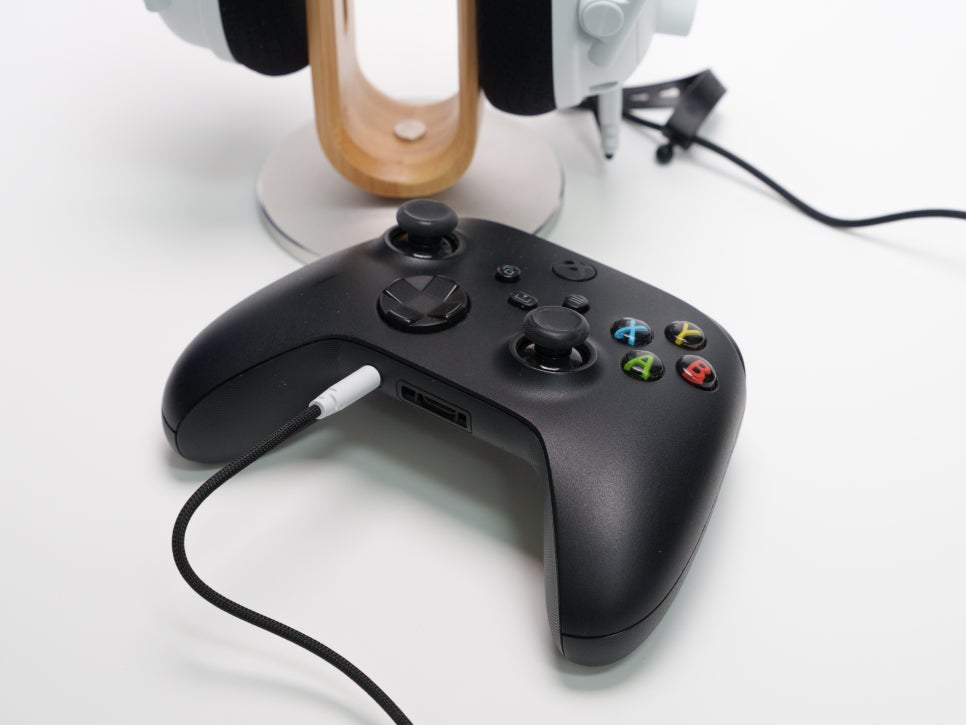
Just because it’s an Xbox edition doesn’t mean it can’t be used with other consoles. If you switch the dongle to USB mode and connect it to a PS5, you can use it wirelessly via 2.4GHz. Furthermore, if a wireless connection isn’t feasible, you can directly plug the included 3.5mm audio cable into the DualSense controller’s earphone jack to use it wired.
Synapse 4
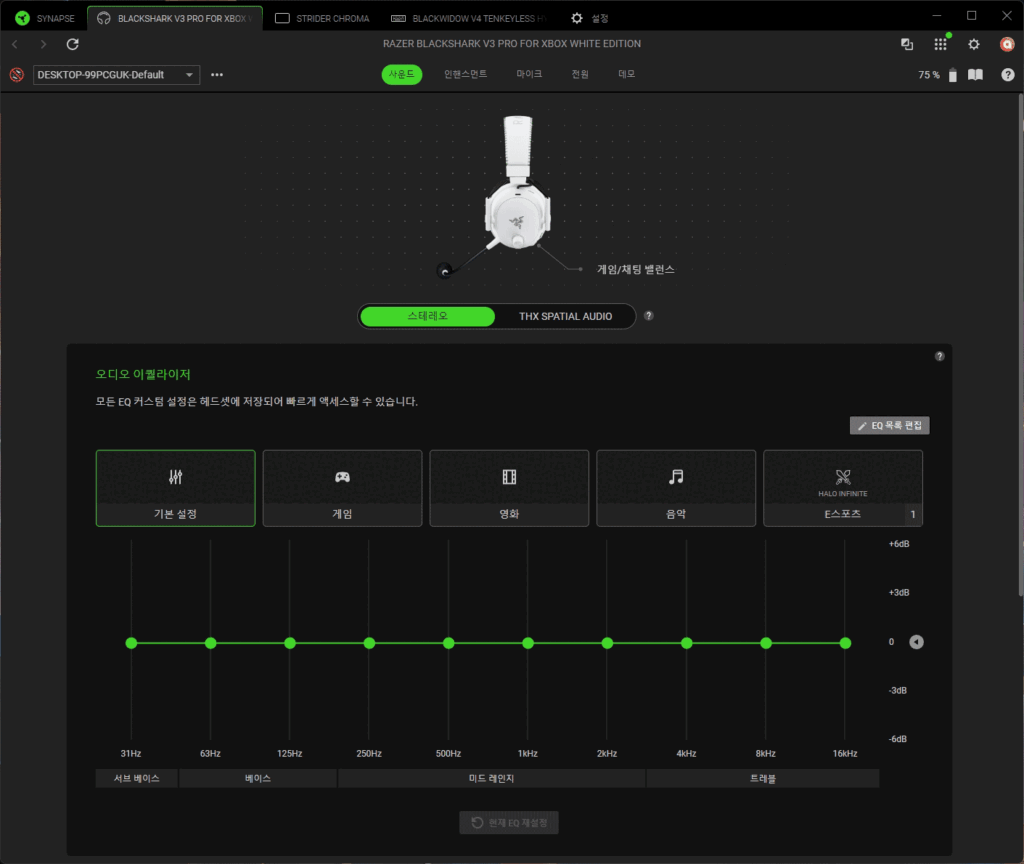
On PC, you can meticulously manage all settings for the BlackShark V3 Pro for Xbox using Razer Synapse 4. Synapse 4 serves as Razer’s integrated device management software, functioning as a hub to control not just headsets, but also other Razer peripherals such as mice and keyboards, all from a single platform.
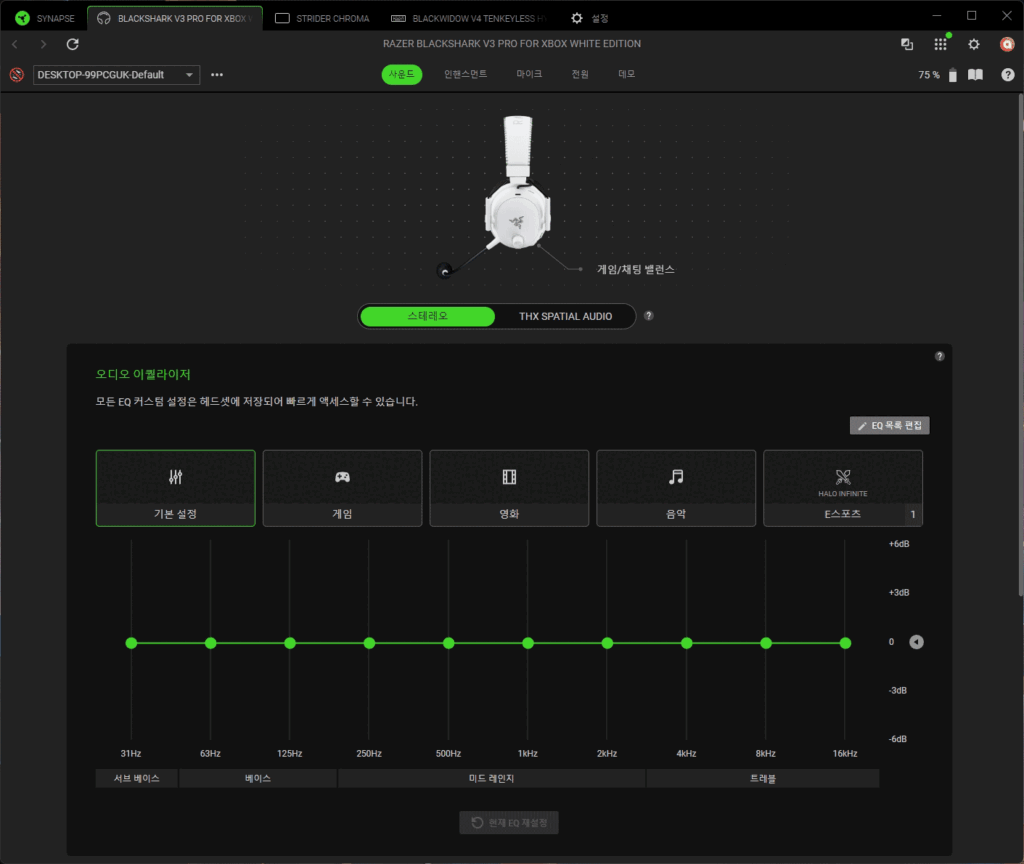
Within the Sound menu, you’ll find a 10-band equalizer, pre-loaded with presets for Standard, Game, Movie, Music, and Esports. Furthermore, you can download game-specific EQ presets meticulously tuned by Razer’s professional players, available for major FPS titles like Counter-Strike 2, Valorant, Apex Legends, Fortnite, Call of Duty, and Halo Infinite. The headset’s onboard memory can store up to 9 profiles, including those created by users. This offers significant convenience, as profiles configured on PC can be used seamlessly on Xbox.
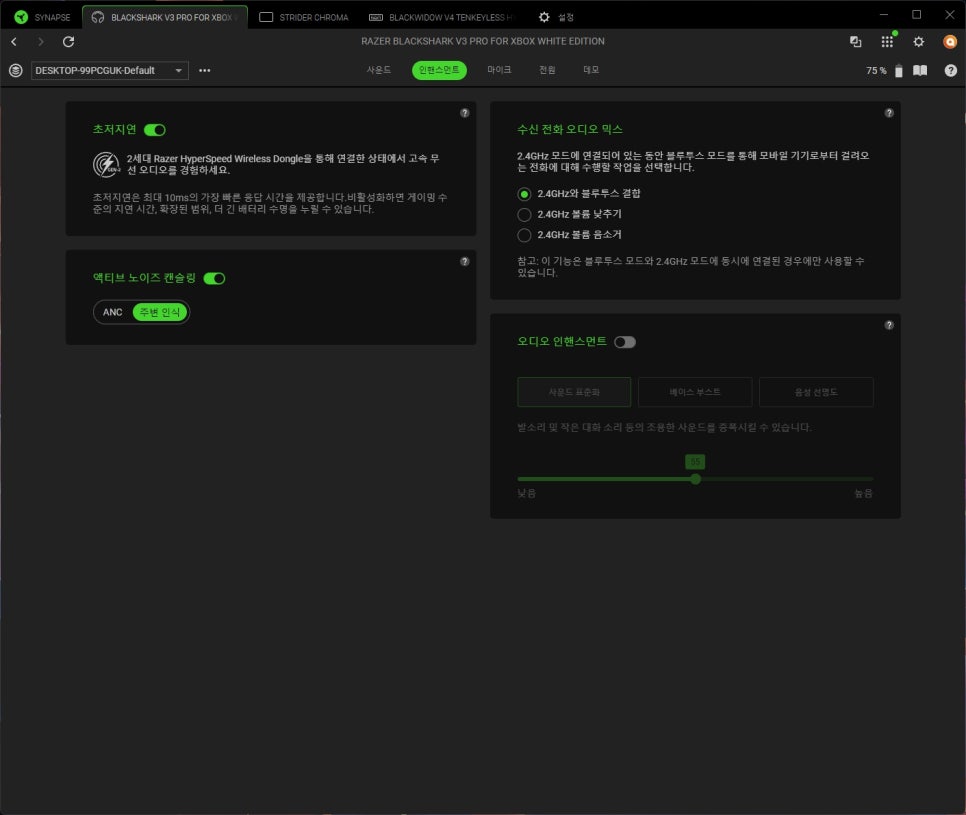
The Enhancement menu allows you to configure features such as Ultra Low-Latency Mode, Active Noise Cancelling, Incoming Call Audio Mix, and Audio Enhancement.
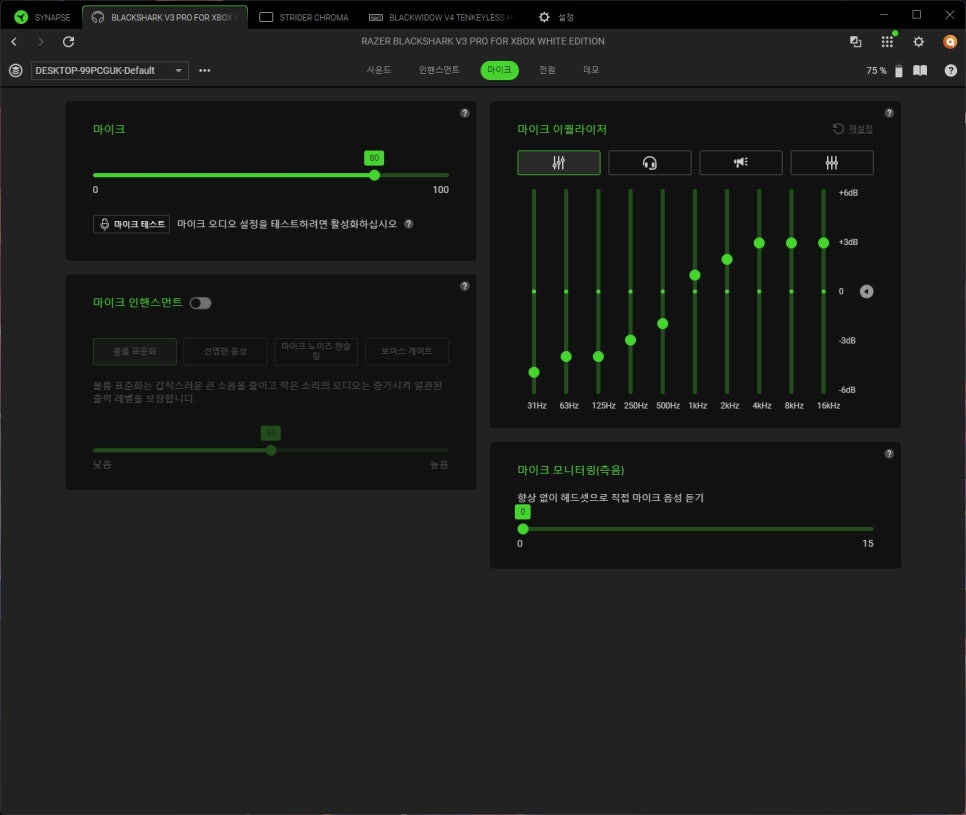
Within the Microphone menu, you can adjust the input volume and fine-tune your voice tone using a dedicated microphone equalizer. The microphone monitoring (sidetone) feature enables real-time feedback of your own voice, helping you adjust levels effectively. Microphone Enhancement offers additional refinements like Noise Gate and Voice Clarity improvement.
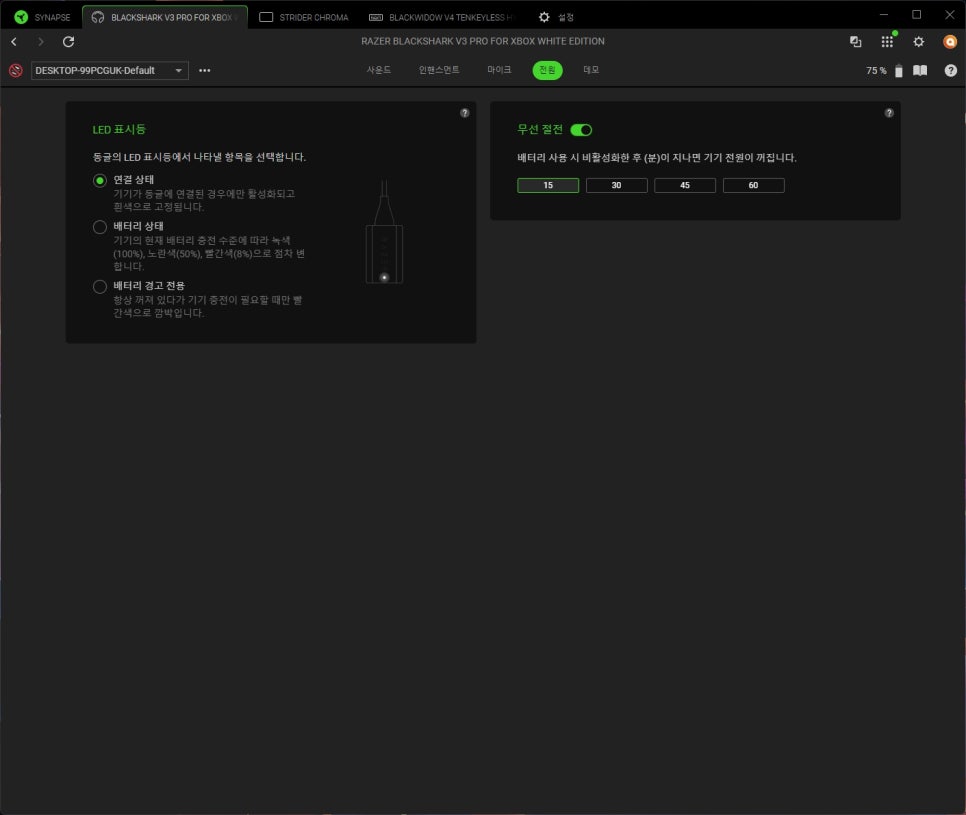
The Power menu provides options for setting an auto-off timer and checking the battery level.
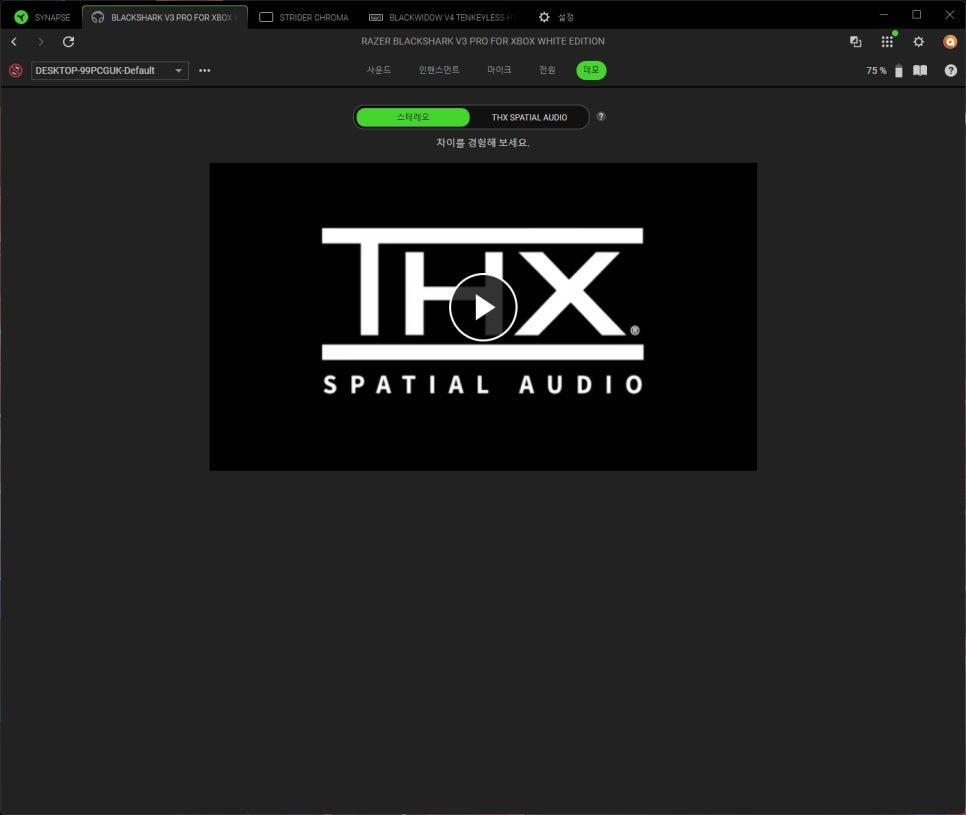
A key feature is Razer THX Spatial Audio support on PC. By activating THX Spatial Audio in Synapse 4, virtual surround sound is enabled, and you can directly test sound sources from various directions in the demo menu.
Razer Audio App & Razer Audio Setup for Xbox
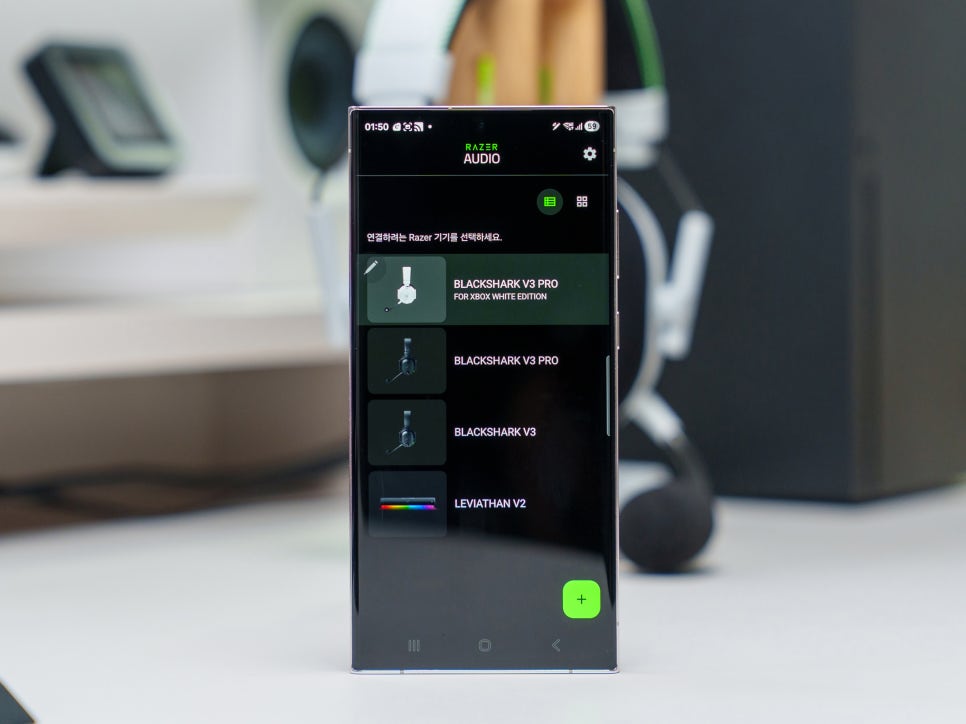
The BlackShark V3 Pro for Xbox allows you to control headset settings not only through Synapse 4 but also via the mobile Razer Audio app and the Xbox-exclusive Razer Audio Setup app.
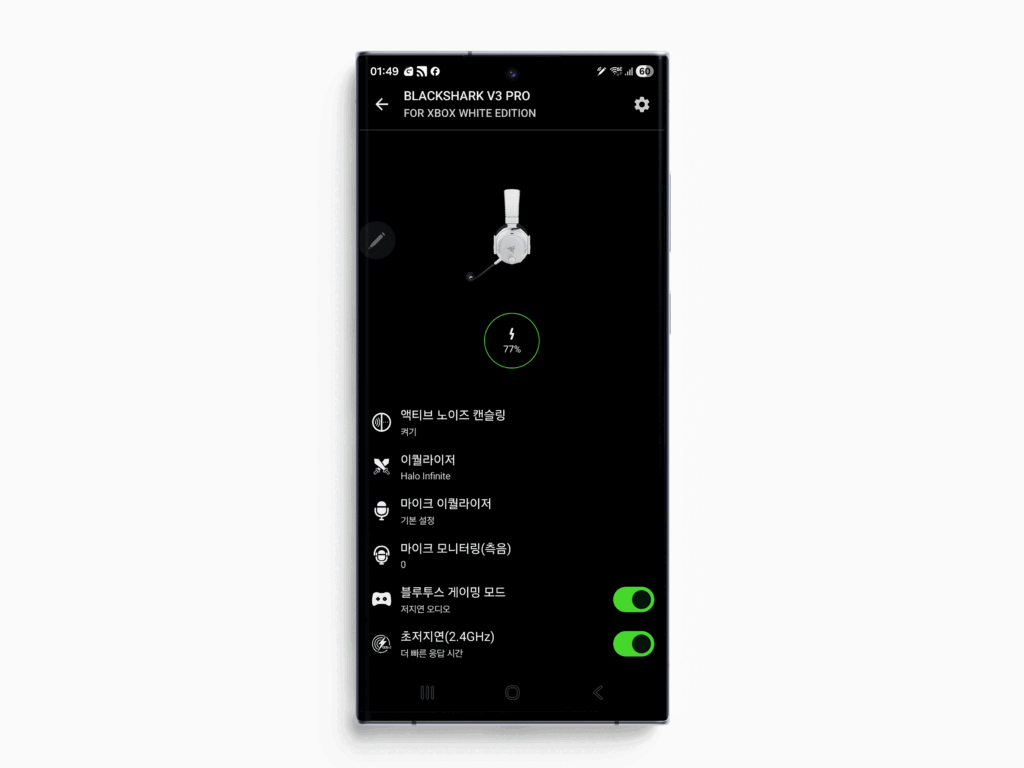
The Razer Audio app, available on both iOS and Android, allows you to easily adjust the headset’s main settings with just one smartphone. Once you connect the headset via Bluetooth, the app immediately recognizes the device and enables EQ profile editing, preset switching, button remapping, and ANC intensity adjustment, all at a level almost identical to Synapse 4.
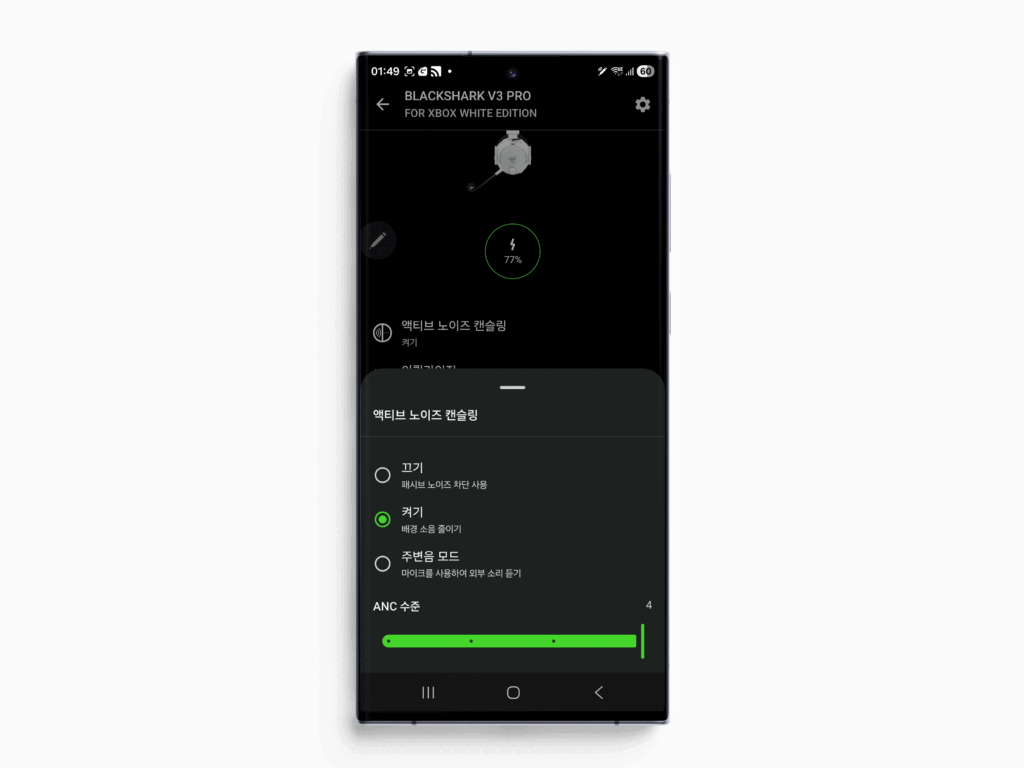
If you primarily use Xbox, configuring settings with the Razer Audio app is much more convenient. You can download esports pro player tuning presets or remap the roller function to enhance footsteps, all with just a few taps in the app.
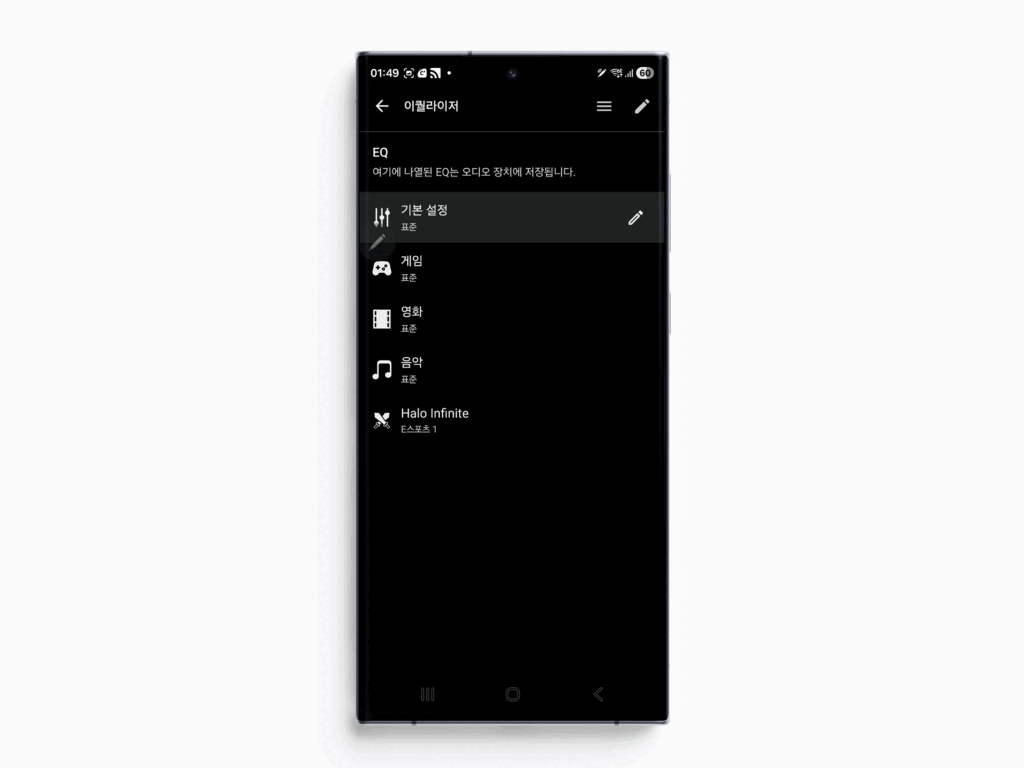
And the Razer Audio Setup app, available for free download from the Microsoft Store exclusively for Xbox, is an app that allows you to fine-tune audio settings directly on your Xbox console screen without a PC. You can edit EQ profiles or switch presets using your controller, and adjust microphone settings or ANC intensity directly from the console. The ability to quickly access it by pressing the Xbox Guide button during gameplay is extremely convenient.
Sound Test
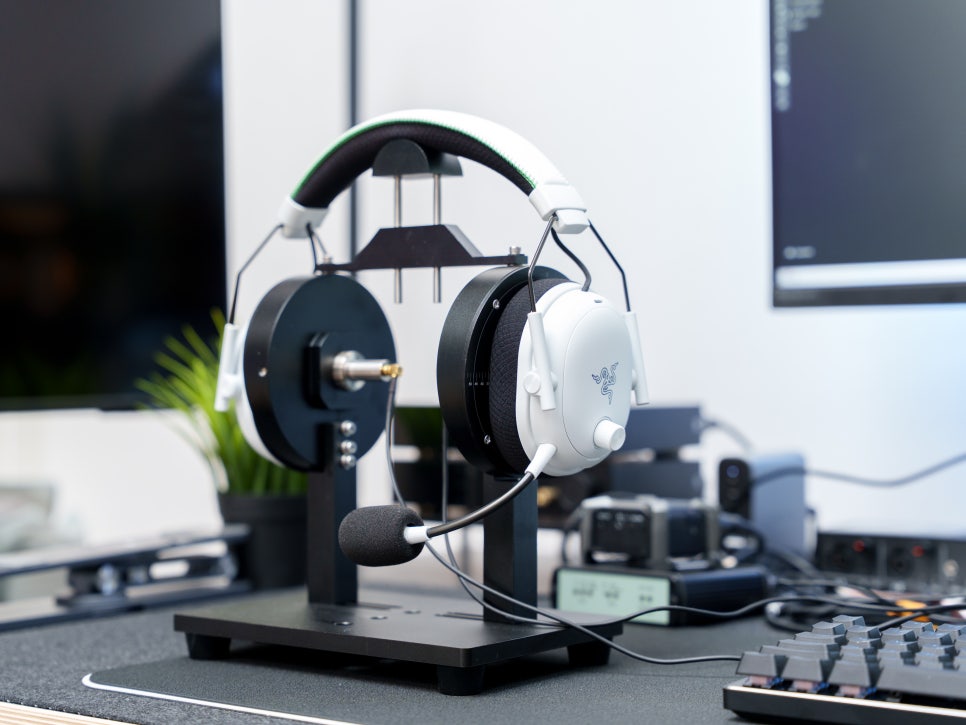
We conducted a sound test while playing games, music, and videos. The attached video records the actual sound played through the Razer BlackShark V3 Pro for Xbox using recording equipment.
Game Sound
The game sound test was conducted by setting the preset to ‘Game’ and playing PUBG (Battlegrounds). What makes the triple-chamber structure of the TriForce Bio-Cellulose 50mm Gen-2 drivers noticeable is that low-frequency explosion effects and high-frequency gunfire sound effects are cleanly separated without interference. Activating Windows Sonic Surround on Xbox or THX Spatial Audio on PC further expands the sense of spatial representation.
Music Sound
For the music test, we switched the preset to ‘Music’ and listened to some of the latest popular songs. The rich yet tight bass, characteristic of bio-cellulose drivers, is impressive, and the clear delivery of vocals, which stand out front and center, is excellent. Although it’s a gaming headset, it personally provides a thoroughly satisfying audio quality.
THX Spatial Audio
In Synapse 4, there’s a demo test menu where you can directly experience the effects of THX Spatial Audio. When you run the demo, virtual sound sources are played sequentially from various directions: front, rear, left, right, and even above your head. In regular stereo, only left/right panning is discernible, but the moment THX Spatial Audio is activated, a distinct sense of space emerges, as if sound is three-dimensionally enveloping your head.
Movie Sound Test
For the movie test, I changed the preset to “Movie” and compared stereo mode with virtual surround mode.
In stereo mode, the inherent performance of the Bio-Cellulose drivers is clearly felt. Character dialogue is clearly positioned in the front, while background music and ambient sounds are naturally layered behind. During explosions or impacts, the solid bass impact comes alive without overwhelming the dialogue frequencies, showing good balance.
Turning on virtual surround significantly changes the experience. On Xbox, you can activate Windows Sonic, and on PC, THX Spatial Audio, and in both cases, a three-dimensional effect is added, as if sound is enveloping your head.
Microphone Test
The HyperClear 12mm microphone definitely offers improved voice quality compared to its 9mm predecessor. While it doesn’t quite match dedicated streaming microphones, it’s certainly among the top tier for a headset’s built-in mic. By appropriately adjusting the noise gate in Synapse 4 or the Razer Audio app, you can effectively suppress keyboard typing sounds and ambient noise.
Review
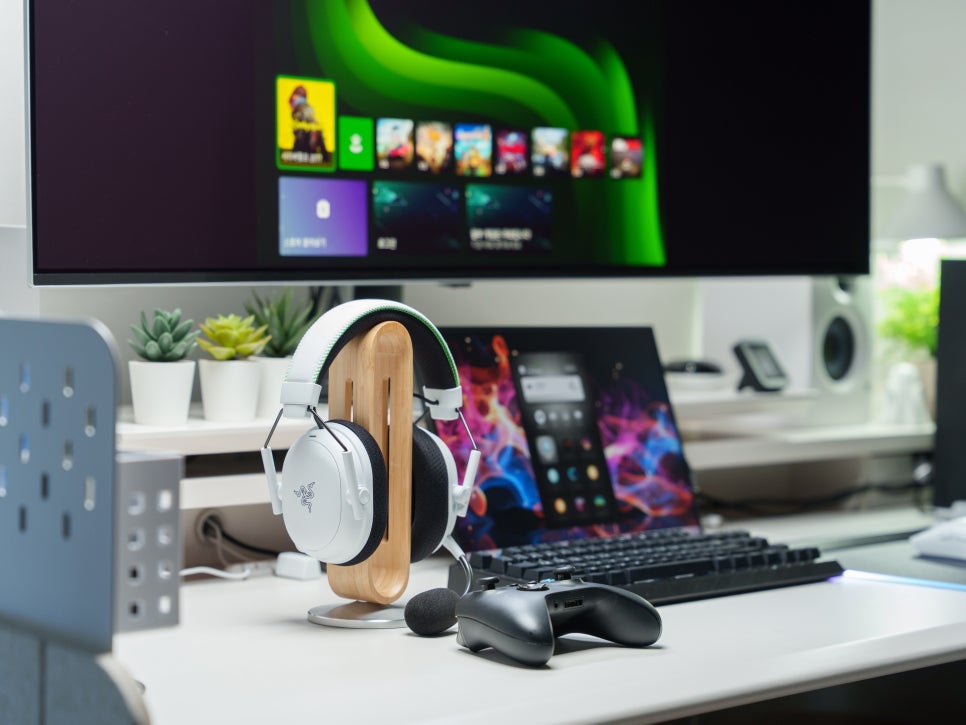
I’ve been using the Razer BlackShark V3 Pro for Xbox (white model) as my main headset for about two weeks now, and first off, the comfort is truly satisfying. The dual FlowKnit memory foam ear cushions gently cradle the ears while offering excellent breathability, allowing me to enjoy games like Diablo, which I recently picked up again, for five hours at a stretch – a basic session for me – all while being satisfied with both the comfort and weight.

On Xbox, by utilizing both Windows Sonic Surround and the multifunctional roller’s “footstep boost” feature, you can more precisely detect enemy movements and approach directions. The footstep boost independently amplifies only the footstep frequencies, regardless of the currently applied EQ preset, thus minimizing its impact on music or sound effects. In a PC environment, activating the THX Spatial Audio feature further enhances the spatial awareness. Since it conveys not only horizontal (front, back, left, right) but also vertical sound positions, it definitely provides an advantage in games like Battlegrounds or Valorant.
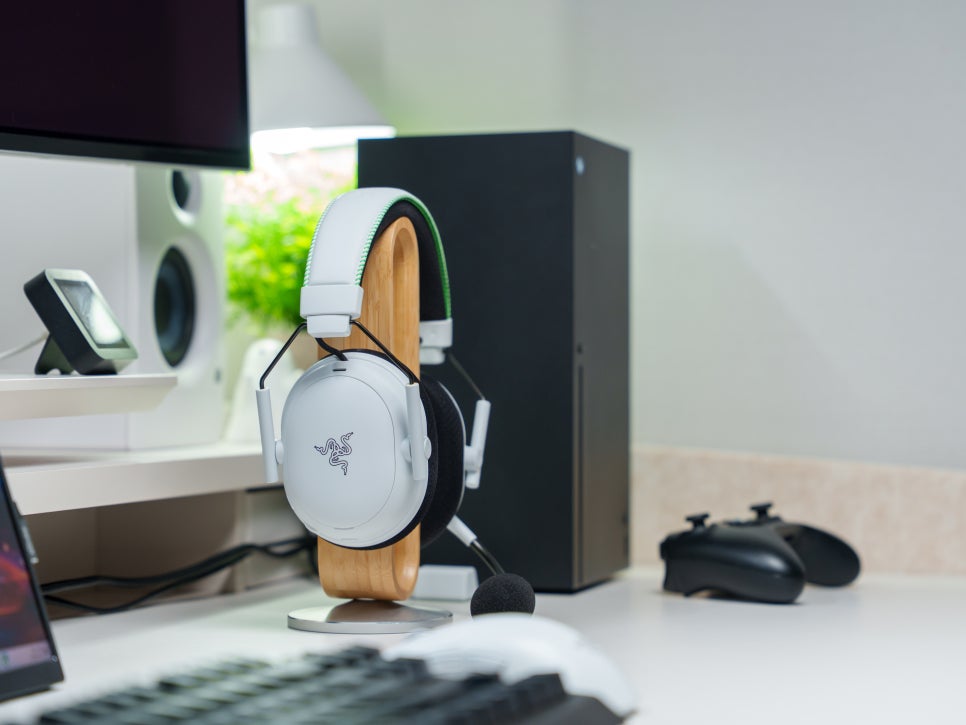
The battery also offers 48 hours on Xbox, meaning you can use it for over a week without worrying about charging, and in urgent situations, a 15-minute fast charge is incredibly useful.
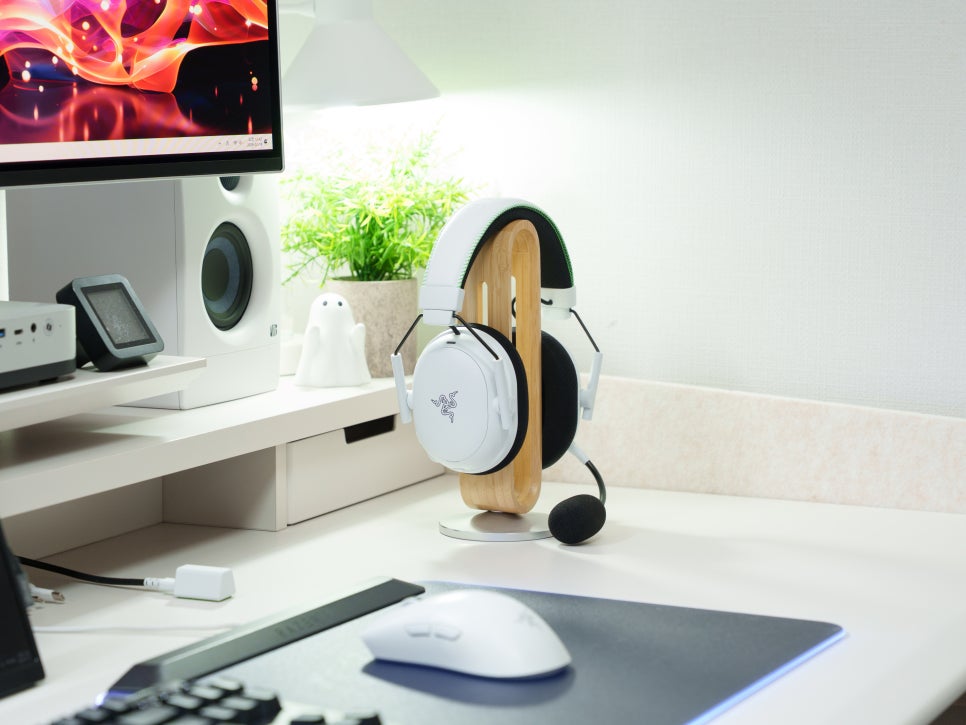
Above all, the actual white color is incredibly sleek, so if your Xbox controller or PC desk setup is white, the sense of unity with your other peripherals is very satisfying.
Concluding the review
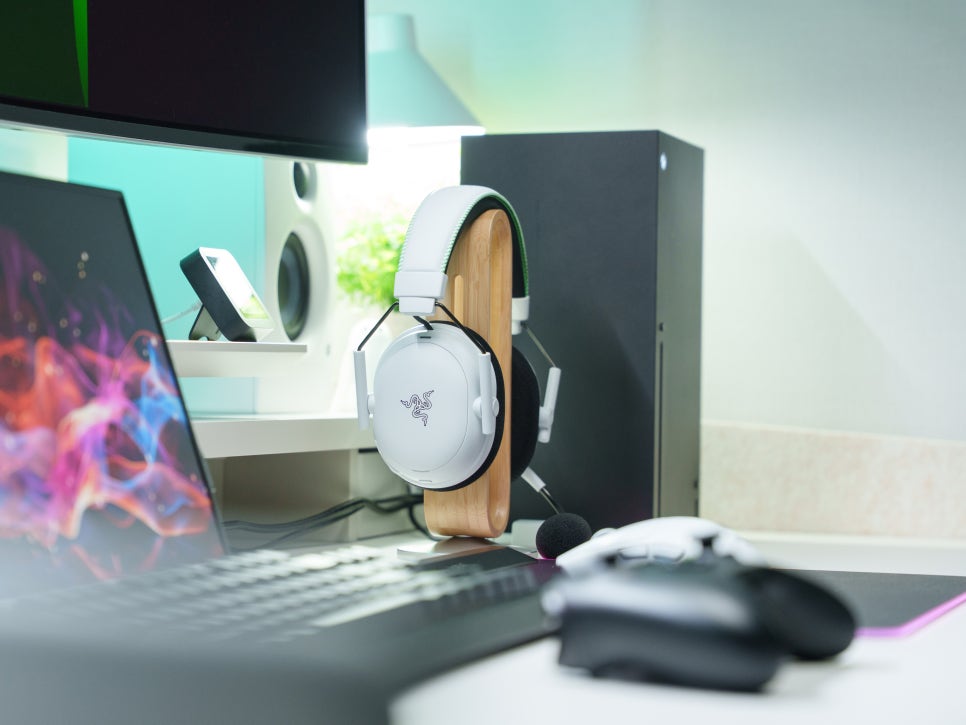
The Razer BlackShark V3 Pro for Xbox white model is a highly accomplished gaming headset, packed with all the features required for a premium gaming wireless headset: the BlackShark series’ first Hybrid ANC, 10ms ultra-low latency HyperSpeed Gen-2 wireless, simultaneous 2.4GHz and Bluetooth output, enhanced sound from Bio-Cellulose 50mm Gen-2 drivers, and even a full-band 12mm microphone.
It’s not limited to Xbox just because it’s an Xbox Edition; with a simple USB mode switch on the dongle, it can be used universally with PC, PS5, and Nintendo Switch. Furthermore, it supports software like Synapse 4 for PC, Razer Audio Setup for Xbox, and the Razer Audio app for mobile, offering the advantage of being able to configure settings in any environment.
The white color and modern design offer a distinct appeal compared to the black model. If you’re someone who wants to switch between Xbox and PC with a single headset, or if you’re looking for a white setup, then you should definitely keep an eye on the Razer BlackShark V3 Pro for Xbox.
Buy Product
As an Amazon Associate I earn from qualifying purhases.
Purchase Product : https://amzn.to/3OdYg8t